



Cleamio: All-in-One Mac Cleaner & Optimizer
Clean junk files, free up space, and boost Mac performance
No.1 Mac Cleaner & Optimizer
Clean, speed up, and optimize your Mac
Display flickering, sudden logouts, frozen desktops, and repeated crash notifications often occur when Windowserver quit unexpectedly on Mac. Windowserver is a core macOS process responsible for rendering windows, graphical effects, displays, and user interface elements.
Mac users running Sequoia, Tahoe, Sonoma, Ventura, and Monterey frequently report Windowserver crashes after updates, display configuration changes, or software conflicts.
The guide below covers the root causes of Windowserver failures, the impact of terminating the process, 9 proven fixes for recurring crashes like tweaking graphics settings or using safe mode, and performance optimization techniques to reduce future Windowserver-related issues.

Windowserver crashes usually originate from software conflicts, corrupted display settings, problematic graphics configurations, or excessive resource consumption.
Apple identifies Windowserver as the system-level process responsible for managing display communication between applications and the graphical interface.
Here are the common causes of Windowserver crashes:
Damaged display configuration files can prevent Windowserver from loading properly. Common symptoms include:
Utilities that modify system appearance often interfere with Windowserver. Examples include:
Incorrect ICC color profiles can trigger rendering errors. Custom monitor profiles frequently become incompatible after macOS updates.
External displays increase the Windowserver workload significantly. Apple Support documentation notes that Windowserver handles all display rendering operations across connected monitors.
Excessive graphical activity can overwhelm the Windowserver. Common triggers include:
Startup utilities often inject background processes that interact directly with display services. Conflicting launch agents frequently trigger Apple Windowserver quit unexpectedly errors.
Reports appeared during Sonoma and Tahoe beta release cycles, users reporting Windowserver quit unexpectedly, and Sequoia issues noticed crashes immediately after upgrading.
Windowserver controls the entire graphical environment. Forcefully terminating it immediately affects every visual component currently running. Effects of quitting Windowserver include:
Users frequently search Can I force quit Windowserver on Mac. Technically yes.
Practically, force-quitting the Windowserver should only be used for troubleshooting because it immediately disrupts the active user session.

The Windowserver quit unexpectedly error occurs when macOS loses its primary display-rendering process.
Resolving configuration conflicts, display issues, and startup software problems typically restores stability.
Menu bar utilities commonly inject custom UI elements directly into Windowserver.
Removing incompatible extensions often resolves repeated crashes immediately.

Damaged ICC profiles can trigger display rendering failures. Resetting color management settings frequently restores stability.

Corrupted display preference files often survive system updates. Removing them forces macOS to generate clean configurations.

Heavy visual effects increase the Windowserver workload. Reducing graphical overhead lowers CPU and GPU usage.

Background startup applications frequently trigger graphical service conflicts. Removing unnecessary startup processes simplifies troubleshooting.

Animated wallpapers and high-resolution screensavers place additional demand on Windowserver. Using static backgrounds often reduces crashes.

Safe Mode loads only essential macOS components. Successful operation in Safe Mode often confirms third-party software conflicts.


these steps work on Apple Silicon Macs beginning with the M1 chip and later.
Multiple Spaces configurations occasionally trigger display rendering bugs. Adjusting desktop behavior improves compatibility.

Major update bugs sometimes cause persistent Windowserver instability. Downgrading can restore functionality until Apple releases fixes. However, it is very important to back up important data before beginning.
By the end of March 2026, the latest macOS 26.3 was being used by almost 57% of all Macs, then it decreased to 19.93% because users were downgrading by the end of April 2026.

Many users reporting mac Windowserver quit unexpectedly after upgrades to Sequoia or Tahoe successfully resolved the issue through rollback procedures.
Long-term stability depends on minimizing display conflicts, reducing resource pressure, and monitoring system performance regularly.
Preventive maintenance often eliminates conditions that trigger recurring crashes.
High CPU and memory consumption frequently contribute to Windowserver instability.
Tenorshare Cleamio includes a built-in Mac Status Center capable of identifying resource-heavy processes, startup items, and background applications. It can handle real-time CPU and memory monitoring with startup item management and junk file cleanup.
Cleamio brings background process detection and one-click optimization to prevent issues like Windowserver quit unexpectedly on Mac.

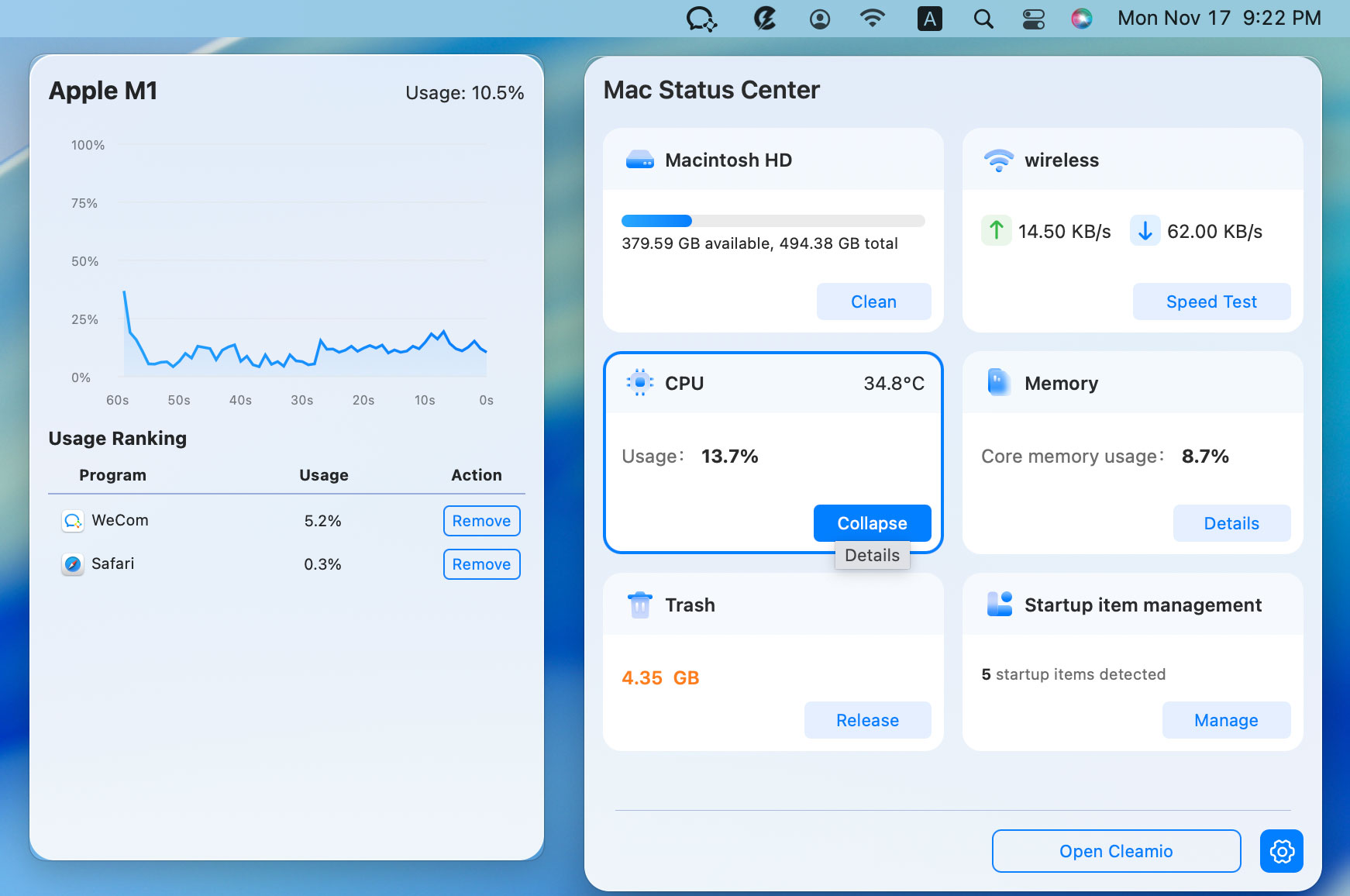
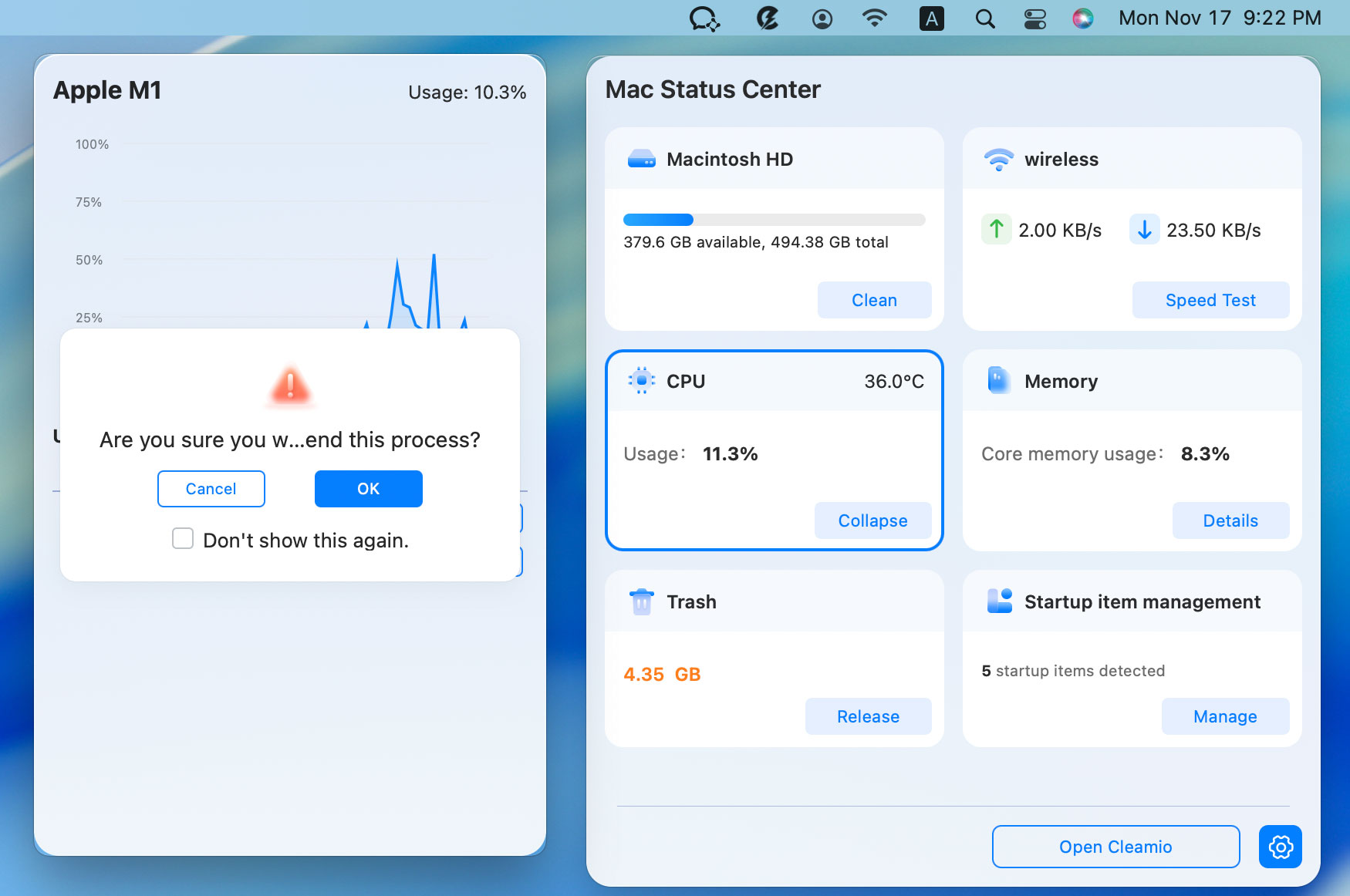
This approach helps prevent future Windowserver experienced a problem mac errors caused by resource exhaustion and background process conflicts.
No. Windowserver is a legitimate system process built into macOS and developed by Apple. It manages graphical rendering, window display, animations, desktop elements, and communication between applications and your display hardware. High CPU usage from Windowserver may look suspicious, but it is usually caused by display-related workloads rather than malware.
Yes, but it is not recommended during normal operation. Force-quitting the Windowserver immediately logs out the current user session and may result in unsaved data loss.
Not in most cases. The error is usually triggered by software conflicts, corrupted display settings, incompatible login items, problematic display extensions, or bugs introduced through macOS updates. Hardware-related issues such as failing GPUs, faulty displays, or memory problems are possible but significantly less common causes.
Display configuration conflicts, corrupted preferences, startup applications, and macOS update issues remain the most common reasons for the Windowserver quit unexpectedly on Mac errors. Removing problematic extensions, resetting display settings, optimizing graphical performance, and monitoring system resources can restore stability.
For long-term maintenance, Tenorshare Cleamio provides an effective solution for tracking resource-heavy applications and preventing future Windows Server-related crashes.
then write your review
Leave a Comment
Create your review for Tenorshare articles
 Cleamio
All-in-One Mac Cleaner & Optimizer
Share this post


Cleamio: All-in-One Mac Cleaner & Optimizer
Clean junk files, free up space, and boost Mac performance
No.1 Mac Cleaner & Optimizer
Clean, speed up, and optimize your Mac
By Jenefey Aaron
2026-09-15 / Mac Tips