
How to Compress PDF
Ever tried emailing a large PDF and hit the dreaded "file too big" alert? Frustrating, right? Don’t worry—PDNob PDF Editor can shrink your PDF quickly and easily without compromising quality. Follow these steps to compress your PDF effortlessly:
-
Open Your PDF in PDNob
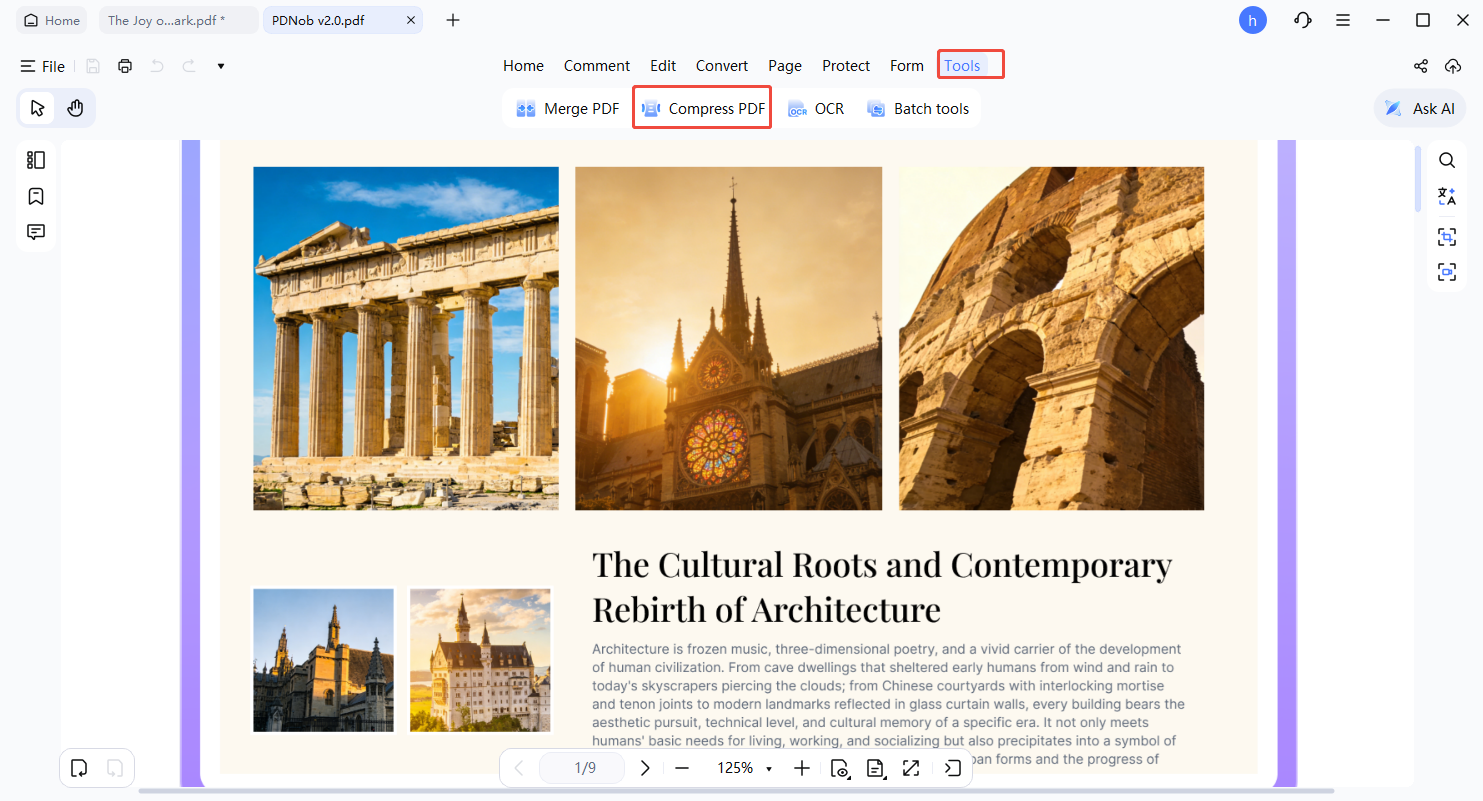
Launch PDNob PDF Editor and open the PDF you want to compress. On the top toolbar, click Tools and then select Compress.
-
Choose the Compression Option
From the dropdown menu, pick Compressed PDF. A new window will open, presenting several compression levels for you to select.
-
Select Your Desired Compression Level
You’ll have choices like: High quality, Medium quality, and Low quality.
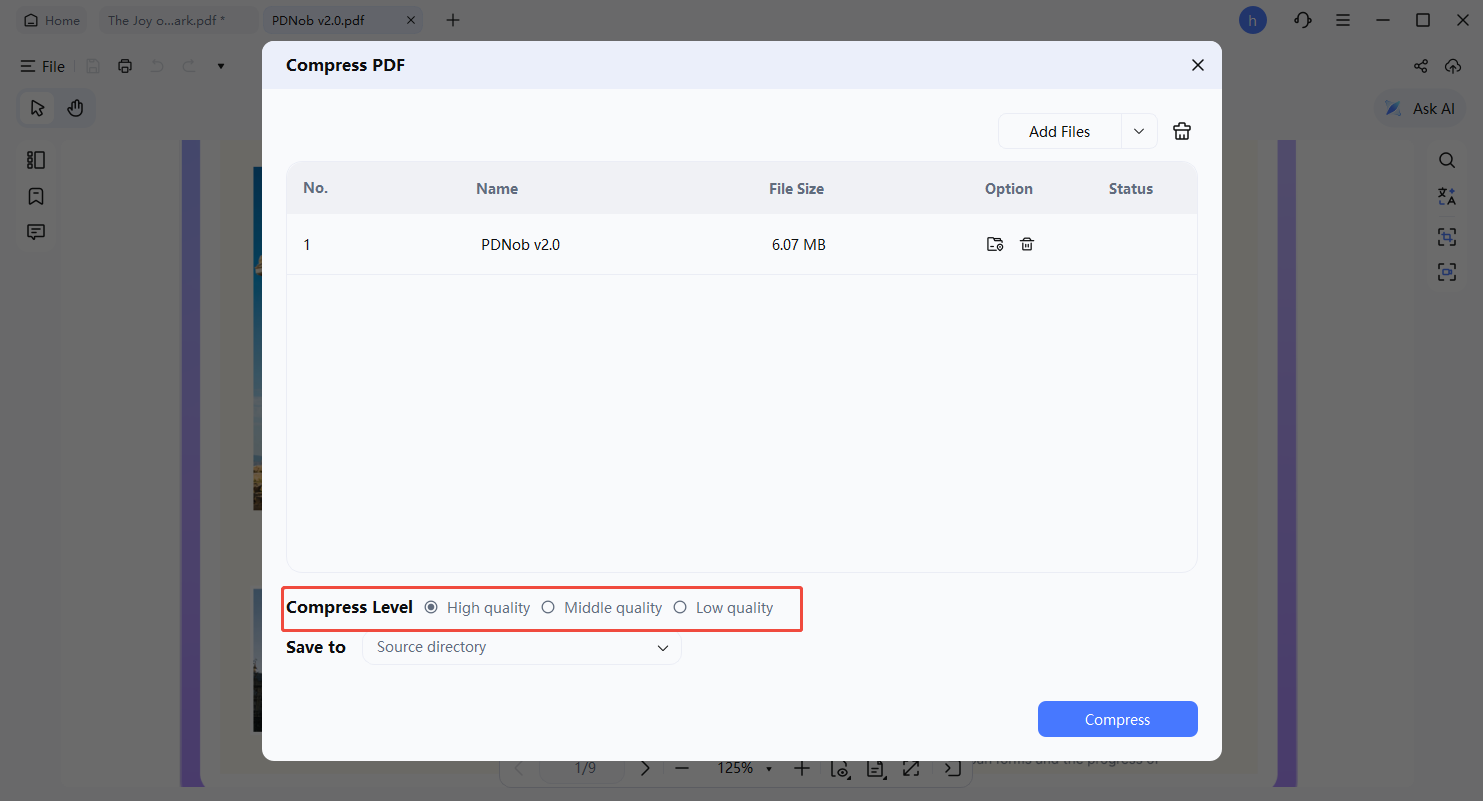
Lower quality settings reduce file size more significantly, but may take a few extra seconds to process. Choose the balance that works best for you.
-
Save Your Compressed PDF
After selecting the compression level, click the Compress button. Pick a location, name your file, and press Compress again. Your PDF is now reduced in size and ready to share.


