

 iOS Tips & Latest Updates
 Bug Fixes, Unlock Guides
 Giveaways & Freebies


UltData - Best iPhone Data Recovery Tool
Recover Deleted & Lost Data from iOS Devices Easily, No Backup Needed!
UltData: Best iPhone Recovery Tool
Recover Lost iPhone Data without Backup
Voice messages save a lot of time and are valuable these days. People choose sending voice messages over conventional text messages. They might contain important information you need in the future. When they are lost, it may cause frustration.
In this guide, we're going to discuss different methods to retrieve old voice messages on iPhone. Let's get started!

First and foremost, the thing you need to do is to check the Messages App to see if you can find your voice messages. Simply click the Messages app and open the chat of a person where these messages were exchanged.
Audio messages are designed to get deleted on their own after a certain period of time. It may not necessarily need manual deletion. So, it is possible that an audio message deleted months ago will not be available in chat.
So, it is quite important to check the recently deleted folder in the message app, as it keeps the deleted voice messages for 30 days.
Not every voice message is an audio message. You might have your own personal recordings. Even if these recordings get deleted, you still might get them back using different methods.
Can You Retrieve Old Voice Messages on iPhone?
Yes, retrieving old voice messages on an iPhone is possible, depending on where the messages were stored and whether they are still available in a backup. You can first check the Messages app to see if the voice message is still there. If it has been deleted, you may be able to retrieve it from an iCloud or computer backup.
If no backup is available, or the backup does not contain the voice messages you need, a third-party data recovery tool may be another option. The following methods will walk you through the available ways to find and recover old voice messages on your iPhone.
There are different methods used to retrieve the old deleted data. You are lucky if you are using an iPhone, as it offers built-in methods (not effective all the time) to recover the lost data. Here are a few of the methods you need to try.
The first thing you need to do is to check your recently deleted folder once voice messages are deleted. If they are there, you will be able to recover the lost messages instantly.
iCloud backups are quite helpful in retrieving the lost data. If you have backed up your device through iCloud, you might get the data back quickly from it. iCloud Backup requires you to erase all the data, so you must create a backup of the data before doing that.


UltData iPhone recovery tool is a comprehensive solution to retrieve old voice messages on iPhone. It is helpful to restore iPhone data even when it is deleted from the device permanently. Here are a few of the key features of the UltData recovery tool.




Here are the two different options you have while recovering your lost data from the Tenorshare UltData recovery tool.
Here is a step-by-step guide for you to recover the lost file from a backup with the help of the Tenorshare UltData recovery tool.
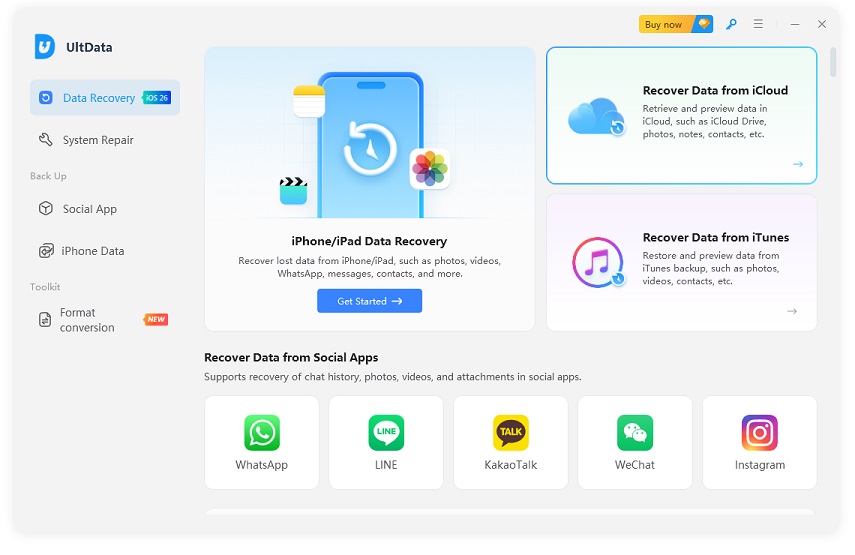


Browse the list of available backups, choose the specific file you wish to download and scan, then click "Next".

Select the specific categories of data you need to recover (such as Photos, Videos, Contacts, etc.) and click "Download".
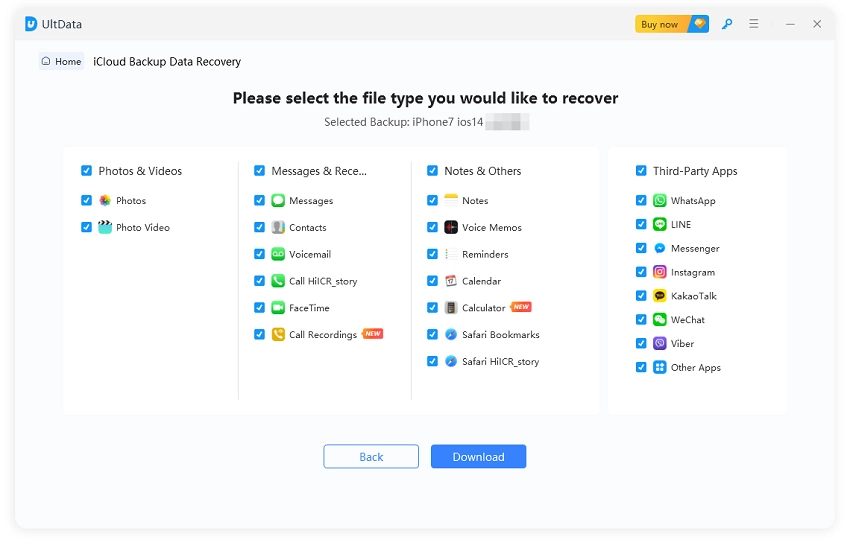
After choosing the required file types, click "Download" to scan the selected iCloud backup data. Once the scan is complete, preview the available files, select the items you want to recover, and click "Recover to PC" to export them to your computer.

Here is the step-by-step guide to recover the old messages without any backup with the help of the Tenorshare UltData recovery tool. Follow the guide for a smoother recovery of your lost files.
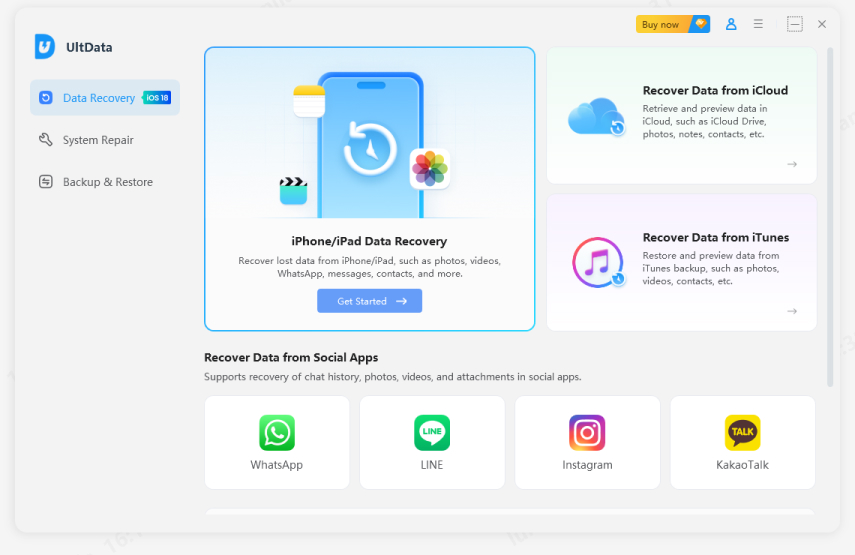
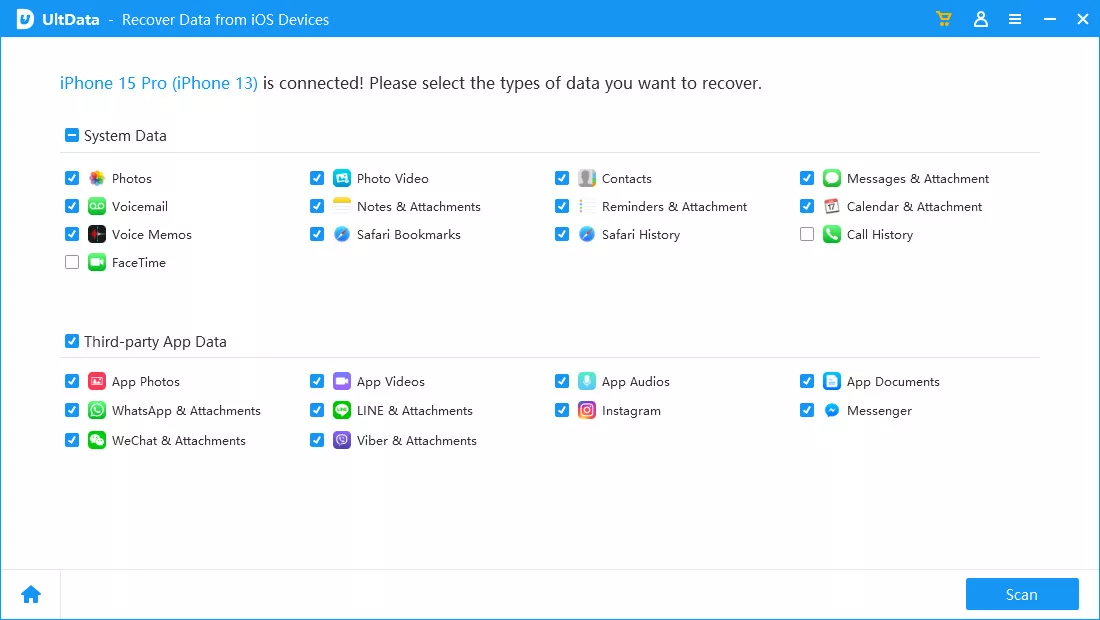
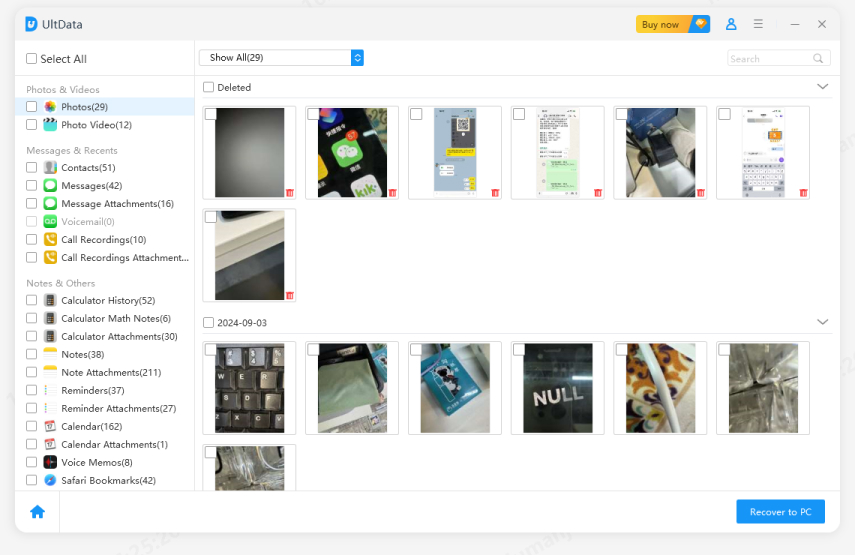
That is how it is done. All you need to do is follow these steps and get your file back.
Losing our old voice message with important information might be a frustrating experience. It happens, and there is always a solution for such problems. Whether you have deleted them yourself or they get deleted by some unusual circumstances, you can retrieve old voice messages on iPhone with the help of the Tenorshare UltData recovery tool.
So, get it now and get your lost data back even when it is permanently deleted from the device. You don't need to have a backup to recover those lost files while using UltData.


UltData - Best iPhone Data Recovery Software






then write your review
Leave a Comment
Create your review for Tenorshare articles

Share this post


UltData - Best iPhone Data Recovery Tool
Recover Deleted & Lost Data from iOS Devices Easily, No Backup Needed!
UltData: Best iPhone Recovery Tool
Recover Lost iPhone Data without Backup
By Jenefey Aaron
2026-09-28 / iOS Data Recovery