

 iOS Tips & Latest Updates
 Bug Fixes, Unlock Guides
 Giveaways & Freebies
then write your review


ReiBoot - No.1 Free iOS System Repair Software
Fix 150+ iOS Issues without Data Loss & Safely iOS 27 Upgrade/Downgrade
ReiBoot: No.1 iOS Repair Tool
Fix 150+ iOS Issues, No Data Loss
You press the side button, the Apple logo appears, and then nothing. Minutes pass, but the Duo remains unresponsive. It's the kind of panic that comes when your phone holds your photos, messages, and two-factor codes.
Apple's official fix is Recovery Mode through iTunes or Finder, which can wipe your data. So start with safer options mentioned in this guide to fix the iPhone Duo stuck on Apple logo. Rule out simple causes, force-restart the phone, then check storage and update history. If the logo still won't clear, try iOS repair before risking a full restore.

The Apple logo means the hardware has powered on, but iOS failed to finish loading. A white or black screen with the logo, or repeated restarts, usually points to a software problem. Frequent causes of iPhone Duo being stuck on the Apple logo include:
Here's a step-by-step basic and native troubleshooting checklist. Many times, they are sufficient to resolve the "iPhone Duo stuck on Apple logo" issue:
A drained battery can stall the boot even when the logo appears. While a cheap cable or adapter may also not provide enough voltage, causing an "iPhone Duo boot loop Apple logo" issue. So, plug the iPhone Duo into a certified cable and adapter to charge, then leave it alone for at least 30 minutes.

Often, full memory, a background process, or a temporary glitch can cause this issue. An iPhone Duo stuck on Apple logo soft reset, also called a force restart, only clears temporary memory, never your stored data. Before moving to recovery tools, try it:

Apple's built-in recovery option, like "Update," in Finder/iTunes might be able to fix the iPhone Duo stuck on white screen with Apple logo. First, put the phone into Recovery Mode. Here's how:

If the "Update" fails with an error such as "An unknown error occurred (14)," try another cable and USB port first. Error 14 can be linked to USB issues or, according to community reports, storage problems.
If iPhone Duo is stuck on Apple logo due to storage being full and "Update" keeps failing, Finder may require a "Restore," causing data loss.
When a force restart fails and iTunes triggers 'Error 14' or asks for a restore, try Tenorshare ReiBoot. It can repair iPhone Duo stuck on Apple logo without data loss, alongside other iOS problems at a deeper system level.




What ReiBoot offers:
Here's how to fix an iPhone Duo stuck on the Apple logo with ReiBoot:
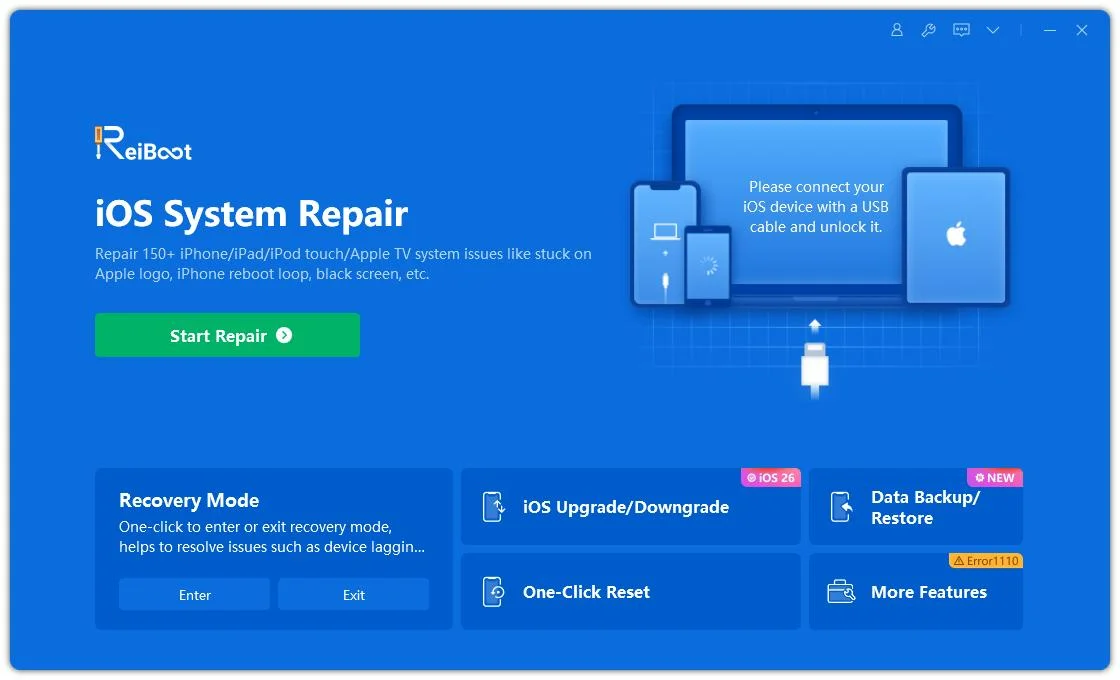
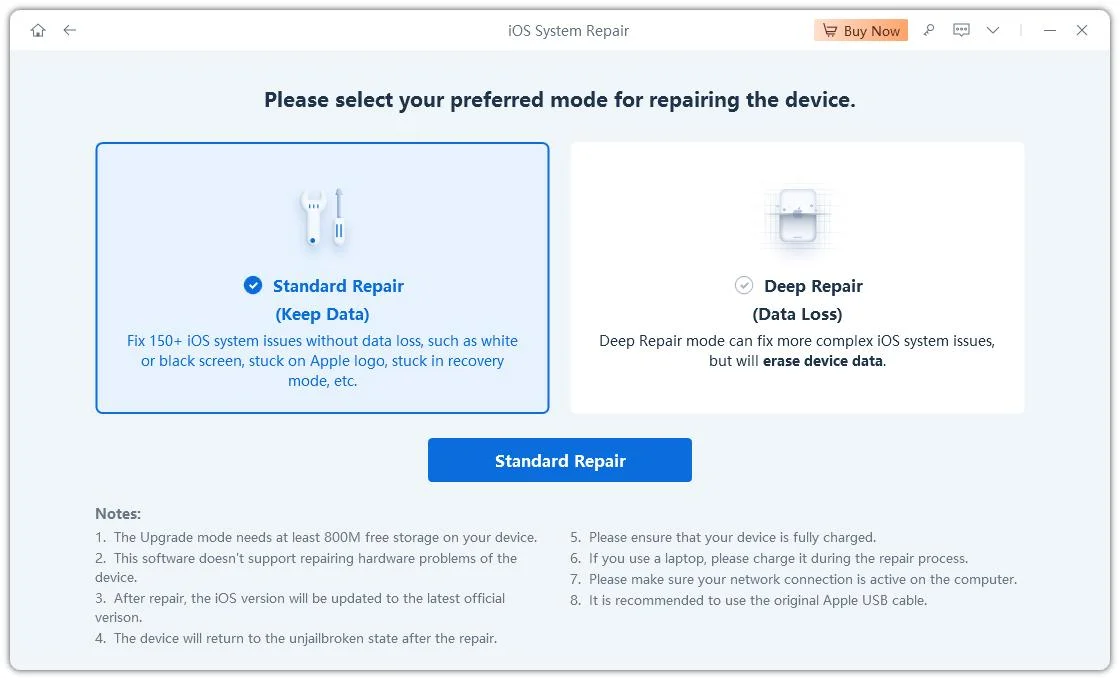
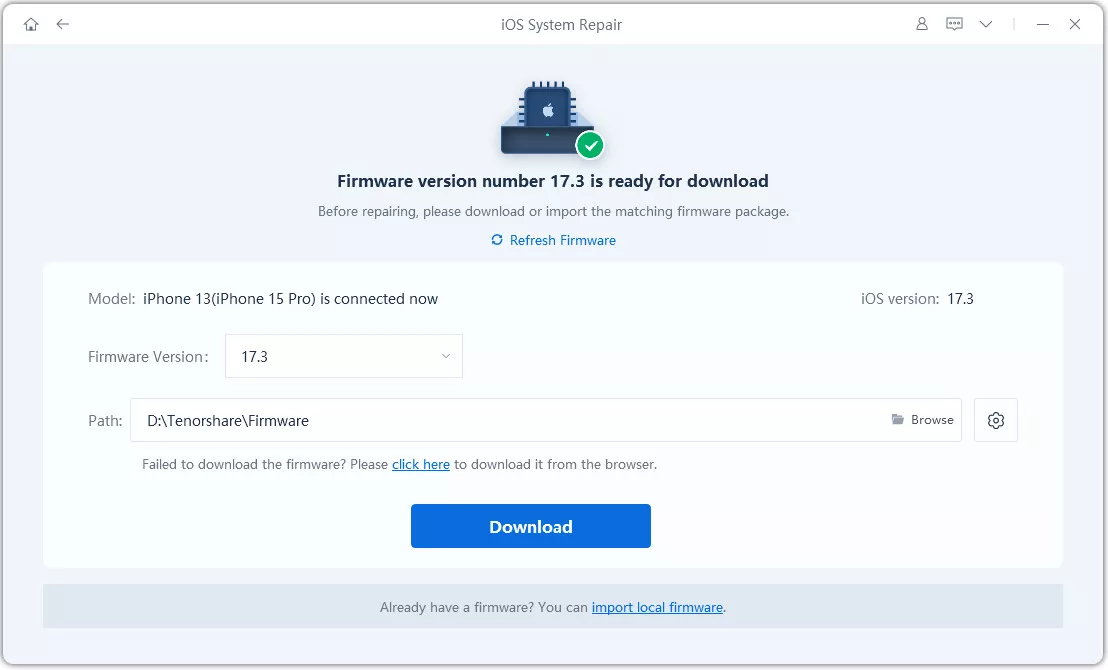
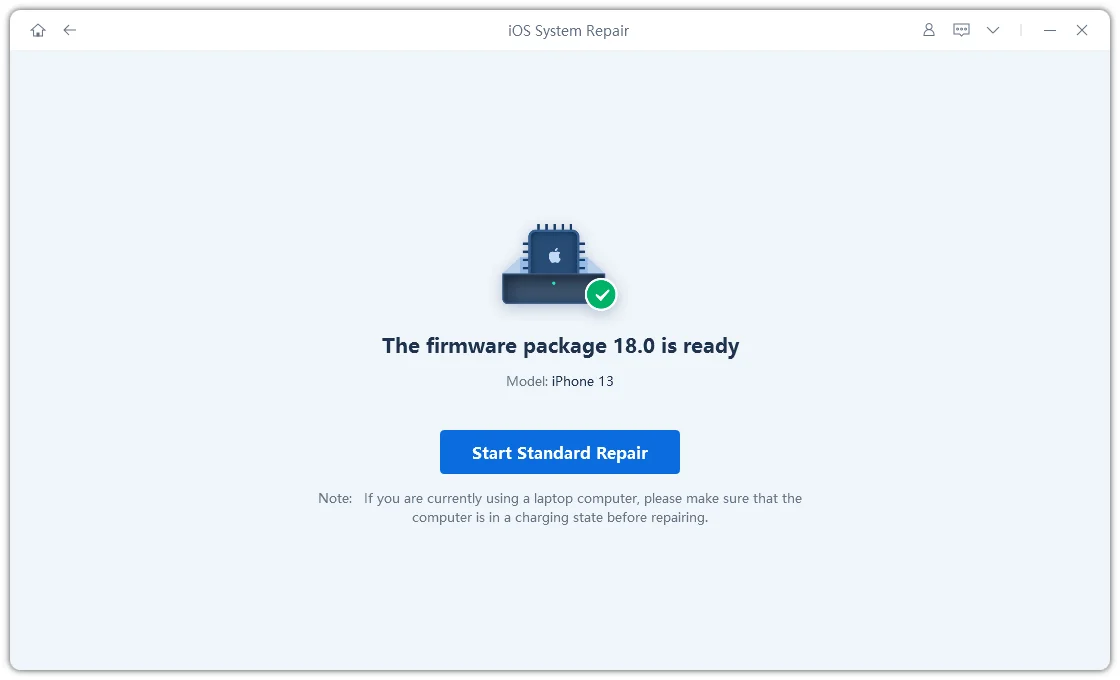
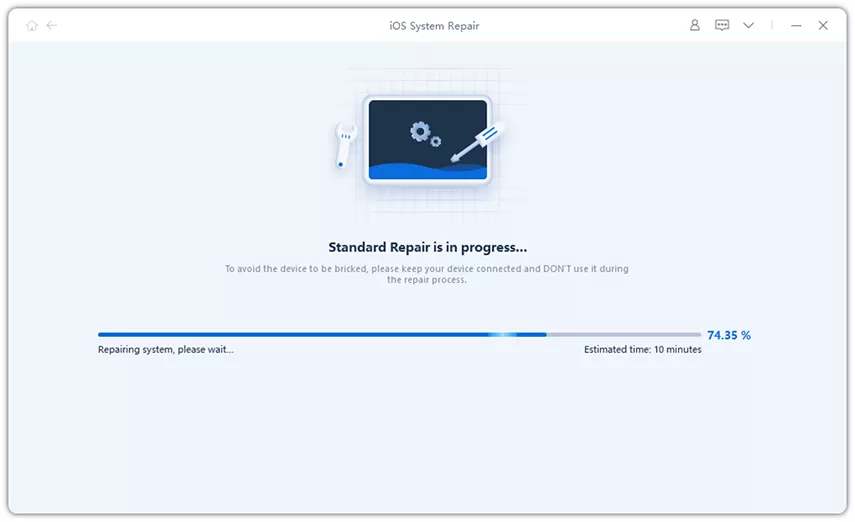
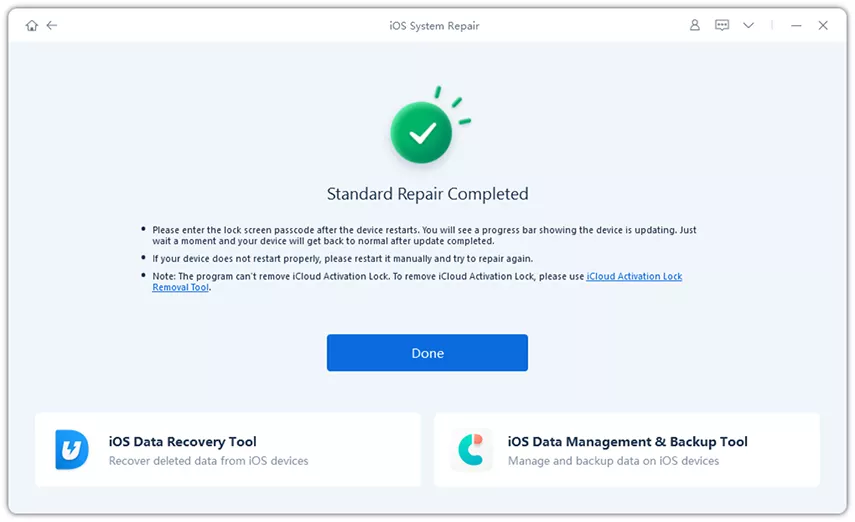
An Apple logo on either a white or black background means the screen and processor started. Something in iOS then failed while loading system components. That points to software, so a force restart or system repair is worth trying before assuming hardware damage.
Yes. iOS needs operational space during startup, so a phone with no free storage can loop at the logo. This often pairs with "Error 14" during a computer update. The fix is to repair with Tenorshare Reiboot, which doesn't depend on the phone's free space.
A normal boot takes a minute or two. If the Apple logo sits there with no progress bar for over five minutes, force restart. The exception is right after a restore or migration, where Apple says to wait until the progress bar has stopped moving for at least an hour before intervening.
No. A force restart only clears temporary memory and doesn't touch stored photos, messages, or apps.
Use Tenorshare ReiBoot's Standard Repair to reinstall system software without a factory reset. This is also the way to repair an iPhone Duo stuck on the Apple logo without data loss.
When your iPhone Duo is stuck on Apple logo, try Apple's official fixes first. Charge the phone, perform a force restart, and try Recovery Mode with Update, never Restore. If the logo persists or Error 14 appears, use Tenorshare ReiBoot's Standard Repair to fix the issue and keep your data intact instead of restoring. Download Tenorshare ReiBoot and get past the Apple logo without risking a single photo or data loss.


then write your review
Leave a Comment
Create your review for Tenorshare articles
Share this post


ReiBoot - No.1 Free iOS System Repair Software
Fix 150+ iOS Issues without Data Loss & Safely iOS 27 Upgrade/Downgrade
ReiBoot: No.1 iOS Repair Tool
Fix 150+ iOS Issues, No Data Loss
By Jenefey Aaron
2026-10-20 / iPhone 18