

 iOS Tips & Latest Updates
 Bug Fixes, Unlock Guides
 Giveaways & Freebies


UltData - Best iPhone Data Recovery Tool
Recover Deleted & Lost Data from iOS Devices Easily, No Backup Needed!
UltData: Best iPhone Recovery Tool
Recover Lost iPhone Data without Backup
Deleting an important Grok thread can be serious when it holds prompts, research, screenshots, or work notes. The best way to handle how to recover deleted grok chats is to check where the data may still exist. You may not restore the original Grok conversation, but you can recover saved copies, exports, shared messages, uploaded files, or screenshots from your mobile device.

A common starting question is does Grok AI save chat history? In normal use, Grok keeps past conversations inside your signed-in Grok or X account. You can return to them from the history area. This history is linked to the account, not just saved as a visible file in your phone storage.
Grok conversations might sync across mobile and web when you use the same account. Therefore, if a chat seems missing on your phone, check Grok on another logged-in device, open the correct X account, and review the complete conversation list. Sometimes a thread is not deleted, but it is just buried under newer chats or attached to another login.

Users search how long does Grok keep deleted chats, as they want a clear recovery window. If you delete Grok conversation history through X settings, X says deleted conversations are removed from its systems within 30 days, unless they must be kept for security or legal reasons. That is why you should act immediately before local files or cached copies are overwritten.
The honest answer to can you recover deleted Grok chats is: sometimes. If the chat exists in your account, another device, a shared message, a screenshot, or an exported file, recovery is possible. If it was permanently deleted Grok and no copies exist anywhere, direct restoration is unlikely.
For mobile users, how to recover deleted Grok chats starts with the chat history panel. You should search by topic, file name, project name, or the first prompt you remember. If you use more than one X account, switch accounts and check each one. This simple step may help you recover deleted Grok conversations without the use of any software.
Not only that, but check another device. If you created the chat on Android but later searched on iPhone, open Grok on the original device or desktop browser. Suppose the thread is visible there. In that case, copy the text, take screenshots, or save it as a PDF before refreshing.
Now the harder question: can deleted Grok chats be recovered after permanent deletion? If the original cloud chat has been fully removed, a phone recovery tool cannot pull that conversation back from Grok's servers. However, you can still rebuild the lost thread from related files.
Look for downloaded PDFs, screenshots, images uploaded to Grok, copied notes, browser history, shared links, cloud files, or messages where you sent the response to someone else. In many cases, this is enough to recover deleted Grok chat history in a usable form.

Use the following steps in order. They move from the easiest checks to deeper recovery. Hence, you do not waste time scanning your phone before checking obvious places.

For How to Check Deleted Chats on Grok, first open Grok on mobile and review the history or conversation panel. If search is available, search for a keyword from the missing conversation.
Subsequently, check other logged-in devices. Do not refresh an old tab immediately. If the conversation is still visible on a tablet, desktop, or another phone, save it right away.
After that, you should search for browser history and cached pages. In Chrome, Safari, or your mobile browser, search "Grok," the topic name, or a unique phrase that was present in your prompt. A history result might reopen the thread if it still exists online.
Finally, verify account and sync status. Update the application, reconnect to a stable network, and confirm you are viewing the same account that created the chat.
If nothing appears in Grok history, synced devices, or browser records, look outside Grok.
This method allows you to retrieve deleted Grok conversations from places where you may have saved or shared them. Check your Downloads folder, Files app, Notes app, and cloud drives for exported chat files, PDF exports, copied answers, or ZIP archives.
If you requested your X data archive, open it on desktop and search inside the files for Grok-related terms, project names, or old prompts. Moreover, search email, WhatsApp, Telegram, Slack, Messenger, or any app where you may have shared a Grok answer.
If those exported or shared files were later deleted from your phone, recovery software may help.
Sometimes the original chat is gone, but the materials behind it are still available. You might search for images uploaded to Grok, PDFs, Word documents, screenshots, prompt libraries, saved reference notes, and source files used in the conversation.
For example, if you used Grok to summarize a manual, recovering the manual and your prompt notes may let you recreate the main answer. Similarly, if you used Grok for image ideas, saved screenshots or downloaded visuals may show the same direction.
This is also a good privacy checkpoint. If you wonder are chats with Grok private, you should consider AI chats like personal work documents or files. Do not publish shared links containing private details, and blur screenshots before adding them to articles.
Tenorshare UltData Data Recovery comes handy when Grok-related files were deleted from your phone, such as screenshots, PDFs, uploaded images, exported documents, notes, or shared attachments. Remember, it cannot restore a permanently deleted Grok server-side chat. However, it can help recover local materials that allow you to rebuild the conversation.
For iPhone users, UltData supports recovery from iOS devices, iCloud, and iTunes backups. Meanwhile, preview and selective recovery are available for many file types. For Android users, UltData can scan for recoverable photos, videos, files, contacts, audio, WhatsApp data, and other mobile data, but it depends on overwrite status and device condition.




Steps to use UltData:
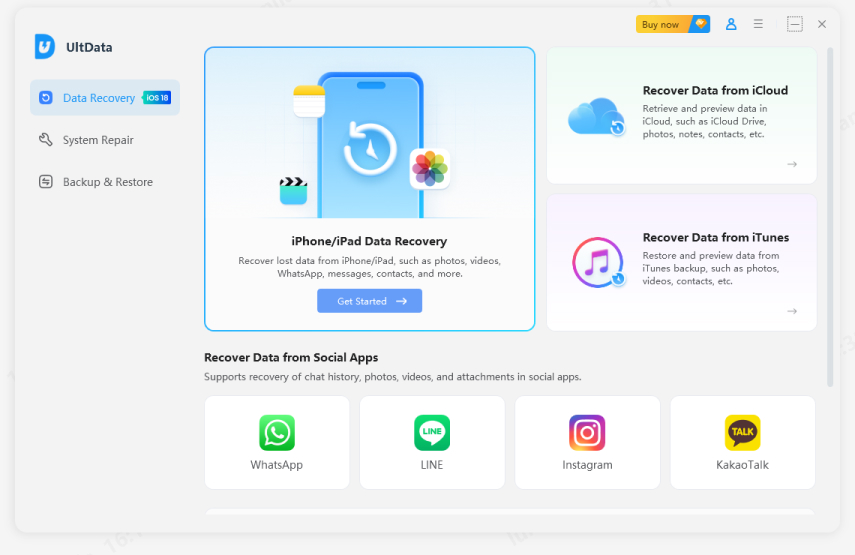
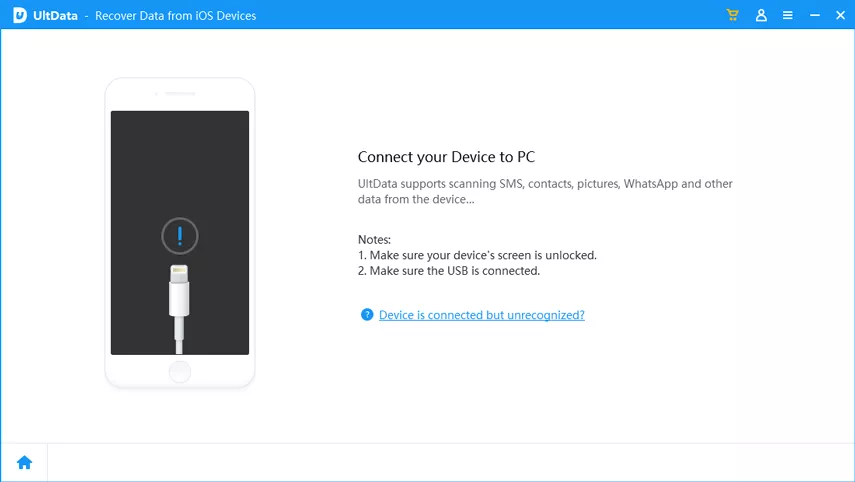
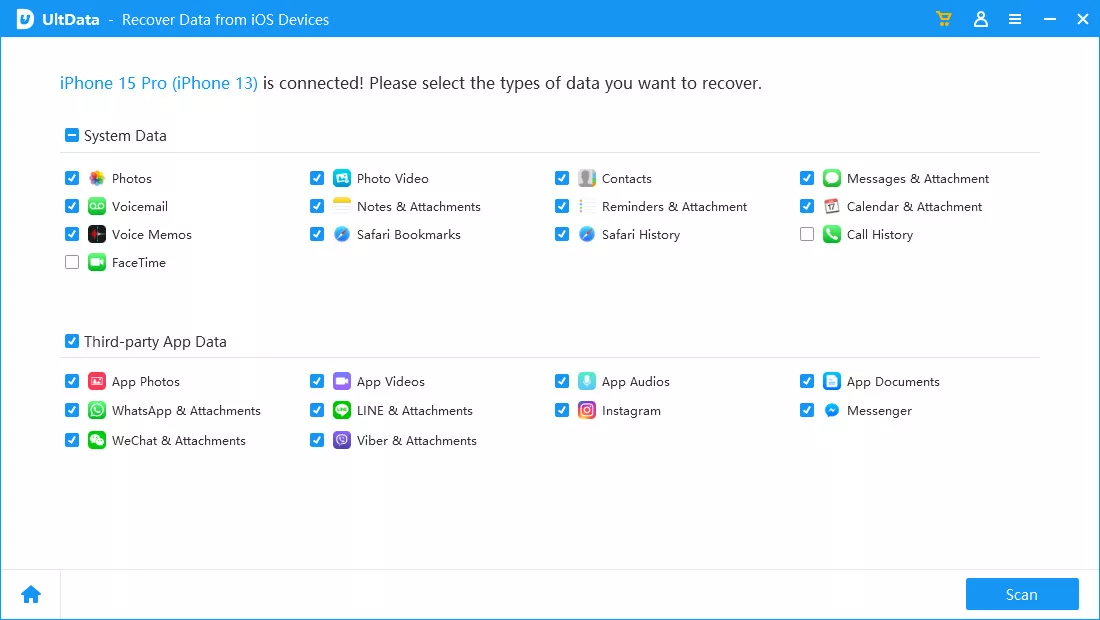
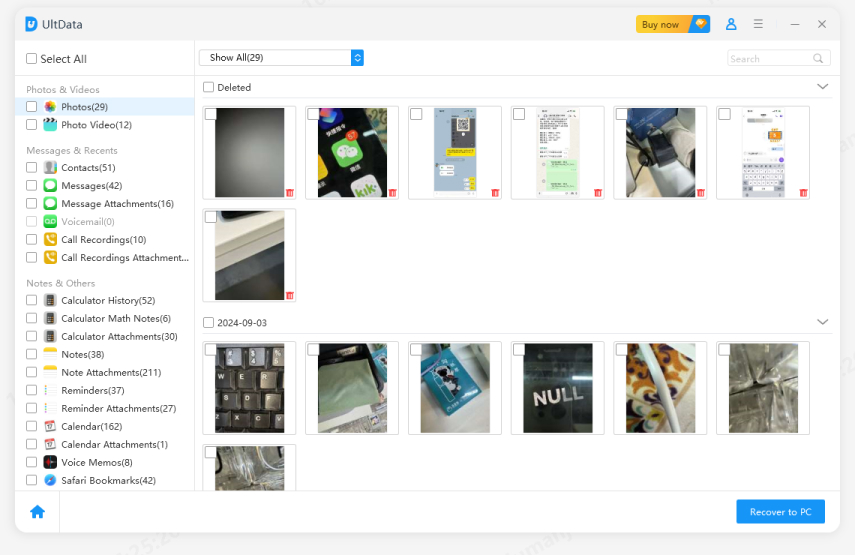
Once you have done the above procedure, open the recovered files, copy useful text, re-upload source documents if needed, and rebuild the missing Grok conversation.
Now you know how to recover deleted Grok chats in an order. Start with Grok history, logged-in devices, browser records, exports, shared messages, and cloud copies. If useful files were deleted from your phone, Tenorshare UltData Data Recovery can recover related screenshots, PDFs, images, documents, and attachments, and you may rebuild the lost Grok conversation.


UltData - Best iPhone Data Recovery Software






then write your review
Leave a Comment
Create your review for Tenorshare articles

Share this post


UltData - Best iPhone Data Recovery Tool
Recover Deleted & Lost Data from iOS Devices Easily, No Backup Needed!
UltData: Best iPhone Recovery Tool
Recover Lost iPhone Data without Backup
By Jenefey Aaron
2026-09-28 / AI Recovery