



UltData - Best iPhone Data Recovery Tool
Recover Deleted & Lost Data from iOS Devices Easily, No Backup Needed!
UltData: Best iPhone Recovery Tool
Recover Lost iPhone Data without Backup
Deleted Gemini chats don't go to a trash folder. They don't sit in a recovery queue. They just disappear.
I dealt with it last weekend, and I want you to have the answer I didn't have before you waste time on methods that lead nowhere. There's no undo button, and Google's help pages don't make it any clearer.
This guide cuts straight to how to find deleted Gemini chats and what to do depending on your exact situation.

It depends on different situations. I tried different things before finally closing the laptop in frustration. It was only after stepping back that I realized the answer depends entirely on when and how the chat was deleted.
Google's Gemini has no trash folder and no undo button. A conversation removed from your Gemini Chat History disappears from the interface immediately. However, there are a few exceptions from my experience that you should check before you lose hope:

These exceptions don't guarantee an answer to can you recover deleted Gemini chats, but each one takes under two minutes to check. So, give them a run, and you might not have to try anything more involved.
Not everything that looks deleted actually is. I once learned that the hard way after spending twenty minutes trying to recover a chat that was never gone in the first place.
Google Gemini has a habit of making chats disappear without actually deleting them. A glitch, a sync hiccup, a browser cache issue, and suddenly your sidebar looks empty.
Run through these three checks before doing anything else. They take under five minutes combined and catch most false alarms.
The Gemini Web App relies on cached session data to load your sidebar fast. When that cache becomes corrupted, maybe after a browser update or extended use without a reload, the chat list stops rendering. Despite that, your conversations would still be intact on Google's servers.
A hard refresh (Ctrl + Shift + R on Windows, Cmd + Shift + R on Mac) forces the browser to fetch a clean page. Many users who assumed their Chat History was wiped found everything restored after this single step.
If you have multiple Google Accounts, the Gemini App may display the wrong account's chat list. Log out of your accounts and then sign back in from the main account you used for those conversations. This is also a key step for anyone asking how to recover a Gemini account after a login-related data disappearance.
When chats vanish from Gemini's sidebar, the underlying activity data can still exist in your Google Account. Navigate to takeout.google.com, deselect all services, scroll to "My Activity", click "All activity data included">, then filter specifically for "Gemini Apps".

Download the export and open the HTML file to check whether your exported chats are still on record. If they appear here but not inside the app, you are dealing with a display issue.

If the Part 2 checks have confirmed that your Gemini chats are genuinely gone from Google's end, the recovery path depends on what files exist locally on your device. There are two common scenarios here:
Some users export their Gemini chat history, but then lose those files afterward due to accidental deletion or other causes. Those exported chats were real files on your hard drive, and recovering them is now a standard file-recovery challenge. This is solvable through dedicated recovery software. This is where our software comes to the rescue. Tenorshare UltData is built to recover exactly these kinds of lost export files directly from your device storage.
Users upload documents or images into their Gemini workflows to generate responses. Afterward, they delete the originals from local storage once the AI has processed them. So, is there a way to recover deleted Gemini chats from this angle?
For cases where no exports or backups were made previously, we cannot recover the chats. However, recovering those original source files from your device's storage is possible with Tenorshare UltData, which can then help you reconstruct what you were working on.
Tenorshare UltData is a #1 professional data recovery software used by millions of users worldwide. It performs a deep scanning of your device storage to recover deleted Gemini chats export files or original source documents/images from your iPhone or Android device. Some of the core features you get are:




Follow these steps on how to find deleted Gemini chats by restoring exported or original files using Tenorshare UltData:
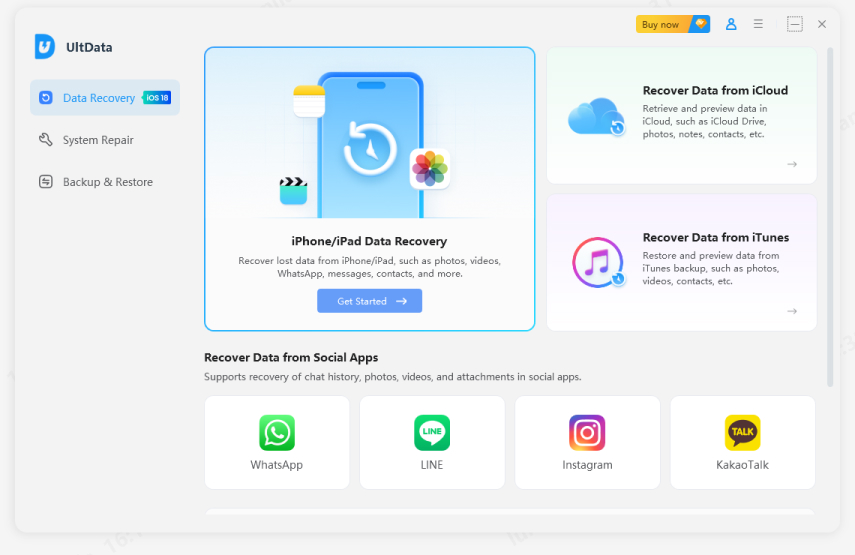
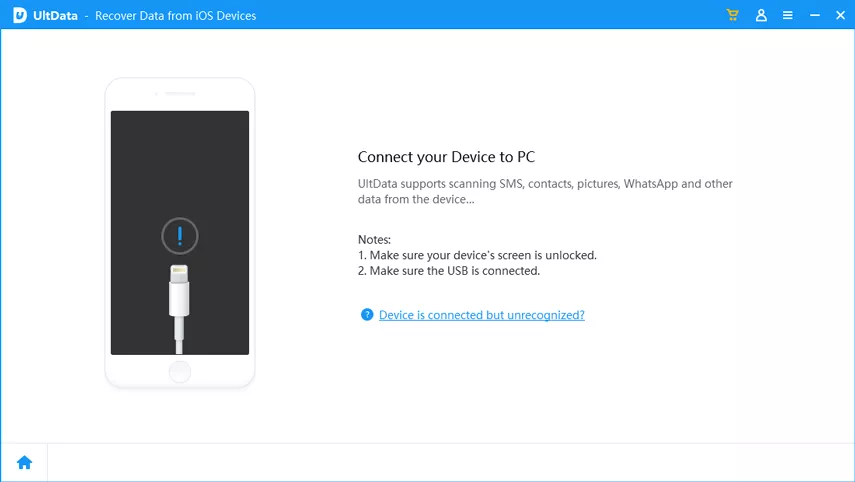
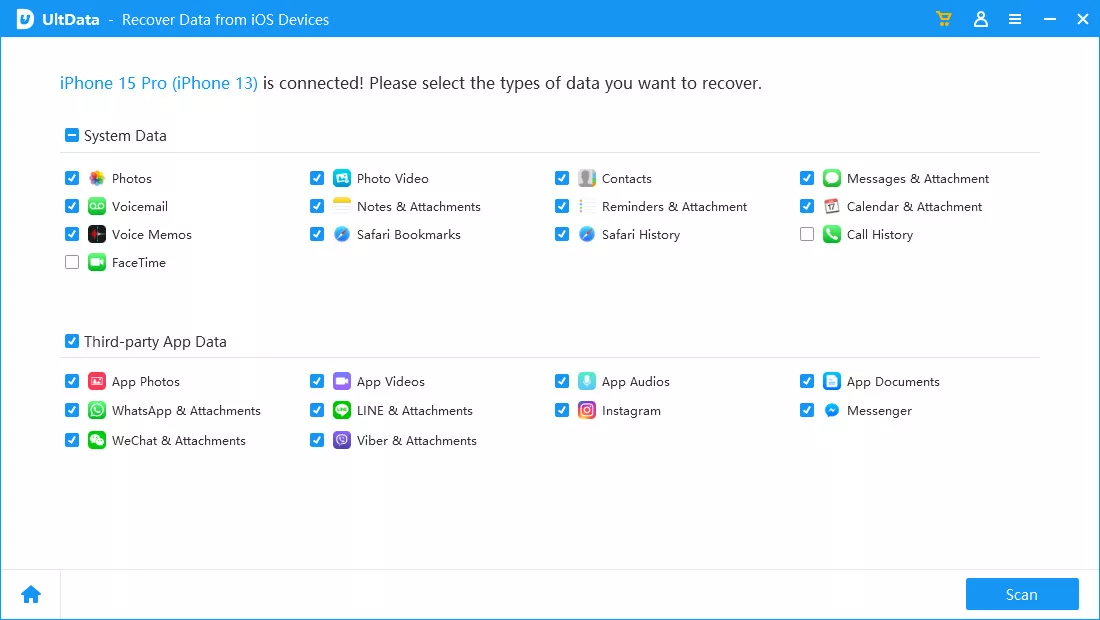
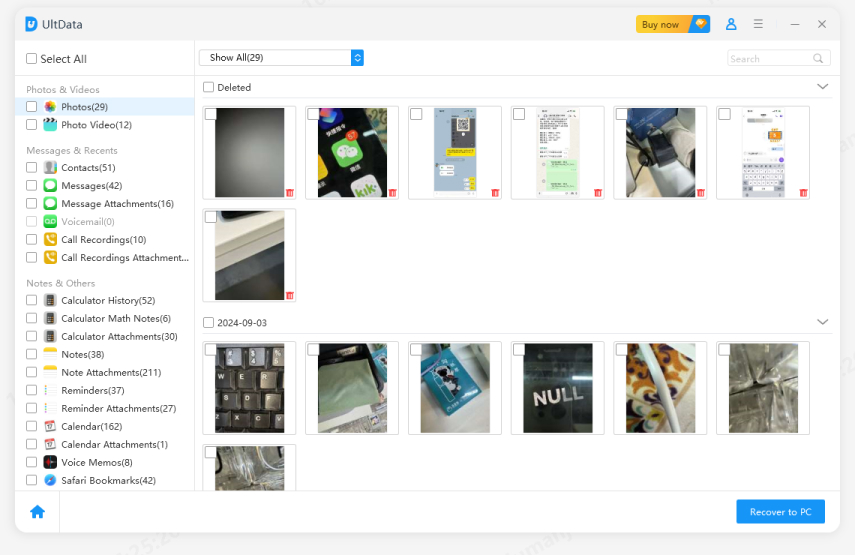
That's how quickly you can recover the exported or original source files from your device and then reconstruct your Gemini chats.
A few simple habits can help prevent the same Gemini data loss from happening again:
Cloud caching is unreliable and never a reliable substitute for a dedicated backup. Running Gemini Data Export every week/month gives you a local copy of your chat history that won't disappear because of an account glitch or an accidental deletion in the app. So, export and save data to the cloud or local storage before deletion to have solid Google Gemini data protection.
Gemini's "Export to Docs" and "Draft in Gmail" are handy options for chat protection. After any productive session, push key outputs directly to a Google Docs or save them as a Gmail draft before closing the tab.

Chats stored only in Gemini's sidebar are risky because that sidebar is not meant to act as a permanent document archive. So, exporting the chats to Google Docs or Gmail keeps them stored safely in your Google Drive, which won't delete them unless you manually delete them.
There's no single magic button for how to find deleted Gemini chats, but there's always a path worth following. Rule out technical issues first, then check your activity log and Google Takeout. If the chats are genuinely gone, Tenorshare UltData can recover your lost export files and original source documents with simple clicks. So, start with the steps above. The answer is closer than you think.


UltData - Best iPhone Data Recovery Software




then write your review
Leave a Comment
Create your review for Tenorshare articles

Share this post


UltData - Best iPhone Data Recovery Tool
Recover Deleted & Lost Data from iOS Devices Easily, No Backup Needed!
UltData: Best iPhone Recovery Tool
Recover Lost iPhone Data without Backup
By Jenefey Aaron
2026-09-15 / AI Recovery