Claude Projects missing? If your Claude projects disappeared or are not showing up, don't assume they have been deleted. Account changes, workspace issues, archived projects, and temporary retrieval errors can all make projects inaccessible.
This guide explains why Claude projects go missing, where to find archived or hidden projects, how to fix Claude projects not showing up, and whether it is possible to recover deleted projects on Claude AI. If recovery isn't possible, you'll also learn what project files and assets may still be retrievable.
It is natural to panic when you cannot find your work, but a missing project does not always mean it was deleted. Often, the data is still there, just hidden by temporary glitches or settings.
Claude Projects Not Showing Up Due to Account Issues
Sometimes, you may be logged into a different workspace or an account that does not have the necessary permissions to view the projects.
Browser or Sync Problems
Outdated cache, cookies, or a faulty browser sync can prevent the Claude interface from loading your projects correctly.
Archived Projects
If you or a team member accidentally archived a project, it will disappear from your primary sidebar, making it appear as though it is missing.
Permission and Access Changes
In shared team workspaces, project admins may have adjusted access rights, limiting your visibility to certain project files.
Where Are My Claude Projects?
Before attempting recovery, check these common locations to ensure your projects are truly gone.
Check the Projects Sidebar
Look closely at your main sidebar. Sometimes projects are collapsed under specific folders or sections.
Verify the Active Workspace
Ensure you are in the correct workspace. If you belong to multiple organizations or teams, your project might be located in a different environment.
Search Archived Projects
Check your workspace settings or the "Archived" section in your project management dashboard to see if the project was moved there.
Access Claude from Another Device
If the project appears on your mobile app but not your desktop, the issue is likely local to your browser. Try signing in on another device to confirm project existence.
How to Fix Claude Projects Not Showing Up
If you have verified the project was not archived, try these technical troubleshooting steps:
Refresh Claude and Sign In Again
Temporary authentication errors can sometimes prevent Claude from loading your complete project list. In these situations, the projects still exist but fail to appear in the interface.
Start by refreshing the page and checking whether the missing project reappears. If not, sign out of your Claude account completely and then sign back in.To perform a full refresh:
Log out of Claude.
Close all Claude tabs.
Restart your browser.
Sign back into the same account.
Navigate to the Projects section again.
This process forces Claude to establish a new session and synchronize project data from the server. Many users find that projects which appeared to have disappeared return immediately after a fresh login.
Clear Browser Cache and Cookies
Corrupted cache files or outdated cookies can cause web applications to display incorrect information. In some cases, Claude may continue showing an old version of your project list even after changes have been made on the server.
Clearing browser data removes locally stored files that may interfere with project loading.
Switch Browsers or Devices
If Claude Projects are still not showing up, test the account from another environment.
For example, try:
Google Chrome
Microsoft Edge
Mozilla Firefox
Safari
Claude mobile app
You can also log in from a different computer or mobile device.
If the project appears on another device, the problem is likely related to your original browser configuration. Browser extensions, ad blockers, privacy tools, or corrupted local storage can sometimes prevent Claude from loading project information correctly.
Testing multiple environments helps determine whether the issue is account-related or device-specific.
Check Claude Service Status
Sometimes the problem is not on your side at all.During server outages, maintenance windows, or backend synchronization incidents, users may experience issues such as:
Claude Projects disappearing
Projects failing to load
Missing conversations
Retrieval errors
Empty project lists
Before spending time troubleshooting locally, check Claude's official status page for any ongoing incidents.
If Anthropic is currently experiencing service disruptions, the best solution may simply be waiting for the issue to be resolved. Once normal service is restored, projects typically reappear automatically.
Review Workspace and Team Settings
For Team and Enterprise users, project visibility often depends on workspace permissions.A project may disappear if:
Your access role was changed
You were removed from a workspace
Project sharing settings were modified
Ownership was transferred to another user
Administrative policies restricted access
If you recently changed teams, organizations, or workspaces, verify that you are viewing the correct workspace and still have permission to access the project.
Contact your workspace administrator and ask them to confirm:
Your current role
Project access permissions
Workspace membership status
Any recent administrative changes
In many cases, a project that appears missing is actually still available but inaccessible due to updated permission settings.
Can You Recover a Deleted Claude Project?
If the Project Is Missing but Not Deleted
If you suspect the project exists but is hidden, focus on:
Visibility issues
Toggle sidebar filters to show all projects.
Workspace issues
Ensure your account is linked to the correct team.
Archive status
Always check the "Archived" folder first.
If the Project Was Permanently Deleted
Permanently deleted projects are difficult to restore directly via the Claude interface. If the project data was truly wiped, native recovery options are limited.
Recover Claude Project Files with UltData
If you previously downloaded project files to your local drive and mistakenly deleted them, do not lose hope. Professional tools like the Tenorshare UltData recovery tool can help you retrieve lost documents, PDFs, or code files from your from iphone/Android in minutes. While this tool recovers local files rather than server-side projects, it is the best safety net for your exported project assets.
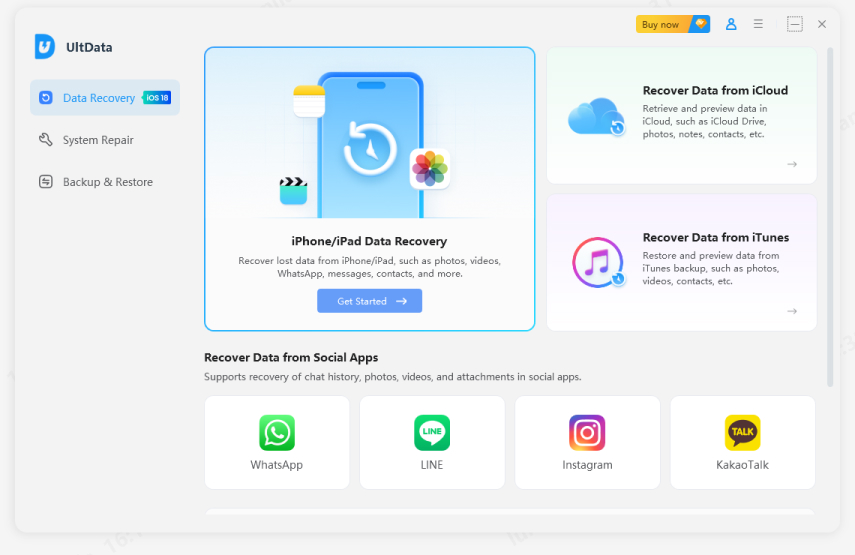
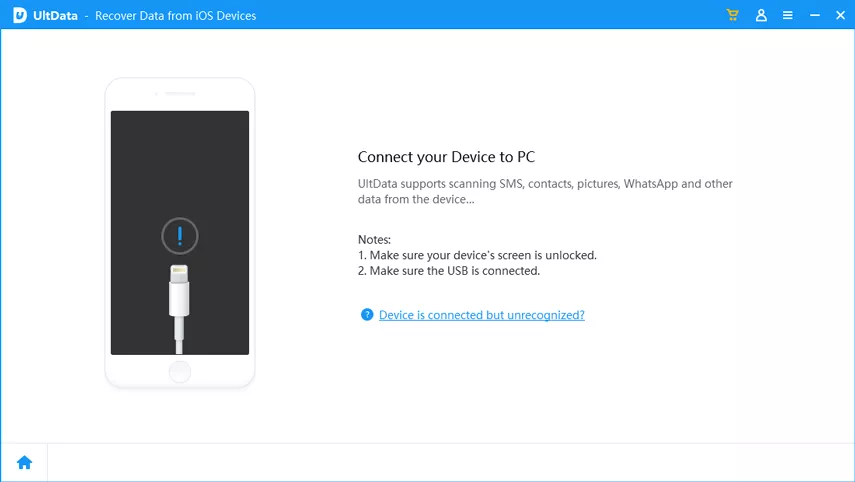
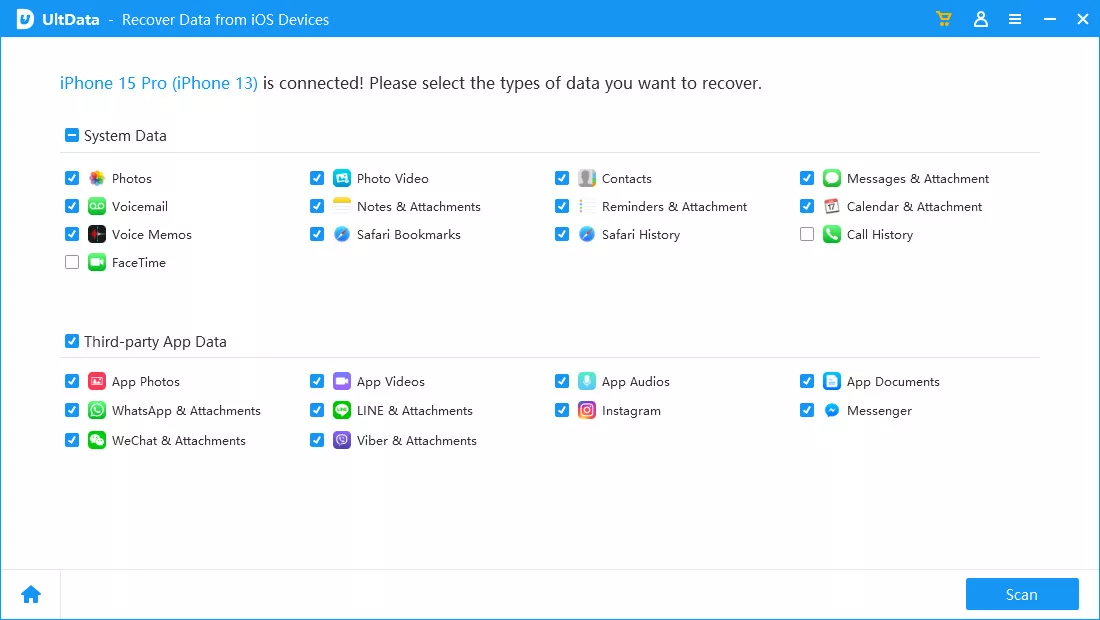
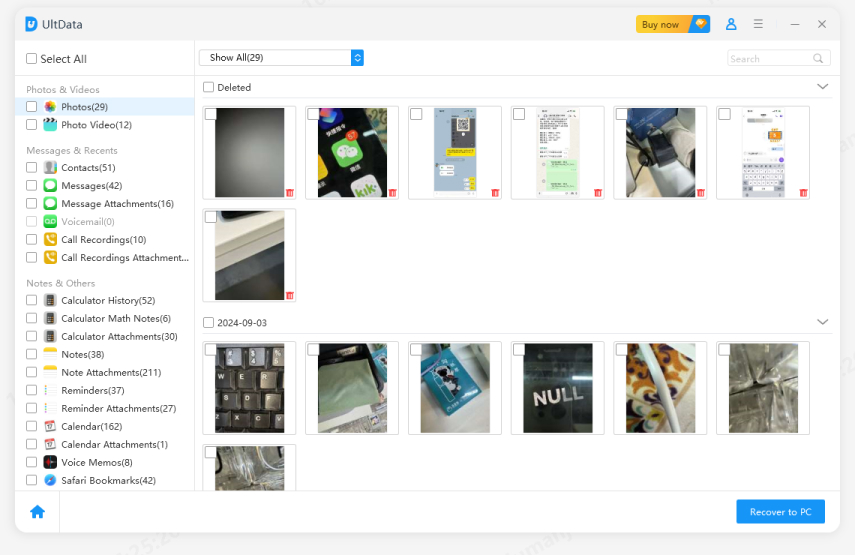
Below are the simple steps to use Tenorshare UltData for iOS:
After downloading the software, click “Data Recovery”.
Connect your phone to the computer using a USB cable.
Choose the data you want to recover.
Select the files you want to recover.
Click the “View” button to open the folder where your data is saved.
Conclusion
Finding Claude Projects missing can be alarming, but disappearance does not automatically mean deletion. Account mismatches, archived projects, workspace changes, browser issues, and temporary retrieval errors are often responsible.
Before assuming permanent loss, check archived projects, verify workspace settings, and troubleshoot synchronization problems. If the project was truly deleted, recovery options may be limited, but associated files and project assets could still be recoverable through backups or data recovery tools.







 iOS Tips & Latest Updates
 Bug Fixes, Unlock Guides
 Giveaways & Freebies






By Jenefey Aaron
2026-09-28 / AI Recovery