

 iOS Tips & Latest Updates
 Bug Fixes, Unlock Guides
 Giveaways & Freebies


UltData - Best iPhone Data Recovery Tool
Recover Deleted & Lost Data from iOS Devices Easily, No Backup Needed!
UltData: Best iPhone Recovery Tool
Recover Lost iPhone Data without Backup
AI chat tools have become part of everyday life, and many users want to know how to delete Grok history to better manage their conversations and privacy. Whether you're trying to clear old chats, keep your account organized, or simply learn how to delete Grok history, having control over your data is important.
Fortunately, Grok allows you to manage and remove chat records when needed. And if you accidentally delete an important conversation, there may still be ways to recover lost Grok chat history. In this guide, we'll show you how to delete, manage, and potentially recover your Grok data with ease.

Grok history refers to the conversations held with an AI assistant on X (previously known as Twitter). It is important to know what Grok saves and manages your interactions with the AI assistant.
Grok history might contain the chat history of a user with the AI bot. It depends on how you use the tool. It might include:
It is vital to know where Grok chat history is stored so that you can access it from different devices.
The deletion of the Grok chat history seems pretty straightforward, but you might wonder what actually happens behind the scenes.
In most cases, the Grok history is deleted immediately. However, it might take time to delete the chat history across all devices using the same account.
The chats are mostly not accessible to users after the deletion; however, they are saved in temporary servers to secure your data.
The recovery depends on where the chat histories are stored and how long ago, they were deleted. The Grok server takes some time to delete the chat histories after the user deletes them.
Grok is evolving day by day, but the process of chat history deletion could be the same. Here is how you can do it for the mobile and Web versions.


The recovery of the Grok conversations depends on different factors. Let's find out whether you can recover the Grok history or not.
Here are a few of the possible situations where the recovery is possible.
Here are a few of the circumstances when you won't be able to recover the lost conversations.
The Grok file might not be recovered from the platform directly. In such a situation, tools like Tenorshare UltData recovery tool come in handy. It can recover deleted photos, videos, files, documents, Grok history, audios, and text messages.
How UltData Helps Reconstruct Lost Grok Conversations
While no recovery tool can guarantee the restoration of permanently deleted Grok chats from Grok's servers, UltData may help recover related data stored on your device.
This includes deleted or corrupted Grok export files, as well as original files previously uploaded to Grok, such as photos, screenshots, PDFs, documents, and other reference materials. Recovering these files can help you rebuild important conversations and prompts that would otherwise be difficult to retrieve.




Here are a few of the key features of the UltData recovery tool.
Let's find out how to recover the lost Grok chat history.
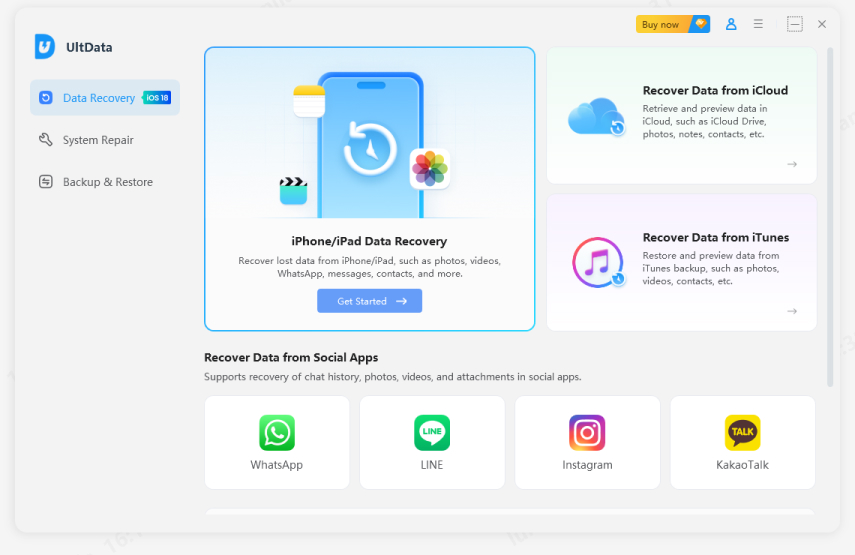
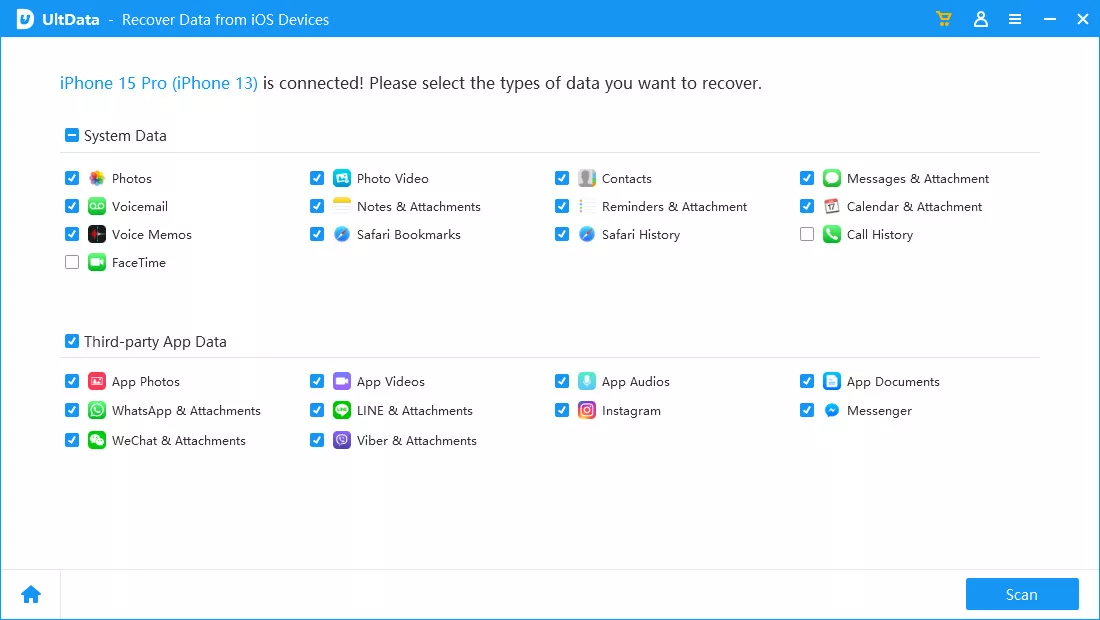
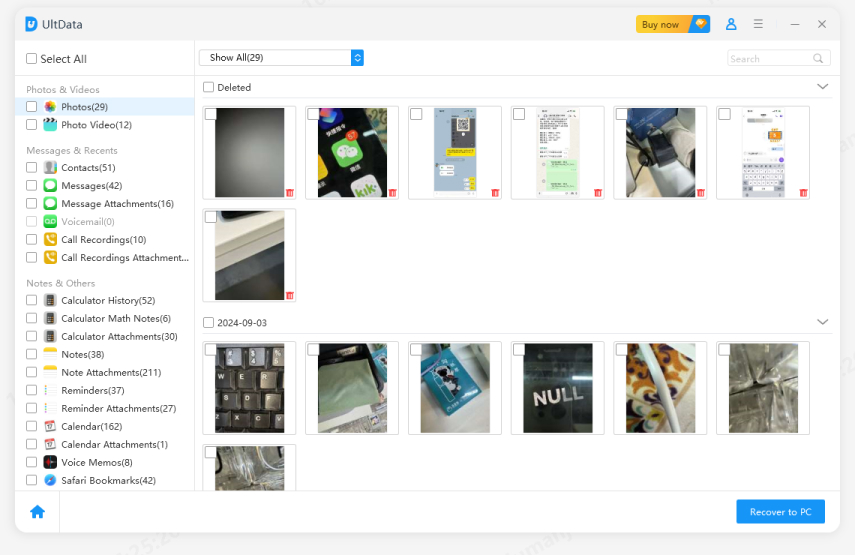
That is, it, and your desired file will be exported to your pc.
It depends on the Grok version you are using. Some versions may allow you to delete all the conversations at once, while others might need you to delete the chats one by one.
Open X (Mobile or Web Version), click the chat history, and delete the Grok history via the conversation management menu.
It doesn't delete everything when you delete Grok history. Account-related information and data are not affected by the deletion of the Grok history.
Grok history is related to the conversations that help with the AI assistant. However, memory is something that is associated with the personalization data of Grok. They are managed differently.
Grok is evolving and becoming one of the most used AI chat assistants. The chats held between the users and AI assistants are saved in the Grok history, where you can access them. You will also be able to delete the Grok chat history whenever needed.
However, this deletion of data might trouble you, as it might contain the sensitive information you need. So, when you lose any Grok conversation, don't panic. You will be able to recover those conversations through a tool like UltData, which will comprehensively recover the chat history you need the most. So, try it now if you want to get your old chats back in Grok.


UltData - Best iPhone Data Recovery Software






then write your review
Leave a Comment
Create your review for Tenorshare articles

Share this post


UltData - Best iPhone Data Recovery Tool
Recover Deleted & Lost Data from iOS Devices Easily, No Backup Needed!
UltData: Best iPhone Recovery Tool
Recover Lost iPhone Data without Backup
By Jenefey Aaron
2026-09-28 / AI Recovery