


UltData - Best iPhone Data Recovery Tool
Recover Deleted & Lost Data from iOS Devices Easily, No Backup Needed!
UltData: Best iPhone Recovery Tool
Recover Lost iPhone Data without Backup
You open OpenAI today, and your heart sinks: all my ChatGPT conversation history is missing! If your ChatGPT conversation history lost all its logs overnight, don’t panic. Having your ChatGPT history gone is a stressful UI glitch experienced by thousands of AI creators daily. In this ultimate diagnosis guide, we will explore exactly why your data is invisible and how yyou can bring it back.

The most common reason for your ChatGPT chats missing error is a temporary backend server outage. When OpenAI's GraphQL servers experience high traffic, the frontend client fails to pull your profile, causing a ChatGPT history not showing symptom.
If you switch frequently between the iOS/Android app and PC web versions, a cloud sync conflict can occur. When the timestamps cross-lock, your server side forces a "blank sidebar" display, making it look like your ChatGPT chat history disappeared when it's actually just hidden in the synchronization queue.
On smartphones, when local storage gets extremely low, the system automatically flushes temporary sandbox directories. This background action is often responsible for users finding their ChatGPT history gone suddenly after a system update or automatic app offloading.
When your ChatGPT sidebar suddenly goes blank, try not to panic just yet. More often than not, your chats aren't actually gone forever—it is usually just a temporary browser glitch or a quick network hiccup hiding them from view.
By running through the simple fixes below, you can quickly find out what went wrong and force ChatGPT to refresh and bring your history right back.
A temporary glitch or unstable internet connection can cause ChatGPT history not showing in the sidebar. First, refresh the page (F5) or log out and sign back into your account. This often fixes temporary sync issues.
If your ChatGPT chat history disappeared, try opening ChatGPT in another browser such as Chrome or Firefox. This can help determine whether the problem is caused by your browser settings or network connection.
Corrupted browser data can sometimes cause ChatGPT chats missing or prevent conversation history from loading correctly.
Go to your browser settings and clear cookies, cached files, and site data. Then restart the browser and open ChatGPT again. This simple fix can often restore missing conversations and resolve many ChatGPT conversation history missing issues.
If ChatGPT servers are overloaded or experiencing outages, your history sidebar will temporarily display as completely blank. Check ChatGPT service status to ensure services are operational. If the system is green but you still need to how to find deleted ChatGPT chats, install historical backup extensions or contact OpenAI support for cloud database verification.


Want to rule out a temporary glitch first? Read our companion guide on how to retrieve deleted chats on ChatGPT for more popular forum methods to fix a "fake hidden" sidebar.
When ChatGPT chat history disappeared unexpectedly, many users try to find old backup exports from OpenAI. These ZIP files often contain important conversation records and HTML logs.
However, panic troubleshooting can make things worse. Clearing browser data, reinstalling apps, or repeatedly exporting data may overwrite local backup files, causing ChatGPT conversation history lost issues on your device.
Tenorshare UltData can help recover deleted files directly from your local storage, even when cloud recovery no longer works.Here is a step-by-step guide on how to use the software to salvage your lost ChatGPT backup archives:




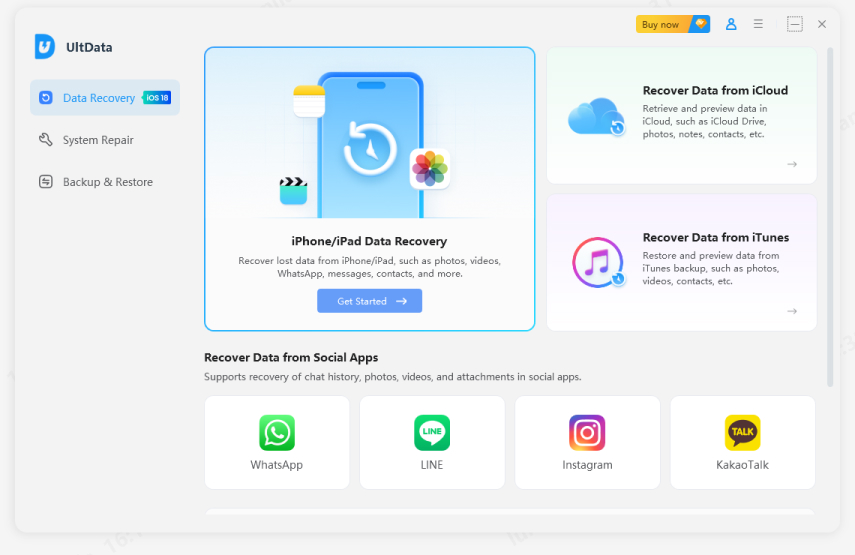
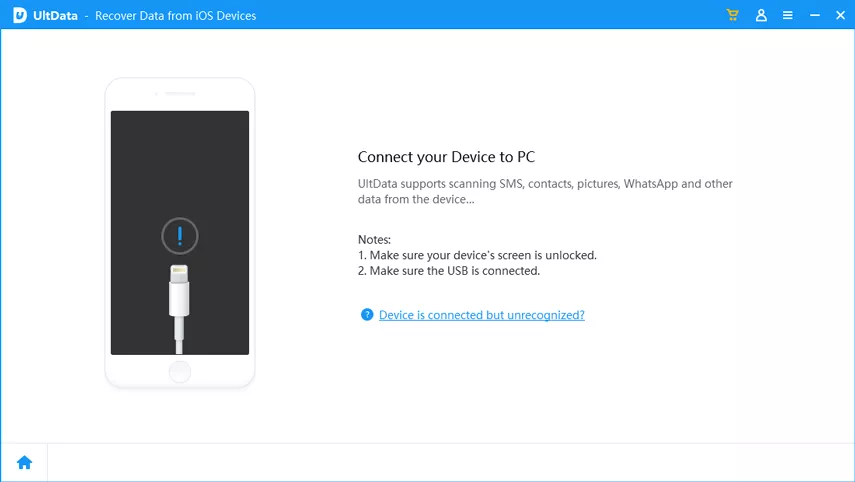
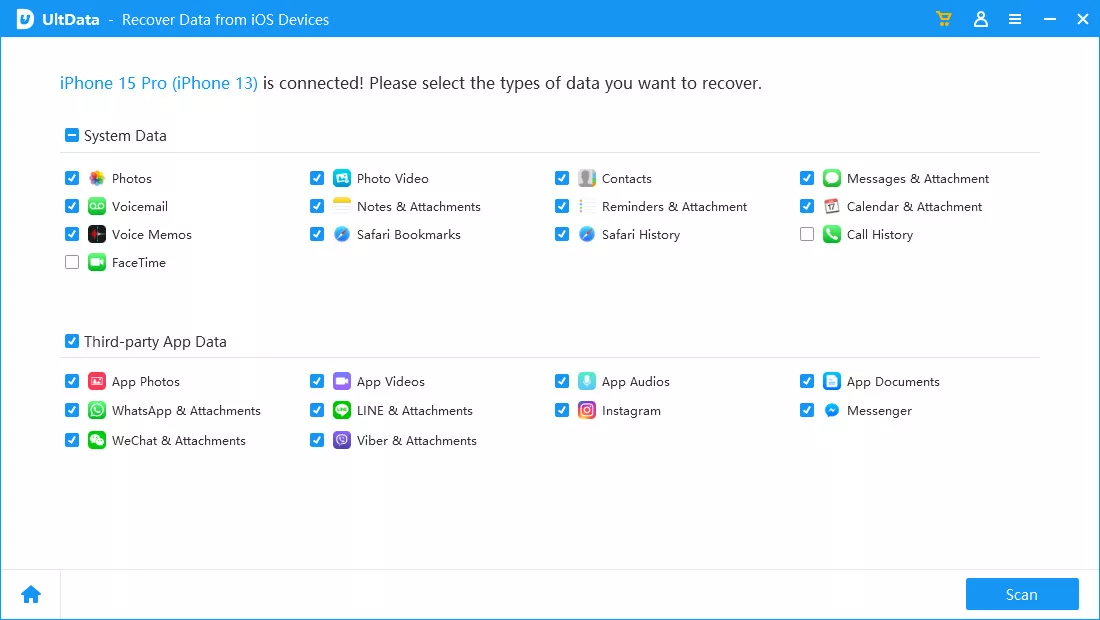
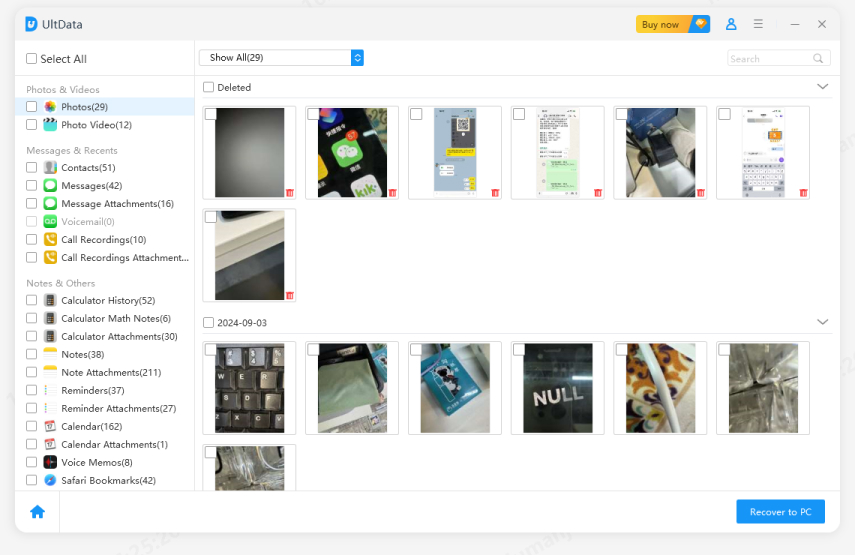
How Tenorshare UltData Restores Your AI Workspace Integrity
Deeply scans your device, including Downloads, temporary folders, browser caches, and storage sectors, to find missing or deleted ChatGPT export files.
Recovers damaged or incomplete ZIP files and extracts important data such as HTML records and JSON conversation files whenever possible.
By restoring lost backup files, you can regain access to your saved conversations and prompt library, even when the ChatGPT web interface is unavailable or not loading correctly.
Officially, ChatGPT saves your conversation history indefinitely, meaning your prompts and data will not be automatically deleted over a certain time limit. However, if you or the system triggered a permanent wipe, OpenAI enforces a strict data retention window:
Once deleted, history is completely removed from OpenAI's active servers within 30 days.
These never appear in your sidebar registry and are automatically wiped within 30 days.
The text content remains saved securely in the cloud; it is simply masked from your main user interface.

If your history has been missing for more than 30 days due to a manual misclick or a severe cloud server desynchronization, OpenAI’s backend has likely overwritten those sectors permanently. Standard web re-indexing is no longer an option.
A ChatGPT conversation history missing issue does not always mean your chats are gone forever. Cache errors, sync failures, or OpenAI server problems can cause ChatGPT chats missing or ChatGPT history gone errors.
Try clearing cookies, refreshing your login, or checking archived chats first. If local backups were deleted or overwritten, a data recovery tool like Ultdata for iOS may help restore cached or exported files.
then write your review
Leave a Comment
Create your review for Tenorshare articles

Share this post


UltData - Best iPhone Data Recovery Tool
Recover Deleted & Lost Data from iOS Devices Easily, No Backup Needed!
UltData: Best iPhone Recovery Tool
Recover Lost iPhone Data without Backup
By Jenefey Aaron
2026-09-10 / AI Recovery