

 iOS Tips & Latest Updates
 Bug Fixes, Unlock Guides
 Giveaways & Freebies


UltData - Best iPhone Data Recovery Tool
Recover Deleted & Lost Data from iOS Devices Easily, No Backup Needed!
UltData: Best iPhone Recovery Tool
Recover Lost iPhone Data without Backup
Most people assume AI assistants build up a picture of you over time. That assumption is wrong with Claude, and it explains almost every frustration users report. Does Claude remember previous conversations? No, and not by accident. The moment you understand the design choice behind that answer, the way you work with Claude changes.

The direct answer is no. Claude does not carry anything from one conversation to the next by default. Every session starts completely fresh, with no prior context or memory of what you built/discussed before.
This is not a temporary limitation or a feature on a roadmap. It is an intentional architectural decision with real reasons behind it, which the sectors below break down in simple words.
Claude uses a stateless architecture at the session level. During a single conversation, it behaves in a stateful way and adopts a session-based memory, which is not equivalent to a long-term memory database.
It tracks every message in the current thread and builds responses based on the context of the current conversation. However, all of that context disappears the moment the session ends. There is no persistent context stored between separate conversations by default.
The question of does Claude remember previous conversations has a different answer depending on what type of information you are referring to. The table below covers what carries over and what does not:
 Please swipe to view
There are three main reasons why doesn't Claude remember previous conversations:
Privacy-Oriented Design
Anthropic built Claude with privacy as a core priority. Retaining user data across sessions would create significant security risks. A stateless model keeps your conversations from being linked or stored between sessions by default, which is an intentional privacy isolation choice.
Context Window Limitations
Claude can only process a fixed amount of text at once. Token exceedance causes context window decay, so it begins to forget earlier messages as new ones push them out. This makes indefinite history retention difficult within the current model.
Session Isolation Mechanism
Each chat session acts as an independent environment. States/variables and ephemeral data are cleared between sessions to prevent cross‑session leakage. This isolation simplifies security and compliance because one session context doesn't influence another.
From the above discussion on Claude's stateless design, you must be wondering: can Claude access previous chats in any scenario? It depends on how your conversations are organized.

Knowing how to see previous Claude code conversations or any past interaction depends on where and how you access the Claude interface. The main approaches are:
Your entire conversation history is listed in the left sidebar. Scroll through or click any prior chat to reopen it and access previous conversations. You can rename sessions to make them easier to find later.

If you're wondering whether Claude AI remembers previous conversations, paid users on Claude Pro, Max, Team, and Enterprise plans have access to a more advanced solution.
They can prompt Claude to search across past conversations and reference specific details from earlier sessions when needed.

The prompts can be like:
Claude will pull relevant context from the requested conversation and use that in addressing your future prompts.
You can review all documents and conversation threads you have added inside a Claude Project. If you organize your project with a clear seed prompt and document library, Claude will have solid background knowledge for every new session.
Sometimes the problem can extend beyond Claude itself and involve your local device. Conversation-related files can go missing in several ways:
If your exported or downloaded conversation files have gone missing, Tenorshare UltData is a reliable tool to get them back.
Tenorshare UltData is a professional data recovery tool trusted by over 85 million users worldwide and offers an industry-leading 98% recovery success rate. It can perform a deep scan of your device and recover 35+ file types, including documents, PDFs, notes, photos, and more. You can also preview files before recovering and restore only what you need.
Follow these simple steps to recover missing conversation files using Tenorshare UltData:
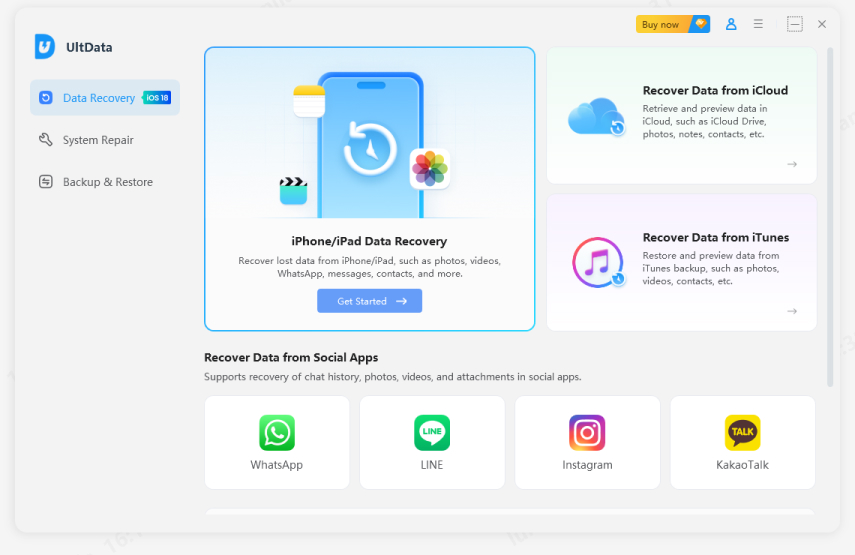
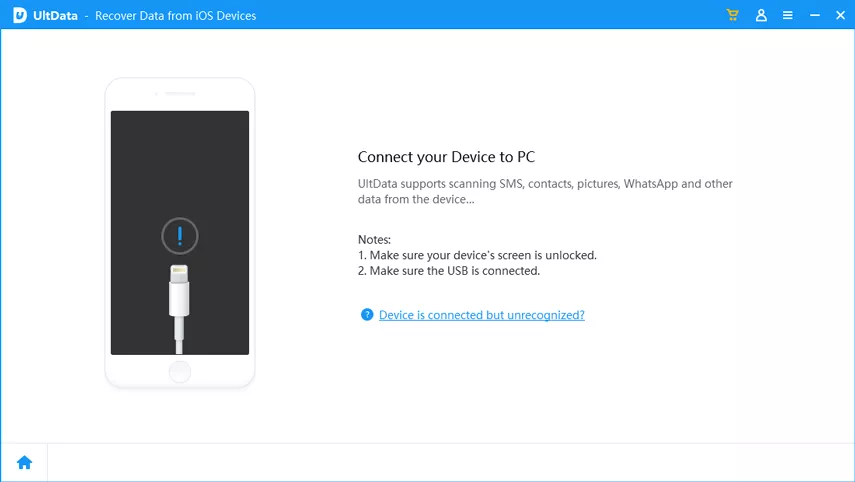
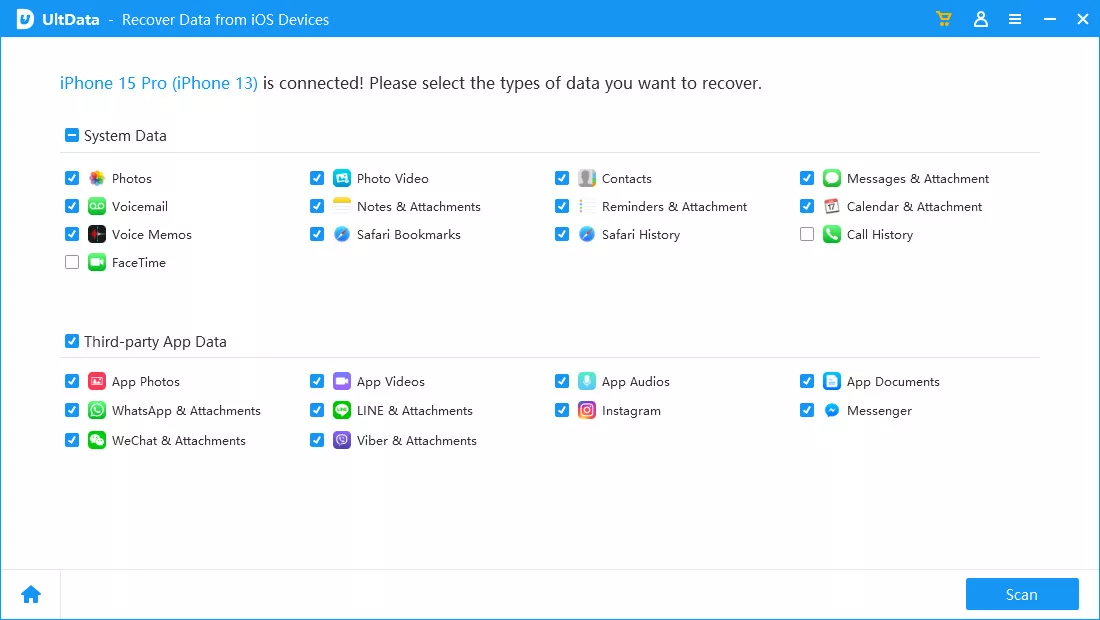
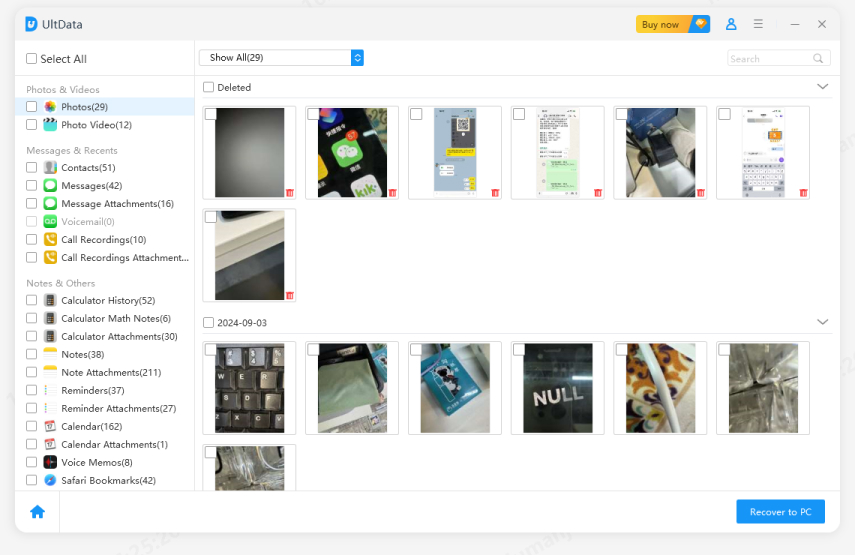
Since why doesn't Claude remember previous conversations comes down to its stateless architecture, the workaround is to provide context to Claude.
The following are some useful tips on how to get Claude to remember previous chats:
Claude now offers a built-in memory feature available to all users. When enabled, Claude automatically summarizes your chat history (professional context, working style, ongoing projects, etc.) and applies that context to every new standalone conversation.
It updates every 24 hours, but you can also tell Claude what to remember mid-conversation, and it applies immediately.
Go to Settings > Capabilities and toggle memory on. From there, click "View and edit memory" to adjust or add to what Claude has stored.


Memory does not apply to incognito chats or Project conversations. Also, memory cannot guarantee that Claude has the context you want because the daily synthesis is a high-level summary, not a word-for-word record. So, fine details or specific decisions from older chats may not make it through.
Claude Projects is the next best option to maintain context for works that live in a unified space. A project lets you set persistent custom instructions that apply to every conversation within that project.
Secondly, you can upload reference documents and add background information, along with defining your preferred working style. Each new chat in the project begins with this structured context already in place.

Why not continue working within the same conversation thread instead of starting a fresh chat each time?
If the session stays within the token limit, Claude retains full context throughout the thread without any extra effort on your part. So, every conversation thread becomes a self-contained workspace.
The simplest of all is to provide past context manually. When you start a new session, paste the context summary into the chat as an opening message. This serves as a seed prompt to re-establish context.

So, does Claude remember previous conversations? With the default settings, it does not. Each session starts fresh with no automatic memory of past chats. That said, you can enable Claude's built-in memory feature, use Projects, continue existing threads, or add context manually to close that gap. But when anything saved locally is accidentally deleted, Tenorshare UltData is the platform to scan and recover those files with a few clicks.


UltData - Best iPhone Data Recovery Software







then write your review
Leave a Comment
Create your review for Tenorshare articles

Share this post


UltData - Best iPhone Data Recovery Tool
Recover Deleted & Lost Data from iOS Devices Easily, No Backup Needed!
UltData: Best iPhone Recovery Tool
Recover Lost iPhone Data without Backup
By Jenefey Aaron
2026-09-28 / AI Recovery