

 iOS Tips & Latest Updates
 Bug Fixes, Unlock Guides
 Giveaways & Freebies

Cleamio: All-in-One Mac Cleaner & Optimizer
Clean junk files, free up space, and boost Mac performance
No.1 Mac Cleaner & Optimizer
Clean, speed up, and optimize your Mac
Safari is not like Chrome or Firefox. It has no update button of its own. Its update depends on updating macOS because Apple delivers Safari updates through the operating system. So, the question about how to update Safari on Mac is really about keeping your Mac up to date. This guide covers how to check your Safari version, update Safari on your MacBook step by step, fix common update issues, and free up storage if needed.

Safari versions are tied to macOS versions, so there is no single "latest Safari version" for every Mac. What "latest version available for your macOS" will determine what "latest Safari version" you can get.

Newer Macs receive newer Safari versions first because they can run the newest macOS. However, older Macs are limited by hardware compatibility and macOS support. Models that are dropped from Apple's supported list won't receive new macOS or Safari versions.
This implies that "how to update Safari on an old Mac" or "how to update Safari on Mac OS X" are almost the same if your Mac can no longer upgrade to a newer macOS release. In that case, you will only be able to install the most recent Safari update available for your current macOS version.
As of mid-2026, macOS 26 Tahoe and Safari 26.x are the latest stable releases for most Macs. macOS 27 Golden Gate was unveiled at WWDC in June, but it is still in beta and will reach the public around September.

Also, Safari version numbers online may not match "About Safari" on your own Mac, since some come from Safari Technology Preview (Apple's separate beta channel), rather than your installed macOS release.
So, before chasing how to install the latest Safari version on Mac, first check which Safari version you are currently using.
The first step in how to update Safari browser on Mac is to verify your current Safari version. Maybe you already have an up-to-date Safari browser as per your macOS, so there won't be any need to update.


Compare your current Safari version with Apple's latest Safari release for the installed macOS version. Safari versions vary depending on macOS. So, the newest Safari available for your Mac does not necessarily mean the newest Safari overall.
For example, the latest Safari version for macOS 15 Sequoia is Safari 26.5, but the latest Safari version for macOS 13 Ventura is Safari 18.6. So, the real variable for anyone searching for how to update Safari on a Mac computer is the macOS version and its corresponding latest Safari version.
The following table lists a few macOS versions and their latest Safari versions:
 Please swipe to view

There isn't a dedicated "Update Safari" button in the browser, like Chrome or Firefox has. Safari update doesn't work that way. The next part covers the standard method on how to update Safari on Mac computer.
Safari is a system component on Mac, so we cannot update it separately from macOS. So, how to upgrade Safari on Mac always goes through a macOS update. You must install the available macOS update to receive the latest version of Safari.
Follow these quick steps to update the Safari browser on a MacBook:

After the update, reopen Safari and verify the new Safari version. If Safari does not update successfully, there are usually system-related reasons preventing the macOS update from completing. The next part talks about those issues.
If macOS didn't update or Safari still shows the old version afterward, something on your Mac is getting in the way. Before trying again, let's understand what causes a stuck or failed Safari update and how to clear it.
There are a few common reasons why Safari updates can fail or get stuck:
Important point: macOS 27 Golden Gate is expected to drop Intel Mac support, so anyone asking how to update old Safari on an Intel Mac is in trouble now. macOS 26 Tahoe appears to be the last major macOS release Intel Macs can run, though security updates may continue for a while.
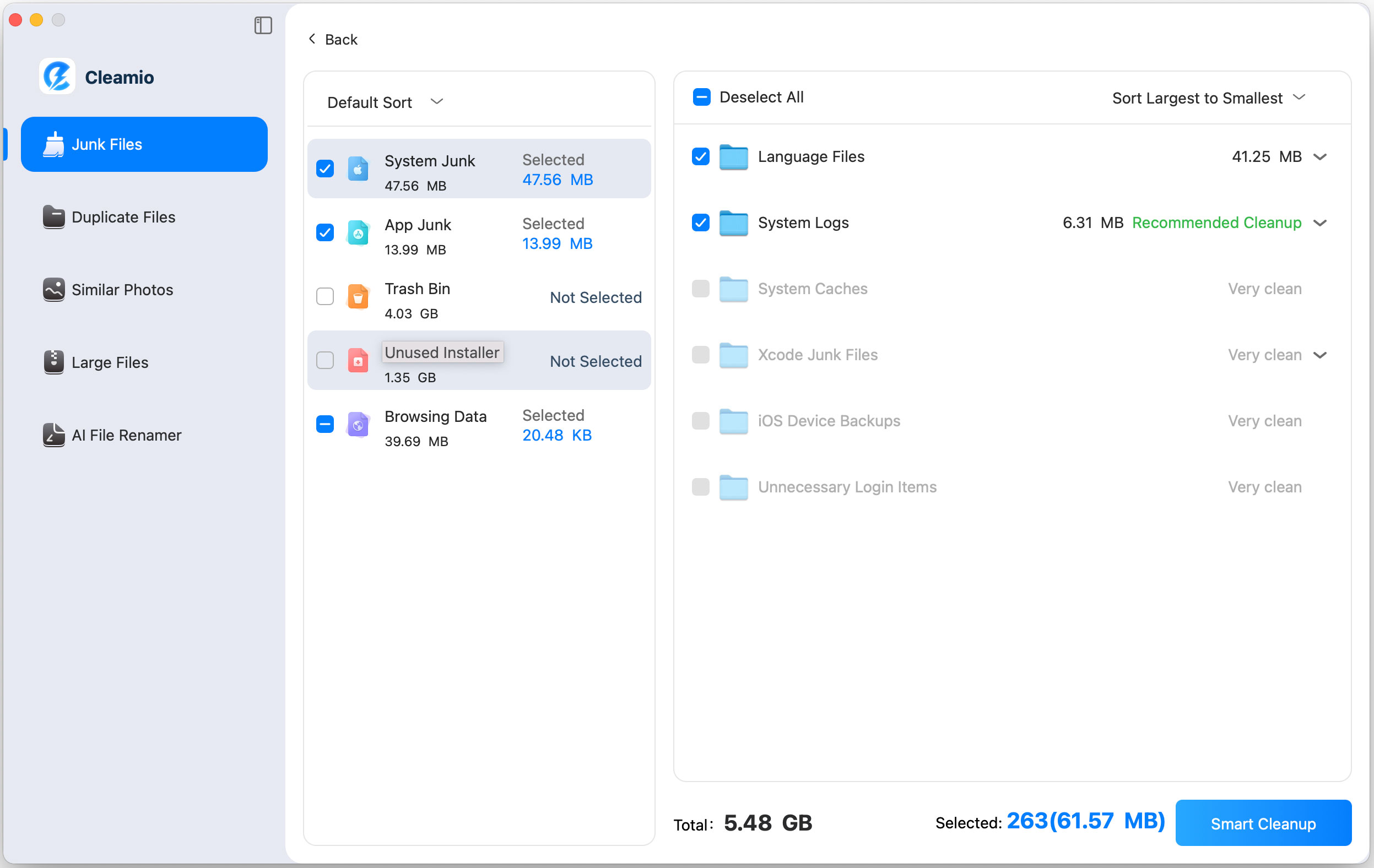
Insufficient storage is one of the most common reasons macOS updates fail. So, you should clean unnecessary files and optimize the available disk before attempting another update:
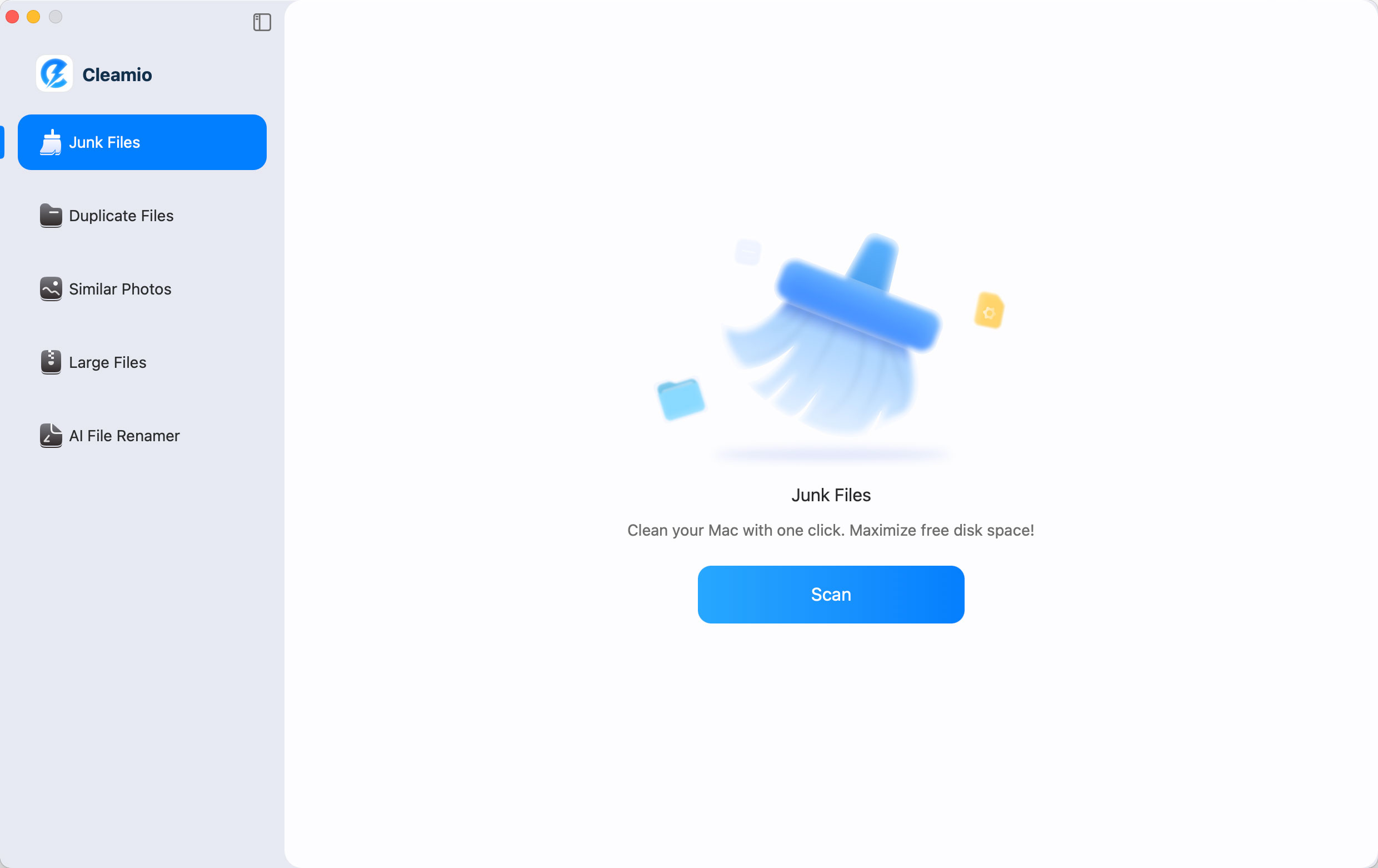
If your Mac is running low on storage or performing slowly, Tenorshare Cleamio can simplify the cleanup process before updating macOS and Safari.
Tenorshare Cleamio is a Mac cleanup tool that finds and removes unnecessary files that consume valuable Mac storage space. It can quickly recover storage space needed for macOS updates.
With Cleamio, you can:
Feel impressed? Here's how to use Cleamio to free up your Mac storage:

How to update Safari on Mac comes down to simply updating macOS itself. If a newer macOS version is available for your Mac, installing it through System Settings automatically installs the latest version of Safari. The real work is usually clearing what's blocking that update. It can be lower storage, an old macOS version, or a stuck install. If disk space is the culprit, Tenorshare Cleamio clears the clutter in minutes so the update can finally go through.
Open Safari, click Safari in the menu bar, then select About Safari to see your version number. Compare it against Apple's current release for your installed macOS version. For example, the latest Safari version for macOS 15 Sequoia is Safari 26.5, but the latest Safari version for macOS 13 Ventura is Safari 18.6.
No. Safari is a system component. So, you can only update it when you update the macOS version. Install any available macOS update through System Settings > General > Software Update to automatically get the latest available Safari update.
If your Mac can run a newer macOS, install it through Software Update to get a newer Safari too. If your hardware is too old for newer macOS versions, your Safari version is permanently capped.
Yes, Safari updates automatically whenever you update your macOS version. Since it is a system component, any new macOS version update also installs the newer Safari version compatible with that macOS.


then write your review
Leave a Comment
Create your review for Tenorshare articles
 Cleamio
All-in-One Mac Cleaner & Optimizer
Share this post


Cleamio: All-in-One Mac Cleaner & Optimizer
Clean junk files, free up space, and boost Mac performance
No.1 Mac Cleaner & Optimizer
Clean, speed up, and optimize your Mac
By Jenefey Aaron
2026-09-28 / Mac Cleanup