If your MacBook Pro or MacBook Air feels slower than it used to, you’re not
alone. As macOS updates, apps, caches, and background services pile up, even
powerful Macs can suffer from storage bloat and performance drops. That’s why
finding the best Mac cleaner app in 2026 matters more than ever.
In this guide, we tested and compared the top Mac cleaner apps, both paid and
free, to help you safely clean, optimize, and speed up your Mac.
Part 1. Comparable Table: How We Tested a Mac Cleaner & Which Is the
Best
Before recommending any Mac cleaner, we tested each tool under real-world
conditions on MacBook Pro and MacBook Air models running recent macOS
versions.
Testing Criteria
We evaluated each Mac cleaning software based on the following factors:
Price & value: Free version limits vs. paid features
Compatibility: Support for modern macOS versions and Apple silicon
Overall Comparison Snapshot
Here is a quick overall comparison of the best Mac cleaning software options
you will find in this post.
Please swipe to view
Tool
Cleaning Speed
Safety
Ease of Use
Price
Compatibility
Tenorshare Cleamio
5/5
5/5
5/5
15 free offers
Excellent
CleanMyMac X
4/5
4/5
5/5
Paid
Excellent
DaisyDisk
3/5
5/5
4/5
Paid
Excellent
MacKeeper
4/5
3/5
4/5
Paid
Good
Cleaner One Pro
4/5
4/5
4/5
Paid
Good
OnyX
3/5
4/5
2/5
Free
Good
CCleaner
3/5
3/5
3/5
Free
Good
AppCleaner
3/5
5/5
4/5
Free
Excellent
OmniDiskSweeper
3/5
5/5
3/5
Free
Excellent
Pearcleaner
3/5
4/5
3/5
Free
Good
If you want a balance of speed, safety, and deep cleaning, professional Mac
cleaning software offers a clear advantage over manual cleanup.
Part 2. Best 5 Top-Rated Mac Cleaner Apps (Professional, Fast, Safe)
Let's begin with the paid Mac cleaning software first, and here are our top
5 picks.
1. Tenorshare Cleamio - Best Overall Mac Cleaner & Optimizer
(Apple-Notorized)
Tenorshare Cleamio
stands out as the most balanced and reliable Mac cleaner app in 2025.
Apple-notarized security combines junk cleaning, app uninstallation, system
monitoring, and performance optimization into one lightweight tool.
Unlike many competitors, Cleamio clearly labels which files are safe to
delete, reducing the risk of accidental system damage.
Real-time monitoring for Mac performance and release sources
Batch rename multiple files at once
Overall Score: 4.8/5
Best for: Users who want a fast, safe, all-in-one Mac cleaner
Pros
All-in-one Mac cleaner and optimizer with many additional features
Precise detection results
One-click safe cleanup
Excellent performance boost
Beginner-friendly UI
Cons
· Free version comes with limited features
2. CleanMyMac X - Most Popular Mac Cleaning Software
CleanMyMac X
is one of the most recognizable names in Mac file cleaner software. It
offers a polished interface and multiple modules for cleaning, malware
detection, and performance optimization. While powerful, some users find it
aggressive in alerts and more expensive compared to alternatives.
Best for: Users who want an all-in-one premium cleaner
Pros
Intuitive design
Strong cleaning performance
Automated cleanups
Cons
· Higher subscription cost
3. DaisyDisk - Best Visual Storage Analyzer
DaisyDisk
focuses less on automated cleaning and more on visualizing disk usage. This
cleaning software for Mac uses an interactive map to show what’s taking up
space, helping users manually delete large files safely.
4. MacKeeper - Best Mac Cleaner with Security Suite
MacKeeper
bundles cleaning tools with antivirus and VPN features. While comprehensive,
this Mac disk cleaner may feel heavy for users who only want storage
cleanups.
Key Features:
Junk cleaning
Antivirus & identity protection
Performance monitoring
Overall Score: 4.2/5
Best for: Users want security and cleaning
Pros
Multiple tools in one package
Storage and threat tracking dashboard
/7 support for troubleshooting.
Cons
· Can feel resource-intensive
5. Cleaner One Pro - - Best Mac App Store Cleaner
Cleaner One Pro is a Mac App Store-friendly option offering basic junk
cleaning and disk analysis. This Mac storage cleaner is suitable for light
maintenance but lacks deep system cleanup.
Key Features:
Junk file cleanup
Disk usage analysis
Built-in app uninstaller
Best for: Casual Mac users
Overall Score: 4.1/5
Pros
Mac App Store availability
Simple workflow for non-technical users
Frequent updates
Cons
· Limited advanced features
Part 3. Best 5 Recommended Free Mac Cleaners
Now that you have checked our paid picks, let's discuss some of the best
free Mac system cleaner software:
1. OnyX Mac Cleaner - Best Free Mac Cleaner Software Overall
OnyX is a powerful free Mac maintenance and cleaning utility designed for
advanced users. This free Mac cleaning program goes beyond basic junk
removal by offering system verification, cache cleaning, and hidden macOS
maintenance tools.
Key Features:
System cache and log cleanup
Disk and file system verification
Advanced macOS maintenance and optimization tools
Overall Score: 4.5/5
Best for: Advanced users and professionals
Pros
Completely free with no ads or subscriptions
Deep system maintenance features
Supports multiple macOS versions
Cons
The interface may feel complex for beginners
No visual storage analysis
2. CCleaner for Mac - Best Simple Junk File Remover
CCleaner for Mac is a lightweight free cleaner focused on removing junk
files and browser data. This free cleaner for Mac is ideal for users who
want fast, no-frills cleanup without advanced system controls.
Key Features:
System cache and temporary file cleanup
Browser cache, cookies, and history removal
Application cache and crash log cleaning
Overall Score: 4.0/5
Best for: Users needing a quick, basic Mac cleanup
Pros
Fast scanning with minimal system impact
Very easy to use for beginners
Effective at freeing space from browser and app caches
Cons
Limited deep system cleanup capabilities
Advanced features require a paid upgrade
3. AppCleaner - Best Free Simple Uninstaller
AppCleaner is a lightweight, free Mac disk cleaner focused exclusively on
uninstalling apps. This app uninstaller for Mac removes leftover files that
Finder usually leaves behind, helping users free up hidden storage safely.
Key Features:
Drag-and-drop app uninstallation
Removal of associated leftover files
Support for plugins, widgets, and preference panes
OmniDiskSweeper is a free app for cleaning a Mac that helps users identify
large files and folders consuming disk space. Instead of automatic cleaning,
it gives users full control to manually delete storage hogs.
Key Features:
Hierarchical disk scanning
Large file and folder identification
Manual file deletion interface
Overall Score: 4.2/5
Best for: Users who want full control over storage cleanup
Pros
Completely free with no restrictions
Excellent for finding hidden large files
Simple and transparent storage analysis
Cons
No automatic junk or cache cleaning
Manual deletion may be risky for inexperienced users
5. Pearcleaner - Best Free Open-Source App Uninstaller
PearCleaner is an open-source Mac storage cleaner designed to remove apps
and their leftover files. This free app deleter for Mac appeals to
privacy-focused users who prefer transparent, community-driven software.
Key Features:
Open-source app uninstallation engine
Leftover file detection and removal
Lightweight and privacy-focused design
Overall Score: 4.3/5
Best for: Open-source enthusiasts and privacy-conscious users
Pros
Fully open-source and transparent
No ads, tracking, or bundled software
Effective at removing app leftovers
Cons
Limited to app uninstallation only
Smaller development team and fewer updates
Part 4. How to Clean MacBook Pro/Air for Better Performance
Using Tenorshare Cleamio is one of the easiest ways to clean your Mac safely
with the following steps:
Install
Tenorshare Cleamio
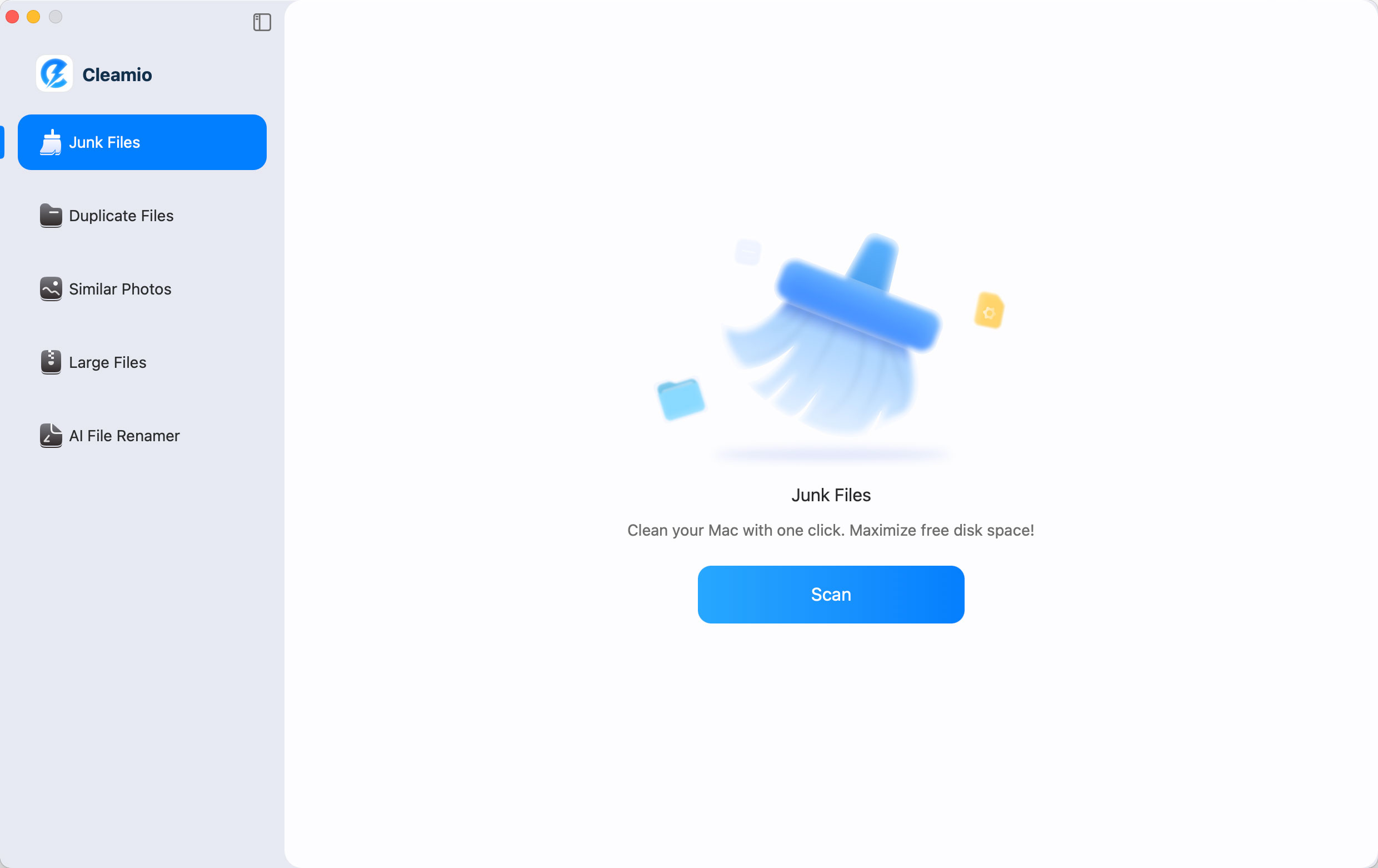
after downloading it on your MacBook and launch it. When it opens, click
“Junk Files” and then click “Scan.
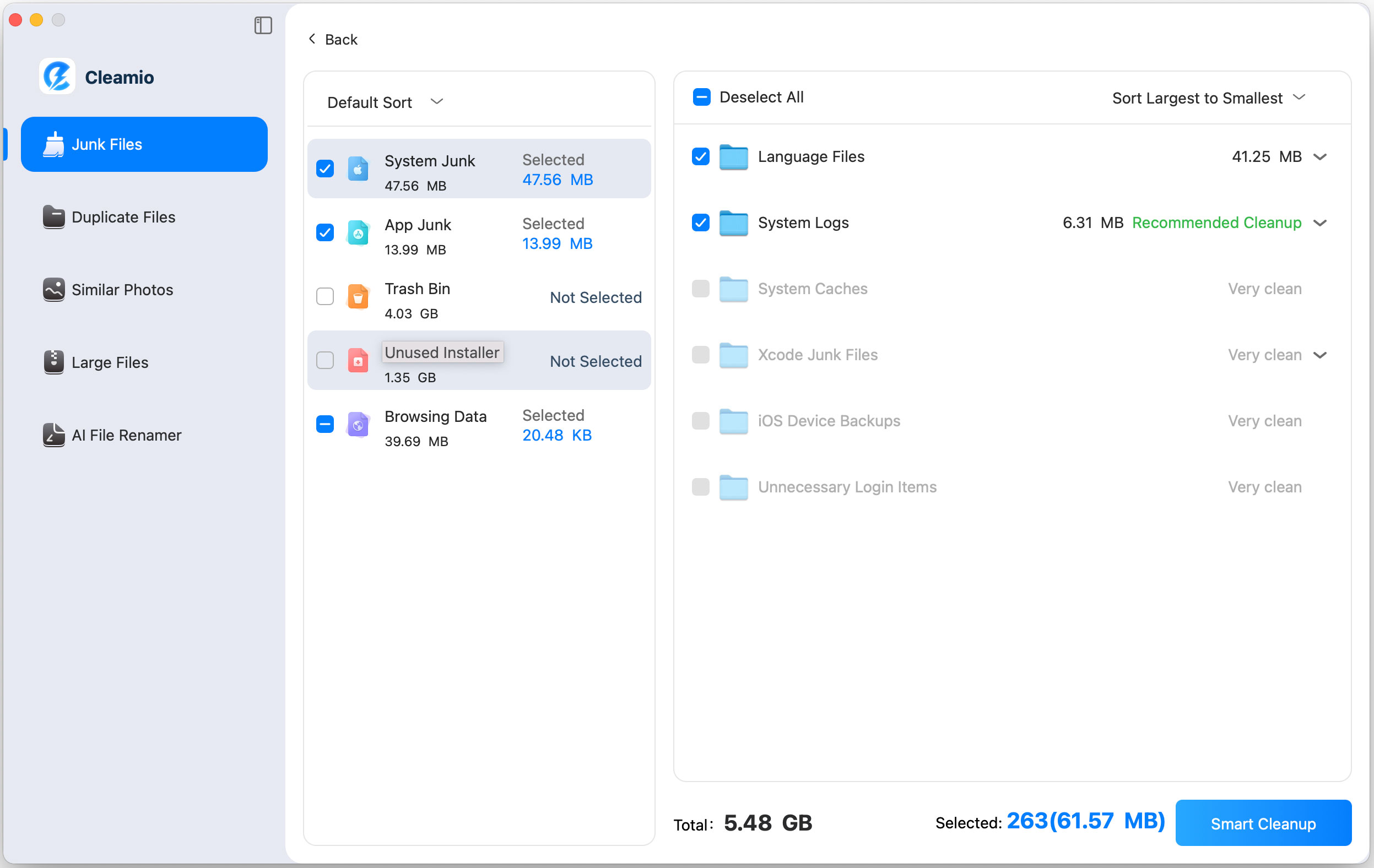
Within a few seconds, Cleamio will scan your Mac and give you a list of
files that are detected as junk. You just need to choose the files that
you want to delete and click “Smart Cleanup.
Wait as Cleamio deletes your junk files for you, and once the process is
complete, click "OK" to finish.
This process helps remove caches, logs, and unnecessary system data without
harming macOS.
Part 5. Why You Need a Mac Cleaner (Not Just Storage Management)
The right Mac cleaning software will do more than just storage management,
and here is why you need a dedicated Mac storage cleaner software:
Let's compare Mac cleaning software vs manual cleaning to help you decide
which one works best for you:
Please swipe to view
Feature
macOS Built-in
Professional Cleaner
Cache Cleaning
No
Yes
Duplicate Finder
No
Yes
App Uninstaller
No
Yes
Privacy Cleanup
No
Yes
Manual cleaning is possible, but it’s time-consuming and risky compared to
modern Mac cleaner apps.
Conclusion
Finding the best Mac cleaner app in 2025 depends on safety,
performance, and ease of use. While free tools are helpful for basic tasks,
they lack deep optimization. For users who want reliable results on MacBook
Pro or Air, Tenorshare Cleamio stands out as the most balanced
solution, fast, safe, Apple-notarized, and beginner-friendly.
It’s a smart choice for keeping your Mac clean, fast, and healthy long-term.





 iOS Tips & Latest Updates
 Bug Fixes, Unlock Guides
 Giveaways & Freebies





By Jenefey Aaron
2026-09-28 / Mac Cleanup