If you’ve ever installed apps on a Mac, you’ve probably noticed leftover files
with a .dmg extension sitting in your Downloads folder. Many users wonder
whether they should
delete the dmg files after installation or keep them. These
files can quickly pile up and take valuable storage space. In this guide,
you’ll learn what DMG files are, whether they’re safe to delete, and the
easiest ways to remove them.
A DMG file, short for Disk Image, is Apple’s native file format used to
distribute software on macOS. If you’ve ever downloaded an app from the
internet outside the App Store, chances are it came as a .dmg file. Simply
put, it’s a virtual disk that contains an application installer.
How DMG Files Work?
DMG files follow a simple process:
You double-click the file to mount it (it appears like a virtual drive).
You drag the app into the Applications folder to install it.
You eject the mounted disk after installation.
Once installation is complete, the DMG file itself is no longer needed for
the app to run.
Difference Between .dmg, .pkg, and .app Files
Please swipe to view
File Type
Purpose
Installation Method
Needed After Install
.dmg
disk image container
mount & drag app
.pkg
installer package
guided installer
.app
application file
runs directly
Understanding this difference helps answer questions like what happens if I
delete dmg files. In most cases, nothing happens to the installed app.
Part 2. Can You Delete DMG Files After Installing? Is It Safe to Delete?
Yes, you can absolutely delete these files after installation. And it is completely safe once the app has been properly installed. Many
users wonder if it is OK to delete dmg files after installation, and the
answer is almost always yes.
DMG files are only used during the installation process. After you’ve
dragged the application into your Applications folder, the app runs
independently and no longer relies on the DMG file. Keeping these files
doesn’t improve performance or provide any benefit; they simply take up
space.
In fact, removing them is a good habit if you want to
clear Mac storage
and keep your system organized. Just make sure the app is already installed
and working correctly before deleting the file.
Although it is generally safe to remove DMG files, there are a few
situations where you might want to keep them.
First, if you haven’t installed the app yet, deleting the DMG file means
you’ll need to download it again.
Second, some users prefer keeping DMG files as backups in case they want
to reinstall apps without downloading them again. This can be useful for
large applications or limited internet access.
Another scenario is when troubleshooting. If an app fails to install
properly, keeping the DMG file allows you to retry the installation.
Additionally, some older apps may require access to files inside the
mounted DMG for certain features, although this is rare.
While the answer to can you delete dmg files after installing is yes, it’s
important to consider your specific situation before doing so.
Part 4. How to Safely Delete DMG Files on Mac? (Step-by-Step)
Let's discuss 2 complete and safe methods to delete these files on your Mac.
Method 1. Delete DMG Files Manually in Finder
If you only have a few DMG files, manual deletion is quick and easy. This
method works well for users who occasionally install apps and want to clean
up afterward.
Open Finder and go to the “Downloads” folder.
Locate the .dmg file you want to remove and right-click the file and
select “Move to Bin”.
Empty the Trash to permanently delete the file. right-clicking Trash from
the dock and clicking “Empty Bin”.
This method is simple but can become time-consuming if you have many files
scattered across your system.
Method 2. AI Batch Delete All DMG Files at Once with Cleamio
If your Mac is cluttered with dozens or even hundreds of installer files,
manually deleting them can be inefficient. This is where an automated
solution becomes useful. Tools like
Tenorshare Cleamio
can scan your system and identify unnecessary files, including unused DMG
installers, cache files, and other junk.
Tenorshare Cleamio simplifies the process by analyzing your storage and
showing which files are safe to remove and which should be kept. It helps
users avoid accidentally deleting important files while freeing up
significant disk space. This makes it ideal for users who want a smarter way
to delete dmg files on Mac without manual searching.
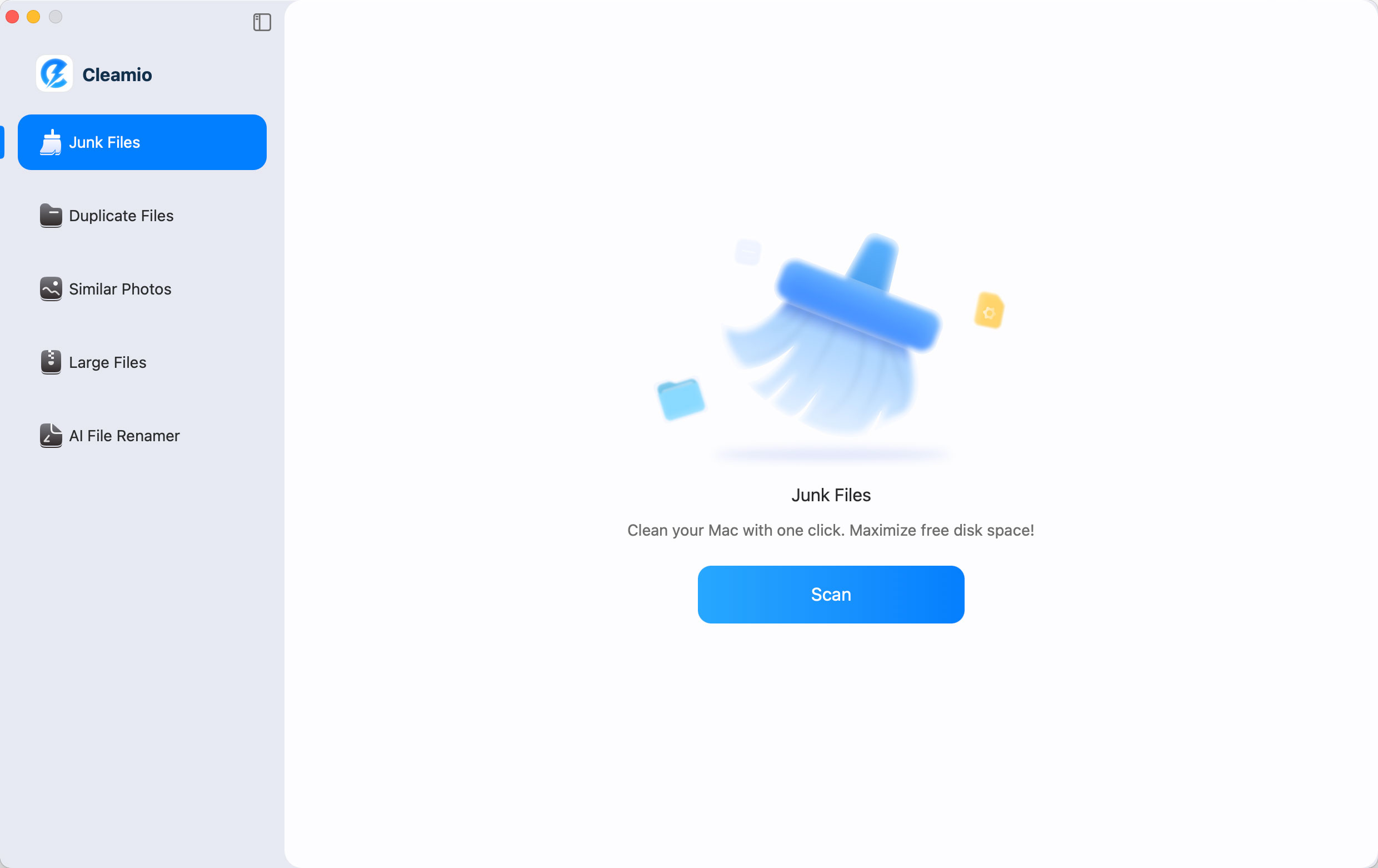
Download and install Tenorshare Cleamio on your Mac. Open the program and
start a system scan by clicking "Scan."
Let the tool identify junk files, including DMG installers. To only delete
the DMG files, select the "Unused Installer" section and then click "Smart
Cleanup."
Wait as Cleamio cleans your Mac by deleting all the detected DMG files,
and click "OK" to finish the process.
Bonus: How to Uninstall Apps Installed from DMG Files?
Deleting the DMG file does not uninstall the app itself. If you want to
remove the application completely, you need to uninstall it properly. Manually dragging apps to Trash often
leaves behind
leftover files
like caches and preferences.
Tenorshare Cleamio offers a more complete solution by removing both the app
and all related files in one process. This ensures your system stays clean
and avoids unnecessary storage usage.
Open Tenorshare Cleamio and go to "App Management", then click "Start”.
Choose “App Uninstallation” and choose the apps that you want to
uninstall, then click "Uninstall”.
Wait for the process to complete and click “OK” when it is done.
Prevention Tips: How to Keep Your Mac Clean Long-Term
Keeping your Mac organized requires regular maintenance and smart habits.
Here are some practical tips to prevent clutter from building up again:
Delete installer files immediately after installation
Regularly check your Downloads folder
Avoid downloading duplicate apps
Keep your desktop and storage organized
Remove unused applications and large files
Use cleaning tools to automate maintenance
Monitor storage usage periodically
By following these steps, you can avoid unnecessary files and maintain a
faster, cleaner system.
People Also Ask about DMG Files on Mac
Q1: Can I delete Google Chrome DMG?
Yes, you can delete the Google Chrome DMG file after installing the browser.
It is no longer needed once the app is in your Applications folder.
Q2: Can I Delete a Minecraft DMG File?
Yes, the Minecraft DMG file can be safely removed after installation. The
game will continue to work normally without it.
Q3: Can I Delete PKG Files After Installation?
Yes, PKG files are also installer files and can be deleted after
installation. They do not affect the installed application.
Q4: Why Are DMG Files So Big?
DMG files can be large because they include the full application package and
sometimes additional resources. They are compressed but still contain all
necessary installation data.
Q5: Do DMG files take up storage space?
Yes, DMG files occupy storage just like any other file. Keeping many of them
can significantly reduce available disk space.
Q6: Should I keep DMG files after installing apps?
In most cases, you don’t need to keep them after installation. However, you
may keep them as backups if needed.
Conclusion
It is completely safe to
delete dmg files after installation, and doing so helps
free up valuable storage on your Mac. While manual deletion works for small
cleanups, tools like Tenorshare Cleamio make the process
faster and more efficient by removing unnecessary files automatically.
Keeping your system clean ensures better performance and long-term
stability.






 iOS Tips & Latest Updates
 Bug Fixes, Unlock Guides
 Giveaways & Freebies





By Jenefey Aaron
2026-09-28 / Mac Cleanup