Managing files efficiently is essential for staying productive on a Mac. While
macOS includes a built-in file system tool, many users eventually look for the
best file manager for Mac that offers more advanced features
and better control. In this guide, we’ll explore powerful Finder alternatives
that improve file organization, navigation, and productivity.
Many new Mac users wonder what the file manager in macOS is called. The
default file management tool built into macOS is called Finder.
Finder is responsible for navigating the macOS file system. It allows users
to browse folders, organize Mac files, search for documents, and manage
external storage devices. In simple terms, Finder functions as the primary
macOS file manager, similar to File Explorer on Windows.
Finder includes several helpful features:
File browsing and navigation
File search using Spotlight
Basic file sorting and tagging
Access to external drives and cloud storage
Drag-and-drop file management
Although Finder works well for everyday tasks, many users eventually look
for a better file manager for Mac when they need more advanced file control.
Finder is reliable, but it has limitations. As users
manage larger file libraries
or work with multiple folders simultaneously, Finder may feel restrictive.
This is why many people search for Finder alternatives for Mac. Here are the
common limitations of Finder
1. Limited Window Navigation
Finder normally displays one folder at a time, which makes moving files
between directories slower.
2. No True Dual-Pane Interface
Many advanced file managers allow two folders to be displayed side by side
for easier file transfers.
3. Limited Batch File Operations
Finder can rename files in batches, but its features are basic compared to
specialized tools.
4. Lack of Advanced Automation
Power users often need scripting, automation tools, or customizable
workflows.
5. Slow Performance with Large File Libraries
When dealing with thousands of files, Finder may feel slower compared with
specialized Mac file management software. See:
How to fix Mac running slow issues
Because of these limitations, users often search for a Mac Finder
replacement that offers faster navigation and more powerful file control.
Part 3. Top 7 Best File Managers for Mac in 2026 (Our Picks for You)
Below are seven excellent tools that work as the best file managers for Mac,
each offering unique features for different workflows.
1. ForkLift 4 – Best Dual-Pane File Manager for Mac with Remote Servers
ForkLift 4 is a powerful alternative file manager for Mac designed for
professionals who frequently transfer files between locations. It combines a
dual-pane interface with advanced server connection capabilities.
This tool supports remote connections such as FTP, SFTP, and cloud services,
making it especially useful for developers and web professionals.
Price: Starting at $19.95 (annual)
Ease of Use: Moderate
Best For: Developers and professionals managing remote servers.
Not available on the Mac App Store, so installation and updates must
be managed manually
Some advanced features may feel overwhelming for casual users
Free updates are limited to a specific period, depending on the
license
2. Path Finder – Most Advanced Finder Replacement for Power Users
Path Finder is widely considered one of the most powerful Mac Finder
replacement tools available. It provides extensive customization options and
deeper control over the macOS file system. Many power users consider it the
best smart file management Mac solution for complex workflows.
Price: Starting at $29.95 yearly
Ease of Use: Advanced
Best For: Power users who want deep system control.
Key Features
Dual-pane browsing
Folder comparison tools
Advanced file search
Terminal integration
File tagging and preview tools
Built-in file permissions editor
Pros
Extremely customizable
Many advanced management tools
Powerful search capabilities
Excellent productivity features
Cons
The interface can feel complex for beginners
Some features overlap with Finder, making the learning curve steeper
Uses more system resources compared to lightweight file managers
3. Commander One – Best for Dual-Pane & Windows-Style Navigation
Commander One offers a familiar interface for users switching from Windows.
It mimics the dual-pane layout commonly found in Windows file managers.
Because of this layout, many users consider it a strong file explorer for
Mac alternative.
Price: $29.99
Ease of Use: Easy to moderate
Best For: Users transitioning from Windows.
Key Features:
Dual-pane file navigation
Built-in archive manager
FTP and cloud integration
Terminal emulator
Hotkey-based file operations
Pros
Familiar interface
Free version available
Fast file operations
Strong keyboard support
Cons
Many advanced features require the Pro upgrade
Interface design can feel slightly dated
Cloud integrations may require additional setup
4. Marta – Best Free & Keyboard-Centric Option
Marta is a lightweight and highly customizable free file manager for Mac
designed for speed and efficiency. Unlike traditional file managers, Marta
focuses heavily on keyboard navigation and extensibility.
Price: Free
Ease of Use: Moderate
Best For: Users who prefer keyboard workflows.
Key Features:
Dual-pane interface
Plugin-based architecture
Keyboard-driven navigation
Fast performance
Minimal interface design
Pros
Completely free
Extremely fast navigation
Highly customizable with plugins
Lightweight system usage
Cons
Heavy reliance on keyboard shortcuts may confuse new users
The plugin ecosystem is still smaller than other tools
Limited graphical interface customization
5. QSpace – Best Smart File Management for Multi-Pane Layouts
QSpace is a relatively new Mac file management software that offers
multi-pane layouts and extensive customization. Its flexible interface makes
it a better option for Mac users who want multiple folders open
simultaneously.
Price: Starting at $12.99
Ease of Use: Easy
Best For: Users who want highly customizable layouts.
Key Features:
Multi-pane file views
Tabbed file browsing
Quick preview tools
Advanced sorting and filtering
Custom layouts
Pros
Multi-pane navigation
Flexible interface
Quick file preview
Good performance
Cons
Smaller developer ecosystem compared to older file managers
Some advanced features require the paid version
Interface may feel unfamiliar to users accustomed to Finder
6. Nimble Commander – Best Free File Manager for Mac
Nimble Commander is a modern, open-source, free file manager for Mac
designed with speed and simplicity in mind. It includes many advanced
features while maintaining a lightweight design.
Price: Free
Ease of Use: Moderate
Best For: Users looking for a powerful free macOS file manager.
Key Features:
Dual-pane file browsing
Built-in terminal access
Batch file operations
Keyboard-driven navigation
File preview support
Pros
Open-source and free
Fast file operations
Keyboard shortcuts for productivity
Dual-pane interface
Cons
The user interface is more functional than visually polished
Requires keyboard shortcuts for optimal productivity
Some advanced features are limited in the free version
7. Transmit 5 (Panic) — Best Pure File Transfer Client
Transmit 5 is not a traditional file manager for Mac, but it is one of the
best tools for transferring files between servers and local machines.
Developed by Panic, Transmit focuses heavily on high-speed transfers and
cloud integrations.
Price: About $45
Ease of Use: Easy
Best For: Developers and server administrators.
Key Features:
High-speed file transfers
FTP, SFTP, and cloud integration
Sync features for remote files
Clean interface
Built-in file preview
Pros
Extremely fast transfers
Reliable server connections
Clean user interface
Excellent cloud integration
Cons
Focuses mainly on file transfer rather than full file management
No free version available
Primarily useful for developers or server administrators rather than
casual users
Part 4. Best Smart File Management Tool for Mac to Clean Up/Rename
While file managers help you navigate folders, they usually don’t focus on
system cleanup or large-scale file renaming. Over time, duplicate files,
large downloads, and poorly named files can clutter your system. This is
where
Tenorshare Cleamio
becomes a helpful addition to your workflow.
It acts as the best smart file management Mac solution by helping users
rename files in batches, remove duplicates, and free up storage space.
Cleamio scans your system and helps organize files more efficiently without
risking important data. It is particularly useful for photographers, content
creators, and professionals managing large file libraries.
Download and install Tenorshare Cleamio on your Mac. Launch it and
select “AI File Renamer", then click "Start”.
Choose and add multiple image or documents by clicking “+” or dragging
them into the interface.
Customize renaming pattern, for example, select “Content_Owner_Date”.
Meanwhile, you can select a language for file names.
Preview the new names and click “Confirm” to apply the changes to rename
all files instantly.
This feature helps users maintain cleaner folder structures and better file
naming systems. Using tools like Cleamio alongside a strong Mac Finder
replacement can significantly improve overall file organization and
productivity.
Other Related Features to Organize Files
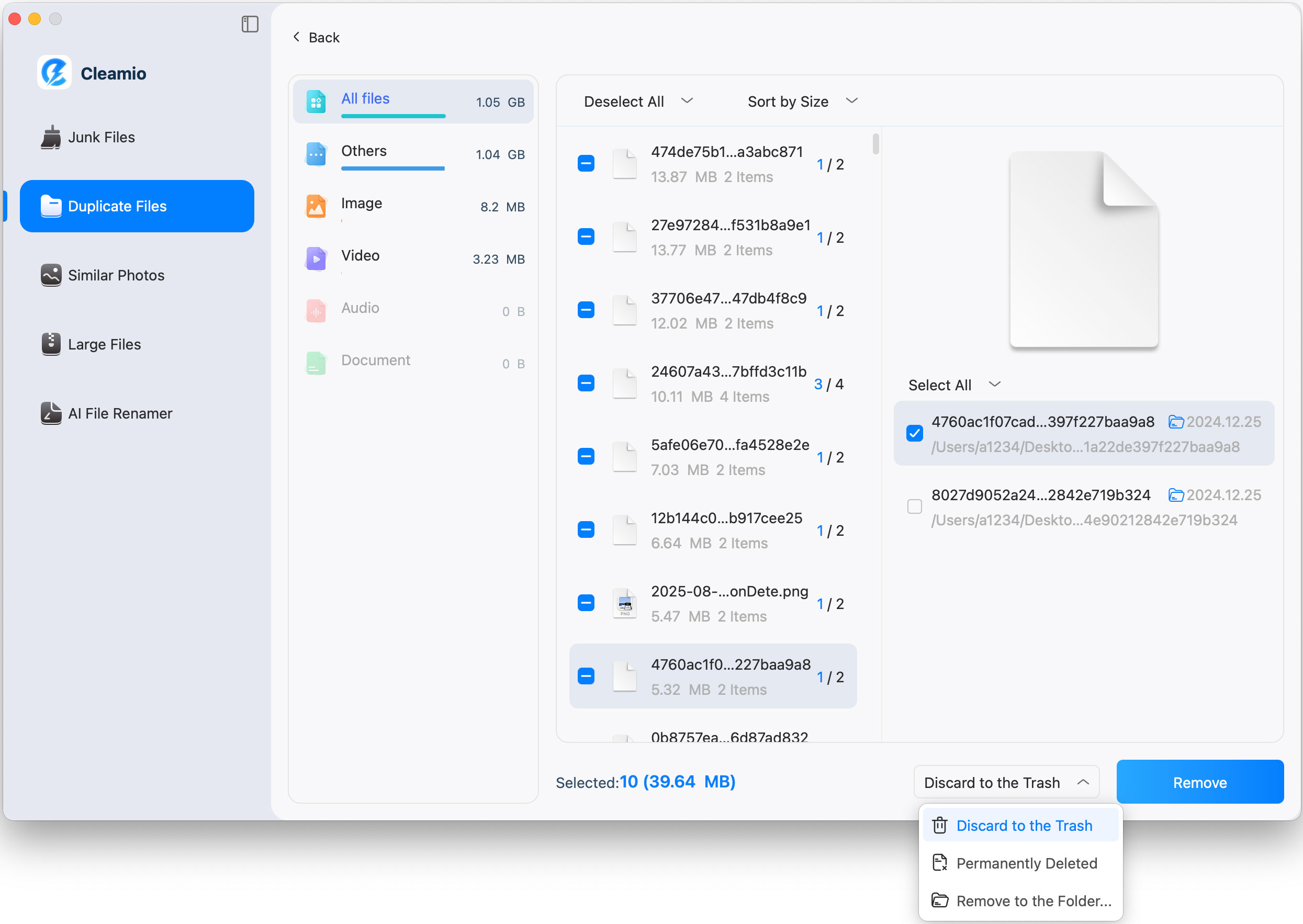
Find and Delete Old Large Files
Search for and Remove Duplicate Files
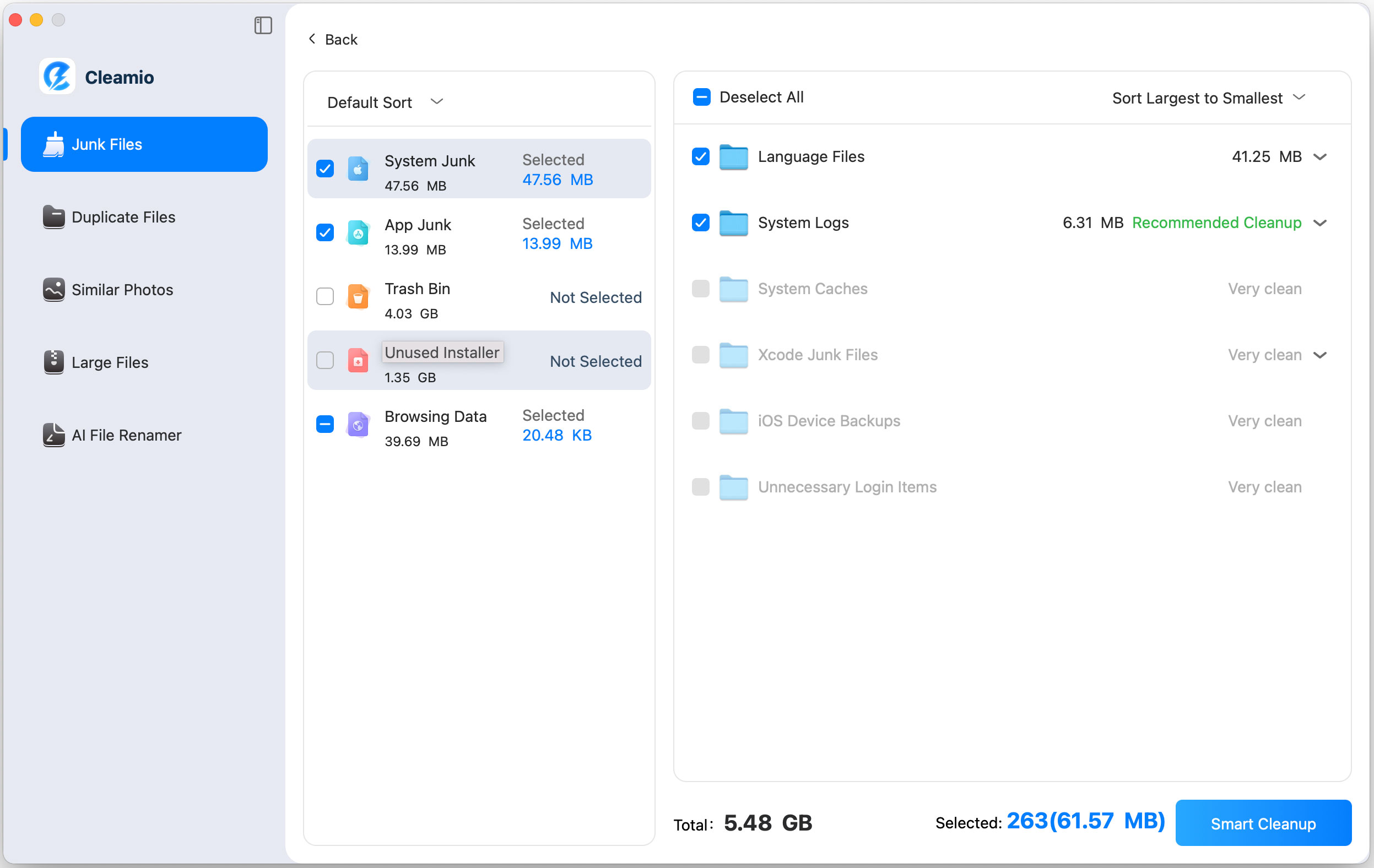
Smart Remove System Junk Files
Conclusion
Choosing the best file manager for Mac depends on your
workflow and preferences. Finder works well for basic tasks, but advanced
users often prefer specialized tools such as ForkLift, Path Finder, or
Commander One. These alternatives provide faster navigation, dual-pane
layouts, and powerful features.
Pairing them with Tenorshare Cleamio also helps organize
files through batch renaming and cleanup, creating a smarter file management
system.




 iOS Tips & Latest Updates
 Bug Fixes, Unlock Guides
 Giveaways & Freebies






By Jenefey Aaron
2026-09-24 / File Tips