

 iOS Tips & Latest Updates
 Bug Fixes, Unlock Guides
 Giveaways & Freebies


UltData - Best iPhone Data Recovery Tool
Recover Deleted & Lost Data from iOS Devices Easily, No Backup Needed!
UltData: Best iPhone Recovery Tool
Recover Lost iPhone Data without Backup
If you use Instagram and Facebook together, you may have noticed that Meta connects these accounts through Accounts Center. While this integration makes it easier to share posts, log in across platforms, and manage settings, not everyone wants their accounts linked.
If you want to separate your Instagram account from Facebook or other Meta accounts, you can remove the connection through Accounts Center. But what happens to your Instagram messages and other personal data afterward? And what should you do if some conversations are missing or no longer accessible?
In this guide, we'll explain how to turn off Meta account on Instagram, what happens when you unlink your accounts, and how to recover missing Instagram data using available methods.

Meta Accounts Center is a centralized settings hub that allows users to manage connected accounts and experiences across Meta platforms, including Instagram, Facebook, and WhatsApp (where available).
When you add multiple profiles to the same Accounts Center, you can use several connected features, such as:
Although these features are convenient, some users prefer to keep their social media accounts separate for privacy, security, or personal reasons.
If that's your situation, you can remove an account from Accounts Center without necessarily deleting your Instagram profile.
If you want to stop connecting your Instagram profile with Facebook or another Meta account, you can do so through Instagram's Accounts Center. The following steps apply to both iPhone and Android devices.
Once the process is complete, the selected account will no longer be part of that Accounts Center.


Removing an account from Accounts Center is different from deactivating or deleting your Instagram account. Your Instagram profile is not automatically deleted just because you unlink another Meta account. However, some connected features, such as cross-account login and sharing, may no longer work.
The exact menu labels may vary depending on your Instagram app version and account settings.
After learning how to turn off Meta account on Instagram, you may wonder whether unlinking your accounts affects your Instagram messages.
Generally, removing a Facebook or another Meta profile from Accounts Center does not automatically delete your Instagram conversations. Your Instagram account and its associated messages are managed separately.
However, if you notice missing conversations after changing your account settings, several issues may be worth checking.
If you previously used multiple Instagram profiles connected through Accounts Center, you may accidentally switch to another account after changing the linked settings.
Since each Instagram profile has its own inbox, conversations from one account won't automatically appear in another.

Sometimes, messages may temporarily disappear because of app glitches, network problems, or synchronization issues.
If your inbox looks incomplete, try refreshing Instagram, checking your internet connection, or logging out and back into the correct account.
Instagram allows users to delete conversations from their own inbox and unsend individual messages.
These actions are different:
If a conversation was deleted or messages were unsent, you may not be able to view them through the normal inbox.
App updates, account changes, or temporary service issues may affect how messages appear.
If your Instagram inbox suddenly becomes incomplete, check whether the same issue occurs when accessing your account from another device or Instagram's website.
If your Instagram conversations are still missing after checking your account and app settings, there are several ways to look for your data.
Here are four methods worth trying.
Before using any recovery tool, make sure your conversations aren't simply hidden or associated with another account.
Try the following:
If the conversation is still available but difficult to locate, these checks may help you find it without additional software.
Instagram provides an official feature that allows users to download a copy of their account information, including available messages.
This is worth trying if you want to check whether your conversations are still included in your account data.
Keep in mind that downloading your information is not the same as restoring deleted conversations. Information that has already been deleted or unsent may not be included in the export.

If you previously backed up your iPhone, it may be worth checking whether an older backup contains Instagram-related data.
For example:
An older backup may contain information that is no longer available on your current device. However, restoring a full backup can overwrite newer data, so check its contents before proceeding.
If you want to inspect an available iPhone backup without performing a full device restore, a backup extraction tool may be useful.
If the previous methods don't help, you can try a third-party data recovery solution.
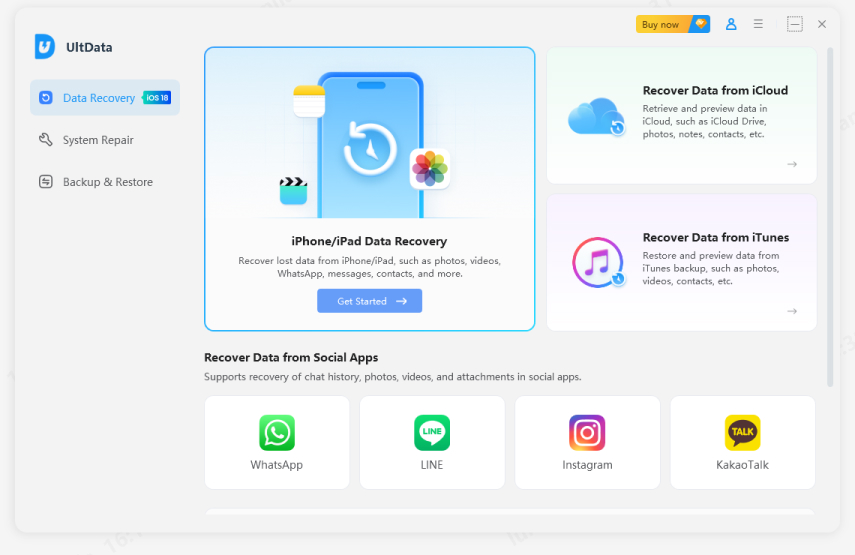
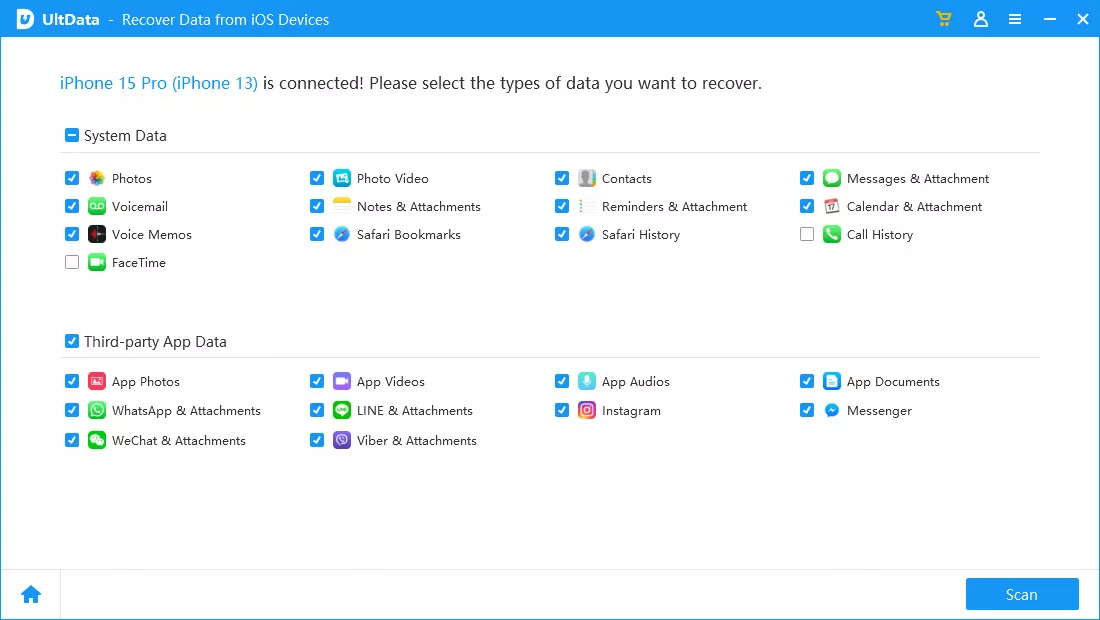
Tenorshare UltData is an iPhone data recovery tool that supports scanning and retrieving supported Instagram data, including messages and attachments.
It can be useful when you're dealing with missing Instagram data on an iPhone and want to check whether recoverable information is still available on the device.


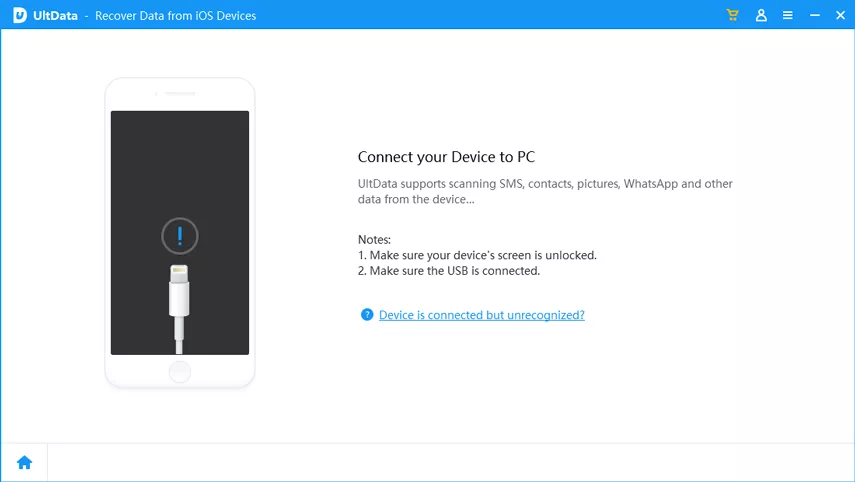
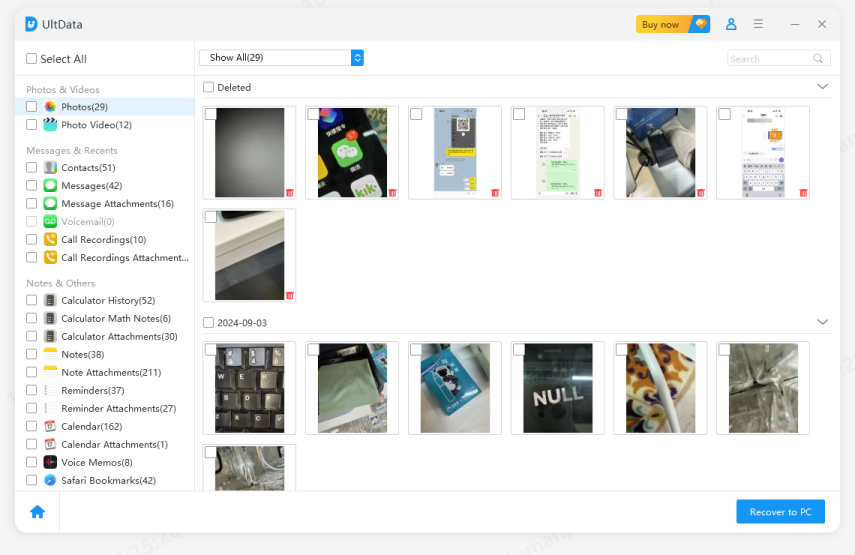
Follow these steps from the UltData iOS Recovery Guide to check your phone for missing data:
Tenorshare UltData for Android helps recover lost or deleted photos, videos, messages, contacts, Instagram data, and other files from Android devices. For more Android data recovery features and solutions, visit the UltData Android Data Recovery Guide for detailed instructions.

Recovery results depend on the device, app version, data availability, and whether the original information has been overwritten or permanently removed. Not every deleted Instagram conversation can be recovered. You can scan and preview available items before deciding whether to purchase the software.
No. Removing Facebook or another Meta account from Accounts Center does not automatically delete your Instagram messages. Your conversations remain associated with your Instagram profile. However, if messages were separately deleted or unsent, unlinking accounts will not restore them.
Yes. You can use Instagram without linking it to a Facebook account through Accounts Center. However, some connected features, such as cross-account sharing and login, may no longer be available.
Instagram does not provide a standard restore option for deleted Direct Messages. You can try downloading your account information to check for available message data or look for existing device backups. Third-party recovery tools such as Tenorshare UltData may also help scan supported Instagram data, but successful recovery is not guaranteed.
Removing an account from Accounts Center does not generally send a direct notification to the other person in your Instagram conversations. However, some connected experiences, such as cross-platform login and sharing, may change.
It may be possible to find recoverable Instagram data directly from an iPhone using a compatible recovery tool such as Tenorshare UltData. The result depends on whether the relevant data is still available on the device. There is no guarantee that permanently deleted messages can be recovered without a backup.
Knowing how to turn off Meta account on Instagram can help you manage your connected profiles and keep your Instagram and Facebook accounts separate. The process is relatively straightforward through Accounts Center, and unlinking accounts does not automatically delete your Instagram profile or conversations.
However, if you notice missing Instagram messages after changing your account settings, first check your account, message requests, and available Instagram data exports. You can also review existing backups or try Tenorshare UltData to scan for supported Instagram data.
Most importantly, make sure you understand the difference between unlinking accounts and deleting messages. Taking the right steps can help you avoid unnecessary data loss and improve your chances of finding important conversations.


UltData - Best iPhone Data Recovery Software



then write your review
Leave a Comment
Create your review for Tenorshare articles
Share this post


UltData - Best iPhone Data Recovery Tool
Recover Deleted & Lost Data from iOS Devices Easily, No Backup Needed!
UltData: Best iPhone Recovery Tool
Recover Lost iPhone Data without Backup
By Jenefey Aaron
2026-11-19 / iOS Data Recovery