

 iOS Tips & Latest Updates
 Bug Fixes, Unlock Guides
 Giveaways & Freebies


UltData - Best iPhone Data Recovery Tool
Recover Deleted & Lost Data from iOS Devices Easily, No Backup Needed!
UltData: Best iPhone Recovery Tool
Recover Lost iPhone Data without Backup
Freeform boards can contain important notes, sketches, images, links, and project ideas. Losing access to this information can be frustrating, especially when you use the app to organize your daily work. If your Freeform boards disappeared, the problem may be related to iCloud syncing, accidental deletion, or a temporary software issue. Fortunately, several methods can help you locate missing boards and restore deleted content on your iPhone or iPad.

There are several reasons why Freeform boards may suddenly become unavailable. Understanding the cause can help you choose the right recovery method.
Freeform uses iCloud to keep boards synchronized across supported Apple devices. If Freeform syncing is disabled, your boards may not appear on your other devices.
Freeform boards are associated with the Apple Account used to access them. If you recently changed accounts, your previous boards may no longer appear.
You may accidentally delete a board while organizing your Freeform library. Fortunately, deleted boards are generally kept in the Recently Deleted section for 30 days, giving you time to restore them.
Sometimes, boards may appear missing after installing a system update. Temporary software problems or synchronization delays can affect how the Freeform library displays.
If someone shared a Freeform board with you, the owner may change your access permissions or remove you from the collaboration.
When switching to a new iPhone or iPad, some boards may not appear immediately. This can happen if synchronization has not finished or the original device was using a different Apple Account.
Try these methods in order, starting with the simplest checks.
The first step is to check whether your boards are hidden or accidentally deleted.

Your board should return to the Freeform library if it is still eligible for recovery.
If your boards are available on one device but missing from another, check your iCloud settings. Open Settings on your iPhone or iPad. Tap your Apple Account name.


Confirm that your device has a stable internet connection. Also, verify that you are using the same Apple Account on both devices.
If the missing board was shared with you, check whether you still have access.
Temporary software problems can sometimes affect how Freeform displays content. Try restarting your device first.

After restarting or updating, open Freeform and check whether your boards appear. Make sure you have a suitable device backup before major system changes.
If the previous methods do not work, investigate your existing backups. You may have an iCloud or computer backup created before the boards disappeared.
For a computer backup:
For iCloud backups, check the available backup information in your device's iCloud settings.
Sometimes, missing Freeform boards are part of a broader data-loss problem. You may also discover that photos, messages, contacts, or other important information has disappeared from your iPhone.
In such cases, using professional iPhone data recovery software like Tenorshare UltData may be worth considering. As an iPhone data recovery tool, UltData offers supported recovery features to help retrieve various types of lost or deleted iPhone data.
However, it is important to understand its limitations. You should not assume that UltData can directly recover Freeform boards, their layouts, or embedded content unless the current product version explicitly confirms this functionality.


Tenorshare UltData is designed to help users recover certain supported iPhone data types, depending on the device, data category, and recovery situation.
Potential benefits include:
The exact process depends on the recovery feature and product version.
Generally, a supported device-recovery workflow involves these steps:
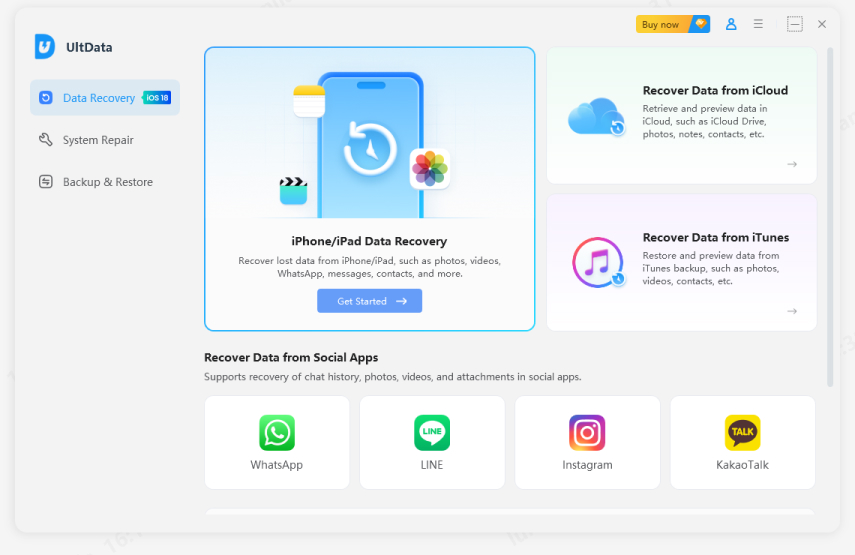
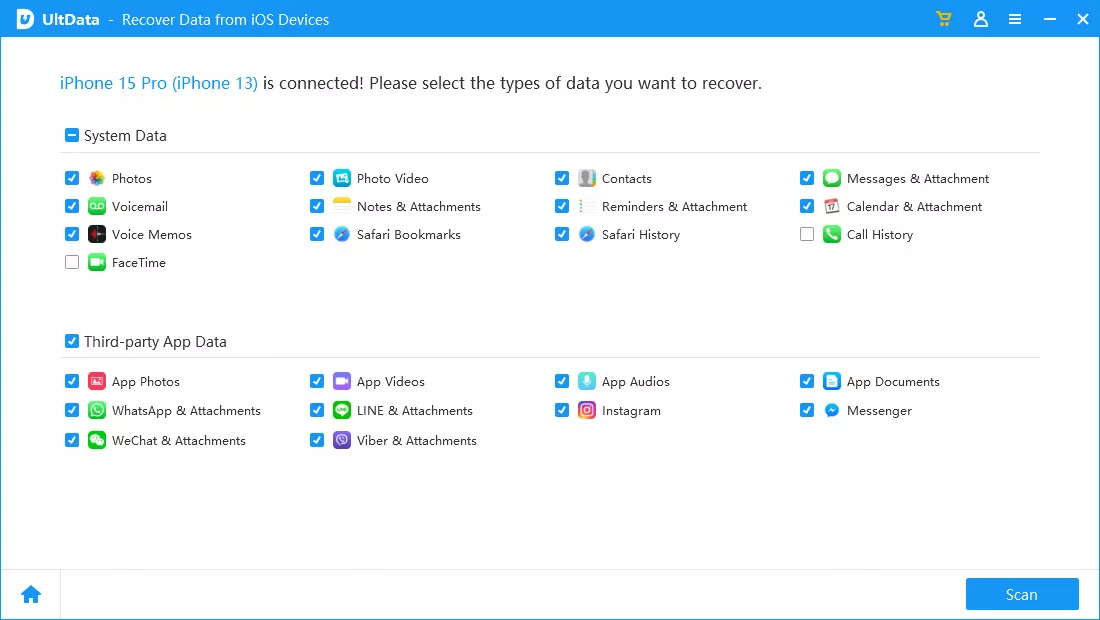
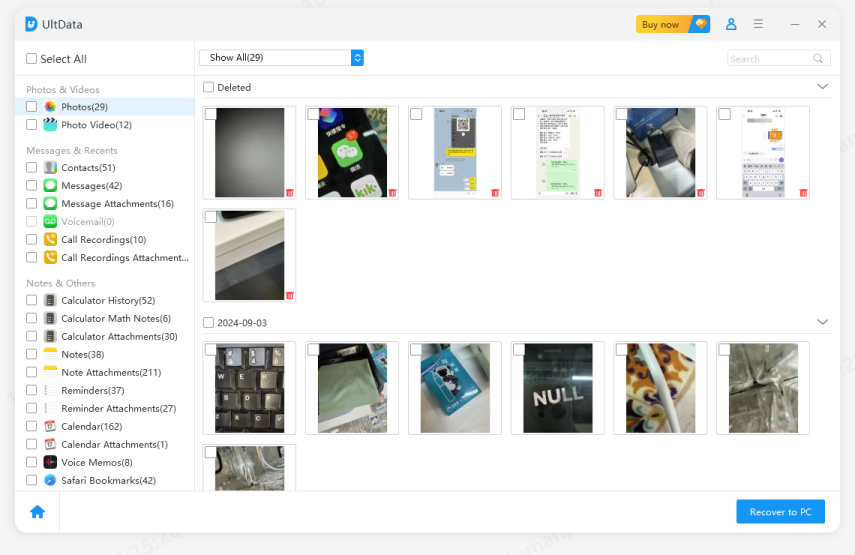
Once you have restored access to your boards, take a few precautions to protect your information.
Make sure Freeform synchronization is enabled on the Apple devices you regularly use. This helps keep your boards available across devices signed in to the same Apple Account.
Do not assume that every new board has synchronized successfully. Check whether important boards appear on your other devices before relying on them.
Create regular device backups and understand which information each backup method includes. This gives you another recovery option if something goes wrong.
Use available Freeform export options to keep additional copies of important work. Exported copies can preserve useful content, although they may not retain every original collaborative or interactive feature.
Check board ownership and sharing permissions before leaving a collaboration or deleting shared content. This can help prevent unnecessary loss of access.
Your boards may be missing because iCloud synchronization is disabled, you are using a different Apple Account, or the boards were accidentally deleted.
Yes, if the board is still available in Recently Deleted. Open Freeform, navigate to Recently Deleted, touch and hold the board, and select Recover.
Check whether both devices use the same Apple Account and have Freeform enabled in iCloud settings.
You may be able to recover them through Recently Deleted, another synchronized Apple device, or restored shared-board access.
Do not assume that it can. UltData supports certain iPhone data types, but direct recovery of Freeform boards and their contents require specific product support.
When Freeform boards disappeared, start by checking All Boards and Recently Deleted. Next, verify your Apple Account, iCloud synchronization, and shared-board permissions. If these methods fail, investigate suitable backups before considering a device restoration.
Tenorshare UltData can provide additional recovery options for supported iPhone data types, but it should not be treated as a guaranteed solution for missing Freeform boards.


UltData - Best iPhone Data Recovery Software




then write your review
Leave a Comment
Create your review for Tenorshare articles
Share this post


UltData - Best iPhone Data Recovery Tool
Recover Deleted & Lost Data from iOS Devices Easily, No Backup Needed!
UltData: Best iPhone Recovery Tool
Recover Lost iPhone Data without Backup
By Jenefey Aaron
2026-11-16 / iOS Data Recovery