

 iOS Tips & Latest Updates
 Bug Fixes, Unlock Guides
 Giveaways & Freebies


UltData - Best iPhone Data Recovery Tool
Recover Deleted & Lost Data from iOS Devices Easily, No Backup Needed!
UltData: Best iPhone Recovery Tool
Recover Lost iPhone Data without Backup
When Final Cut Pro crashes unexpectedly, you may reopen the app and discover that a project or recent edits appear to be missing. Losing hours of editing work can be stressful, but a final cut pro crashed lost project situation does not necessarily mean your work has been permanently deleted.
In this guide, we are going to discuss a few of the trusted methods that can help you recover your lost files. Let's get started.

Several issues can make a project appear missing after a crash. Final Cut Pro may have closed before recent changes were saved, the wrong Library may be open, or the library may have been moved or renamed. If the Library is stored on an external drive, a disconnected or inaccessible drive can also make it seem unavailable.
Start with basic checks before restoring backups or using recovery software.
Reopen Final Cut Pro and examine the libraries sidebar. If the Library you were using is listed, expand it and inspect its Events and Projects.
Open the relevant timeline and check whether your recent edits are present. The project may still be available even if it was not visible in the view you last used.
Open Finder and search for the library name or files ending in .fcpbundle.
Check common locations such as Movies, Documents, custom editing folders, and connected external drives.
If you locate the relevant Library, open it in Final Cut Pro and inspect its Events and Projects. A Library organizes project timelines, Events, and media or references to media.
If the Library opens but the expected timeline is missing, expand the library and examine its Events.
Projects are organized within Events, so check other Events for a similarly named timeline or an earlier version.
Open any likely match and inspect the edits before making further changes.
If your Library or source media is stored externally, confirm that the drive is connected and accessible.
Open Finder, select the drive, and check that its folders can be browsed and that it has available space. If the drive was disconnected, reconnect it safely and reopen Final Cut Pro.
If the project remains missing after checking the original Library and storage locations, search for backups and duplicate copies.
Look for available Final Cut Pro Library backups in the backup location or folders where you keep copies.

Before restoring anything, make a separate copy of the current Library. Then inspect an appropriate backup and, where possible, open it separately to see whether the missing project or an earlier timeline is available.

If Time Machine was configured to back up the relevant storage, it may contain an earlier copy of the library or related files.

In Finder, navigate to the folder where the library was stored, open Time Machine using the available macOS controls, and browse backups from dates before the project disappeared. Locate the relevant file and restore it to a safe location where possible.

If you may have deleted the library or a related file, open the Mac Trash and search for it. If it is still there, use the restore option and check its original location.

Also search external drives, shared storage, duplicate Libraries, and folders used for manual backups.
First identify what was deleted: the whole Library, project-related data inside it, or the original media. If permanent deletion is suspected, avoid unnecessary writes to the affected storage device, because additional activity may reduce the chance of recovering data that has not yet been overwritten.
Recovery depends on the storage type, how the deletion occurred, and whether the relevant data has been overwritten.
Tenorshare UltData for iPhone is intended for supported iOS recovery scenarios and should not automatically be treated as a Mac file recovery tool. It can recover lost or deleted files without needing any backup. Here is a step-by-step guide to recover your lost file from any iOS device.


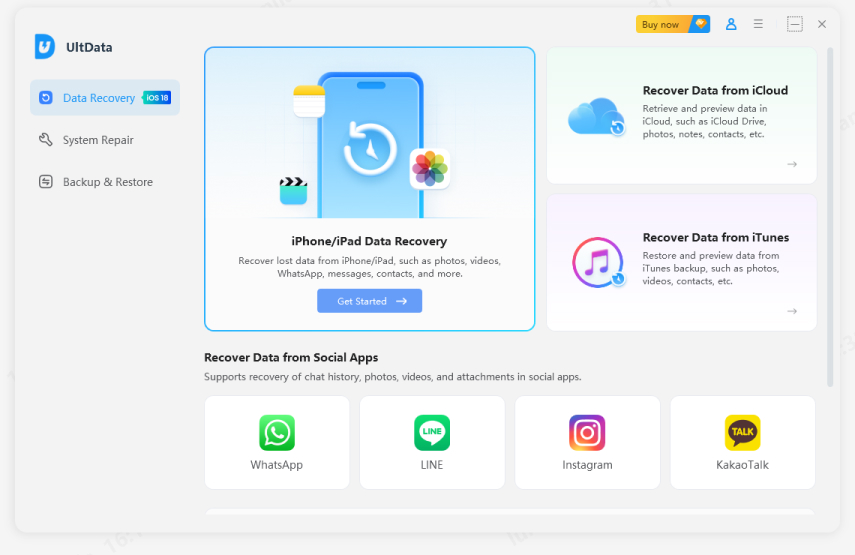
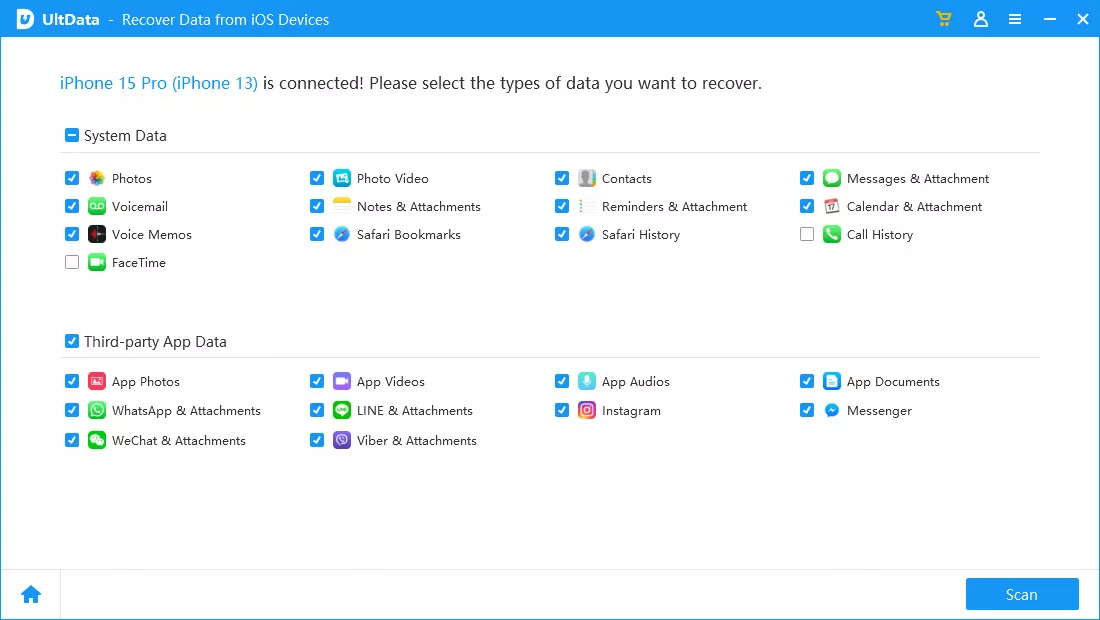
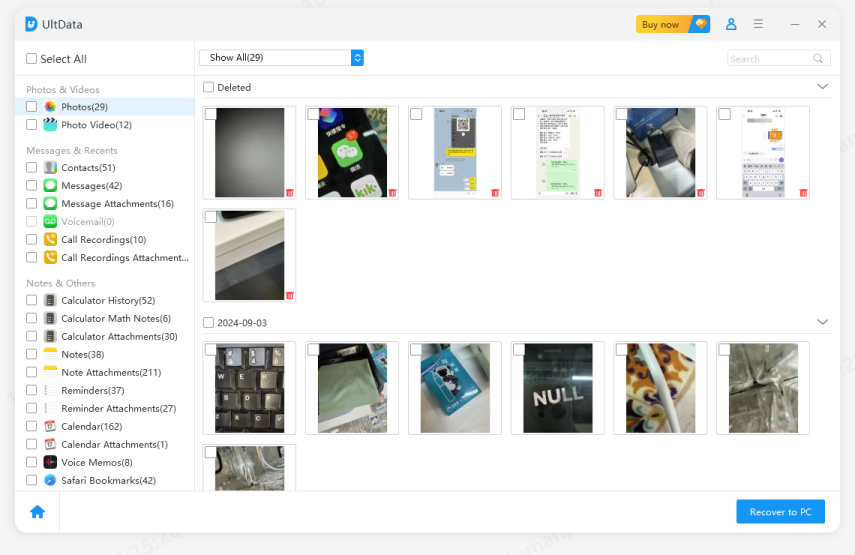
Reopen Final Cut Pro, check the libraries sidebar and project browser, locate the original Library in Finder, and inspect available Library backups or Time Machine copies. Recovery depends on whether the project still exists and whether a suitable backup is available.
Search your Mac, external drives, Trash, and folders containing duplicate Libraries. If the project was permanently deleted, recovery may depend on the storage device and whether the data has been overwritten.
The Data sometimes does not save itself on the servers and in such cases the file disappear which requires specialized tool to recover.
If Final Cut Pro crashed and lost project files appear to be missing, reopen the app, locate the original Library, and check its Events and Projects. Next, inspect Library backups, Time Machine, Trash, and other storage locations.
Tenorshare UltData recovery tool is the ultimate solution even when you lose your file and have no backup to recover those files. Try it to get things back on track and have a smoother recovery of your important Final Pro Cut files.


UltData - Best iPhone Data Recovery Software




then write your review
Leave a Comment
Create your review for Tenorshare articles

Share this post


UltData - Best iPhone Data Recovery Tool
Recover Deleted & Lost Data from iOS Devices Easily, No Backup Needed!
UltData: Best iPhone Recovery Tool
Recover Lost iPhone Data without Backup
By Jenefey Aaron
2026-11-03 / iOS Data Recovery