


 iOS Tips & Latest Updates
 Bug Fixes, Unlock Guides
 Giveaways & Freebies


UltData - Best iPhone Data Recovery Tool
Recover Deleted & Lost Data from iOS Devices Easily, No Backup Needed!
UltData: Best iPhone Recovery Tool
Recover Lost iPhone Data without Backup
People searching for how to recover permanently deleted screen recording iPhone usually encounter the same stressful situation: a screen recording disappears without warning. Maybe it was deleted accidentally, maybe the recording never saved due to low storage, or maybe an iOS glitch caused the file to vanish before it ever appeared in Photos or Files. This problem is widely discussed in Quora threads and iPhone forums, where users report that their recordings don't show up in Recently Deleted and seem completely gone.
The good news is that a permanently deleted screen recording isn't always truly erased. Copies may still exist in system caches, app data, or unallocated storage on the device — areas that iOS doesn't show. With tools like Tenorshare UltData, you can scan deeper than the Photos or Files app allows and recover screen recordings even without any iCloud or Finder backup . Below are the methods that offer the best chance of getting your video back.

If you're trying to recover deleted screen recording iPhone, it helps to understand why the video disappeared in the first place. Screen recordings can vanish for several technical reasons, and knowing the cause helps you choose the right recovery method.
If your iPhone was low on storage or the system froze during recording, the video may fail to save at all — appearing as if it vanished instantly. This happens because screen recordings are temporarily stored in RAM before being written to permanent storage. When available space drops below a critical threshold, iOS may abort the save process to prevent system instability.
Recordings stored in Photos can be deleted accidentally or by apps cleaning space. Many users don't realize that screen recordings are treated as regular videos in the Photos library, making them subject to automatic deletion by third-party cleaning apps or iOS's storage optimization features.
Sometimes the recording exists but is stuck between local storage and iCloud sync, making it invisible in the library. This typically occurs when iCloud Photos is enabled but experiencing sync issues due to poor network connectivity or iCloud storage limitations. iOS updates can also trigger temporary file visibility issues when the update process reorganizes the media database.
Before moving to advanced recovery methods, try these simple checks — they solve many cases where users think the recording is permanently gone.
Go to Photos → Albums → Recently Deleted and in Files: Browse → Recently Deleted. Recordings remain here for 30 days unless permanently erased . Make sure to check both locations, as screen recordings may be saved to either app depending on your settings.

Some apps (editing apps, social apps, gallery apps) may auto-save temporary video versions you forgot about. Check these common locations:
If storage was full, the recording may appear after freeing space or completing a sync. Check your iPhone's available storage at Settings → General → iPhone Storage. Also verify your iCloud Photos sync status at Settings → [Your Name] → iCloud → Photos and check the Hidden album in Photos, as recordings can accidentally end up there.
If the file is not in Recently Deleted and didn't save correctly, these are your standard recovery paths.
If the recording existed before deletion:
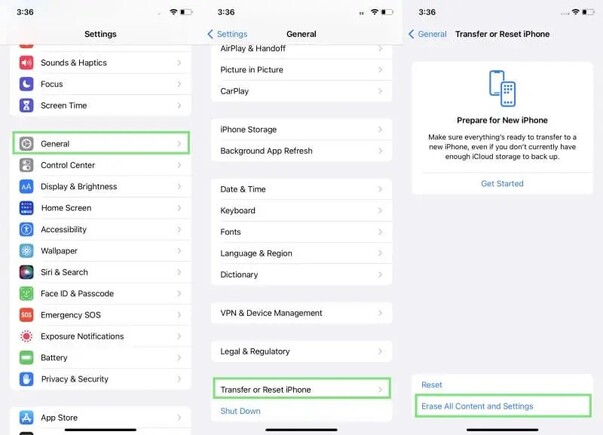


This method erases your current data, so it's only useful if the recording is important and you know the exact backup date.
Some apps temporarily store video fragments or cached versions. These can be extracted with advanced tools or through a device scan.
When there is no backup and the recording appears gone everywhere, UltData iPhone Data Recovery is the best method available. It can access system-level storage that iOS restricts, which is why it often succeeds where other methods fail.
UltData can scan:

This means you can often retrieve videos deleted weeks or even months ago.




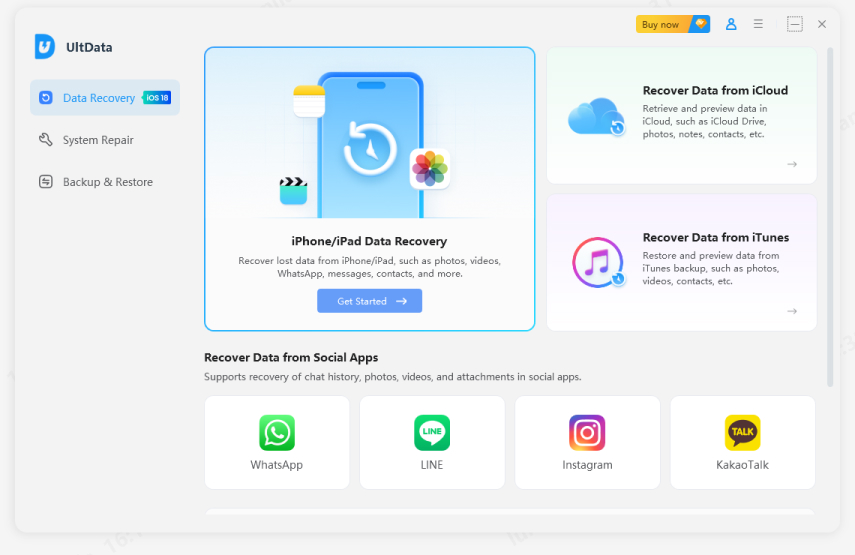
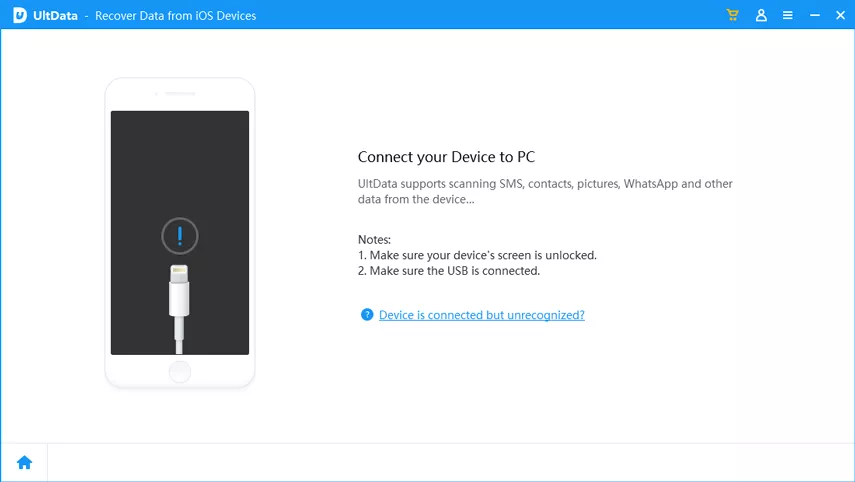
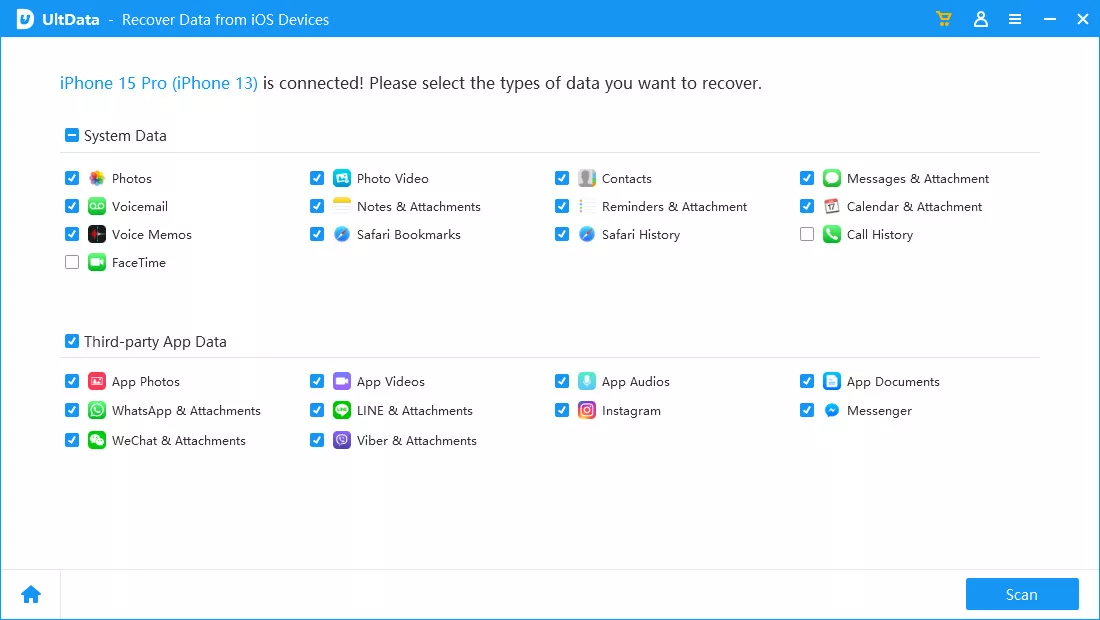
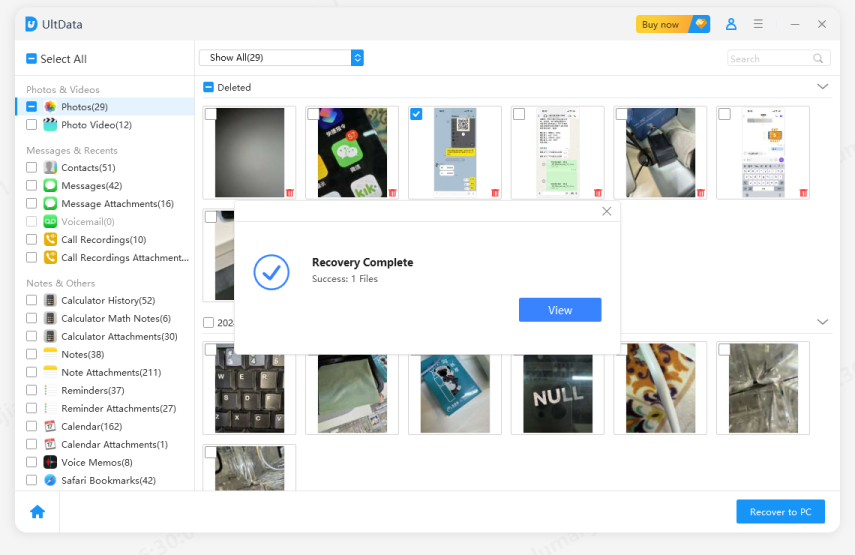
The fastest, safest way to recover permanently deleted screen recordings and other iOS data without backup.
Understanding how to recover permanently deleted screen recording iPhone can make the difference between losing an important video forever or getting it back safely. While quick checks and backups may help, the most reliable way to restore permanently deleted screen recordings — especially when no backup exists — is using a deep-scan tool like Tenorshare UltData.


then write your review
Leave a Comment
Create your review for Tenorshare articles

Share this post


UltData - Best iPhone Data Recovery Tool
Recover Deleted & Lost Data from iOS Devices Easily, No Backup Needed!
UltData: Best iPhone Recovery Tool
Recover Lost iPhone Data without Backup
By Jenefey Aaron
2026-10-20 / iOS Data Recovery