
 iOS Tips & Latest Updates
 Bug Fixes, Unlock Guides
 Giveaways & Freebies


UltData - Best iPhone Data Recovery Tool
Recover Deleted & Lost Data from iOS Devices Easily, No Backup Needed!
UltData: Best iPhone Recovery Tool
Recover Lost iPhone Data without Backup
If you're desperately searching for how to recover deleted text messages on iPhone without iCloud/iTunes, you're not alone. Many users realize too late that their iCloud backup was disabled, iTunes was never used, or the backup they need has already been overwritten. Whether the messages were deleted by accident, lost during an update, or removed when switching phones, losing important texts can feel overwhelming.
The good news is that deleted messages are not always erased immediately. In many cases, they remain hidden in your iPhone's internal storage until the space is reused. That means recovery is still possible—even without iCloud or iTunes. With the right method, including tools like iCloud Data Recovery, you may be able to retrieve deleted SMS and iMessages directly from your device. Let's walk through how this works and what your real options are in 2026.
Many users wonder if it's even possible to recover deleted text messages on iPhone without iCloud. The short answer is yes—under the right conditions, recovery is possible even when no cloud backup exists.
When you delete a message on iPhone , iOS does not immediately destroy the data. Instead, the message is marked as "deleted," and the storage space is flagged as available. The actual content stays in the internal database until new data overwrites it. This is why acting quickly is critical. The less you use your iPhone after deletion, the higher your chances of successful recovery.
Before using advanced recovery tools, it's always smart to rule out simpler causes. Some users find that their messages were never truly deleted—just hidden or filtered.
Open the Messages app and check:

Sometimes messages appear to be gone but are only filtered out of the main inbox.
Most carriers don't store full SMS content, but some may retain metadata such as timestamps and phone numbers. While this won't restore message content, it can help verify whether the messages existed and when they were sent.
If none of these quick checks work, you'll need a deeper recovery method.
If you're specifically trying to recover deleted text messages on iPhone without iCloud, a direct device scan is your best option.

UltData iPhone Data Recovery is designed for exactly this scenario—recovering deleted messages without relying on iCloud or iTunes. It scans your iPhone's internal storage for message data that has been deleted but not yet overwritten.

Basic steps:




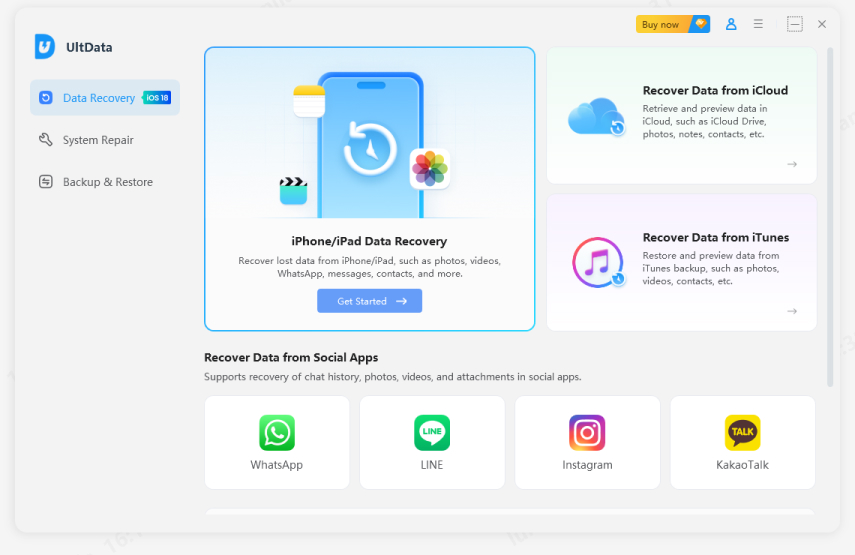
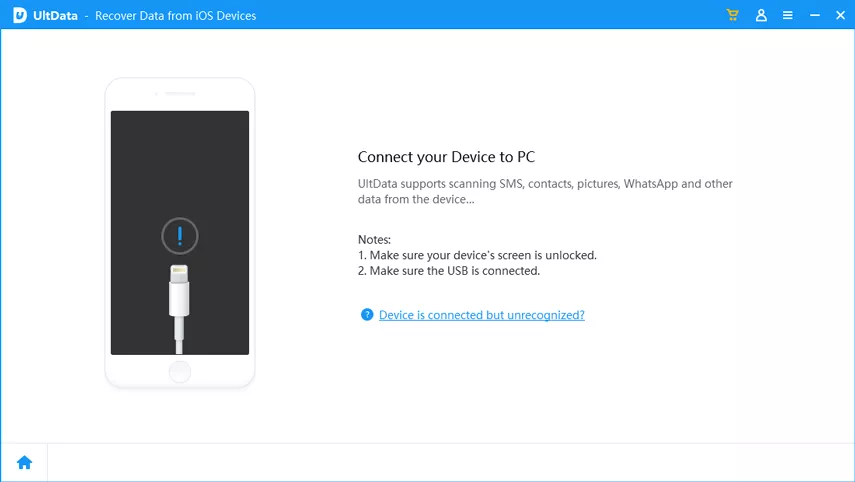
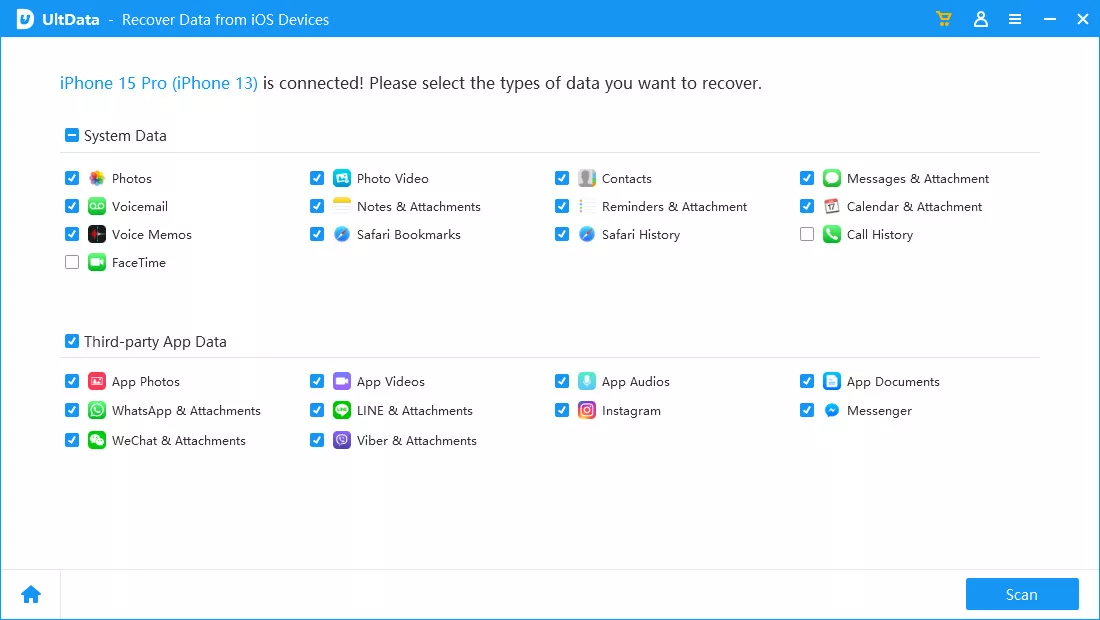
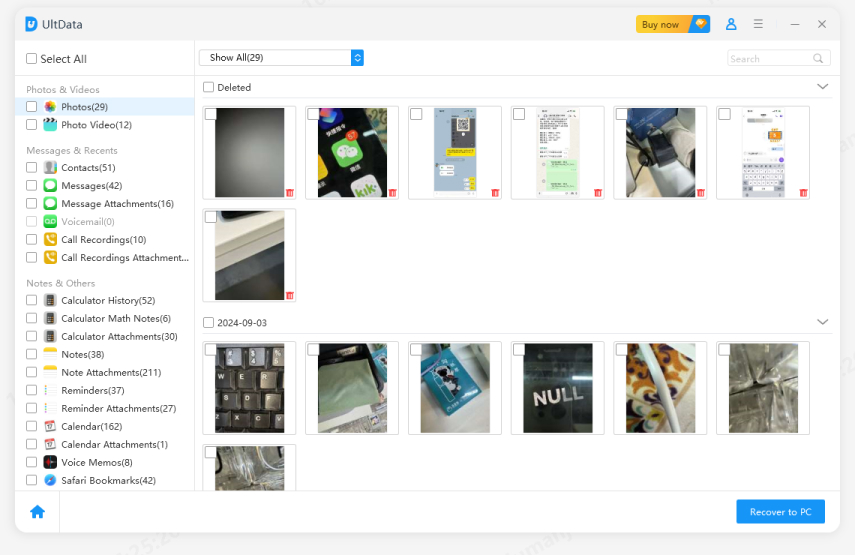

This method does not erase your current iPhone data and does not require any prior backup. Make sure to use the original Apple USB cable for stable connection.
Unlike iCloud or iTunes, which only restore previously backed-up data, UltData reads directly from your device's message database and remaining storage fragments. It can locate:
This makes it one of the most effective options when no backup exists at all.
If your messages were part of a third-party app or lost during a system issue, there may still be other recovery paths.
If your deleted messages were from apps like WhatsApp, Messenger, or LINE, check whether those apps have their own cloud backups enabled (iCloud Drive, Google Drive, or in-app backups). You may be able to reinstall the app and restore conversations from its built-in backup system.
Some users lose messages after failed updates or unexpected reboots. In these cases, message databases may become corrupted rather than deleted. A deep-scan recovery tool can often extract conversation data that the Messages app no longer displays.

Once deleted message data is overwritten by new data, recovery becomes extremely difficult and often impossible. This is why it's critical to stop using the device as soon as you notice the loss. Avoid taking photos, downloading apps, or sending new messages until you attempt recovery.
To prevent permanent message loss:
These simple habits dramatically reduce the risk of permanent data loss.
Yes, Tenorshare UltData supports all iPhone models from iPhone 6 to the latest iPhone 16 series, and is compatible with all iOS versions including iOS 18. It works equally well on older and newer devices.
No, UltData only scans and recovers deleted data. It does not modify, delete, or overwrite any existing data on your iPhone. Your current messages, photos, and apps remain completely safe during the recovery process.
If you're trying to figure out how to recover deleted text messages on iPhone without iCloud/iTunes, the most important thing is to act quickly. Even without a backup, your messages may still exist in your iPhone's internal storage and can often be retrieved with the right tools. While basic checks and app-level restores may work in some cases, a deep-scan solution like Tenorshare UltData offers the highest chance of success when no iCloud or iTunes backup is available.


then write your review
Leave a Comment
Create your review for Tenorshare articles

Share this post


UltData - Best iPhone Data Recovery Tool
Recover Deleted & Lost Data from iOS Devices Easily, No Backup Needed!
UltData: Best iPhone Recovery Tool
Recover Lost iPhone Data without Backup
By Jenefey Aaron
2026-10-19 / iPhone Recovery