While iOS provides robust safety features like iCloud for backing up your data, "irreversible" data loss can still occur due to accidents, system errors, or even malicious attacks. In such situations, using iPhone data recovery software becomes the best DIY solution. These tools leverage advanced algorithms to
recover lost files
directly from your device or a backup.
With countless iPhone recovery apps on the market, it can be overwhelming to choose the right one. While some are highly effective, others fail to deliver on their promises. To save you time and effort, we've tested the top iPhone data recovery tools and compiled a list of the best options available in 2026. We've also outlined key features of each app to ensure you don't waste time sifting through endless product descriptions. Keep reading to find the perfect recovery solution for your needs!
Part 1: Why You Might Need iPhone Data Recovery Software
Is there a free iPhone data recovery software? The answer is yes, but not all recovery tools are the same. Sometimes, data loss occurs unexpectedly, and users are left wondering how to retrieve their important photos, text messages, contacts, and more. While iCloud and iTunes backups can help, they don't always have the most up-to-date or complete data.
Accidental Deletion Happens More Often Than You Think
One of the most common causes of data loss is accidental deletion. It's easy to delete a photo, message, or contact by mistake, especially when juggling multiple apps. Fortunately, iPhone data recovery software can help retrieve these files, even if you didn't back them up.
Common Causes of iPhone Data Loss
In addition to accidental deletions, other causes of data loss include software updates, system crashes, app errors, and physical damage to your device. While many users think their data is gone for good, recovery software can often restore lost information if you act quickly.
Why iCloud or iTunes Backup Isn't Always Enough
While iCloud and iTunes backups are great for storing data, they don't always include everything, and backups might not be up-to-date. Additionally, certain files like messages and app data may not be backed up regularly. In these cases,
iPhone data recovery software
can step in and recover those files directly from the device.
Part 2: What to Look for in the Best Free iPhone Data Recovery Software
Best iPhone data recovery software free isn't always easy to find, as many tools come with limitations. A good recovery tool should be user-friendly, effective, and able to handle a wide range of data types.
Ease of Use and Simple Interface
The best free iPhone data recovery software should be intuitive, even for beginners. You want a tool that allows you to recover data quickly without confusion or technical jargon.
Ability to Recover Multiple File Types
Not all data recovery software can recover every type of file. Look for software that supports photos, messages, videos, contacts, and notes. The more file types it can handle, the more versatile the tool is.
Compatibility with iOS and Popular Devices
Ensure that the software is compatible with the latest iPhone models and iOS versions. Compatibility is crucial for successful recovery, especially with the frequent updates to iOS.
Preview and Selective Recovery
A reliable tool should allow you to preview recoverable items before restoring them. This feature lets you selectively
recover files
, saving time and preventing unnecessary data restoration.
Part 3: Top iPhone Data Recovery Tools Worth Trying in 2026
If you're wondering, "What is the best iPhone data recovery?"—we've tested several tools and compiled a list of the top options that offer free scanning and previewing. Here are the best free iPhone data recovery tools for 2026:
UltData – Best Overall Free iPhone Data Recovery SoftwareHOT
UltData iPhone Data Recovery
supports recovery from both iPhone devices and iCloud/iTunes backups. It can recover a wide range of data types, including photos, messages, contacts, and more.
Pros:
Offers free scan and preview functionality before purchase
Compatible with the latest iOS versions and iPhone models
Provides safe recovery process without data loss or overwriting existing files
Supports recovery from multiple sources: iOS devices, iCloud, and iTunes backups
Allows selective recovery to restore only needed files
Simple and intuitive user interface suitable for beginners
Recovers over 35 types of data including photos, messages, contacts, WhatsApp, and more
Cons:
Full recovery features require purchasing the licensed version
Free version only allows scanning and previewing recovered data
iMobile – Best for Comprehensive Recovery
iMobile offers extensive recovery options, including photos, videos, messages, and contacts from both your device and iTunes/iCloud backups.
Pros:
Recovers data from both the device directly and backup files
Works with multiple iPhone models across different iOS versions
Supports comprehensive data types recovery
Provides preview before recovery
Cons:
Full recovery functionality requires a paid upgrade
Free version has limitations on recoverable file quantity
EaseUS – Best for Fast Scanning
EaseUS is known for its quick scanning and efficient recovery of iPhone data, including messages, contacts, and photos.
Pros:
Features fast scanning process to quickly identify recoverable data
Supports recovery from iPhone, iTunes, and iCloud backups
User-friendly interface with step-by-step guidance
Allows preview of recoverable files
Cons:
Free version only allows scan and preview, actual recovery requires payment
Limited data types in free trial version
Dr.Fone – Most User-Friendly Recovery Tool
Dr.Fone is designed to be user-friendly, making it ideal for both beginners and experienced users. It recovers various iPhone data types like messages, media, and app data.
Pros:
Easy-to-use interface with clear navigation
Supports a wide range of data types including app data
Offers multiple recovery modes for different scenarios
Compatible with various iOS devices and versions
Cons:
Free trial offers limited functionality
Full features require subscription or one-time purchase
D-Back – Best for Advanced Data Recovery
D-Back excels in advanced recovery, supporting encrypted backup extraction and data recovery from damaged devices.
Pros:
Supports both device and backup recovery methods
Works with all iPhone models
Can extract data from encrypted backups
Handles recovery from damaged or broken devices
Cons:
Limited functionality in the free version
Advanced features require premium license
Stellar – Best for Media and Photos Recovery
Stellar specializes in media recovery, offering excellent photo, video, and media file restoration.
Pros:
Strong recovery capabilities for photos and videos
Supports recovery from iPhone, iTunes, and iCloud
Maintains original quality of recovered media files
Offers deep scan for thorough media recovery
Cons:
Full recovery requires a paid version
Free version has limitations on file size and quantity
Disk Drill – Best for Data Recovery from Backup
Disk Drill allows users to recover data from iTunes and iCloud backups without scanning the device directly.
Pros:
Easy backup recovery without connecting iPhone
Supports a wide range of file types
Can recover data from corrupted backups
Provides preview functionality before recovery
Cons:
Full data recovery requires payment
Free version has data recovery size limitations
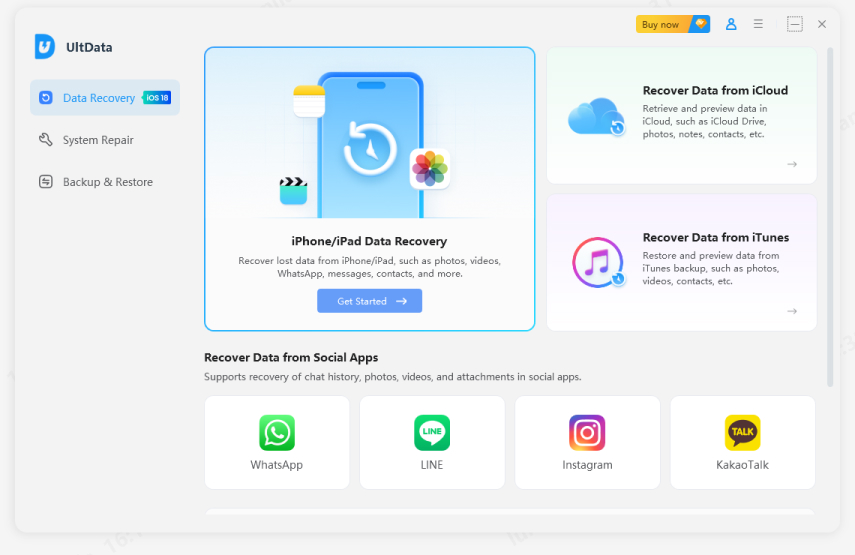
Part 4: How to Use UltData – Free iPhone Data Recovery Software (Step-by-Step)
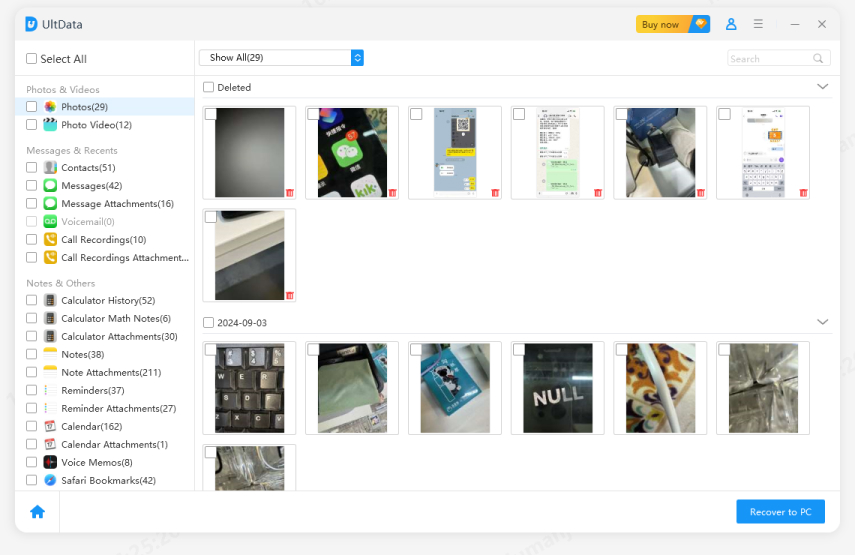
UltData stands out because it allows you to scan and preview for free, and then selectively recover what you need without overwriting your data. Here's how you can use it:
Recover Directly from Your iPhone
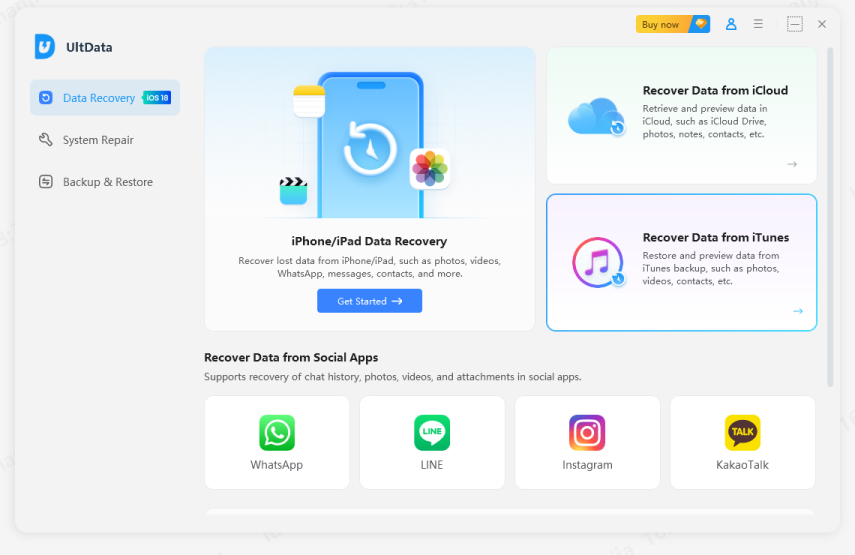
Launch UltData and choose "iPhone/iPad Data Recovery".
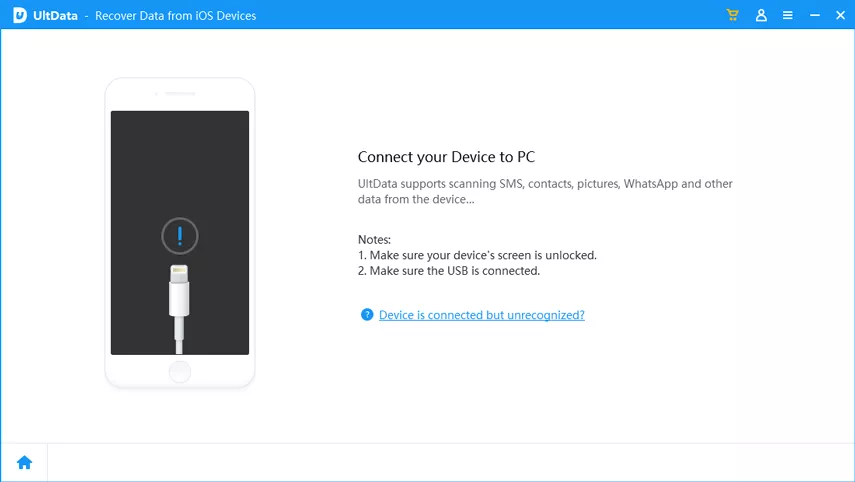
Connect your iPhone to your computer.
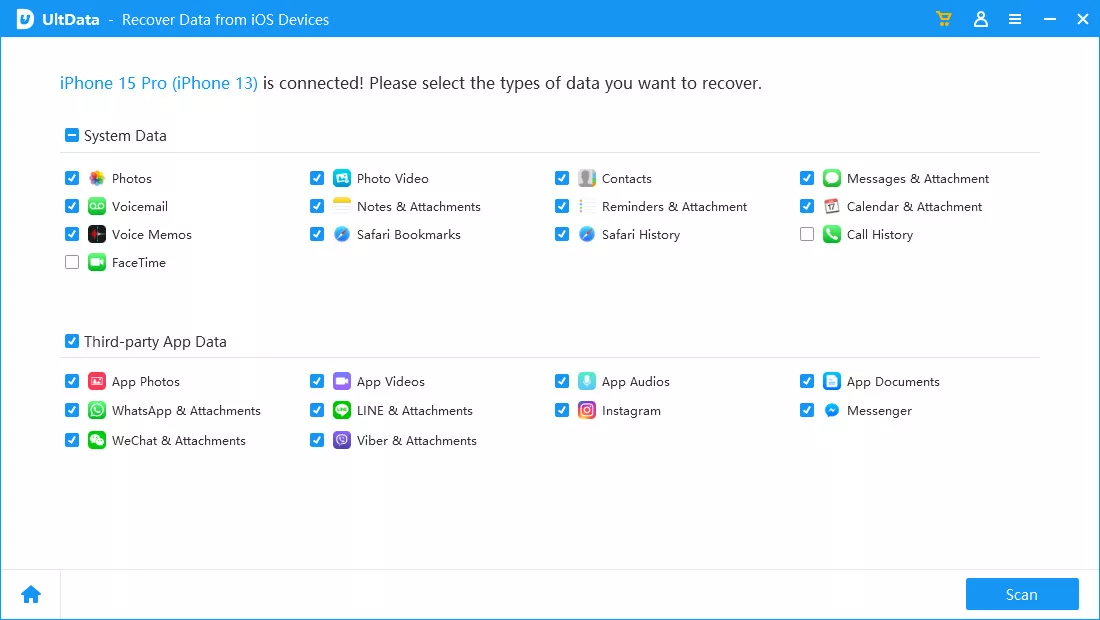
Let UltData scan your iPhone for recoverable files.
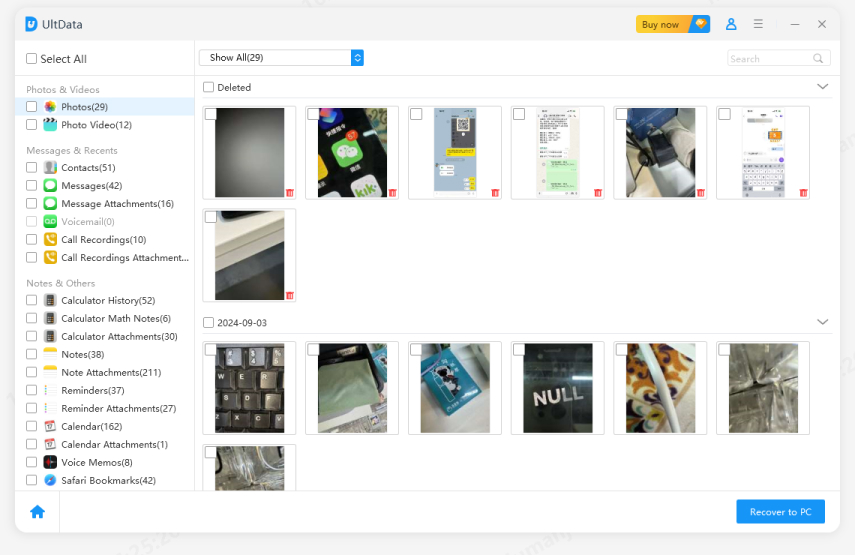
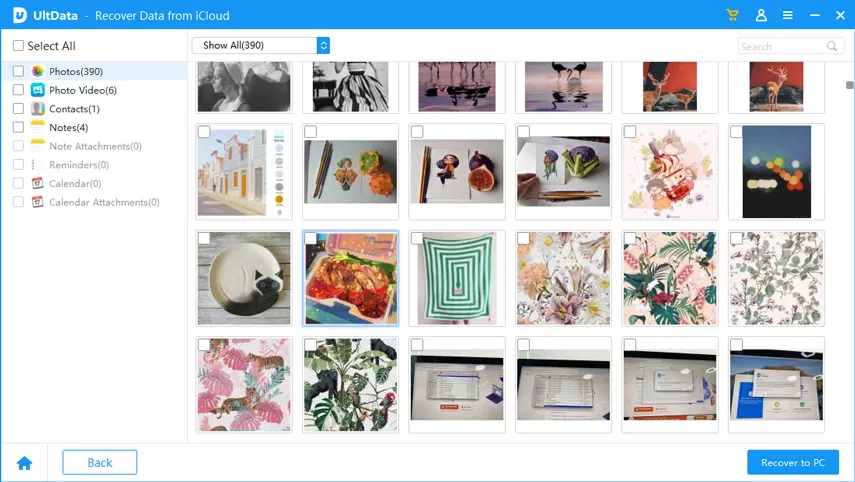
Preview the results and select the files you want to recover.
Recover from iCloud Backup Without Reset
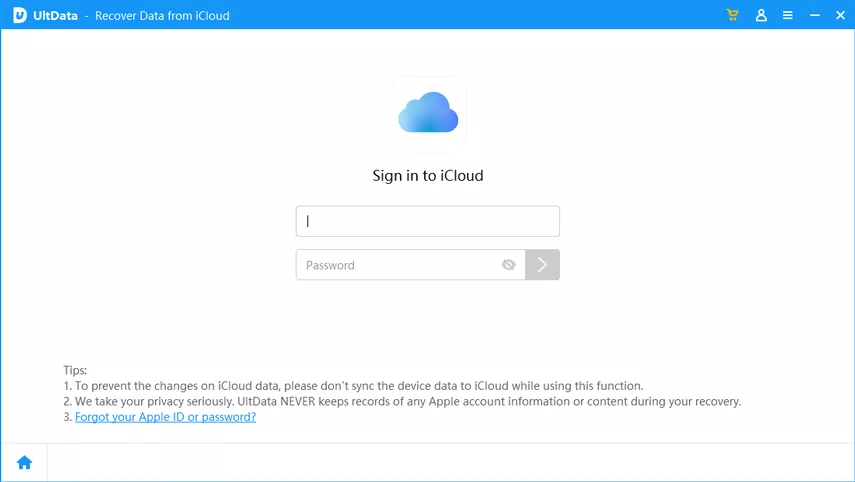
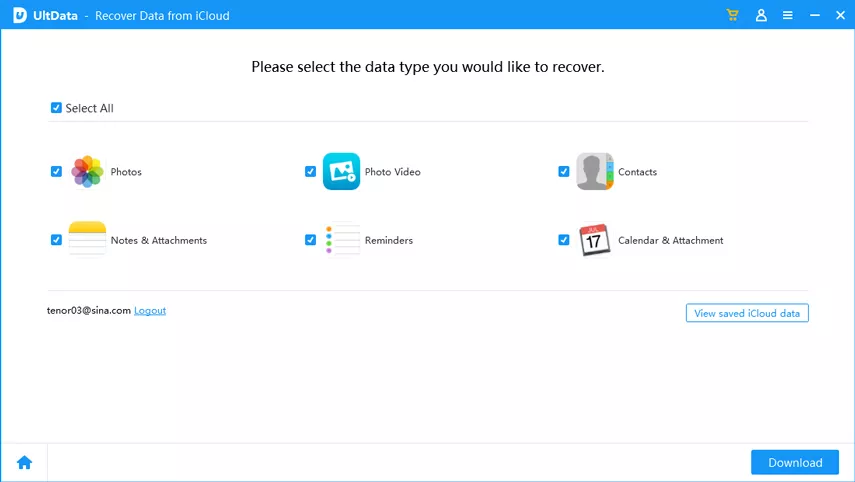
Log in to your iCloud account through UltData.
Select the backup you want to recover from.
Scan the backup and choose which data to restore.
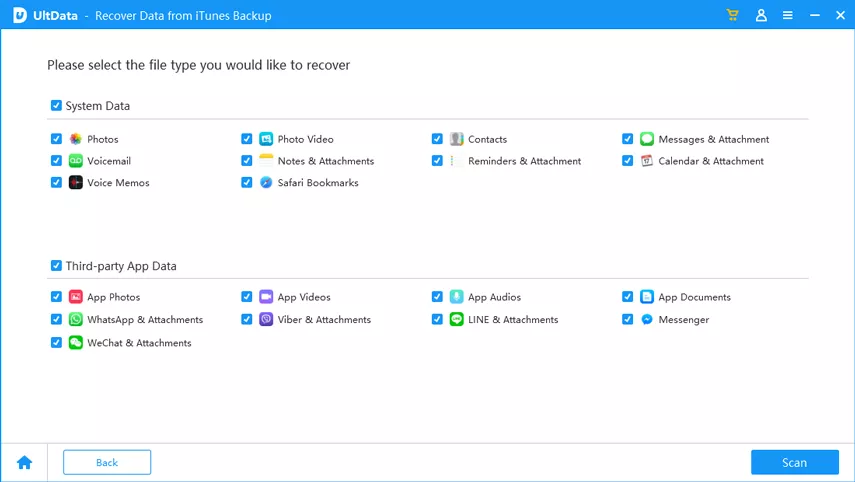
Recover from iTunes/Finder Backup Selectively
Choose "Recover Data from iTunes."
Scan the backup file.
Preview and selectively recover files you need.
Part 5: Tips to Maximize Your iPhone Data Recovery Success
To increase your chances of successful recovery, here are some tips:
Act Quickly After Data Loss
The sooner you attempt recovery, the better your chances of success, as deleted data can be overwritten by new files.
Back Up Regularly with iCloud or iTunes
Prevention is key. Regular backups ensure your data is protected in case of accidental loss.
Avoid Heavy Use After Data Loss
When you lose data, try to minimize using the device until the recovery process is complete. This reduces the risk of overwriting the lost files.
Conclusion
Choosing the best free iPhone data recovery software can be challenging, but with the options listed here, you can find the right solution for your needs. UltData stands out as a reliable and user-friendly tool that offers free scanning and recovery. Whether you're recovering text messages, photos, or contacts, taking quick action and using the right tool is essential for a successful recovery.







 iOS Tips & Latest Updates
 Bug Fixes, Unlock Guides
 Giveaways & Freebies






By Anna Sherry
2026-09-28 / iPhone Recovery