
 iOS Tips & Latest Updates
 Bug Fixes, Unlock Guides
 Giveaways & Freebies


UltData - Best iPhone Data Recovery Tool
Recover Deleted & Lost Data from iOS Devices Easily, No Backup Needed!
UltData: Best iPhone Recovery Tool
Recover Lost iPhone Data without Backup
Free iPhone message recovery is something many users search for right after accidentally deleting an important text. Whether it's a work conversation, a verification code, or a personal message, losing SMS or iMessages can be stressful. At that moment, most people want one thing: a free and reliable way to get those messages back.
However, not all "free" recovery methods work the same way. Some only work if you already have a backup, while others let you scan but not actually recover messages. In this guide, we'll walk through what free iPhone message recovery can and can't do, compare popular recovery tools, and show you a practical step-by-step method using UltData when free options fall short.
Free iPhone message recovery is possible, but only under certain conditions. When a message is deleted on an iPhone, it isn't always erased immediately. Instead, it may still exist in backups or temporary storage until it's overwritten by new data.
This is why timing matters. If you act quickly and have the right setup, you may be able to recover messages for free . But if no backup exists and the data has already been overwritten, free recovery options become very limited.
When you delete a text message, iOS marks the space as available rather than instantly removing the data. If a recent backup exists, that message may still be stored safely.

Free recovery usually works when:
If none of these apply, you'll need a different approach.
If you're looking for free text message recovery on iPhone, Apple's built-in tools are the first options to try. These methods don't require third-party software, but they come with trade-offs.
If iCloud Backup was enabled, you can restore messages by erasing your iPhone and restoring from a previous backup. This method is free, but it replaces all current data on your device.
Step 1: First, you need to erase your iPhone. Go to Settings > General > Transfer or Reset iPhone > Erase All Content and Settings. Enter your passcode and Apple ID password when prompted, then confirm the erasure. Your iPhone will restart after the process completes.

Step 2: After your iPhone restarts, follow the setup instructions until you reach the Apps & Data screen. Tap Restore from iCloud Backup, sign in with your Apple ID, and select the backup that contains your deleted messages. Wait for the restore process to complete, which may take several hours depending on your backup size and internet speed.

iTunes (or Finder on newer macOS versions) also allows free recovery by restoring a local backup. Like iCloud, this method restores everything at once and doesn't allow selective recovery.
Step 1: Connect your iPhone to the computer where you previously created an iTunes or Finder backup. On Windows or macOS Mojave and earlier, open iTunes. On macOS Catalina and later, open Finder. Click on your iPhone when it appears, and make sure you trust the computer by tapping Trust on your iPhone screen.
Step 2: In the Summary or General tab, click Restore Backup. Choose the most relevant backup from the list by checking the date and size to ensure it contains your deleted messages. Click Restore and wait for the process to complete. Your iPhone will restart automatically, and all data from the backup will replace your current data. Keep your iPhone connected until the sync finishes.

While these methods are free, they:
This is why many users start looking for free iPhone message recovery software instead.
When searching for the best free iPhone message recovery software, you'll notice many tools claiming to be free. In reality, most free versions only allow scanning or previewing messages, not actual recovery.
Below is a clear comparison to help you understand what these tools really offer.
| Software | Free Scan & Preview | Scan Without Backup | Ease of Use | Recommendation |
|---|---|---|---|---|
| Stellar iPhone Recovery | ✅ Yes | ❌ No | ⭐⭐⭐ | Backup users only |
| iMyFone D-Back | ✅ Yes | ✅ Yes | ⭐⭐⭐ | Preview only |
| Dr.Fone iOS | ✅ Yes | ✅ Yes | ⭐⭐⭐ | Preview only |
| UltData for iOS | ✅ Yes | ✅ Yes | ⭐⭐⭐⭐⭐ | Best overall choice |
Key takeaway: Most "free" tools let you see what's recoverable, but not recover it. For full recovery—especially without a backup—a more complete solution is needed.
If free methods don't work for your situation, UltData iPhone Data Recovery offers a practical alternative. It's often considered one of the best free iPhone message recovery options because it allows free scanning and preview, so you can decide before upgrading.
This method is useful if you deleted messages and don't have an iCloud or iTunes backup.




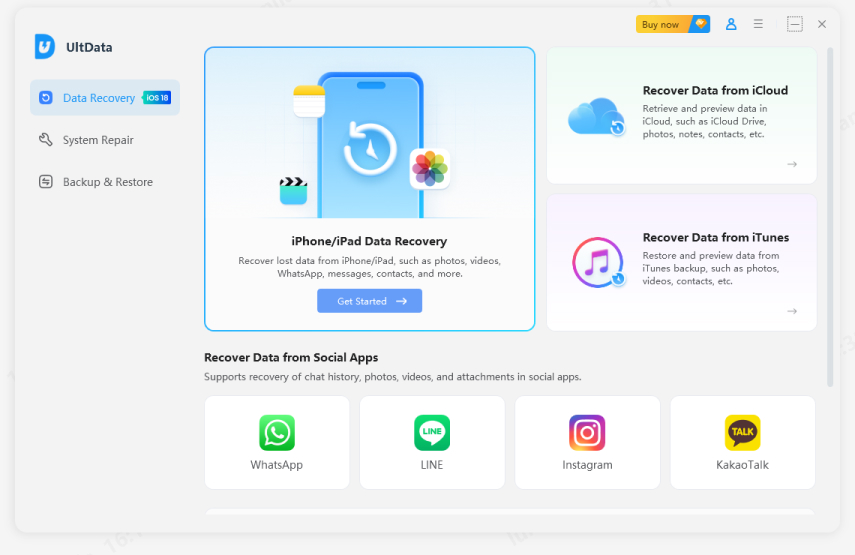
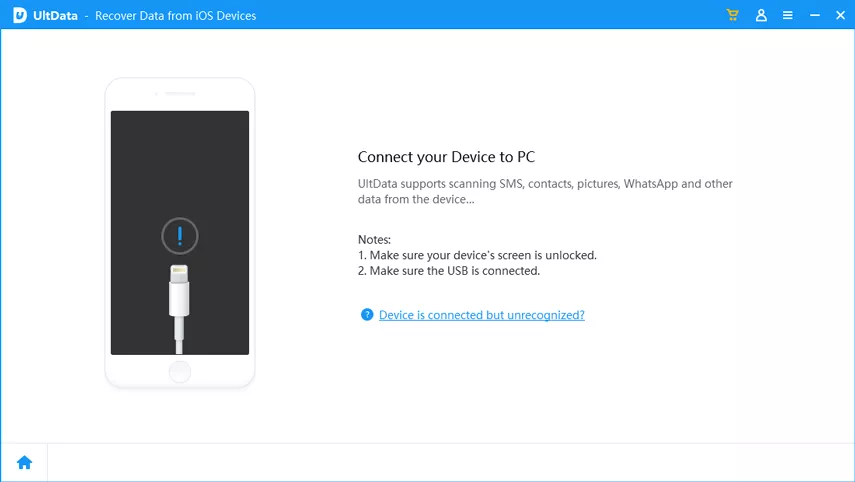
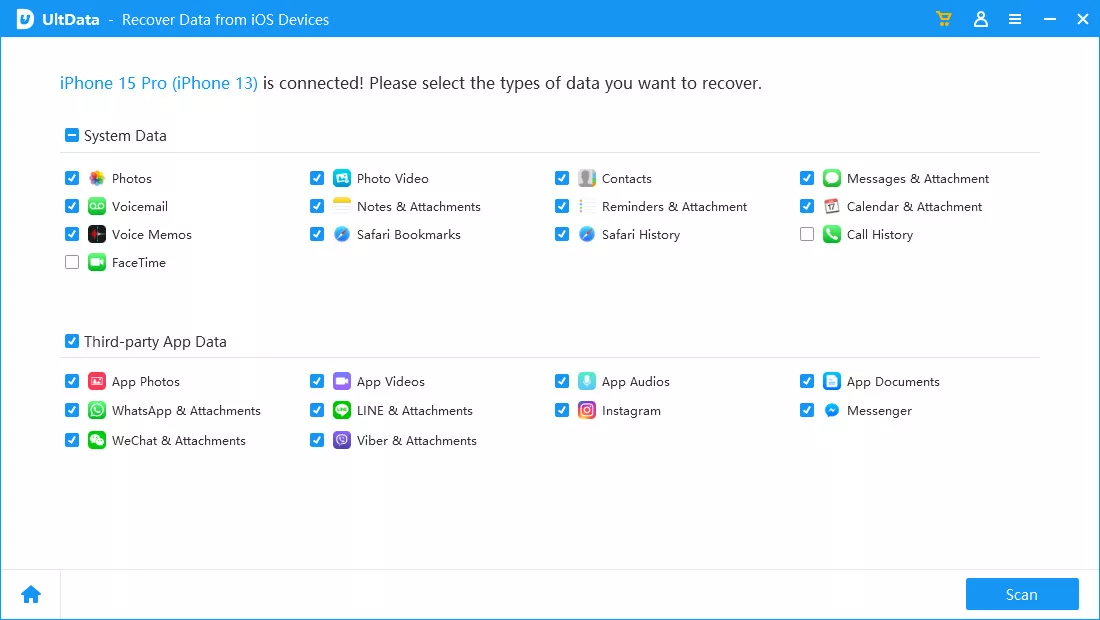
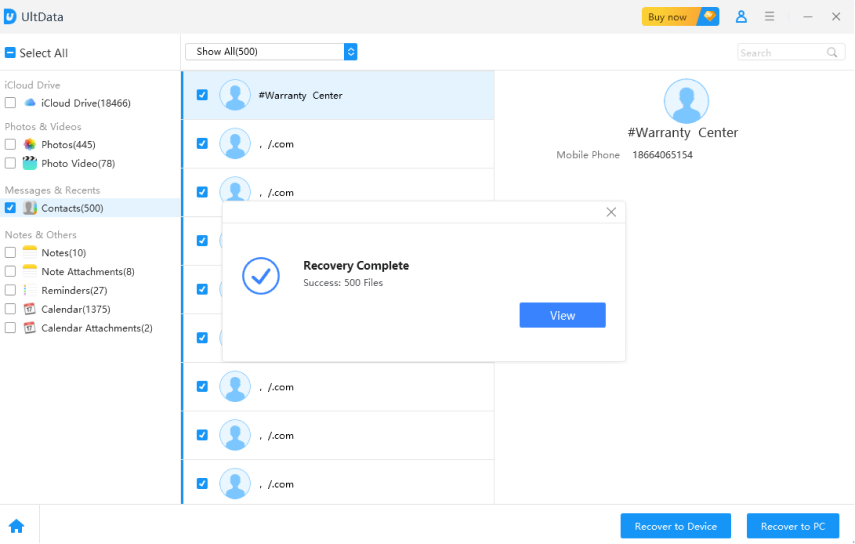
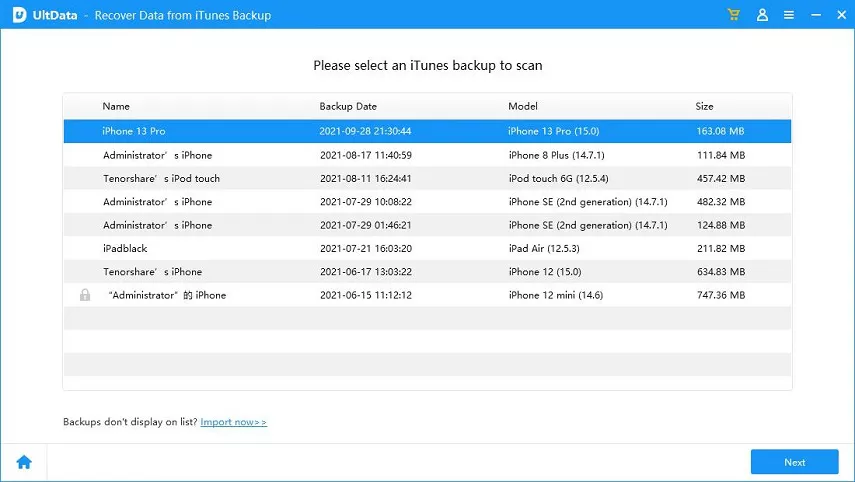
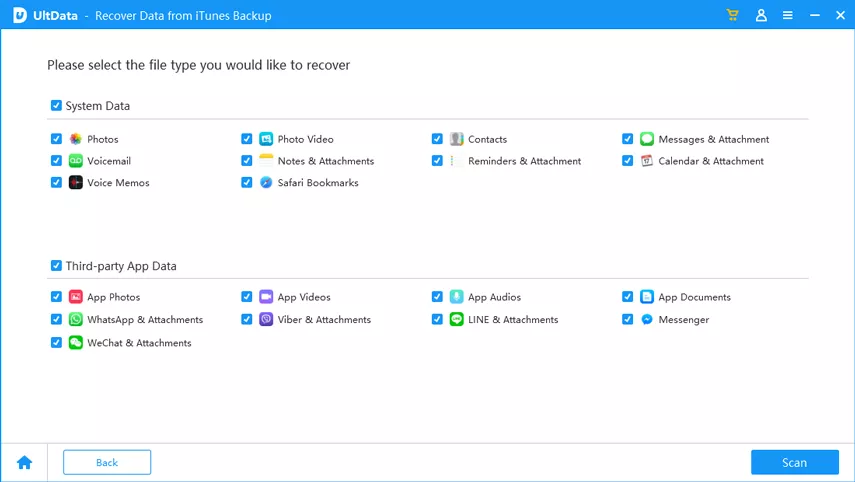
UltData also supports free iPhone text message recovery software features like selective extraction from iCloud backups.
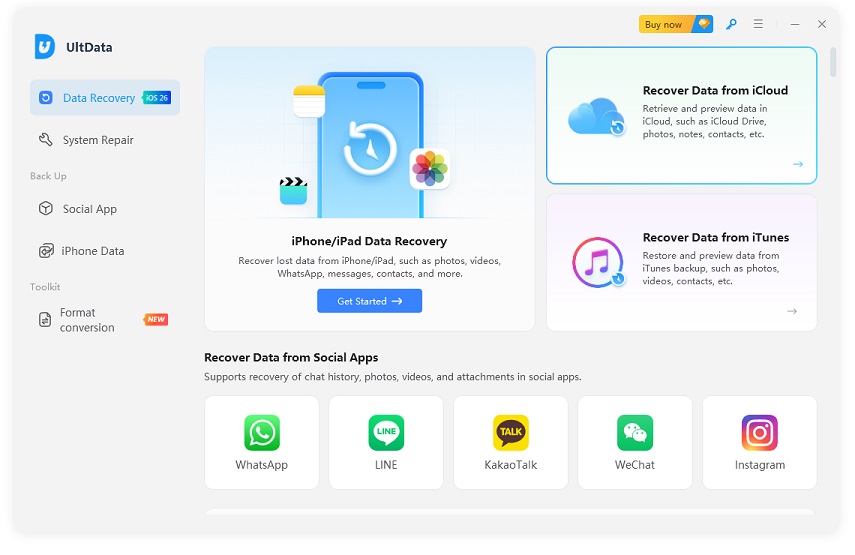
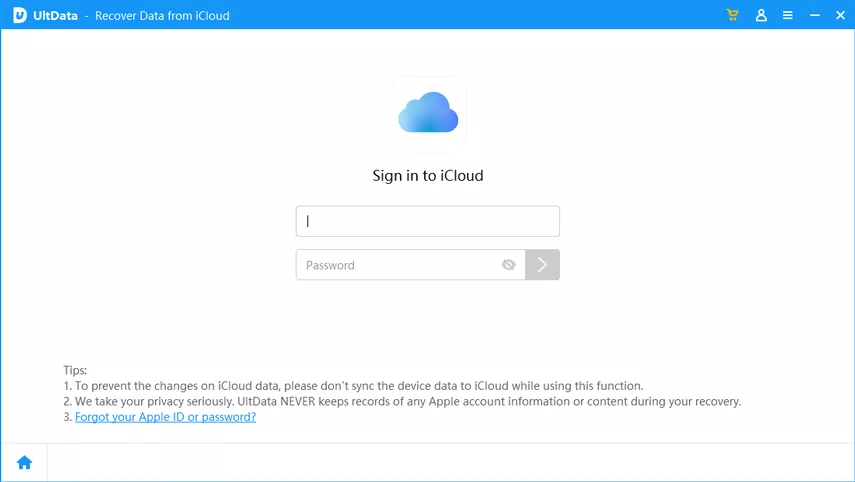
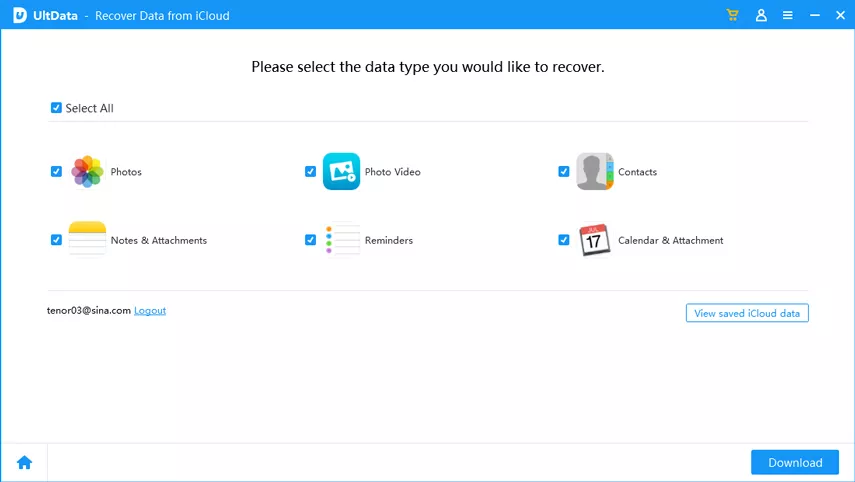
Instead of restoring an entire backup, UltData lets you extract just messages.
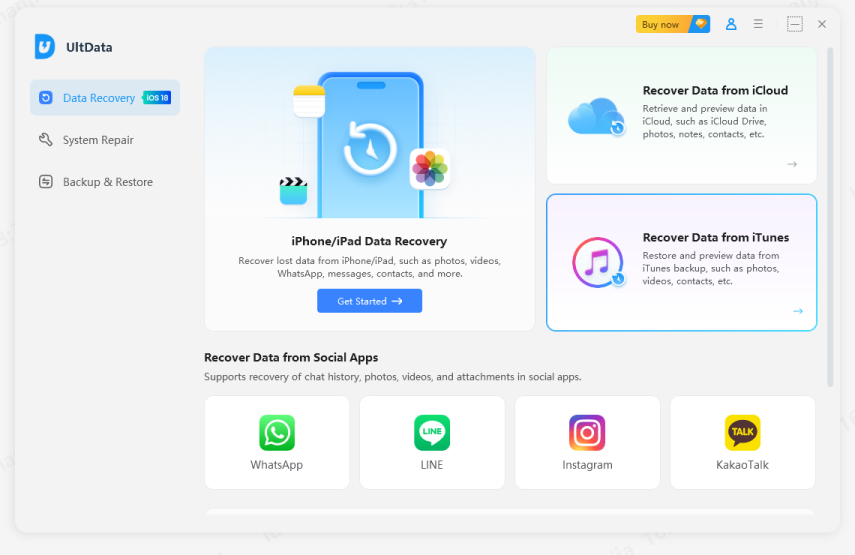


Free iPhone message recovery is possible in some cases, especially when backups are available. However, free methods often come with strict limits, such as full device resets or lack of preview options. For users who want more control and a higher success rate, tools like UltData provide a balanced solution—offering free scanning and preview, plus flexible recovery options when needed.
If you've lost important messages and free methods aren't enough, UltData gives you a safer and more practical way to recover iPhone text messages without unnecessary risk.


then write your review
Leave a Comment
Create your review for Tenorshare articles

Share this post


UltData - Best iPhone Data Recovery Tool
Recover Deleted & Lost Data from iOS Devices Easily, No Backup Needed!
UltData: Best iPhone Recovery Tool
Recover Lost iPhone Data without Backup
By Sophie Green
2026-09-24 / iPhone Recovery