If your Mac has started slowing down, overheating, or running out of storage,
you’re not alone. Over time, junk files, background processes, and outdated
settings can impact performance. That’s where
Mac maintenance utilities come in; they help clean, optimize,
and protect your system so it runs like new again with minimal effort.
Even though macOS is known for stability, it still requires regular
maintenance to stay fast and efficient. Here are the key reasons why using a
Mac maintenance tool is essential:
Accumulated junk files and cache slow down system performance
Limited storage space caused by temporary files and duplicates
Background apps are consuming CPU and RAM without your knowledge
Aging battery health is affecting MacBook performance
Security risks from outdated apps or hidden malware
Fragmented storage and disk errors are impacting read/write speed
Browser clutter and tracking data are reducing responsiveness
Without proper maintenance, even a powerful MacBook or iMac can gradually
feel sluggish.
When we talk about Mac maintenance, there are 4 different sectors that need
to be addressed, and this section covers all of that.
1. Disk & Storage Management (Mac Hard Drive Maintenance)
Managing storage ensures that your Mac has enough free space to operate
efficiently. This includes
removing large files, duplicates, and unused apps while maintaining disk health.
2. System Cache & Junk File Cleaning
Over time, macOS and apps generate cache files, logs, and temporary data.
Cleaning these regularly helps improve speed and prevents unnecessary
storage usage.
3. Battery Health Monitoring (Mac Battery Maintenance)
For MacBooks, monitoring battery cycles and usage patterns is crucial.
Maintenance tools help optimize battery life and prevent performance
throttling.
Maintenance utilities also scan for vulnerabilities, remove tracking data,
and ensure your Mac remains protected from potential threats or privacy
leaks.
Part 3. Built-in Mac Maintenance Tools You Already Have
macOS already includes several built-in Mac maintenance utilities that can
handle basic maintenance tasks:
Disk Utility — First Aid & Disk Repair (Mac Hard Drive Maintenance)
Suggests files to delete (like trash, large files)
Helps optimize storage automatically
While useful, these tools are limited compared to advanced Mac maintenance
utilities available today.
Part 4. Top 5 Best Mac Maintenance Utilities in 2026 (Free & Paid)
If you are looking for the best software for maintaining a MacBook in 2026,
here are our top 5 picks that include both free and paid options.
1. OnyX — Power User’s Free Favorite
OnyX is a powerful and free Mac maintenance utility designed for advanced
users who want deep system control. It allows you to clean caches, rebuild
databases, and tweak hidden macOS settings. While extremely capable, its
technical interface may feel overwhelming for beginners unfamiliar with
system-level tools.
Key Features:
Performs deep system cache cleaning across macOS components
Allows customization of hidden macOS system settings
Rebuilds Spotlight index and system databases efficiently
Includes automation scripts for scheduled maintenance tasks
Pros
Completely free with no hidden limitations or ads
Offers advanced system-level maintenance and customization
Regular updates ensure compatibility with the latest macOS versions
Cons
Interface can be confusing for beginners without technical knowledge
Requires careful usage to avoid unintended system changes
Best For: Advanced users and IT professionals
2. Maintenance by Titanium Software — Lightweight, No-Bloat Approach
Maintenance is a simplified version of OnyX, offering essential cleaning and
Mac computer maintenance tools without overwhelming complexity. It focuses
on routine maintenance tasks like clearing caches and repairing permissions.
Ideal for users who want a lightweight and straightforward solution for
keeping their Mac stable and clean.
Key Features:
Clears system and user cache files safely
Performs disk maintenance and permission repairs automatically
Executes maintenance scripts to improve system stability
Provides a simple interface for quick optimization tasks
Pros
Extremely lightweight and easy to use
No unnecessary features or cluttered interface
Safe for beginners performing routine maintenance
Cons
Limited advanced customization compared to OnyX
Lacks modern UI and automation features
Best For: Users wanting simple, no-frills maintenance
3. Tenorshare Cleamio — All-in-One Mac Cleaner
Tenorshare Cleamio
is a modern all-in-one Mac maintenance utility that combines intelligent
junk cleaning, duplicate removal, and app management. Powered by AI, it
identifies unnecessary files and safely removes them. Its clean interface
and automation features make it perfect for both beginners and professionals
seeking efficient Mac optimization.
Key Features:
AI-powered scanning detects junk, cache, and leftover files accurately
Removes duplicate files and similar images with smart detection
Cleans browser data across multiple browsers simultaneously
Provides an app uninstaller to remove apps and residual files completely
Real-time system monitoring for performance and storage insights
Pros
Beginner-friendly interface with one-click cleaning functionality
Automatically identifies safe-to-delete files without risk
Combines multiple maintenance tools in one application
Saves significant storage space quickly and efficiently
Cons
Some advanced features may require a premium version
Requires installation compared to built-in macOS tools
Best For: All users looking for a complete Mac maintenance solution
4. DaisyDisk — Excellent Visual Disk Space Analyzer
DaisyDisk is a visually appealing disk analyzer that helps users understand
storage usage through interactive charts. It allows you to quickly identify
large files and delete them manually. While not a full maintenance suite, it
excels in Mac hard drive maintenance and is highly intuitive for visual
learners.
Key Features:
An interactive visual map shows disk space usage clearly
Allows drag-and-drop deletion of large unwanted files
Scans internal and external drives efficiently
Provides real-time storage visualization updates
Pros
Beautiful and intuitive interface for easy navigation
Makes finding large files quick and straightforward
Lightweight and fast scanning performance
Cons
Focuses only on disk analysis, not full maintenance
Requires manual cleanup decisions from users
Best For: Users focused on storage visualization
5. CleanMyMac — Avoid Malware & Virus
CleanMyMac is a premium Mac maintenance utility offering system cleaning,
malware detection, and performance optimization. It includes a wide range of
features for maintaining Mac health. While powerful, it is
subscription-based and may be considered expensive compared to other
alternatives.
Key Features:
Cleans system junk, cache, and large hidden files
Includes malware detection and removal functionality
Optimizes startup items to improve boot speed
Monitors system health and performance continuously
Pros
Comprehensive all-in-one maintenance solution
Includes built-in security and malware protection tools
Polished interface with guided optimization features
Cons
Subscription pricing may not suit all users
Some features overlap with free macOS tools
Best For: Users wanting premium all-in-one maintenance
Part 5. How to Clean Up and Speed Up Your Mac/ (Run Mac Maintenance
Step-by-Step)
If you want the easiest way to perform Mac maintenance, using an automated
tool is highly recommended. Instead of manually clearing files and checking
system performance, tools like
Tenorshare Cleamio
best Mac maintenance app, simplify everything into a few clicks.
Cleamio stands out because it combines junk cleaning, duplicate removal, and
performance optimization in one place. It ensures that you don’t
accidentally delete important files while maximizing storage and speed
improvements.
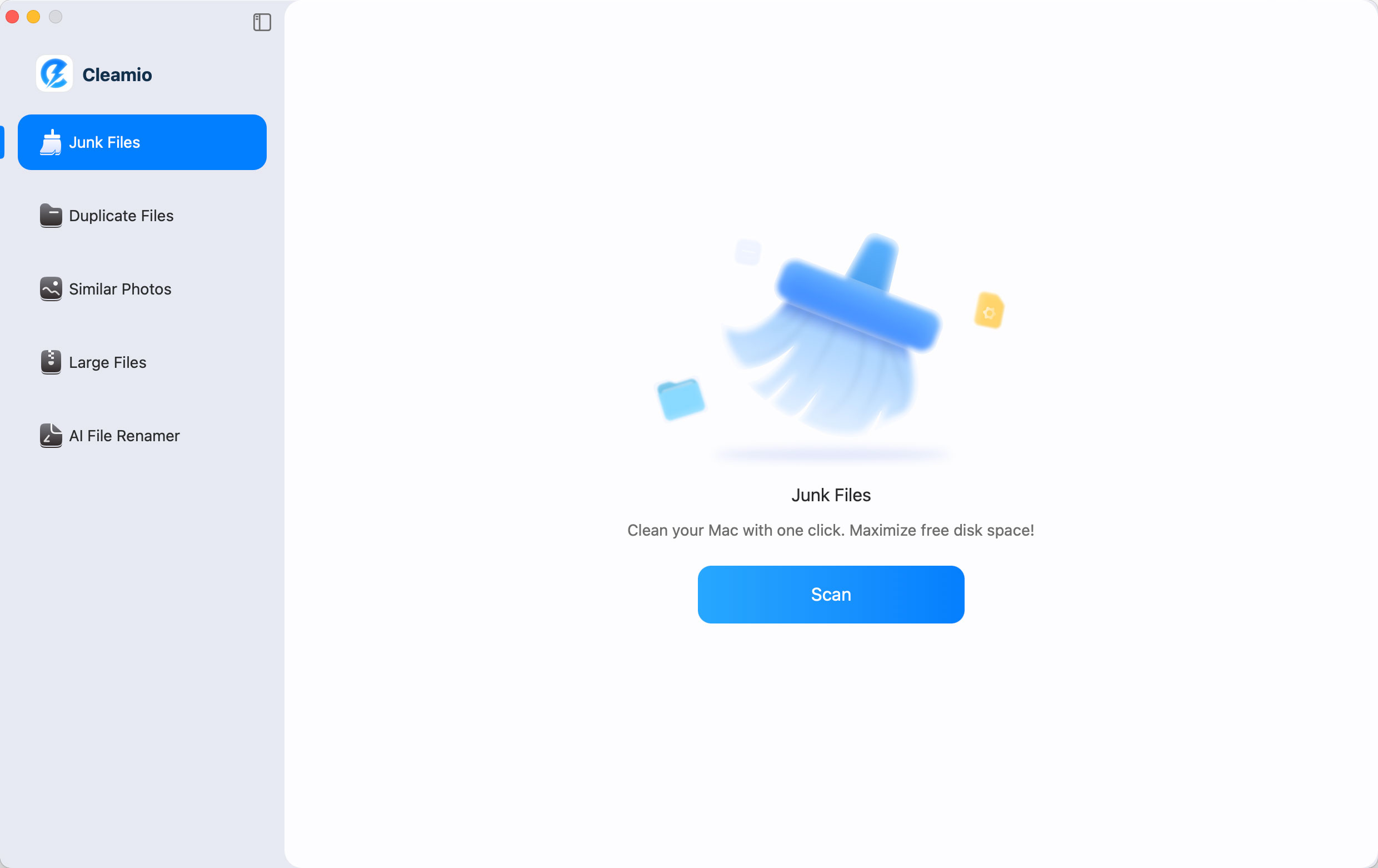
Download and install Tenorshare Cleamio from its official website. Launch
the app and select “Junk Files," then click “Scan” to analyze your system
for unnecessary files.
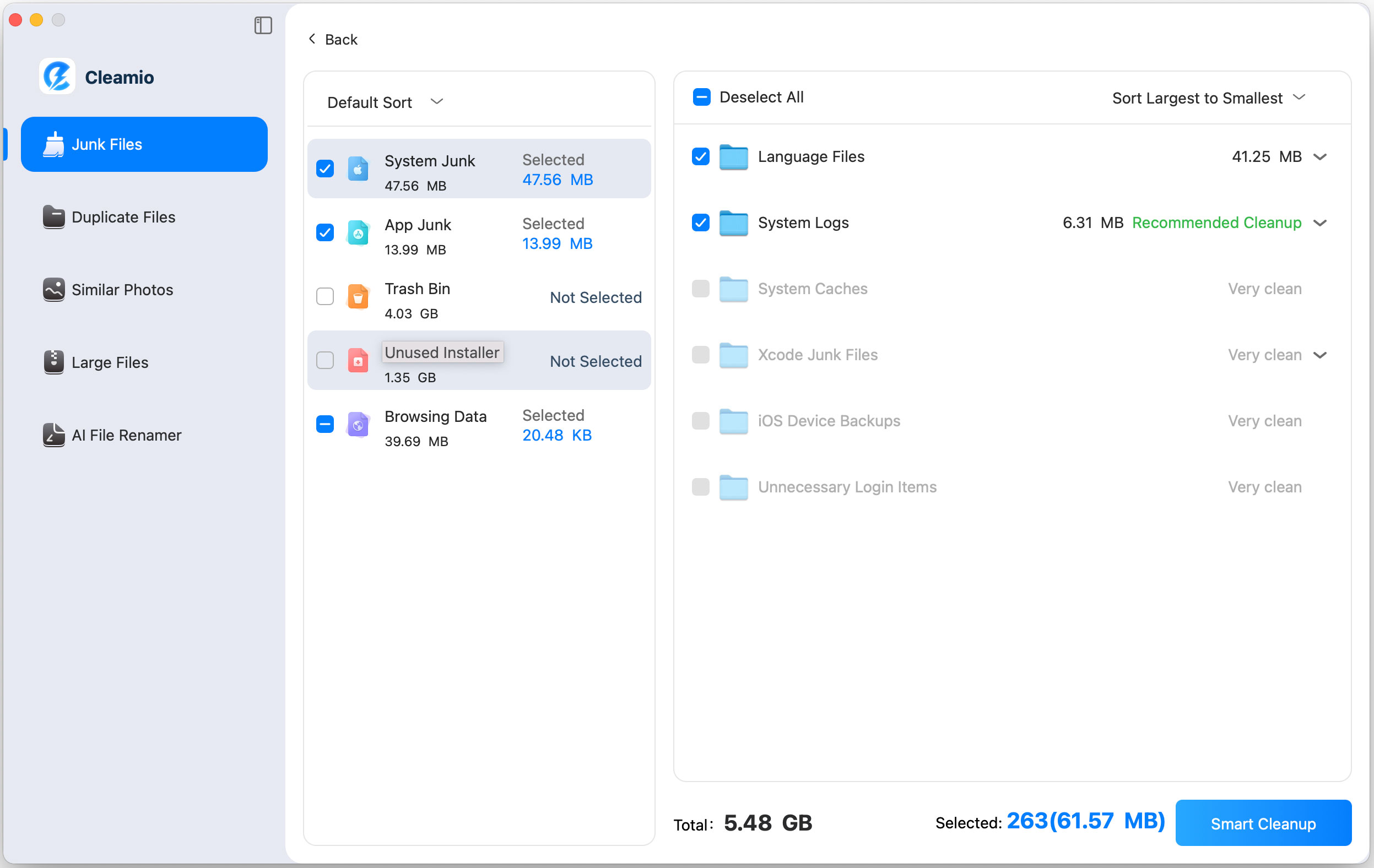
Review all the detected junk files (system cache, logs, browser data,
etc.) and select the ones you want to delete. Now, click “Smart Cleanup”
to safely remove selected files.
Wait for the process to complete and free up storage instantly, then click
"OK" to finish.
After cleaning, you’ll notice improved responsiveness, faster app launches,
and more available disk space.
Conclusion
Keeping your system optimized with the right
Mac maintenance utilities is essential for long-term
performance and stability. While built-in tools help, advanced solutions
offer deeper cleaning and automation. Among them,
Tenorshare Cleamio stands out as the best all-in-one
choice, making it easy to clean, optimize, and maintain your Mac
effortlessly.







 iOS Tips & Latest Updates
 Bug Fixes, Unlock Guides
 Giveaways & Freebies





By Jenefey Aaron
2026-09-28 / Mac Optimization