You update to iOS 27, open an old thread, and suddenly half the photos are
just... blank. No image, no thumbnail, nothing. Your first instinct is to
assume they're gone for good. They're probably not. If you're dealing with
iMessage photos missing iOS 27, the issue is often related to
syncing rather than permanent data loss---iCloud settings, storage limits, or
a stalled resync can all play a role.
This guide walks through the most common causes and fixes worth trying, in
order, plus what to do if the photos are truly gone, including using iPhone
data recovery to check for recoverable data.
Why Are iMessage Photos Missing After iOS 27 Update?
A handful of things cause this, and sometimes it's two or three stacked on
top of each other:
The update finished, but iMessage itself is still catching up on syncing.
Messages in iCloud is off. Or on, but stuck.
Wrong Apple Account signed in happens more than people admit, especially
after a phone swap.
iCloud storage is maxed, or close to it.
Older attachments just haven't loaded. They're in a queue, not deleted.
Some one-off bug from the update itself.
Or, least likely, but possible, someone (maybe you, half-asleep) actually
deleted them.
Worth figuring out which one you're dealing with before trying anything.
Saves time.
Why Are All My Photos Not Showing Up in iMessage?
This is the version of the question most people actually search, so let's be
direct about it: it's rarely all of them. It just feels that way because the
text loads first and the photo lags behind, sitting there as a gray box or a
spinning icon while it pulls down in the background.
Right after a big iOS update, this gets worse. Years of messages, all trying
to resync at once, and older threads end up at the back of the line. There's
a real difference between "still loading" and "actually gone," and honestly,
most complaints about this are about the first, not the second.
How to Fix iMessage Photos Missing After iOS 27 Update?
1. Check Messages in iCloud
Settings > \Your Name\ > iCloud > Messages. Make sure it's on.
While you're in there, check which Apple Account you're logged into, as it
is not a fun thing to discover you got wrong an hour into troubleshooting.
Once it's on, don't expect it to finish instantly. Big threads take time.
2. Connect Your iPhone to Stable Wi-Fi and Power
Cellular data will technically work, but it's slower and flakier for this.
Get on Wi-Fi. If you've got a lot of history to sync, plug the phone in and
just leave it. Don't check on it every five minutes, don't close the app
mid-sync. Interrupting it usually just resets the clock.
3. Check iCloud Storage
Settings > \Your Name\ > iCloud. If you're near the limit, that's
likely your problem right there; syncing gets flaky when there's no room to
work with. Clear out an
old backup
or upgrade your plan and try again.
4. Restart Your iPhone
Sounds too basic to matter, but it works more often than it should. Restart,
reopen the thread, and see what changed.
Hold down the Power and Volume Up buttons.
Drag the slider to power off, wait 30 seconds, and turn it back on.
Open Messages and give attachments a few moments to reload.
5. Check Apple System Status
Not always your phone's fault. Apple's own systems go down sometimes. Check
their status page if it's on their end; there's genuinely nothing to do but
wait.
Check Where Your Missing iMessage Photos May Still Be Available
1. Check the Photos App
Before assuming the worst, check your camera roll. Photos sent or received
in Messages sometimes end up saved there on their own.
2. Check Recently Deleted
If it was an accidental delete, there's a decent window where it's still
sitting in Recently Deleted, waiting to be pulled back.
3. Check iCloud Photos and
iCloud.com
These two things, iMessage photos and
iCloud Photos, aren't the same system, even though people assume they are. Worth a look
at
iCloud.com
just in case.
4. Check Other Apple Devices
Signed into the same account on an iPad or Mac? Check there too. One device
often finishes syncing before another does.
How to Recover Missing Photos from iMessage?
1. Recover Photos from Recently Deleted
If an image was deleted by mistake, it stays in a temporary holding folder
for 30 days.
Open Photos > Albums > Recently Deleted.
Open Messages > tap Edit (or Filters) > Show Recently Deleted to
check for missing message threads.
2. Recover from an Available iPhone Backup
Got an older backup sitting around? Check the date first, which needs to
predate the disappearance. And go in knowing that restoring one can
overwrite some current data, depending on how you do it. Not something to
rush.
3. Recover Missing iMessage Photos with Tenorshare UltData
If none of the above turns anything up, Apple's own tools included, this is
usually where Tenorshare UltData gets brought up. It's iPhone data recovery software built for exactly this kind of situation. The part that actually
matters: it scans the device and lets you preview what it finds before you
recover anything, so you're not stuck committing to a full restore just to
get a few photos back. Pick what you want, skip the rest.
One honest caveat how much it can actually pull back depends on the device's
condition and whether anything's been overwritten since the photos went
missing. The sooner you try it, the better your odds. There's a step-by-step
in the iOS data recovery guide if you want to see the process first.
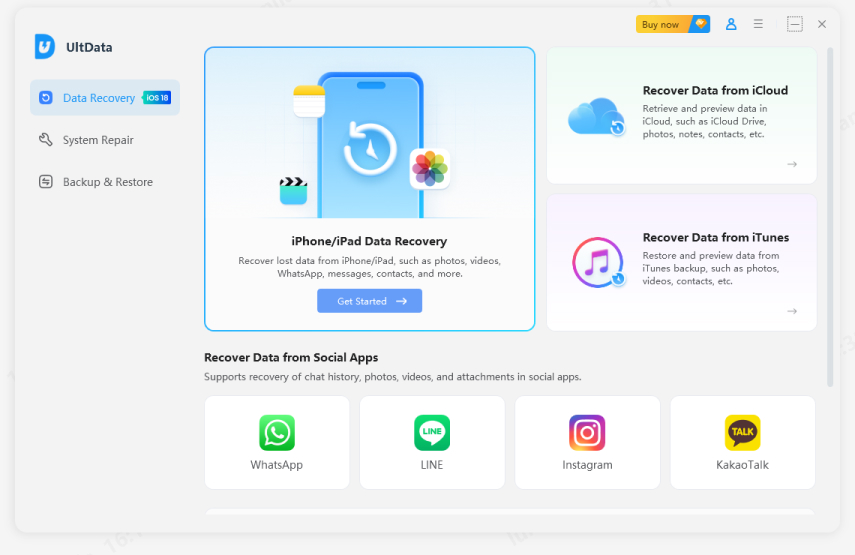
Download and open Tenorshare UltData on your computer. Connect your iPhone
via USB cable.
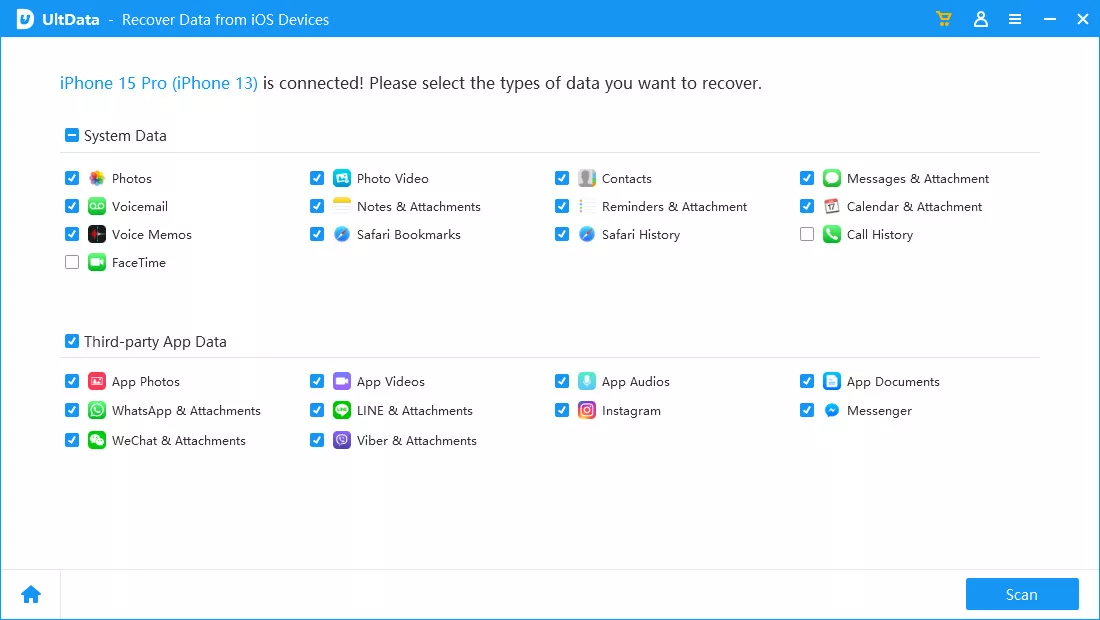
Click Recover Data from iPhone/iPad Data Recovery". Select Messages &
Attachments or Photos, then click Scan.
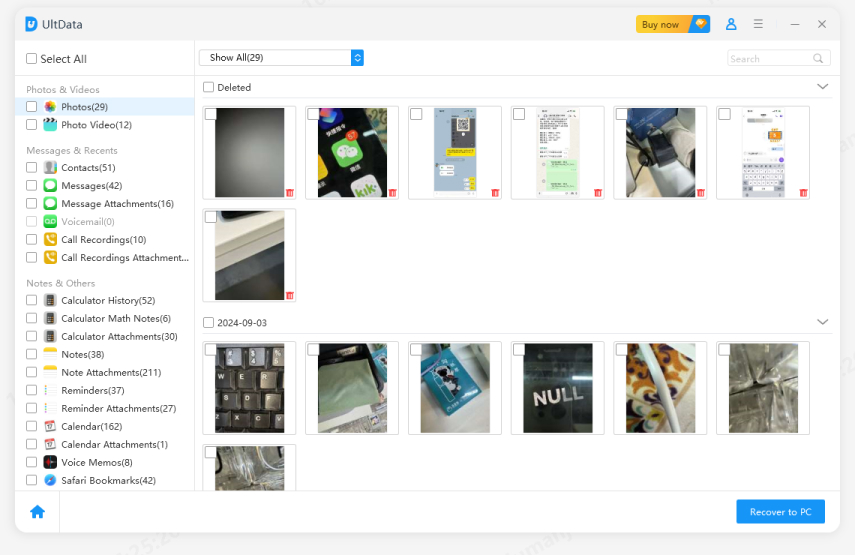
Preview the results, select your missing iMessage photos, and click
Recover to PC.
How to Prevent iMessage Photos from Going Missing After Future iOS Updates?
Leave Messages in iCloud on, especially if you use more than one Apple
device.
Don't let iCloud storage sit right at the ceiling.
Leave your iPhone plugged in and connected to Wi-Fi overnight right after
installing a major update.
Keep it charging while it syncs. Don't walk away mid-process.
Give it time after an update; an hour of patience beats an hour of panic.
Keep photos you actually care about backed up somewhere outside Messages,
period.
FAQs About iMessage Photos Missing on iOS 27
Why are all my photos not showing up in iMessage?
Usually, not all of them, just the ones still syncing, plus whatever's
getting held up by iCloud settings or storage limits.
Why did my iMessage photos disappear after updating to iOS 27?
The update kicks off a full resync of your message history, and that takes
time. Older threads sync last.
How do I get my photos back on iMessage?
Check Messages in iCloud, get on Wi-Fi, free up storage, restart the phone,
and check Apple's status page. In roughly that order.
Can I recover deleted iMessage photos?
Recently Deleted first, then other Apple devices, then backups. If none of
that works, Tenorshare UltData is the next logical step.
Can I recover iMessage photos without an iCloud backup?
Yes. Messages in iCloud, iCloud Photos, and
iCloud Backup
are three different systems; losing one doesn't mean you've lost everything.
Recovery software can still find data that none of Apple's own tools will.
Conclusion
iMessage photos missing iOS 27 can look alarming, but it is rarely as bad as
it seems. Start by checking syncing and storage, then look in the Photos
app, Recently Deleted, and other devices linked to your account. Most people
find their photos before reaching the recovery step. If they are still
missing, an old backup or iPhone data recovery tool like
Tenorshare UltData gives you another option for recovering them.








 iOS Tips & Latest Updates
 Bug Fixes, Unlock Guides
 Giveaways & Freebies






By Jenefey Aaron
2026-10-20 / iOS Data Recovery