Gemini delete chat history is a common topic for users who want better privacy and organization. Whether you need to remove outdated chats or sensitive information, understanding the deletion process is important.
This guide explains how to delete Gemini chat history, what happens after deletion, whether chats are permanently removed, and what recovery options may be available if an important conversation is accidentally deleted.
How to Delete Conversations in Google Gemini (Step-by-Step)
Deleting Individual Conversations
Open your Gemini interface and locate the sidebar. Hover your mouse cursor over the specific thread you wish to remove, click the three-dot icon, and select "Delete" to confirm its removal from your workspace.
Mass Deletion & Automated Cleaning
Click Gemini application activity log .Click the "Delete" button to wipe your history by timeframe (e.g., "All time"). You can also configure the "Auto-delete" feature to automatically purge logs older than 3, 18, or 36 months.
Privacy Best Practices: Toggling Off History
Within the same activity hub, click "Gemini Apps Activity" and select "Turn off". This stops Gemini from indexing your future prompts to your account history entirely.
Understanding Data Retention After Deletion
Deleting a chat is only the first step. Many users want to know whether their data is permanently erased and how Google handles deleted information. Understanding data retention policies can help clarify what happens after a conversation is removed.
Is it Permanently Deleted?
Once you delete a chat, the link between your account and that data is severed, and Google initiates an automated process to remove it from their production systems.
Retention Exceptions
While user-facing data is removed, temporary system logs may persist for short periods to ensure security and legal compliance, according to standard data processing policies.
Can You Recover Deleted Gemini Chats?
When you delete a conversation, there is no "Undo" button on Google’s servers. Therefore, the most professional approach is to always secure a local backup before you hit delete.
The "Local-First" Strategy: Why Exporting Saves You
Treat your AI insights as high-value intellectual property. Regularly export critical chats into PDF, DOCX, or JSON formats and save them to redundant, offline storage locations—never rely solely on a default "Downloads" folder.
When the "Safety Net" Also Fails: Using Professional Recovery Tools
If you did not export your Gemini chat history and local backups have also been lost, professional recovery tools may provide a final recovery option. This can be helpful after accidental deletion, disk formatting, system cleanup, or storage corruption.
Recover Lost Backup Files
Advanced recovery software can scan storage devices and restore deleted files, including PDFs, documents, spreadsheets, images, and other materials related to your Gemini conversations.
Recover Valuable Source Materials
Even if you cannot directly recover deleted Gemini chats, you may still be able to retrieve the files, prompts, and reference documents that were used in those conversations. These materials can help rebuild important projects and research.
A Last-Resort Recovery Option
While no tool can guarantee a complete restoration of permanently deleted Gemini chat history, recovering the underlying files is often better than losing everything. For users looking to recover deleted Gemini chats or related data, professional solutions such as Tenorshare UltData are commonly used as a last-resort recovery method.
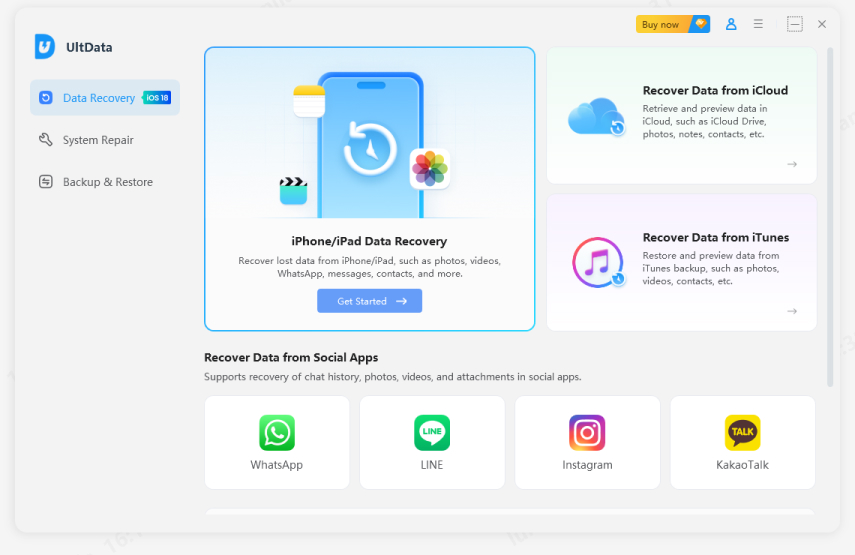
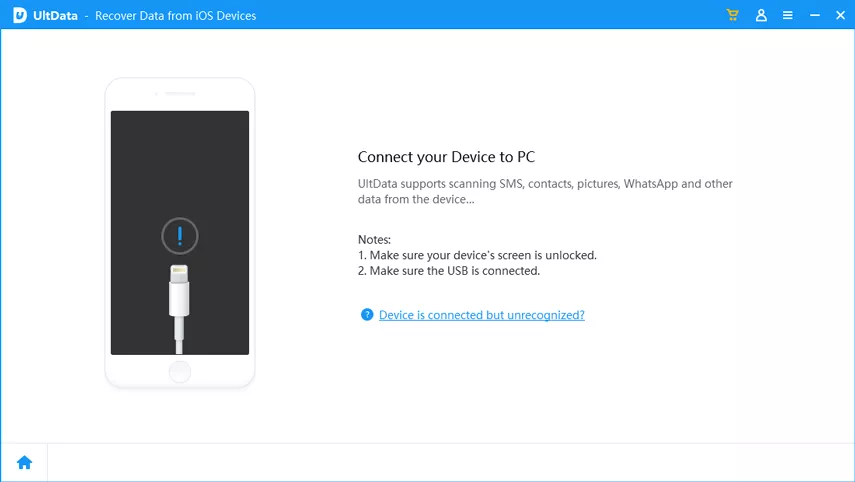
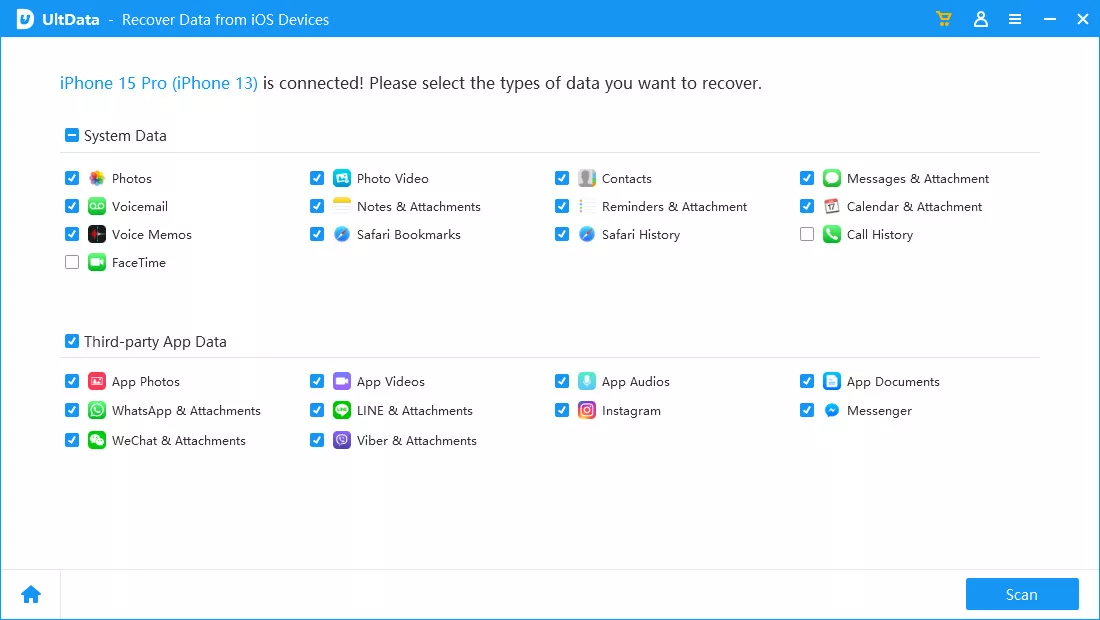
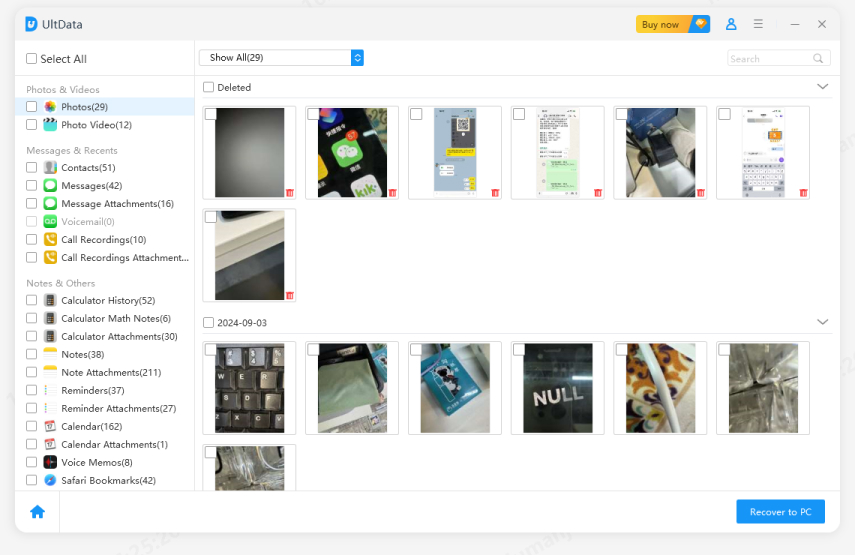
Below are the simple steps to use Tenorshare UltData for iOS:
After downloading the software, click “Data Recovery”.
Connect your phone to the computer using a USB cable.
Choose the data you want to recover.
Select the files you want to recover.
Click the “View” button to open the folder where your data is saved.
Gemini Chat History FAQ
Does deleting a chat remove it from Google's servers?
Deleting a chat removes it from your Gemini conversation history and account view. However, this does not necessarily mean the data is erased from Google's servers immediately.
Google may retain certain information for a limited period due to backup systems, security requirements, legal obligations, or service operations. The exact retention period can vary based on Google's policies and account settings.
Can I download my Gemini chat history before deleting it?
Yes. Before you delete Gemini chat history, it is a good idea to export your data and keep a local backup. Depending on the export options available in your Google account, you may be able to download copies of your Gemini conversations and related activity records.
Creating a backup before deletion provides an extra layer of protection and can be invaluable if you later regret deleting an important chat.
Does Gemini delete chats automatically?
The answer depends on your settings and Google's retention policies. Activity data may be affected by manual deletion, auto-delete settings, account preferences, and policy updates.
Once a chat is deleted, recovery options are usually limited. For important conversations, it's a good idea to export and back up your data regularly instead of relying solely on cloud storage.
Does Gemini delete chats automatically?
Deleted chats are removed from your Gemini conversation list, but data handling may vary depending on Google's retention and backup policies.
Will deleting chats improve privacy?
Yes, deleting chats can help reduce the amount of conversation data stored in your account and lower the risk of unwanted access to old information. For stronger privacy protection, consider reviewing your Gemini activity settings and regularly removing conversations that contain sensitive or personal data.
Conclusion
Deleting your Gemini chat history is a powerful tool for maintaining digital hygiene, but it is a one-way street on Google’s servers. By understanding the deletion process and maintaining a secondary backup of your vital AI-generated research, you can manage your privacy without the fear of permanent data loss.
Should an accident occur, remember that your local hardware often holds the digital footprint of your work, and specialized recovery tools remain your final defense against accidental erasure.













By Jenefey Aaron
2026-09-10 / AI Recovery