

 iOS Tips & Latest Updates
 Bug Fixes, Unlock Guides
 Giveaways & Freebies
then write your review


ReiBoot - No.1 Free iOS System Repair Software
Fix 150+ iOS Issues without Data Loss & Safely iOS 27 Upgrade/Downgrade
ReiBoot: No.1 iOS Repair Tool
Fix 150+ iOS Issues, No Data Loss

With Apple expected to officially unveil iOS 27 at WWDC 2026 on June 8, 2026, the jailbreak community is already buzzing with questions. Can you jailbreak iOS 27? Is there a working iOS 27 jailbreak available right now?
In this guide, we cover everything you need to know about the iOS 27 jailbreak landscape in 2026, from the current status of jailbreak tools to safer alternatives for iPhone customization.
Before diving into jailbreaking, it helps to understand the iOS 27 release timeline. According to multiple reports from Bloomberg and MacRumors, Apple is expected to officially announce iOS 27 at its WWDC 2026 keynote on June 8, 2026. The developer beta is expected to drop the same day, while the public beta should follow in mid-July 2026. The stable release is predicted around September 14, 2026, alongside the iPhone 18 lineup.
Expected iOS 27 Key Features (Pre-Release Rumors):
This is the most important question, and the honest answer is: No, there is currently no working jailbreak for iOS 27. In fact, jailbreaking has become increasingly difficult with every new iOS version, and iOS 27 will follow that trend.
If you search for ios 27 beta jailbreak free or "iOS 27 jailbreak no computer," you will likely encounter dozens of fake websites. These sites commonly claim to offer one-click jailbreaks, online jailbreak tools, or modified checkra1n/unc0ver versions for iOS 27. None of these are legitimate. They typically contain malware, phishing forms, or simply do nothing at all. No official jailbreak development team has released support for iOS 27 at this time.
For anyone researching how to jailbreak iOS 27, it's worth knowing that no public jailbreak currently exists so this section focuses on realistic options available today, including legitimate alternatives and what the community recommends for users seeking greater control over their devices.
Historically, the most stable jailbreaks have required a computer. Tools like checkra1n and palera1n use hardware-level exploits (such as the checkm8 vulnerability on A11 and earlier chips) and must be run from a Mac or Linux machine. If a jailbreak for iOS 27 ever becomes available, it will most likely require a computer first.
Semi-untethered jailbreaks like unc0ver and Dopamine once allowed users to re-enable a jailbreak directly from an app on the device, with no computer needed after initial setup. However, neither tool has been updated to support iOS 27. For now, no "no computer" jailbreak method is available for iOS 27.
Many users searching for iOS 27 jailbreak methods actually want to install third-party apps that aren't available on the App Store. The good news is you don't always need a jailbreak for that. Legitimate sideloading tools exist:
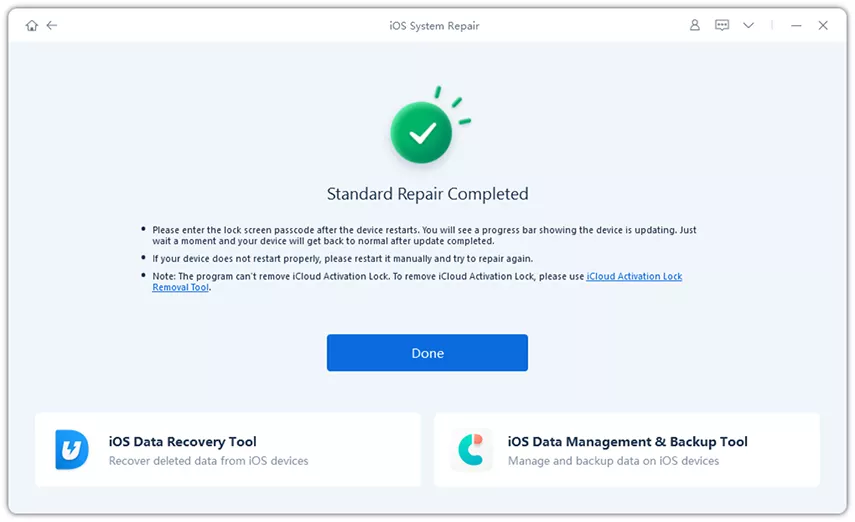
Whether you're testing the iOS 27 developer beta or gearing up for the public release this July, system issues during updates are an all-too-common reality. Beta software is inherently unstable, and even a routine update can leave your iPhone stuck on the Apple logo, trapped in a boot loop, frozen on a black screen, or locked in recovery or DFU mode with no clear way out. That's where Tenorshare ReiBoot comes in. Powered by advanced AI technology, ReiBoot is a professional iOS system repair tool that fixes 150+ iOS and iPadOS system issues without data loss, running directly from your Windows or Mac computer. It offers two repair modes Standard Repair and Deep Repair that resolve nearly all iOS stuck issues in just a few minutes, and it can also upgrade or downgrade iOS without jailbreaking and reset your Apple device without a passcode, making it a complete, one-stop recovery solution for anyone navigating the unpredictable world of iOS beta updates.
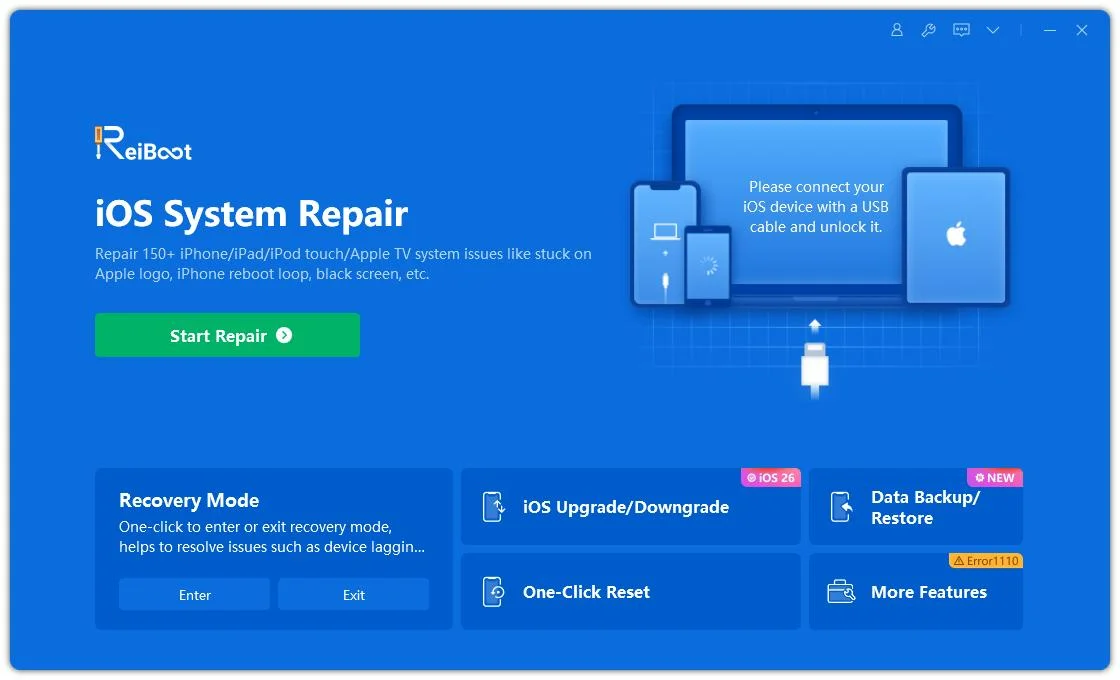




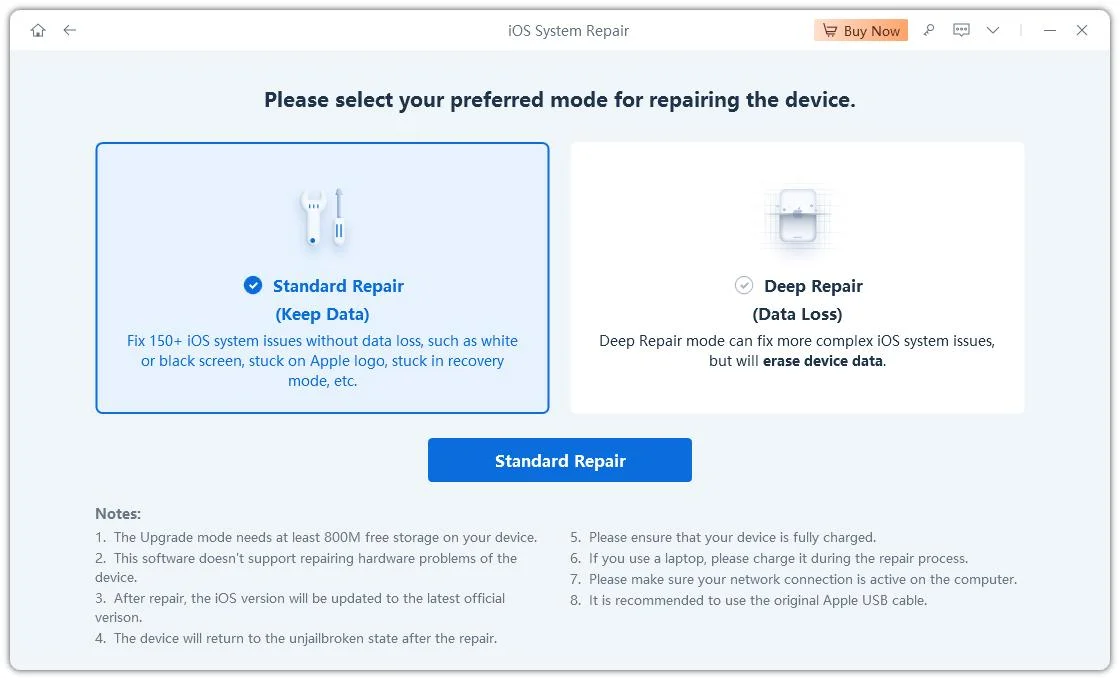
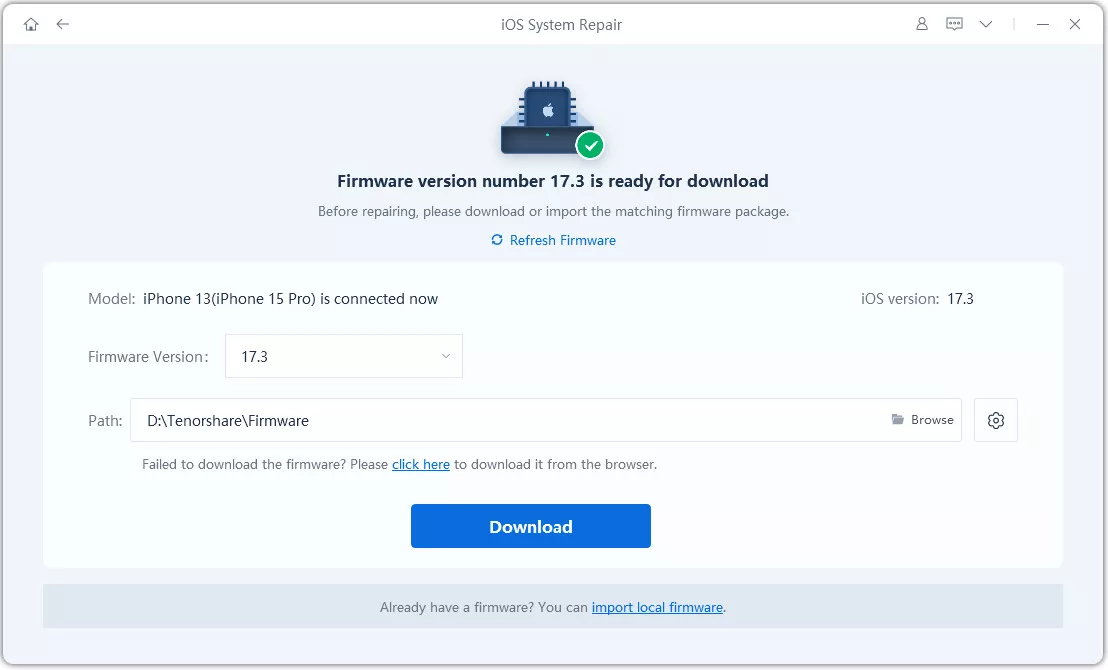
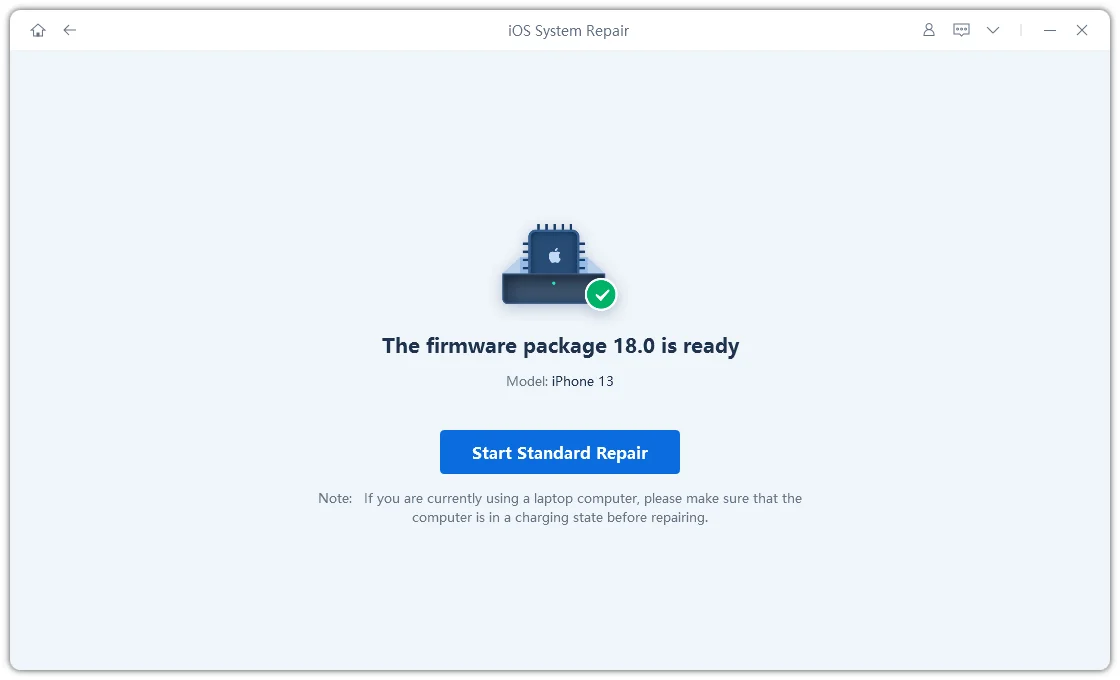
Done! Your iPhone is back to factory-fresh. Use ReiBoot to fix any issues your iOS 27 jailbreak may have caused.
No. As of June 2026, there is no working public jailbreak for iOS 27. iOS 27 has not even been officially announced yet. Any website or tool claiming to offer an iOS 27 jailbreak download should be treated as a scam.
Not at this time. No semi-untethered jailbreak (like unc0ver or Dopamine) has been updated to support iOS 26 or iOS 27. A no-computer jailbreak for iOS 27 does not currently exist.
Possibly, but only for devices with A11 chips or older (iPhone 8/X and below). These tools rely on the hardware-level checkm8 vulnerability, which cannot be patched by Apple. However, iOS 27 is expected to drop support for devices older than iPhone 12, meaning checkm8-exploitable devices may not even be able to run iOS 27.
Even if a jailbreak becomes available, beta jailbreaks are inherently risky. They can cause bootloops, brick your device, or introduce serious security vulnerabilities. Apple also voids your warranty on jailbroken devices. Always use a secondary device and have a repair solution like Tenorshare ReiBoot ready.
If your iPhone is stuck on the Apple logo, in recovery mode, or experiencing a boot loop after updating to iOS 27, use Tenorshare ReiBoot to perform a standard system repair. It can fix most iOS update errors without erasing your data. Download it from the official Tenorshare website.
APK files are Android-only and cannot be installed on iOS regardless of whether the device is jailbroken or not. If you want to install unofficial apps on iOS 27, use IPA sideloading tools like AltStore or Sideloadly instead.


then write your review
Leave a Comment
Create your review for Tenorshare articles

Share this post


ReiBoot - No.1 Free iOS System Repair Software
Fix 150+ iOS Issues without Data Loss & Safely iOS 27 Upgrade/Downgrade
ReiBoot: No.1 iOS Repair Tool
Fix 150+ iOS Issues, No Data Loss
By Jenefey Aaron
2026-10-20 / iOS 27