

 iOS Tips & Latest Updates
 Bug Fixes, Unlock Guides
 Giveaways & Freebies
then write your review


ReiBoot - No.1 Free iOS System Repair Software
Fix 150+ iOS Issues without Data Loss & Safely iOS 27 Upgrade/Downgrade
ReiBoot: No.1 iOS Repair Tool
Fix 150+ iOS Issues, No Data Loss
You’re halfway through a message when the screen goes black, the Apple logo flickers, and seconds later you’re back at the lock screen. Then it happens again. If your iPhone Duo keeps restarting randomly, you’re describing a pattern users have reported with the iPhone 18 Pro Max, too. The worry is the same with Duo. Your phone might randomly turn off and reboot while you’re typing a message.
Navigation might drop out mid-drive, or the phone might get stuck in a nonstop Apple-logo reboot loop every 3 minutes. You might fear losing crucial data, a dying motherboard, or having no backup. This guide here shares the solution in order. Read the panic log, run quick hardware and storage checks, then use advanced repair if the phone won’t stay on long enough.

Restart loops on an iPhone Duo can have multiple root causes, and identifying yours will determine the right fix:
If your iPhone Duo keeps restarting, start with Apple’s built-in diagnostic and recovery options. These basic fixes can help you determine whether the random reboots are caused by a temporary software issue, a network problem, storage pressure, or an outdated iOS version:
When your iPhone keeps restarting without warning, its analytics logs can provide an important clue about what is happening in the background. Checking these files can help distinguish between an iPhone duo kernel panic restart, watchdog reset, or a potential hardware-related problem:
Step 1.Head to “Settings.” Choose “Privacy & Security.” Tap “Analytics & Improvements.”
Step 2.Click “Analytics Data” and look for files starting with “panic-full.” These log fatal system errors, while “ResetCounter” files record resets with a short reason code. Read them like this:

None of this is conclusive, but it tells Apple Support or a repair tool where to look.
A forced restart can clear a temporary software or memory-related freeze when the iPhone becomes unstable or repeatedly hangs. It doesn’t erase your data, making it a safe troubleshooting step. Here’s how to force restart an iPhone Duo stuck in a reboot loop:

Cellular connectivity can sometimes be involved when an iPhone Duo keeps restarting randomly, especially if the problem happens while switching between networks. Since the Duo is eSIM-only, you can test the cellular connection without physically removing a SIM card:

You can also enable Airplane Mode temporarily to test whether cellular connectivity is involved.
Very low storage or outdated apps can cause sluggish performance and software instability. So, give the iPhone Duo some breathing room by freeing up internal storage. Leave generous headroom. Under roughly 5 GB free is a sensible warning line. Offload heavy apps and update anything that hasn’t been refreshed for iOS 27 to fix iPhone Duo restarting every few minutes:
Check your available storage:

Update your apps:

If the iPhone stays on long enough to navigate normally, install the latest available iOS update. Software updates can include fixes for bugs that cause crashes, freezes, and unexpected restarts:

When the iPhone Duo restarts every few minutes or is stuck in a continuous Apple logo loop, you can’t reach Settings long enough to update or back up. Apple’s own route is Recovery Mode through a computer, where you choose Update or Restore.
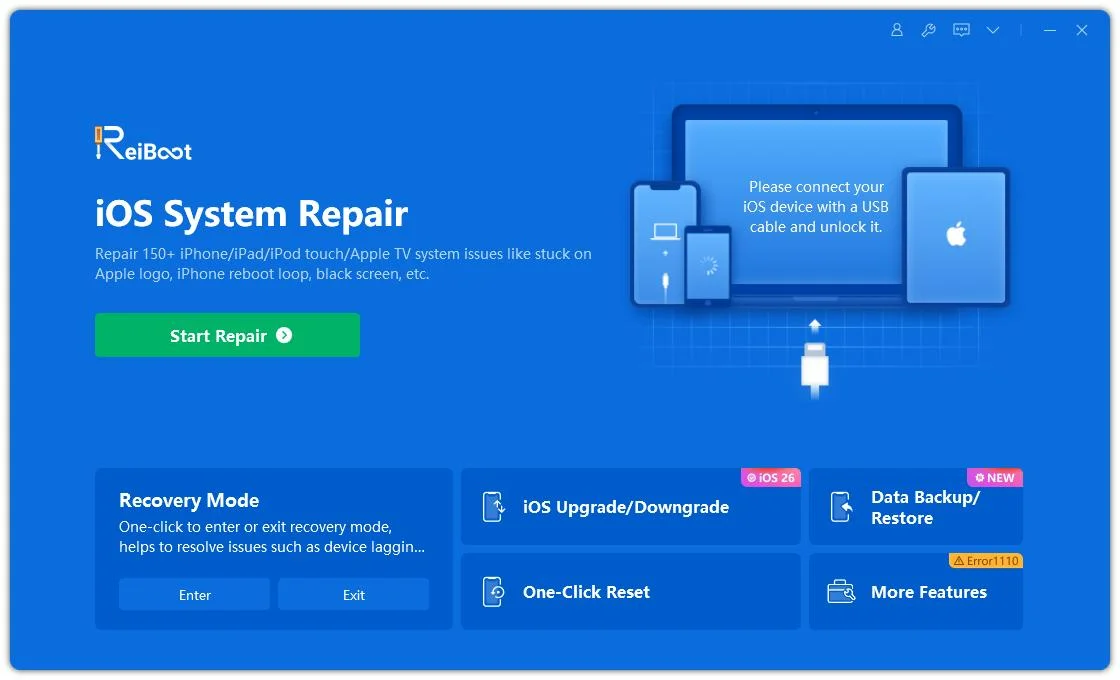
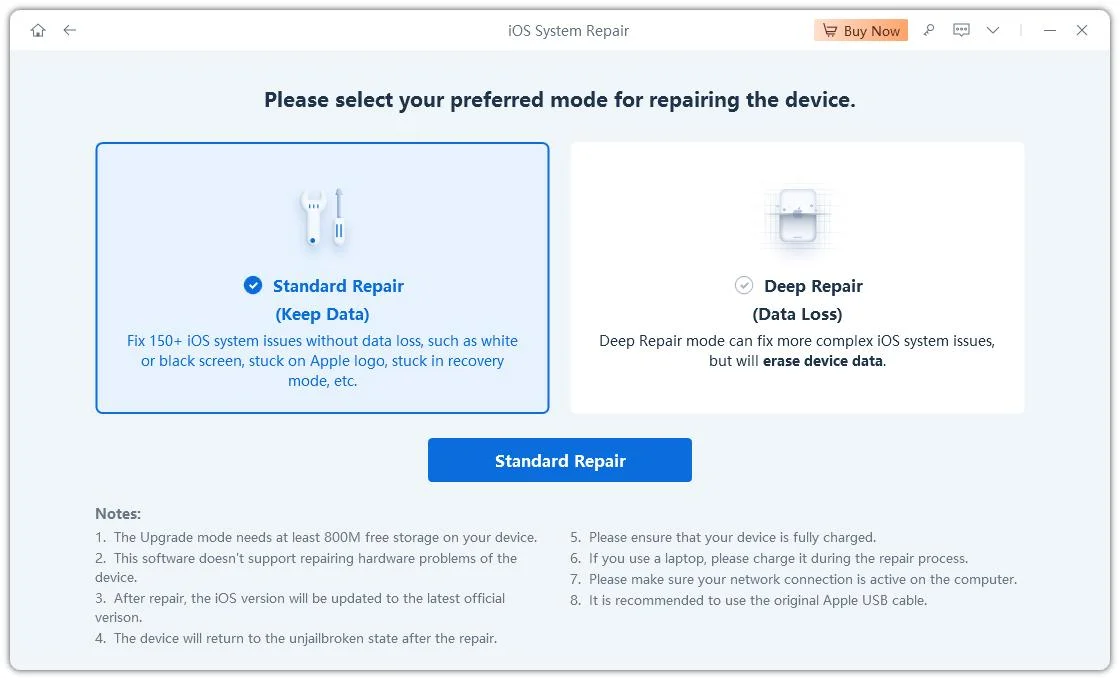
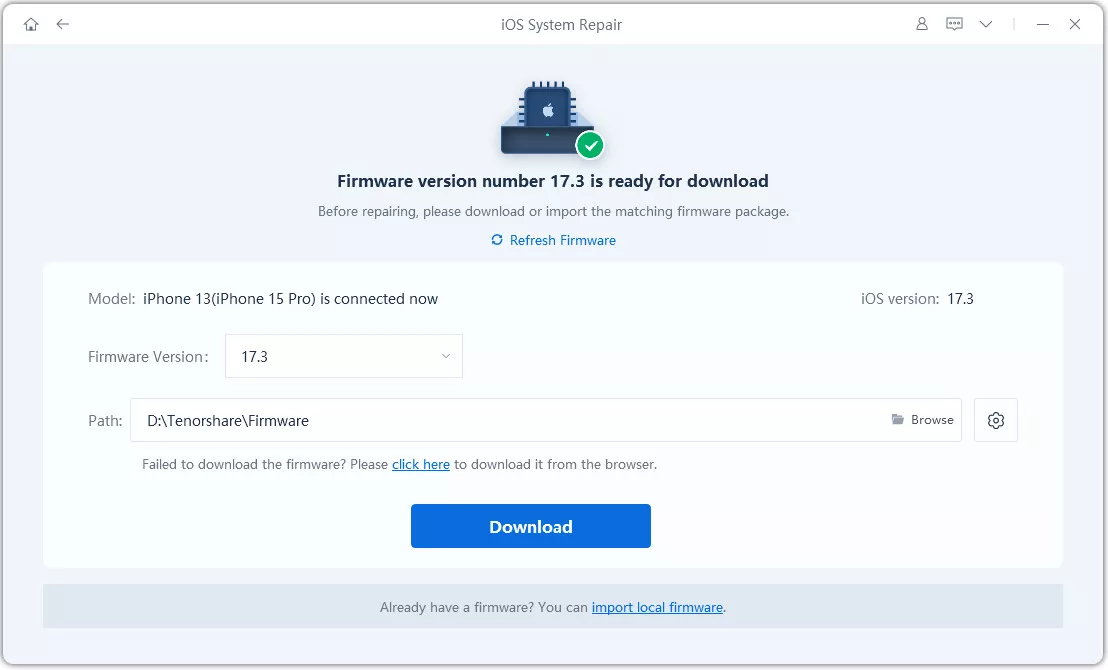
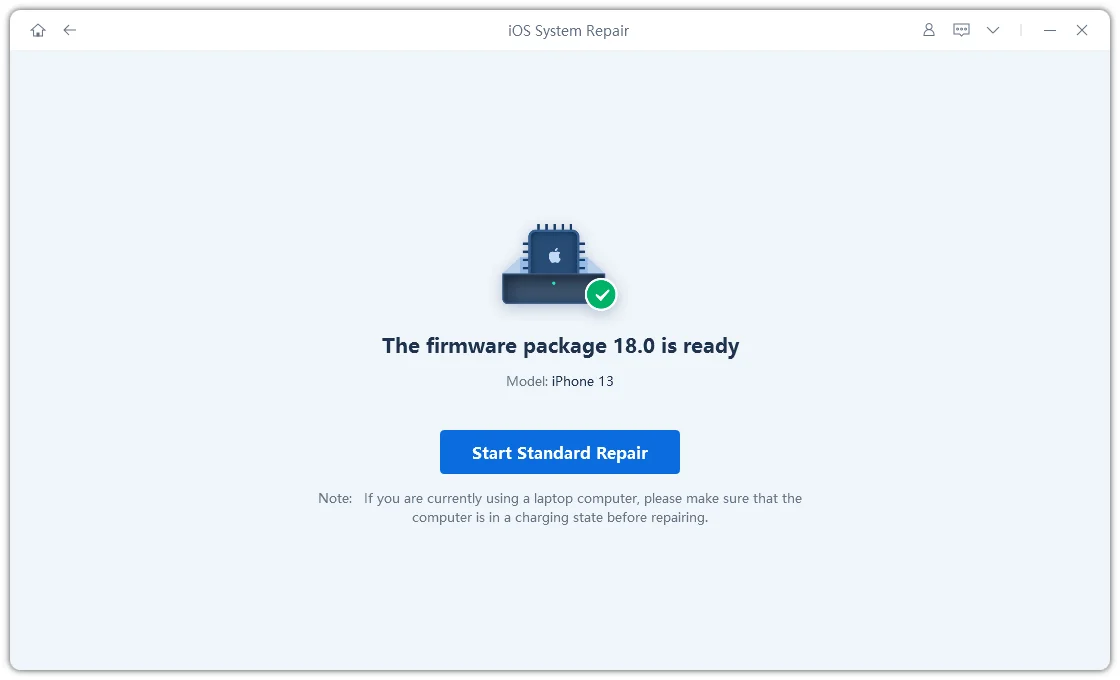
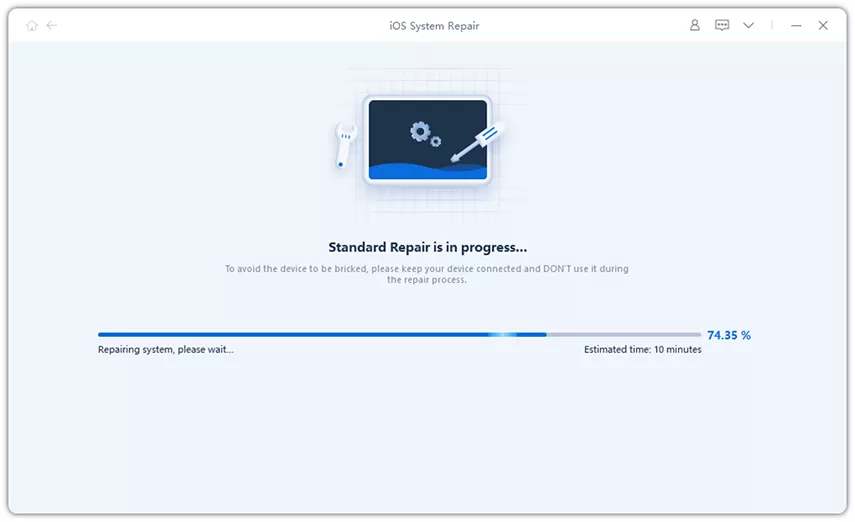
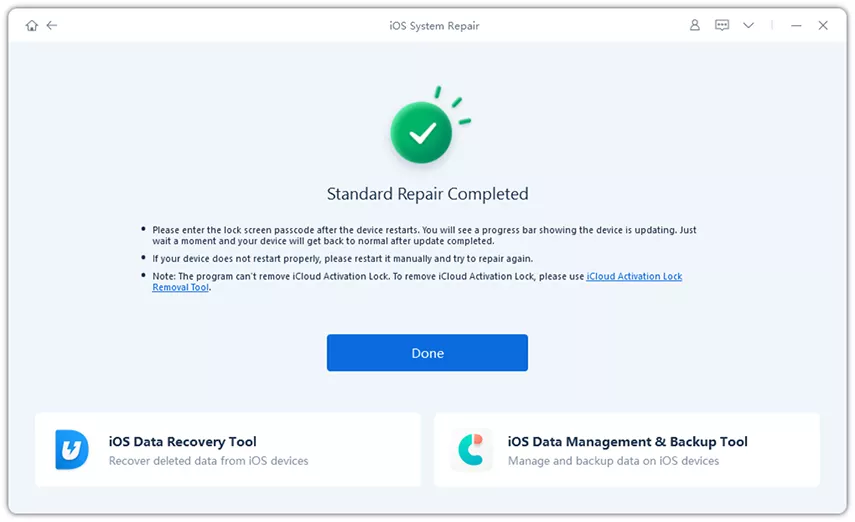
The “Update” tries to reinstall iOS while keeping your data, but if it fails, Restore wipes the phone. Whereas Tenorshare ReiBoot can repair system-level boot problems from a Windows PC or Mac, and its Standard Repair mode preserves device data.




Here’s how to fix iPhone Duo boot loop without data loss with ReiBoot:
A steady rhythm usually points to the watchdog timer. If iOS doesn’t get a signal from a thermal or charging sensor within the expected window, it forces a reboot. A repeating cycle suggests a component or process failing on a schedule, but confirm it in your logs rather than guessing.
Check “Analytics Data” for “panic-full” and “ResetCounter” files, then see whether the phone stays stable in Recovery Mode through Tenorshare ReiBoot. Stable in Recovery Mode leans toward a software issue. Rebooting there too leans toward a hardware problem.
Yes. iOS needs free flash space for temporary files and memory management, and when it runs dry, system processes begin failing. Springboard crashes follow, which can look like a loop.
It clears temporary glitches in memory. If system or update files are corrupted, the loop returns, and you need a proper repair.
Avoid Restore in Finder or iTunes, which erases the phone. Try Update first, or use Tenorshare ReiBoot’s Standard Repair, which is designed to leave user data untouched.
When your iPhone Duo keeps restarting, start with the basics. Check the panic-full logs, force-restart the device, test cellular settings, free up storage, and install the latest iOS update. If it’s stuck in a persistent boot loop and you can’t keep it running long enough to troubleshoot, try Tenorshare ReiBoot. It can repair frequent iOS system issues without erasing your personal data.


then write your review
Leave a Comment
Create your review for Tenorshare articles
Share this post


ReiBoot - No.1 Free iOS System Repair Software
Fix 150+ iOS Issues without Data Loss & Safely iOS 27 Upgrade/Downgrade
ReiBoot: No.1 iOS Repair Tool
Fix 150+ iOS Issues, No Data Loss
By Jenefey Aaron
2026-10-07 / iPhone 18