

 iOS Tips & Latest Updates
 Bug Fixes, Unlock Guides
 Giveaways & Freebies
then write your review


ReiBoot - No.1 Free iOS System Repair Software
Fix 150+ iOS Issues without Data Loss & Safely iOS 27 Upgrade/Downgrade
ReiBoot: No.1 iOS Repair Tool
Fix 150+ iOS Issues, No Data Loss
An iPhone 18 running slow after an update can make even the simplest tasks feel unnecessarily frustrating. Apps may take longer to open, scrolling may feel less smooth, and the iPhone may respond slowly. Updates are meant to improve performance, but they can sometimes cause slowdowns.
From storage and background activity to settings that need a quick refresh, several things can cause the slowdown. This guide covers 8 practical ways to fix an iPhone 18 running slow after an update and bring back a smoother experience.

An iPhone 18 running slow after an update can be caused by background tasks, outdated apps, or temporary system activity. Before making major changes, try these simple fixes one by one. They can help improve performance without affecting your personal data.
Right after an iOS update, your iPhone may continue working in the background. It can re-index files, update system data, and complete other tasks. This may temporarily make your iPhone feel slower than usual.
What to do:
A force restart can clear temporary system glitches that may cause an iPhone running slow after update. It does not erase your apps, photos, or other personal data.
What to do:

Your iPhone may still need to complete background tasks after an update. A stable Wi-Fi connection can help these processes finish properly, especially when your device needs to sync data or download additional content.
What to do:

Apps may also need updates after a new iOS version is installed. An outdated app can sometimes cause slowdowns, crashes, or compatibility issues. Checking the App Store for pending updates is a simple step to try if your iPhone 18 Pro Max running slow after an update.
What to do:

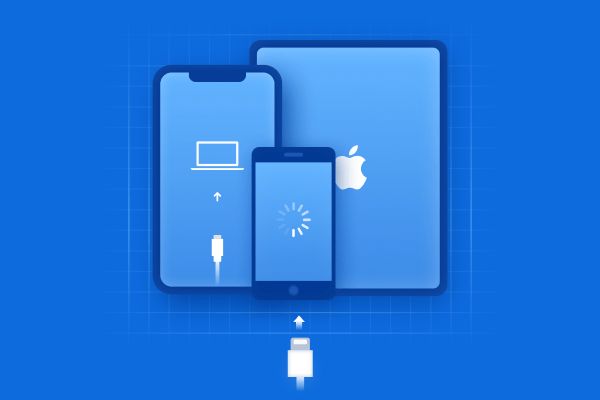
Software issues after an iOS update can make your iPhone 18 running slow. A system repair tool can help fix these issues quickly and easily. Tenorshare ReiBoot supports repairs for a wide range of iOS problems, including update failures, frozen screens, boot loops, and recovery mode issues.
It also makes it easy to upgrade or downgrade iOS when needed. For an iPhone running slow because of a system issue, its Standard Repair mode can repair iOS without erasing your personal data.
Key Features of ReiBoot
How to Use ReiBoot to fix iphone 18 running slow:







Once it turns on, check whether the iPhone running slow issue has been resolved.
Apple Intelligence runs several features in the background, which can use additional system resources. Turning it off temporarily may help reduce background activity if your iPhone 18 Pro running slow after an update.
Steps to turn off Apple Intelligence:

An iOS update can sometimes introduce bugs that affect performance on certain devices. Apple may fix these problems in a later release, so installing the next available update can help if your iPhone running slow after update continues.
Steps to check for a new iOS update:

A full restore is worth considering when your iPhone 18 Pro Max running slow continues despite trying the other solutions. This process erases the iPhone and reinstalls iOS, giving the device a fresh start. Since it removes your personal data and settings, make sure you have a recent backup before proceeding.
Steps to restore your iPhone:

An iPhone may feel slower for a few hours or even a couple of days after an iOS update while background tasks finish. If the iPhone 18 running slow issue continues for several days, try the fixes in this guide.
Yes. Very low storage can affect your iPhone's performance and make apps take longer to open or respond. Check Settings > General > iPhone Storage and remove unnecessary apps, photos, videos, or files to free up space.
A factory reset should be a last resort. Try simpler fixes first, such as restarting the iPhone, updating apps, or repairing iOS system issues. If your iPhone running slow problem continues, back up your data before using Erase All Content and Settings.
A slow iPhone after an update can be frustrating, but most performance issues can be addressed with a few simple fixes. Start with the solutions above and give your iPhone some time to settle after the update. If your iPhone 18 running slow issue continues, ReiBoot can help. It can identify and repair common iOS system problems with a simple process.


then write your review
Leave a Comment
Create your review for Tenorshare articles
Share this post


ReiBoot - No.1 Free iOS System Repair Software
Fix 150+ iOS Issues without Data Loss & Safely iOS 27 Upgrade/Downgrade
ReiBoot: No.1 iOS Repair Tool
Fix 150+ iOS Issues, No Data Loss
By Jenefey Aaron
2026-10-26 / iOS 27