If you recently upgraded your iPhone to iOS 27, created a backup, and then
decided to return to iOS 26, you may encounter an error saying, "The backup is
not compatible with the iPhone that is being restored." You may also find that
your iPhone did not restore from the backup or that the restore process stops
before completion.
This guide explains why this happens, what you can do to fix it, and how to
recover important data if the backup cannot be restored.
The most important thing to understand is that iOS backups are not
guaranteed to work in both directions between operating-system versions.
Apple may introduce new system files, updated app data structures, security
settings, and other changes in a newer iOS release.
When an iPhone running iOS 27 creates a backup, that backup can include
information that expects the newer operating system.
That creates a basic compatibility problem:
iOS 27 backup → iOS 27 or a compatible newer system: Generally supported.
iOS 27 backup → iOS 26: May be rejected as incompatible.
This is why repeatedly trying the same restore process usually does not
solve the problem. The issue is often the iOS version itself rather than a
simple connection or button-setting problem.
Common Reasons Your iPhone Backup Cannot Be Restored
Here are a few of the common reasons why your iPhone Backup Can't be
restored.
The Backup Was Created on a Newer iOS Version. This is the
most common reason in a downgrade situation. If you backed up your iPhone
after upgrading to iOS 27 and later installed iOS 26, the backup may
require the newer system.
The iPhone Does Not Have Enough Storage. Even when the iOS
versions are compatible, insufficient storage can prevent a backup from
being restored. A restore may need considerable temporary space while
applications, media, settings, and other data are transferred.
The Backup File Is Corrupted or Incomplete. A failed or
interrupted backup can also cause restore problems. For example, a backup
may have been interrupted because the iPhone lost its network connection,
the computer disconnected, or the backup process did not finish correctly.
How to Fix an iOS 27 Backup Not Compatible with iOS 26
Let's check out a few of the solutions that you can try.
Solution 1: Update the iPhone Back to iOS 27 and Restore the Backup
If the backup was created on iOS 27 and you still have access to it,
returning the iPhone to the same major iOS version is often the most
straightforward approach.
First, install a compatible version of iOS 27 on the iPhone.
Once the device is running the required version, start the setup or
restore process and choose the available iCloud or computer backup.
Follow the on-screen instructions and keep the iPhone connected to power
and a reliable Wi-Fi network when appropriate.
The key idea is simple: instead of forcing an iOS 27 backup onto iOS 26,
restore it on a system that can understand the backup.
Solution 2: Restore an Older Backup Made on iOS 26
If you created an iOS 26 backup before upgrading, you may be able to use
that backup instead.
This option is especially useful if you already knew that you might
downgrade. An older backup can be stored in iCloud or on a Mac or Windows
computer.
For a computer backup, connect the iPhone to the computer.
Open Finder on a Mac or the appropriate Apple device-management software
on Windows.
Choose the restore option, and select the older backup. Make sure you
select a backup that was actually created while the iPhone was running iOS
26.
Remember that restoring an older backup means that information created after
that backup may not be included.
Solution 3: Check iCloud Backup Settings and Storage
If you are using iCloud, verify that your iPhone has enough iCloud storage
and that the backup is complete.
Open the iCloud settings on the iPhone and review the backup information.
If iCloud storage is full, remove unnecessary backups or other data you no
longer need.
If necessary, you can also upgrade your iCloud storage plan. After making
enough space, create a fresh backup and verify that it completes
successfully.
How to Recover Data When an iOS 27 Backup Cannot Be Restored
What if you cannot restore the iOS 27 backup, have no compatible iOS 26
backup, and do not want to upgrade the iPhone again? In that situation, data
recovery software can be another option to consider.
Tenorshare
UltData for iOS
is designed to help users recover certain types of iPhone data and work with
available backups. It can be useful when the normal restore process does not
provide the specific data you need.
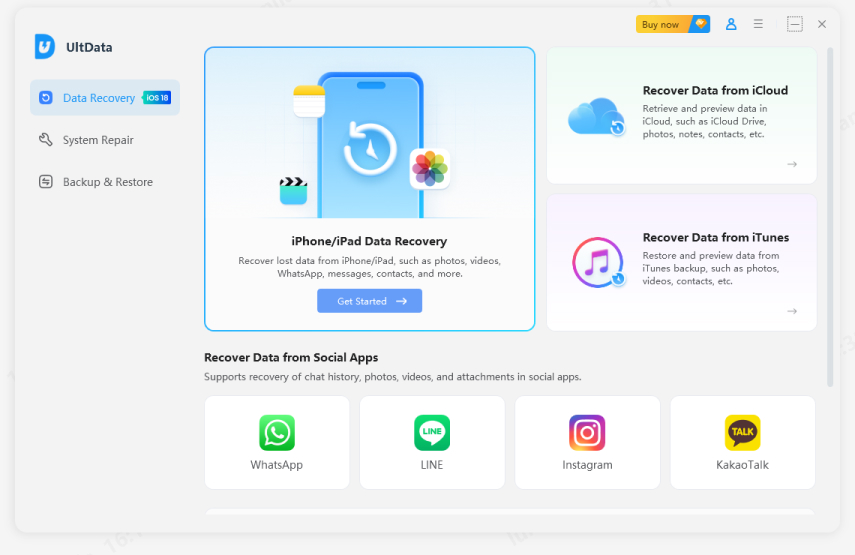
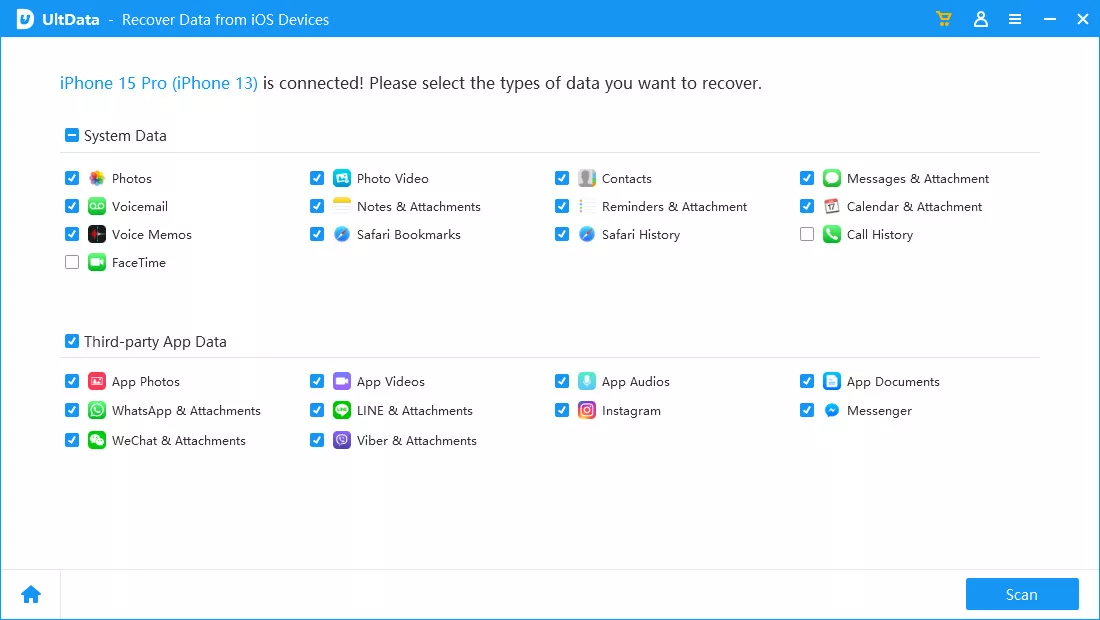
Start with the installation of Tenorshare UltData on a computer, connect
the iPhone, allow the software to recognize the device, choose the
available recovery option.
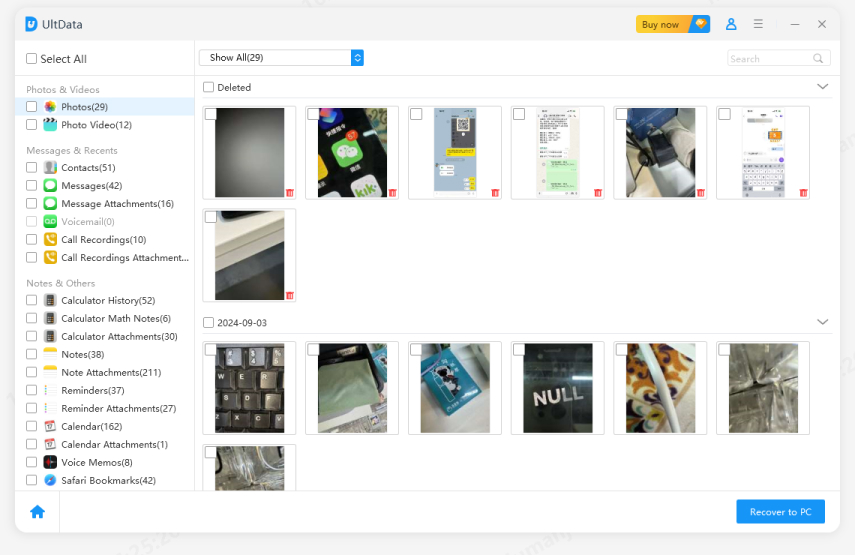
Scan for recoverable information. Depending on the situation, you may also
be able to work with an existing backup rather than restoring the entire
backup to the iPhone.
Select the files recovered by the tool and click recover to get them back
in your computer.
The advantage of a recovery approach is that it can focus on the data you
actually need instead of requiring a complete device restore. Always review
the recoverable results before proceeding and avoid overwriting important
data unnecessarily.
Conclusion
An iOS 27 backup may not be compatible with an iPhone running iOS 26 because
newer iOS versions can introduce system files, data structures, and security
changes that older versions cannot fully support. This is why an iPhone may
display a message that the backup is not compatible or simply fail to
restore.
If those options are unavailable and important data is trapped in a failed
restore situation, a dedicated iPhone data recovery solution like Tenorshare
UltData can assist you recovering any type of lost data within minutes.








 iOS Tips & Latest Updates
 Bug Fixes, Unlock Guides
 Giveaways & Freebies






By Jenefey Aaron
2026-10-14 / iOS 27