




 iOS Tips & Latest Updates
 Bug Fixes, Unlock Guides
 Giveaways & Freebies


4uKey - One-Click Easy iPhone/iPad Unlocker
Unlock Screen Lock/Apple ID/MDM/Screen Time Passcode Instantly
Easy iPhone/iPad Unlocker
Unlock iPhone Passcode Instantly
Stuck on the Activation Lock screen after updating or restoring an iPhone?
An iOS 26.6 bypass sounds like a quick fix, but most downloads cannot remove a lock tied to Apple's servers.
This guide explains the legitimate iOS 26.6 iCloud bypass options, how they differ from screen-passcode removal with Tenorshare 4uKey for iOS, and which Unlock Hub claims to avoid.
4uKey removes all iOS locks: Activation Lock, MDM, and Screen Time in simple clicks. No passcode or skills required!

iOS 26.6 is mainly a maintenance update with bug fixes, security patches, and Spotlight improvements. Apple lists the details in its iOS 26 update notes and iOS 26.6 security notes.
Official options such as the previous passcode, device reset, Recovery Mode, Find My removal, and Apple support still work. Older exploit-based tools may need to be checked again after the update.
 Please swipe to view
Check the exact message on the iPhone before choosing a method. iPhone Unavailable points to a screen-passcode problem, while iPhone Locked to Owner points to Activation Lock, and the two require different solutions.
Seeing iPhone Unavailable or Security Lockout means the local screen passcode is the problem.
A recently replaced passcode may still work for 72 hours. After that, removal usually requires a reset, Recovery Mode, or a compatible unlocker, and the current data may be erased.

A Screen Time passcode is separate from the iPhone unlock passcode. You can usually reset it with the Apple Account used for Screen Time recovery, without deleting personal files.

Remote Management means a company or school may supervise the iPhone. Contact the administrator for an organization-owned device.
On a personal device, remove a profile only when the settings allow it and you have authorization.

Activation Lock is tied to Find My and the owner's Apple Account on Apple's servers. A factory reset or screen-passcode unlock does not remove it.
Use the linked account, ask the previous owner to remove the device, or submit valid proof of purchase to Apple.
 Please swipe to view
Changed the iPhone passcode recently and then blanked on the new one? Start with Apple's Passcode Reset feature.
On iOS 17 and later, including iOS 26.6, the previous passcode can remain valid for up to 72 hours.
This is one of the rare iOS 26.6 bypass options that keeps the phone's current data. Apple's previous-passcode recovery instructions explain the eligibility details.
No previous-passcode option on the screen? iOS 26.6 can still reset the device from the lockout page.
You will need internet access, Find My already enabled, and the password for the Apple Account signed in on the iPhone.


This reset permanently deletes the current data and settings. Apple's guide covers the full requirements for resetting an iPhone without a computer.
Use Recovery Mode when Forgot Passcode? does not appear or the iPhone cannot complete the on-device reset.


Recovery Mode erases the iPhone and removes its screen passcode. It does not remove Activation Lock.
With Find My enabled, the linked Apple Account may still be required during setup. Apple's current computer reset instructions include model-specific button guidance.
Tenorshare 4uKey gives owners another route when the built-in reset process is awkward or fails to finish.
Its screen-unlock function supports iOS 26 and walks you through device detection, firmware download, and passcode removal.




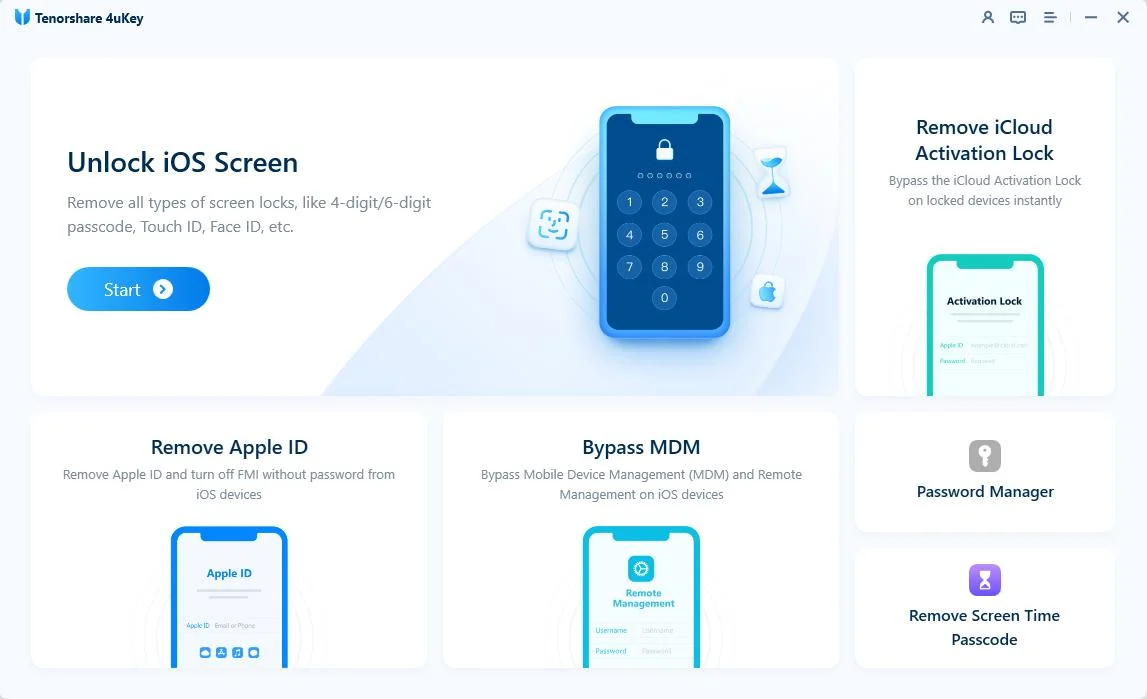
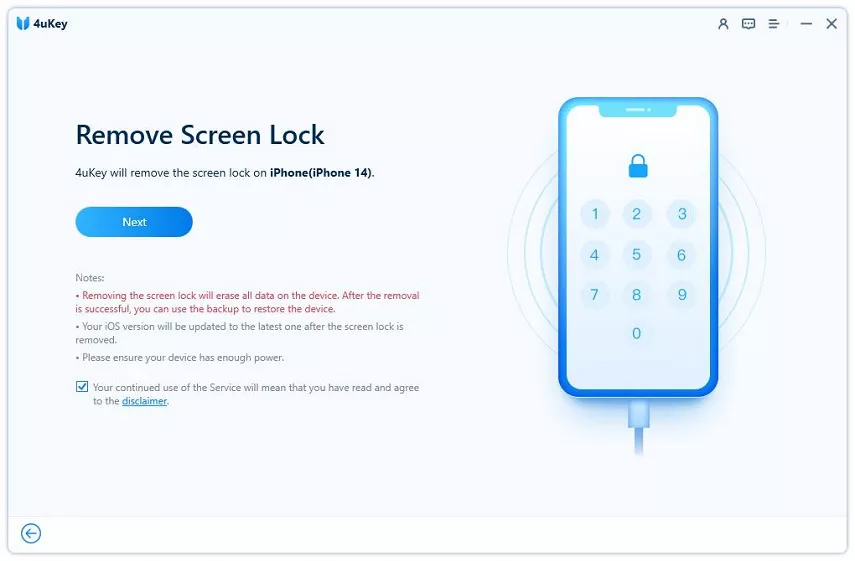
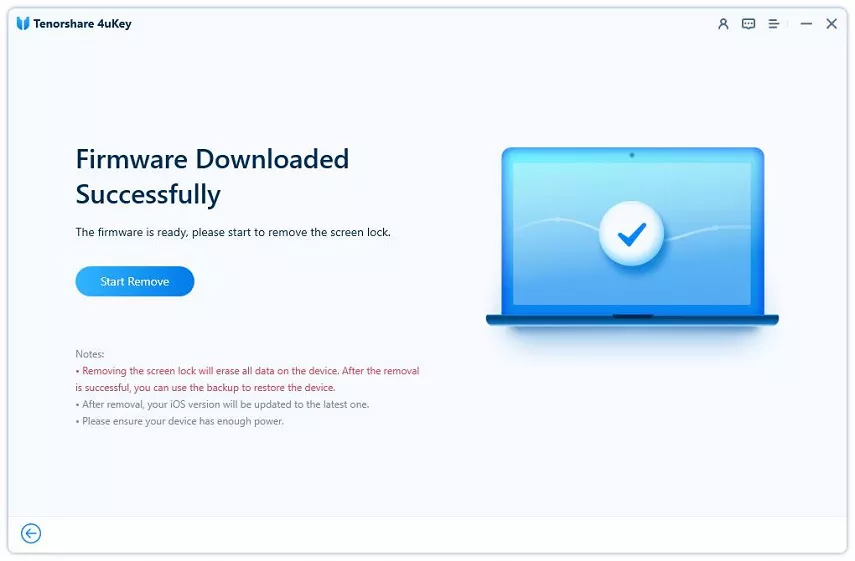
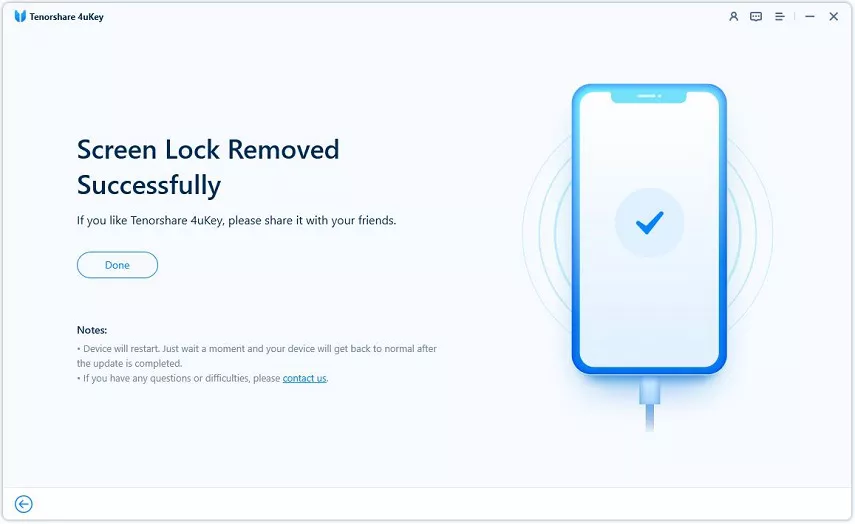

One limit is easy to miss: screen-passcode removal normally erases the device, and it does not remove iOS 26.6 Activation Lock.
Tenorshare's current specifications list Activation Lock removal for iPhone 6s through iPhone X on iOS 12 through 16.7.10, not iOS 26.6. Check the current compatibility details before downloading or purchasing.
On the Activation Lock screen, enter the Apple Account email address and password used to set up the iPhone. In supported cases, Apple may also offer the device passcode as a verification option.
Forgotten account details call for Apple's account recovery process, not more guessing. Recovering the correct account preserves full access to cellular service, iCloud, FaceTime, the App Store, and future updates.
Bought the iPhone used? The seller can remove Activation Lock remotely without sharing a password with you.
Apple confirms this route in its official guide to removing Activation Lock. An unreachable or uncooperative seller is a good reason to request a return or refund rather than pay an unknown unlocking service.
Apple may review a removal request when the original owner can prove the iPhone was purchased legitimately. This route is worth trying when account recovery fails and the previous owner cannot help.
Before starting, prepare a readable receipt showing the device, retailer, and serial number or IMEI.
Approval is not guaranteed. A device box, marketplace conversation, or possession of the iPhone may not be enough to prove ownership.
Company- or school-owned devices should be handled by the organization's IT administrator.
Searches for an unlock hub iOS 26.6 download or unlocks hub iOS 26.6 download often surface unofficial tools promising a quick, permanent unlock.
An iOS 26.6 label does not prove compatibility. Activation Lock is verified through Apple's servers, so universal removal claims deserve close scrutiny.
Common warning signs include:
A factory reset deletes local data and removes the screen passcode, but it does not unlink the owner's Apple Account. Activation Lock will return during setup.
A DNS bypass may open a limited web portal on some older devices, but it does not restore normal iPhone features or remove the account link. It is not a permanent iOS 26.6 iCloud bypass.

Unknown downloads can steal passwords, install unwanted software, or leave the iPhone unusable.
Use Apple recovery or a clearly documented tool only on a device you own or are authorized to manage.
Your screen message, account access, and backup status point to the right iOS 26.6 bypass method. The table keeps the tradeoffs easy to scan.
Please swipe to view
Forgotten screen passcode? Try the previous-passcode feature first. Otherwise, move to an on-device reset, Recovery Mode, or 4uKey and expect data loss.
Activation Lock calls for the linked account, the previous owner, or Apple Support. No screen-unlock utility or factory reset can replace server-side ownership verification on iOS 26.6.
Yes, when the problem is only the screen passcode. You can erase the iPhone from the Unavailable screen, restore it in Recovery Mode, or use a compatible screen unlocker.
These methods normally delete the current data. Activation Lock may appear afterward, and that still requires the linked Apple Account, the previous owner, or Apple's approval.
Possibly. Tools that depend on older software vulnerabilities can break after an update, and Apple does not publish a tool-by-tool list.
Exact compatibility needs to be confirmed again for iOS 26.6. Apple's account recovery, device reset, Recovery Mode, Find My removal, and ownership support processes remain available.
You can keep data when the previous-passcode option is still available, when resetting a Screen Time passcode, or when an authorized administrator removes an optional management profile.
Removing a forgotten screen passcode by resetting or restoring the iPhone normally erases its current data. You can restore a backup afterward.
No. A factory reset removes local content and the screen passcode, but Activation Lock remains linked to the Apple Account on Apple's servers.
The credentials or an approved ownership-based removal method are still required during setup.
An unofficial package deserves skepticism until its publisher provides a real company identity, an exact device-and-version compatibility list, honest limitations, support, and refund terms.
Never disable antivirus protection or provide Apple Account credentials to install an unknown unlock package.
These recovery methods are for an iPhone you own or have explicit authorization to manage. Accessing a lost, stolen, company-owned, or school-owned device without permission can violate the law and the owner's rights.
Start with the message on the screen, then choose the method that matches the lock.
For a screen passcode, try Apple’s reset options, Recovery Mode, or Tenorshare 4uKey, but expect possible data loss.
An iOS 26.6 iCloud bypass requires the linked Apple Account, the previous owner, or proof of purchase, so avoid tools promising a universal unlock.



then write your review
Leave a Comment
Create your review for Tenorshare articles
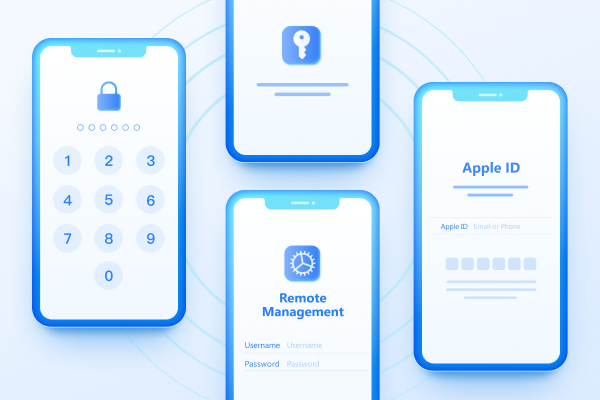
Easily Unlock iPhone passcode/Apple ID/iCloud Activation Lock/MDM
100% successful unlockShare this post


4uKey - One-Click Easy iPhone/iPad Unlocker
Unlock Screen Lock/Apple ID/MDM/Screen Time Passcode Instantly
Easy iPhone/iPad Unlocker
Unlock iPhone Passcode Instantly
By Jenefey Aaron
2026-10-26 / Unlock iPhone