
 iOS Tips & Latest Updates
 Bug Fixes, Unlock Guides
 Giveaways & Freebies
then write your review


ReiBoot - No.1 Free iOS System Repair Software
Fix 150+ iOS Issues without Data Loss & Safely iOS 27 Upgrade/Downgrade
ReiBoot: No.1 iOS Repair Tool
Fix 150+ iOS Issues, No Data Loss
After updating to iOS 27, some iPhone users may find that Optimizing Search and Siri stays on the screen for hours or even days without finishing. This process is related to rebuilding system indexes for features like Spotlight Search and Siri, and it is usually normal after an iOS update. However, if the progress remains stuck for too long, it could be due to a variety of reasons. This guide explains why iOS 27 gets stuck on Optimizing Search and Siri and provides practical solutions to fix the issue.

After updating to iOS 27, seeing "Optimizing Search and Siri" on your iPhone is usually part of the normal indexing process. iOS rebuilds the search index after a major system update so features like Spotlight Search, Siri suggestions, and on-device intelligence can access your latest data. However, if the progress bar remains unchanged for an extended period, there may be several reasons, as outlined below:

Under normal conditions, this optimization process usually takes anywhere from 1 to 2 hours up to a couple of days. If your iPhone doesn't have a ton of data, the indexing should finish in just a few hours as long as it isn't interrupted. However, if your phone is packed with hundreds of gigabytes of photos, videos, local files, and long text histories, it can easily take up to two or three days. iOS 27 also create complex search data in the background, which adds to the total time.

You can try the following troubleshooting steps to help the indexing process continue. Start with the simplest solution, as this will save you time and increase your chances of success.
iOS completes background tasks like Search indexing more efficiently when your iPhone is charging, connected to Wi-Fi, and not being actively used. Keeping your device in these conditions gives iOS the best environment to finish Optimizing Search and Siri.
Follow these steps:

Insufficient storage space can slow down or interrupt the Optimizing Search and Siri process because iOS needs enough free space to create and update search indexes. Removing unnecessary files can help the system complete indexing more smoothly.
Follow these steps:

A force restart can refresh system processes and fix temporary issues that prevent background tasks like Search indexing from running correctly. This method does not delete any data from your iPhone.
Follow these steps:

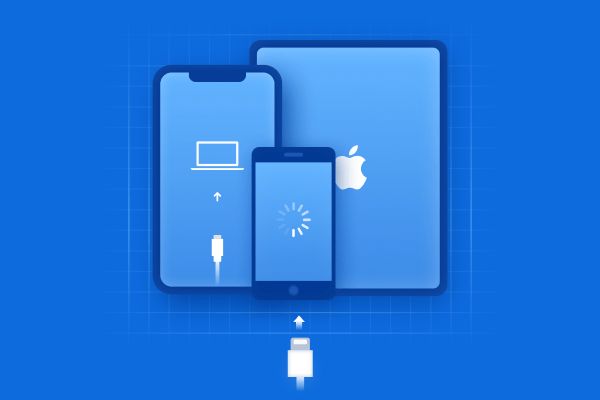
If Optimizing Search and Siri remains stuck after trying basic troubleshooting methods, the issue may be related to deeper iOS system errors. Tenorshare ReiBoot can help repair common iOS system problems without requiring a factory reset, allowing you to fix update-related issues while keeping your personal data safe.




Key benefits of using ReiBoot:
Steps to use Tenorshare Reiboot:
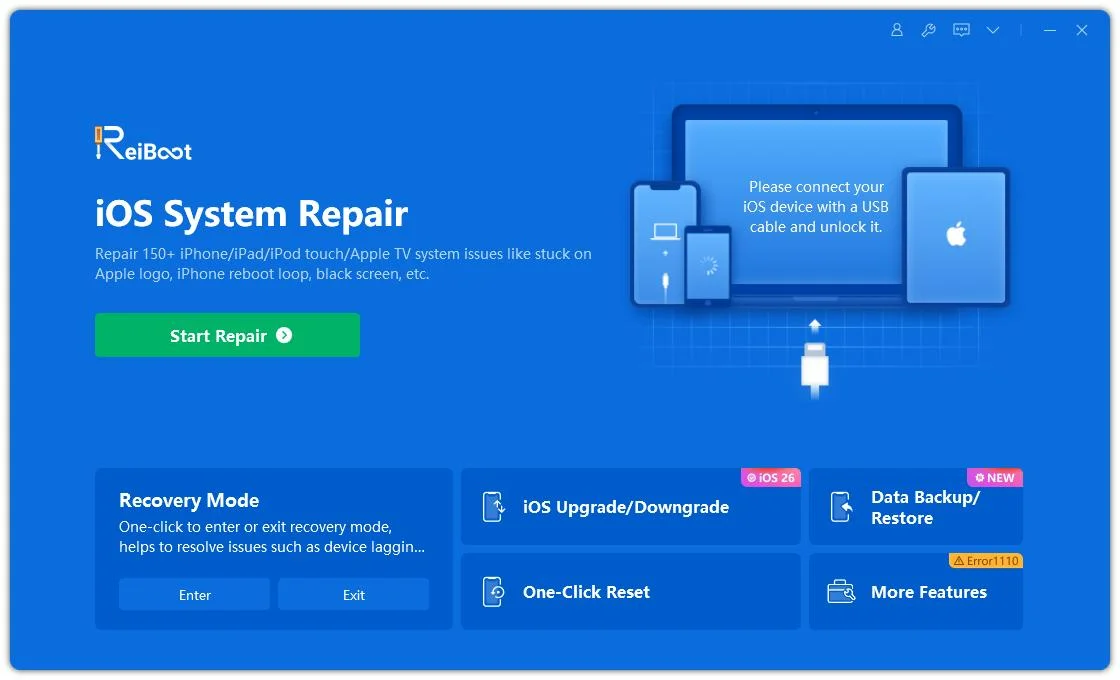
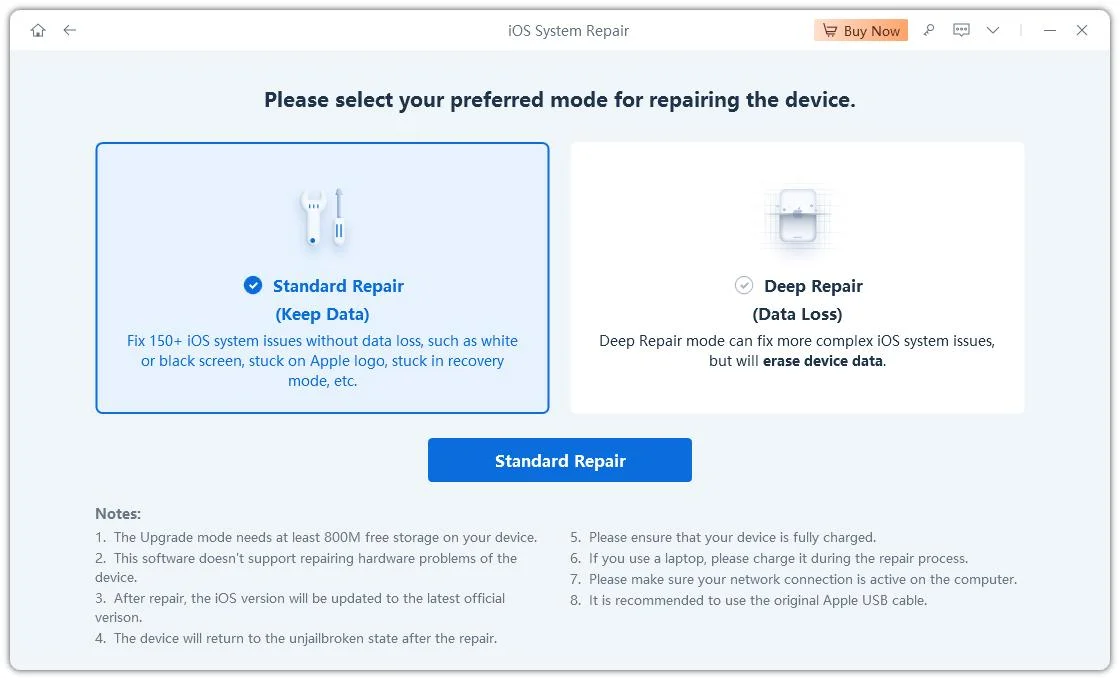
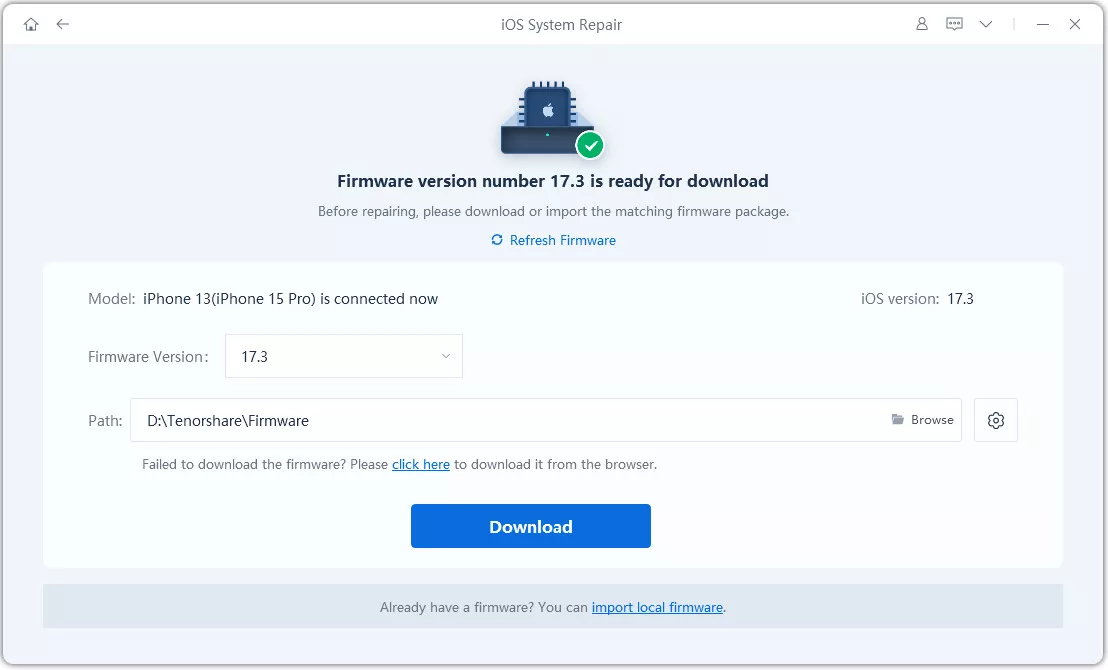
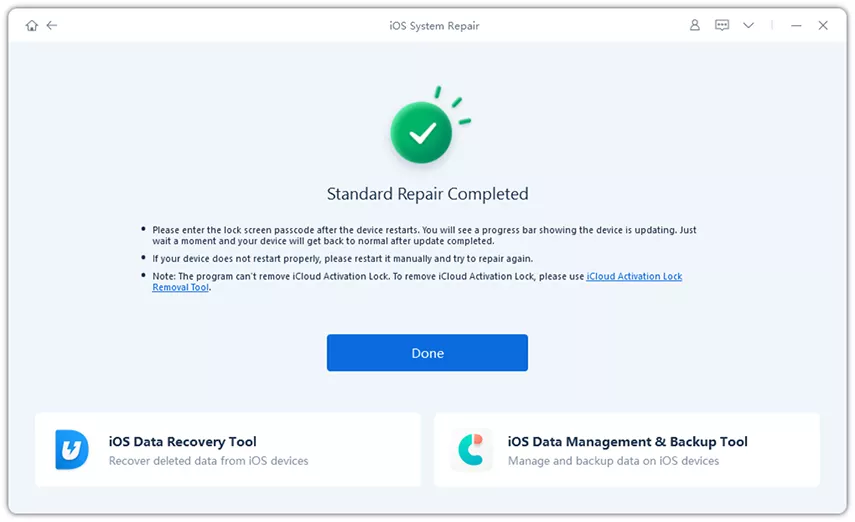
Refreshing Siri and Search settings can help resolve configuration issues that prevent Siri-related indexing tasks from completing properly. Turning these settings off and back on forces iOS to reload Search and Siri preferences.
Follow these steps:

If Optimizing Search and Siri remains stuck, the issue may be caused by bugs in your current iOS 27 version. Apple regularly releases beta updates and system improvements that fix problems affecting background processes like Search indexing and Siri features.
Follow these steps:

Resetting all settings can fix system configuration issues that may interfere with Optimizing Search and Siri. This process restores iPhone settings to their defaults without deleting your personal data, including photos, apps, messages, and files.
Follow these steps:

No. Optimizing Search and Siri is a built-in iOS background process, and there is no direct option to disable it. You can only wait for it to complete or try troubleshooting methods if it gets stuck.
Not always, but it can appear after major iOS 27 updates, especially beta versions. iOS may rebuild the search index after system changes or updates.
Yes. You can continue using your iPhone during the optimization process. However, keeping your iPhone connected to power, connected to Wi-Fi, and locked can help the process finish faster.
The Optimizing Search and Siri helps improve Search and Siri performance after an update. In most cases, keeping your iPhone connected to power and Wi-Fi is enough to let the process finish, but persistent issues may require additional troubleshooting steps. If Optimizing Search and Siri remains stuck due to deeper iOS system problems, tools like Tenorshare ReiBoot can help repair iOS system errors without losing your data and get your iPhone back to normal.


then write your review
Leave a Comment
Create your review for Tenorshare articles
Share this post


ReiBoot - No.1 Free iOS System Repair Software
Fix 150+ iOS Issues without Data Loss & Safely iOS 27 Upgrade/Downgrade
ReiBoot: No.1 iOS Repair Tool
Fix 150+ iOS Issues, No Data Loss
By Jenefey Aaron
2026-10-26 / iPhone Tips