

 iOS Tips & Latest Updates
 Bug Fixes, Unlock Guides
 Giveaways & Freebies


4uKey - One-Click Easy iPhone/iPad Unlocker
Unlock Screen Lock/Apple ID/MDM/Screen Time Passcode Instantly
Easy iPhone/iPad Unlocker
Unlock iPhone Passcode Instantly
An iPhone can be perfectly usable one minute and completely inaccessible the next. Forgot your passcode or stuck on Activation Lock? You may be looking for an iOS 26.7 bypass to unlock your iPhone. But not every bypass method works, so it's important to know your options first.
You may also see "jailbreak iOS 27" in these guides. Keep in mind that jailbreaking and removing an iCloud Lock are different things. Let's start with the basics and look at the available options.

An iOS 26.7 bypass means trying to regain access to an iPhone that is locked or restricted. The method depends on the type of lock, such as a forgotten passcode or Activation Lock.
Not all iPhone locks work the same way. Before trying to bypass iOS 26.7, check which lock is showing on your device:
Forgotten passcode: Reset the iPhone to get access again. This may erase your data.
iPhone Unavailable: Reset the iPhone to use it again. Your data may be erased.
iCloud/Activation Lock: Resetting the iPhone will not remove this lock. You need the linked Apple Account or Apple's help with proof of purchase.
Locked to Owner: The previous owner must remove the iPhone from their Apple Account.
There are several ways to handle an iOS 26.7 iCloud bypass, depending on the type of lock and who owns the iPhone. The methods below cover the main options you can try to remove Activation Lock and access the device.
Using the Apple Account linked to the iPhone is the direct way to remove Activation Lock. This iOS 26.7 bypass method requires the correct account details, so it will not work without access to the linked account.
Steps: Steps:

A used iPhone may still be linked to the previous owner's Apple Account. In this case, the previous owner needs to remove the device from their account before you can activate it. This is an important option for anyone searching for a bypass iCloud iOS 26.7 solution.

A locked iPhone can still have another option when the Apple ID password is not available. Tenorshare 4uKey is an iPhone unlocking tool that supports different types of locks, including screen passcodes, Apple ID issues, MDM locks, and Activation Lock.
It can be useful when you are looking for an iOS 26.7 bypass without using the Apple ID password. 4uKey supports newer iOS versions, including iOS 26 and iOS 27. For an iOS 26.7 iCloud bypass, it gives you simple steps to follow without technical skills.
Key features of 4uKey:




How to use 4uKey for iOS 26.7 Bypass


UnlockHub Pro offers an online device-unlocking service where you select your device, enter its IMEI, choose an available service, and place an order. The website says that orders are processed after payment and can be tracked online.
Unlock Hub does not clearly list iOS 26.7 support on its website. Its service works by selecting the device and an available unlock service rather than downloading a specific Unlock Hub iOS 26.7 bypass tool.
For an iCloud unlock iOS 26.7, check whether a compatible service is available for your exact iPhone model and IMEI before placing an order. This is important because available services can vary by device.
Unlock Hub does not require you to download a separate iOS 26.7 bypass program. You can submit an unlock request through its website.
Steps:


For Unlock Hub iOS 26.7, the process is mainly online, while 4uKey works through software installed on a computer. Both offer different unlocking options, so the right choice depends on your device and the service you need.
 Please swipe to view
An iOS 26.7 iCloud bypass may not work in every case. Here are some common reasons.
A factory reset erases the iPhone, but it does not remove Activation Lock. After the reset, you may still need the Apple Account linked to the device.
Recovery Mode can reset or restore an iPhone, but it cannot remove iCloud or Activation Lock. You may still see the Activation Lock screen after the restore.
Some older tools do not support newer iOS versions. Before trying to bypass iOS 26.7 or bypass iCloud iOS 26.7, check that the tool supports your iPhone model and iOS version.
For Activation Lock, you normally need the Apple Account linked to the iPhone. You can also contact Apple with valid proof of purchase.
Unlock Hub does not clearly mention iOS 26.7 on its website. Check your exact iPhone model and available service before placing an order.
Some online unlock services can be accessed without a computer. However, available options depend on your iPhone model and the type of lock.
No. A factory reset erases the iPhone but does not remove Activation Lock. You still need the linked Apple Account to activate it.
It depends on the method. Resetting an iPhone erases its data, while some unlocking methods may not. Always check the method before proceeding.
An iOS 26.7 bypass depends on the type of lock and your iPhone model. Factory resets and Recovery Mode cannot remove Activation Lock, while some third-party tools may work only on supported devices. For a simpler way to handle iPhone locks, Tenorshare 4uKey offers several unlocking features. It can remove passcodes, Apple ID, and Activation Lock on supported devices.


Tenorshare 4uKey - Best iPhone Unlocker






then write your review
Leave a Comment
Create your review for Tenorshare articles
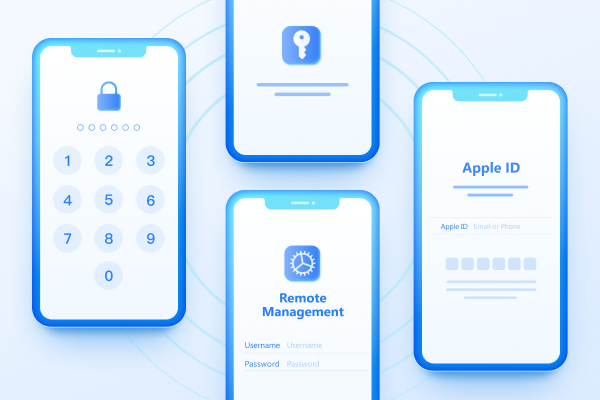
Easily Unlock iPhone passcode/Apple ID/iCloud Activation Lock/MDM
100% successful unlockShare this post


4uKey - One-Click Easy iPhone/iPad Unlocker
Unlock Screen Lock/Apple ID/MDM/Screen Time Passcode Instantly
Easy iPhone/iPad Unlocker
Unlock iPhone Passcode Instantly
By Jenefey Aaron
2026-09-24 / iOS 27