

 iOS Tips & Latest Updates
 Bug Fixes, Unlock Guides
 Giveaways & Freebies
then write your review


ReiBoot - No.1 Free iOS System Repair Software
Fix 150+ iOS Issues without Data Loss & Safely iOS 27 Upgrade/Downgrade
ReiBoot: No.1 iOS Repair Tool
Fix 150+ iOS Issues, No Data Loss
Can you jailbreak iOS 27.2 on your iPhone? Recent jailbreak demonstrations have sparked interest, but a demo doesn't always mean a public tool is ready. Before downloading anything, here's what you need to know about the current iOS 27.2 jailbreak status, available methods, and safer alternatives.

As of October 30, 2026, there is no verified public jailbreak tool for iOS 27.2. Although security researchers have demonstrated successful jailbreaks on earlier iOS 27 versions, these demonstrations have not resulted in a downloadable tool for everyday iPhone users.
These events show that modern iPhones can still be vulnerable to sophisticated jailbreak techniques. However, neither demonstration provides an installation package that users can download and run on iOS 27.2.

 Please swipe to view
The key distinction is between a security research demonstration and a public jailbreak release. A working exploit may exist privately, but users still need a compatible, tested tool and installation instructions before they can jailbreak their own devices.
If you have searched for how to jailbreak iOS 27.2, you may have encountered websites advertising one-click installation tools, downloadable IPA files, or instant jailbreak solutions.
The problem is that none of these claims currently has a verified public release behind it.
No legitimate public iOS 27.2 jailbreak download is currently available.
A genuine jailbreak release should come from an identifiable developer or research team. It should also include clear device and firmware compatibility information, technical documentation, and verifiable installation instructions.
Be particularly cautious of websites that:
A download button alone does not prove that a jailbreak exists.
You may also see searches and websites advertising an iOS 27.2 jailbreak free download.
Historically, many popular jailbreak tools have been distributed for free. However, that does not mean every free jailbreak offer is legitimate.
Since no verified public iOS 27.2 jailbreak has been released, there is currently no official free version to download either.
Avoid paying for supposed early access, purchasing activation codes, or sharing personal information to unlock a jailbreak that has not been publicly released.
Some users prefer installing jailbreak tools directly on their iPhones, while others look for Windows or Mac utilities. Both approaches have existed in previous iOS jailbreak generations.
However, neither method currently provides a verified way to jailbreak iOS 27.2.
A no-computer jailbreak typically allows users to install or activate a jailbreak directly from Safari or through an on-device application.
Tools such as unc0ver and Dopamine have previously offered on-device jailbreak workflows for compatible iOS versions. But their older compatibility does not automatically extend to iOS 27.2.
Be careful with websites that claim you can jailbreak iOS 27.2 without a computer simply by installing a configuration profile.

A configuration profile is not a jailbreak exploit. Installing one does not grant root access or remove Apple's system restrictions. Unknown profiles may instead change device settings, install certificates, or introduce security risks.
Using a Windows PC or Mac does not solve the underlying compatibility problem.
Some well-known computer-based jailbreak tools rely on checkm8, a hardware vulnerability affecting Apple chips from A5 through A11. However, iOS 27.2 is available for iPhone 11 and newer, which use newer chips outside the checkm8 range.

This means older checkm8-based tools cannot provide a jailbreak for an iPhone running iOS 27.2.
For now, neither a computer-based installation nor an online installation offers a verified public jailbreak solution for this firmware.
Trying an unverified jailbreak tool can create problems beyond simply failing to install a jailbreak. Some websites ask users to install unknown configuration profiles, download third-party applications, or change device settings.
If your iPhone becomes unstable after such an attempt, first check whether the issue is related to an installed profile or application.
For a device that still works normally:
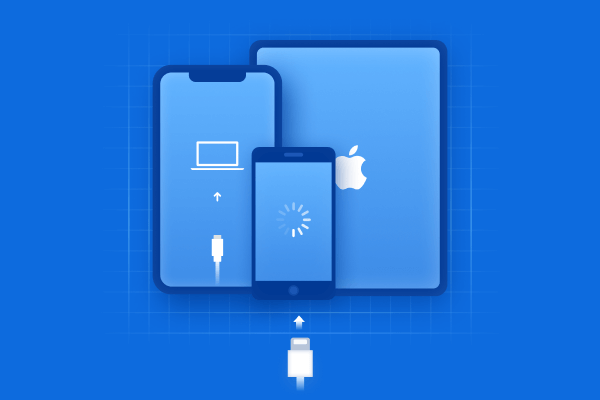
Tenorshare ReiBoot is a Windows and Mac tool designed to help users resolve common iOS system problems. It can be useful when an unsuccessful jailbreak attempt, interrupted update, or failed system operation leaves an iPhone unable to start normally.
Unlike jailbreak utilities, ReiBoot does not bypass Apple's security restrictions or provide root access. Its purpose is to repair iOS system issues and restore normal device operation.


If Standard Repair does not resolve the issue, consider Deep Repair after backing up your data and reviewing its data-erasing effect.
If you are interested in jailbreaking your iPhone, deciding whether to update or stay on your current firmware can be difficult.
However, there is no guarantee that an older iOS version will eventually receive a public jailbreak, even if researchers have demonstrated an exploit on it.
For most users, updating to iOS 27.2 is the safer choice.
Apple's October 26 security release addresses more than 160 vulnerabilities, including issues affecting WebKit and the kernel. Keeping your iPhone updated helps protect it against known security weaknesses.
Delaying an update solely because you hope to use a jailbreak that has not been released may expose your device to unnecessary risks.
Apple only allows users to restore firmware versions that it is still signing. Once Apple stops signing an older version, users generally cannot install it through a normal restore process.
Before attempting a downgrade:
You should not assume that iOS 27.0.1 or any other older version is still available for downgrade. Check its current signing status before making a decision.
If your main goal is to customize your iPhone or use features that are not available through the App Store, you may not need a full jailbreak.
The best option depends on what you actually want to accomplish. If you only need additional applications, sideloading may be enough. If you need deeper system access, you will have to wait for a compatible and verified jailbreak release.
No. As of October 30, 2026, no verified public jailbreak tool supports iOS 27.2. Calif has demonstrated jailbreak research on earlier iOS 27 versions, but has not released an end-user tool.
No verified browser-based or on-device jailbreak is available for iOS 27.2. Be cautious of websites that promise one-click installation through configuration profiles.
No legitimate public download is currently available, whether free or paid. Avoid websites asking for payment, surveys, or Apple ID credentials.
There is no confirmed release date or guarantee. Follow announcements from established jailbreak developers and reputable Apple security news sources for verified updates.
An iOS 27.2 jailbreak may sound appealing, but using an unverified tool can put your iPhone and personal data at risk. If you're experiencing system issues after a failed jailbreak attempt, Tenorshare ReiBoot can help repair iOS problems and get your device back to normal. Check tool compatibility and official updates before attempting to jailbreak.

then write your review
Leave a Comment
Create your review for Tenorshare articles
Share this post


ReiBoot - No.1 Free iOS System Repair Software
Fix 150+ iOS Issues without Data Loss & Safely iOS 27 Upgrade/Downgrade
ReiBoot: No.1 iOS Repair Tool
Fix 150+ iOS Issues, No Data Loss
By Jenefey Aaron
2026-11-03 / iOS 27