

 iOS Tips & Latest Updates
 Bug Fixes, Unlock Guides
 Giveaways & Freebies
then write your review


ReiBoot - No.1 Free iOS System Repair Software
Fix 150+ iOS Issues without Data Loss & Safely iOS 27 Upgrade/Downgrade
ReiBoot: No.1 iOS Repair Tool
Fix 150+ iOS Issues, No Data Loss
iOS 27.2 introduces selfie-based age estimation for users who need to confirm they're adults before accessing certain Apple Account features or age-restricted apps. However, the option isn't available in every region, and some users may have trouble completing the scan. If your iOS 27.2 age verification selfie isn't working, try the fixes below before assuming your iPhone has a system problem.

 Please swipe to view
If your selfie age verification keeps failing, start by checking regional availability, your internet connection, and the conditions in which you take the selfie. The following steps will help you identify common issues and determine whether you need an alternative verification method.
Apple's selfie verification option requires iOS 27.2 or later and is available only in supported regions. If you don't see the option, check Apple's official age verification guide to confirm the requirements for your location. Its absence doesn't necessarily mean your iPhone has a software problem.
Make sure your iPhone is connected to the internet, then open a webpage in Safari to test the connection. If it doesn't load, reconnect to Wi-Fi or try another reliable network. Once the connection is working, return to the age verification screen and try again.
Take the selfie in a well-lit area with even lighting, move close enough for your face to appear clearly, and remove anything covering it, such as sunglasses or a mask. Keep only your face in the frame to help the age-estimation process capture a clear image.
Select the selfie option, tap Get Started, and center your face in the frame. Slowly move your head to the right, left, up, and down as instructed. If you're having trouble following the directions, tap Accessibility Options for spoken instructions, reduced directions, or other available adjustments.
If the selfie check still fails, use another method offered by Apple, such as a credit card or government-issued ID, depending on your region and account requirements. Check Apple's age verification instructions for the available options. If none works, contact Apple Support for help with your verification status.
If you've already completed the selfie check but are still being asked to verify your age, check whether your status has been confirmed. Go to Settings > [your name] > Personal Information > Age Confirmation and review the status shown. If you're still unable to access a feature, follow Apple's instructions for your account and region.
If your iPhone is also stuck during an update, repeatedly restarting, or failing to start normally, troubleshoot those symptoms separately. These issues don't necessarily cause selfie verification failures, but they may indicate another iOS problem.
Tenorshare ReiBoot can help with supported iOS system issues, including certain update and recovery-related problems. If your device has a separate system issue that falls within its supported repair scope, ReiBoot for iOS may fit your situation.


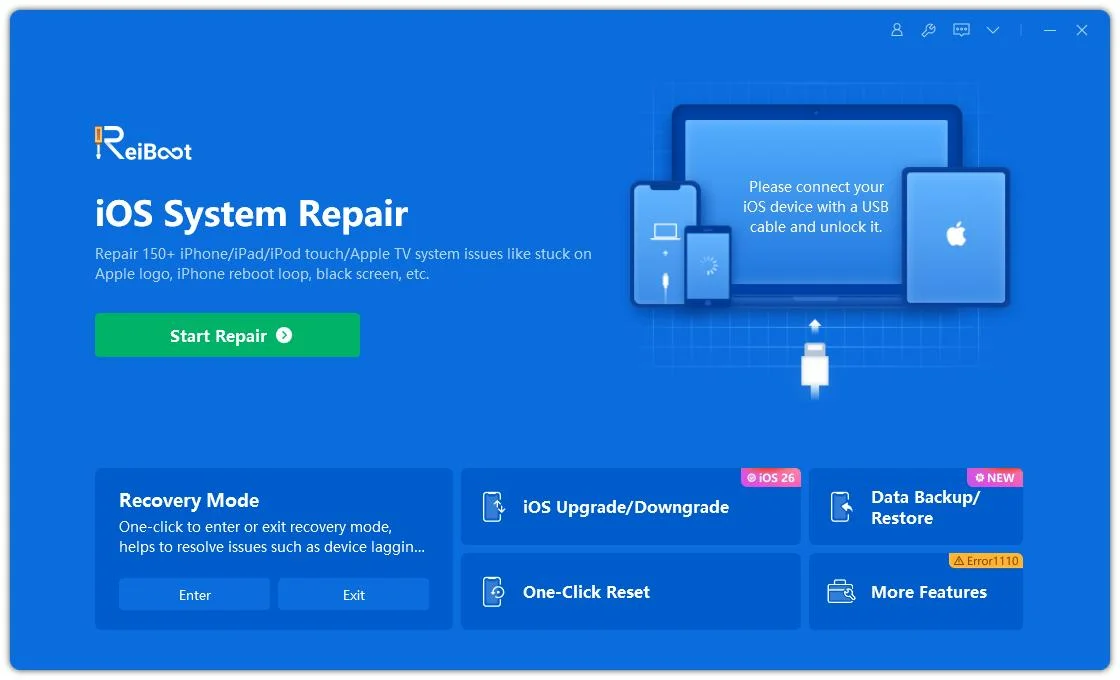
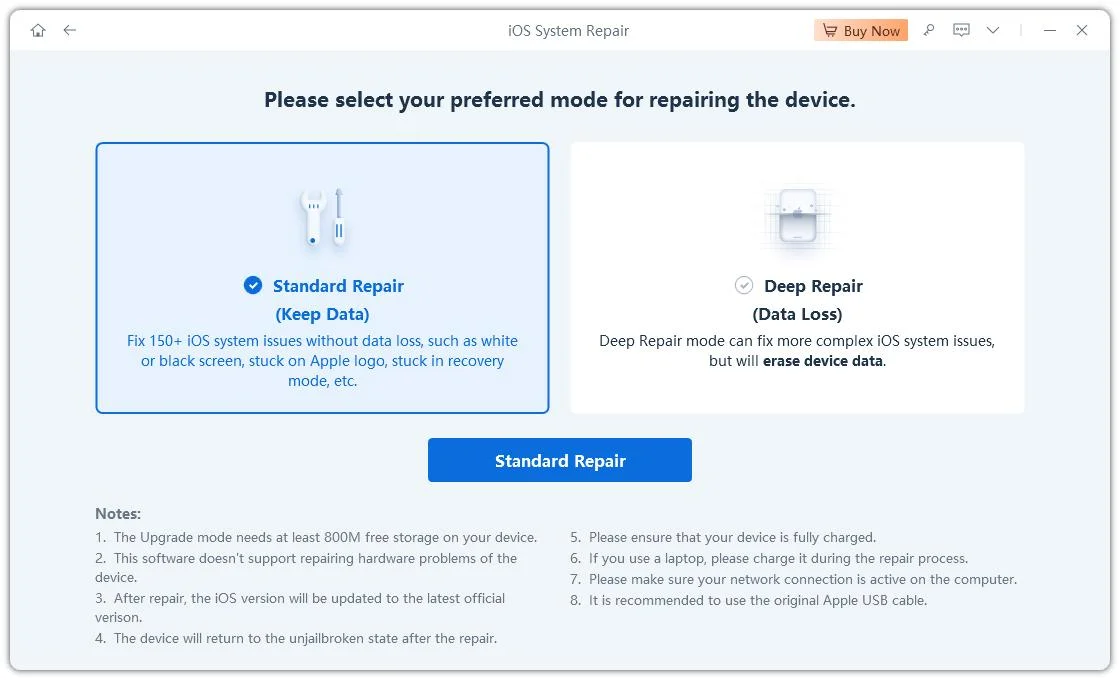
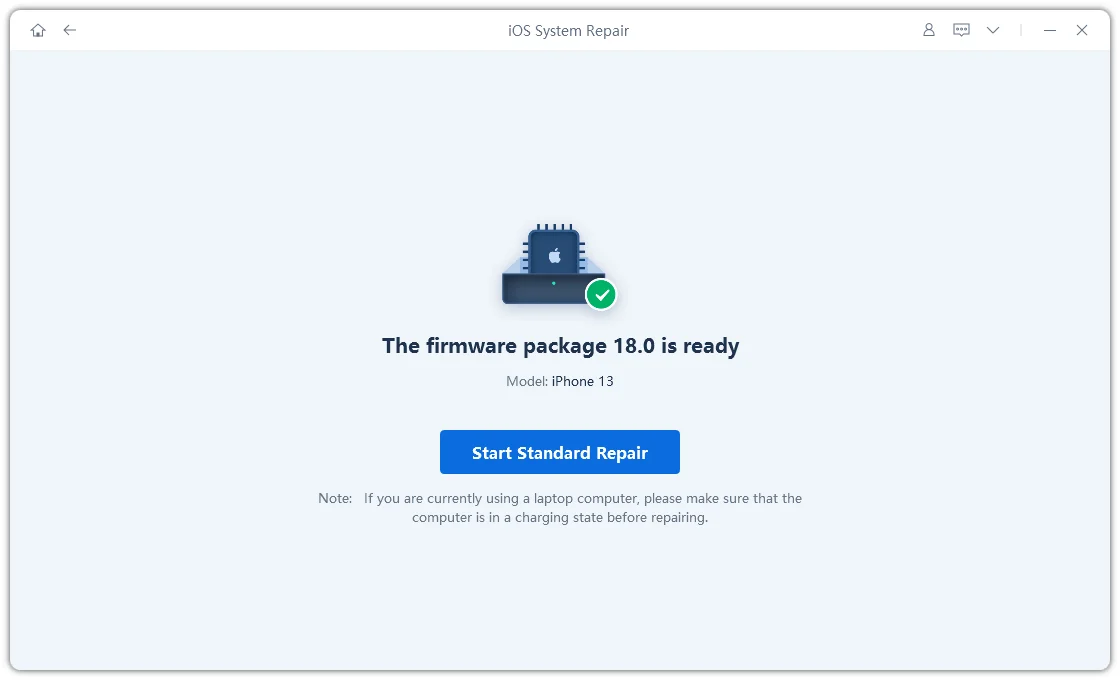
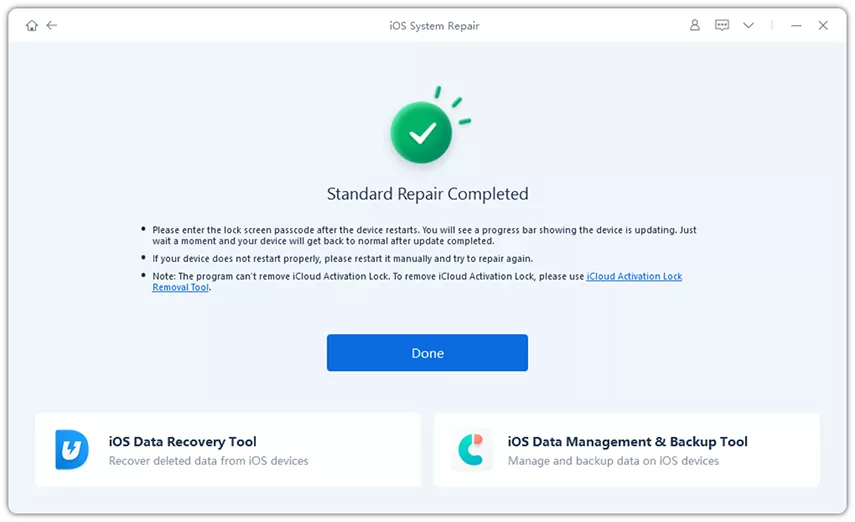
ReiBoot does not directly repair Apple's age-estimation service, change your Apple Account's age status, or guarantee successful verification. If your iPhone works normally and only the selfie check fails, continue with Apple's verification options instead.
A separate issue can arise when Safari's web restrictions cannot be changed or appear to turn back on. A discussion on Reddit's r/ios community describes this type of problem, but an individual report doesn't establish that iOS 27.2 has a widespread bug.
If Safari continues to restrict websites, open Settings > Screen Time and review the content and web restrictions. If the device is managed by a parent or organization, ask the person responsible for those settings before attempting to change them.
If you've forgotten your Screen Time passcode and can't adjust the relevant settings, Tenorshare 4uKey offers a Remove Screen Time Passcode feature for supported devices and configurations. See the 4uKey Screen Time guide for details.

This feature addresses a specific device-level restriction. It won't remove network-level website blocks or fix Apple's selfie age verification process. If your only issue is a failed selfie scan, focus on Apple's verification options instead.
Depending on your region and account requirements, Apple may offer alternative verification methods, such as using a credit card or government-issued ID. Check the options displayed on your iPhone or consult Apple's age verification guide to see which methods are available to you.
No. Apple offers selfie-based age verification only in supported regions. If the option doesn't appear, check Apple's current requirements and use another available method if one is offered.
Check your internet connection, take the selfie in even lighting, and follow all four directional prompts. If verification still fails, try another method offered by Apple or contact Apple Support.
ReiBoot can address supported iOS system issues, but it cannot directly verify your age or repair Apple's age-estimation service. Consider it only if you're also experiencing a separate system problem within its supported scope.
Check Screen Time's content and web restrictions first. Parental controls or device management may also govern these settings. If you've forgotten your Screen Time passcode, a compatible removal solution may help with that specific restriction, but it won't necessarily resolve an age verification failure.
Apple says the selfie is analyzed using age-estimation models that run on the device and Private Cloud Compute. The selfie isn't accessible to anyone, including Apple, during this analysis, and it's deleted once your age is confirmed. For more details, see Apple's official age verification guide.
If iOS 27.2 selfie age verification isn't working, start with regional availability, your internet connection, and the selfie instructions. If the check continues to fail, try another verification method offered by Apple.
For separate iOS update or recovery problems, ReiBoot may be worth considering. If the issue is a forgotten Screen Time passcode preventing you from changing Safari restrictions, 4uKey may be relevant in supported scenarios. Identifying the actual problem first helps you avoid trying a tool that isn't designed to fix it.
then write your review
Leave a Comment
Create your review for Tenorshare articles
Share this post


ReiBoot - No.1 Free iOS System Repair Software
Fix 150+ iOS Issues without Data Loss & Safely iOS 27 Upgrade/Downgrade
ReiBoot: No.1 iOS Repair Tool
Fix 150+ iOS Issues, No Data Loss
By Jenefey Aaron
2026-11-03 / iOS 27