

 iOS Tips & Latest Updates
 Bug Fixes, Unlock Guides
 Giveaways & Freebies


4uKey - One-Click Easy iPhone/iPad Unlocker
Unlock Screen Lock/Apple ID/MDM/Screen Time Passcode Instantly
Easy iPhone/iPad Unlocker
Unlock iPhone Passcode Instantly
Activation Lock on iOS 26.4 can instantly turn your expensive iPhone into a useless block. This iOS 26.4 bypass guide reveals the most effective ways to remove the lock with or without an Apple ID.
Find powerful tools, smart workarounds, and step-by-step solutions that restore full access fast. Bring your device back to life and enjoy every feature again without delays, confusion, or costly repairs.

Yes, iCloud can help bypass iOS 26.4 Activation Lock but only if you have access to the original Apple ID and password linked to the device. By signing in to iCloud and removing the iPhone from the account, the lock can be cleared remotely and safely.
This is the official and most secure way to perform a bypass iOS 26.4 process. Without the original credentials, however, iCloud alone cannot remove the lock, and alternative methods or tools will be required.
Apple's iCloud service provides the most reliable way to complete a bypass iOS 26.4 via iCloud process without risking your device. Activation Lock is directly tied to the Apple ID, so removing the iPhone from that account instantly clears the restriction.
This official method works remotely, requires no technical skills, and keeps the device fully eligible for future updates, warranty coverage, and Apple services.
Steps for iCloud Activation Lock Removal (iOS 26.4)
Open a browser on any phone or computer and visit iCloud.com
Sign in with the Apple ID connected to the locked iPhone.
Select Find iPhone, then open All Devices at the top.

Pick the locked iPhone or iPad from the list.
Choose Erase iPhone to remove all data remotely.

After the erase finishes, click Remove from Account.
On iOS 26.4, Apple includes a built‑in recovery option that appears directly on the lock screen after repeated failed attempts. This feature allows the device to securely reset itself without iTunes, cables, or technical tools.
It is one of the fastest ways to complete an iOS 26.4 bypass for a forgotten passcode while keeping the process official and secure. Once finished, the phone erases all data, removes the screen lock, and restarts to the welcome screen.
Steps to Bypass iOS 26.4 Screen Lock (Erase iPhone Method)
On the lock screen, enter the wrong passcode several times.
Keep trying until the security lock screen appears.
Tap the Erase iPhone or Forgot Passcode? option at the bottom.
Review the warning message about data deletion.

Tap Erase iPhone again to confirm.
Enter the Apple ID password associated with the device. The iPhone will begin a full factory reset automatically.
Unlock tools can remove Activation Lock and complete an iOS 26.4 bypass without the original Apple ID. These programs run on a computer and connect to the locked iPhone. The tool then removes the lock automatically. After the bypass iOS 26.4 is done, the iPhone restarts and shows the setup screen, so you can use it again, but some features may not work fully
Unlock Hub is circulated online as a package‑based bypass solution. It usually includes a loader program, drivers, and configuration files designed to interact with the locked device. The workflow focuses on preparing the computer environment first, then applying the bypass package while the phone is connected.
Steps to Use Unlock Hub for iOS 26.4 Bypass
Download the Unlock Hub archive from its official distribution page.
Disable antivirus temporarily if it blocks the loader (common with unsigned tools).
Extract the ZIP or RAR file to an easily accessible folder.

Install included USB drivers or mobile device support files.
Restart the computer to ensure drivers load correctly.
Power on the locked iPhone and leave it on the Activation Lock screen. Connect the device to the computer using an original or certified USB cable.

Run the 3utools and click flash and import the unlock hub files and run them. Wait while the program reads device information (model, iOS version).

Do not disconnect the cable while files are being transferred. Wait for the completion message, then reboot the iPhone.

XUltra26 is promoted as an automated unlocking utility supporting multiple iPhone generations. It typically installs as a desktop program and performs most operations with minimal user input. The software attempts to establish a communication channel with the device and execute the bypass routine automatically.
Steps to Use XUltra26 for Bypass iOS 26.4
Download the XUltra26 installer from the official source or authorized distributor.
Run the setup file and complete installation on your computer. Launch the program and allow necessary system permissions.

Close iTunes or other mobile management apps to avoid conflicts. Turn on the locked iPhone and keep it on the setup or Activation Lock screen.

Connect the device to the computer via USB cable. Wait for the tool to detect and display device details.

Select the available Unlock / Bypass Activation option. Confirm any warnings about data loss or feature limitations.
Start the process and keep the device connected throughout. The screen may reboot or display a progress bar during operation.

When the software reports success, disconnect the cable and restart the iPhone.

Tenorshare 4uKey is a powerful all‑in‑one iPhone unlock tool designed to handle almost every lock situation. It supports the latest iOS/iPadOS 26 and helps users regain access to their devices quickly, even without technical knowledge.
With one‑click operations, high success rates, and wide device compatibility, it has become a trusted solution for millions of users worldwide. Whether your iPhone is disabled, locked to an owner, or stuck on a password screen, 4uKey provides a fast and reliable way to get back in.
Key Features of 4uKey iPhone Unlocker




Steps to Remove Apple ID Using Tenorshare 4uKey
Download, install, and open Tenorshare 4uKey on your computer, then select Remove Apple ID.

Connect your iPhone with a USB cable and click Start Remove to begin the process.

If Find My iPhone is OFF, removal starts immediately. If it is ON, follow the on‑screen instructions (such as resetting settings or enabling passcode and Two‑Factor Authentication).
Download the required firmware package when prompted by the program.

After the download completes, start the removal process and wait for the device to restart, then activate it using your screen passcode

Yes. Most iOS 26.4 bypass methods erase the device completely. All photos, apps, and settings are deleted, and the iPhone returns to factory condition.
A bypass may fail due to unsupported device models, incorrect steps, poor internet connection, or newer security updates. Try a reliable professional tool such as Tenorshare 4uKey.
Create a full backup before downgrading. Then use iTunes or Finder on a computer to restore iOS 26.3.1. Data loss can still occur, so restoring from backup is usually required after the downgrade.
An iOS 26.4 bypass can help you regain access to a locked iPhone using official methods, on‑device options, or trusted unlock tools. The right solution depends on whether you have the Apple ID, passcode, or neither. For a simple and effective experience, many users choose Tenorshare 4uKey because it provides an easy, step‑by‑step unlocking process. It also supports a wide range of iPhone models and iOS versions.


Tenorshare 4uKey - Best iPhone Unlocker






then write your review
Leave a Comment
Create your review for Tenorshare articles
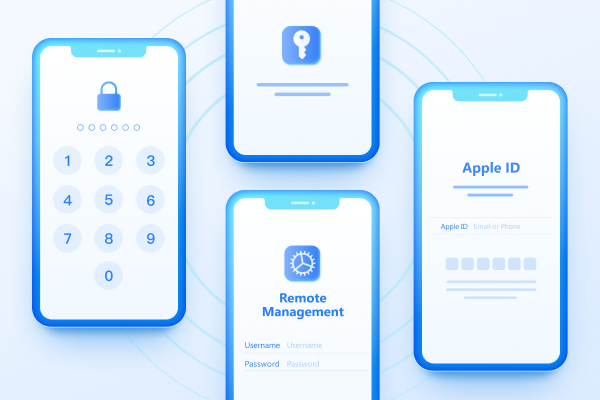
Easily Unlock iPhone passcode/Apple ID/iCloud Activation Lock/MDM
100% successful unlockShare this post


4uKey - One-Click Easy iPhone/iPad Unlocker
Unlock Screen Lock/Apple ID/MDM/Screen Time Passcode Instantly
Easy iPhone/iPad Unlocker
Unlock iPhone Passcode Instantly
By Jenefey Aaron
2026-09-24 / Unlock iPhone