

 iOS Tips & Latest Updates
 Bug Fixes, Unlock Guides
 Giveaways & Freebies


4uKey - One-Click Easy iPhone/iPad Unlocker
Unlock Screen Lock/Apple ID/MDM/Screen Time Passcode Instantly
Easy iPhone/iPad Unlocker
Unlock iPhone Passcode Instantly
Millions of people searching telegram banned in india are wondering why Telegram is not working. Telegram has not been permanently banned. Instead, it has faced temporary restrictions in India, mainly because of concerns about exam paper leaks and other investigations.
The situation of ban can change over time and may depend on your location, internet provider, mobile network, or app store availability. Next, let's look at why Telegram was restricted in India and what caused these actions.

The is telegram banned in india question is mainly linked to exam paper leaks and online scams. The government did not announce a permanent ban. Instead, it introduced temporary restrictions after finding that Telegram was being misused. Here are the main reasons why telegram banned in india:
1. NEET Exam Paper Leak Cases
Before the NEET UG re-exam, several Telegram channels claimed they had leaked question papers. Authorities restricted the app to help stop the spread of this content.
2. Fake Exam Paper Scams
Many Telegram channels asked students and parents to pay money for leaked exam papers. Most of these claims were fake. The scammers only wanted to steal money.
3. Misuse of Message Editing
Some scammers misused Telegram's message editing feature. They posted a normal message before the exam. After the exam ended, they edited it and added the real question paper. This made it look like they had leaked the paper earlier.
4. Large File Sharing
Telegram lets users share files up to 2GB without reducing quality. This feature is useful for normal users. However, scammers also used it to share exam papers and other illegal files.
5. Government Action
The restriction was issued under Section 69A of the Information Technology Act, 2000. It followed recommendations from the National Testing Agency (NTA). Authorities also asked Telegram to take steps to prevent misuse.
6. Similar Cases Before
This was not the first time Telegram faced action. Similar exam paper leak cases were reported during earlier NEET and UGC-NET exams.
Telegram may stop working on your iPhone for different reasons. The app might be affected by temporary restrictions, network issues, or a software glitch. Try the fixes below one by one until Telegram starts working again.
Sometimes Telegram gets stuck in the background. Closing and reopening the app can quickly fix the problem.
1. Swipe up from the bottom of the screen and pause to open the App Switcher.
2. Find Telegram.
3. Swipe the app upward to close it. Wait a few seconds and open Telegram again.

Reinstalling the app removes temporary files and installs a fresh copy of Telegram. Make sure you know your phone number and login details before reinstalling.
1. Touch and hold the Telegram app.
2. Tap Remove App > Delete App.

3. Open the App Store.
4. Search for Telegram and install it again.

5. Sign in to your account.
Telegram needs a stable internet connection to send messages and load chats. If your network is slow or blocked, the app may appear offline even when it is working normally.
1. Open Safari and load any website to test your internet connection.
2. Switch between Wi-Fi and mobile data.
3. Turn Airplane Mode on for about 10 seconds and then turn it off.
4. Open Telegram again and see if it connects.
During temporary restrictions, Telegram may not appear in the App Store for some users. Before trying unofficial downloads, check whether the app is available through Apple's official store.
1. Open the App Store.
2. Search for Telegram.
3. Download or update the app if it is available.
4. If it does not appear, wait for the official listing to return.

5. Avoid downloading Telegram from unofficial websites or third-party app stores.
Sometimes Telegram isn't the real problem your iPhone itself might be locked, disabled, or stuck behind a forgotten passcode. If that's the case, Tenorshare 4uKey is one of the most trusted tools to get back in.
Tenorshare 4uKey is an all-in-one iPhone unlocking solution trusted by over 5 million users worldwide since 2015. It is designed for users who are locked out of their devices and need an easy way to remove different types of locks.
What Can Tenorshare 4uKey Do?




How to Unlock Your iPhone with Tenorshare 4uKey


When news about is Telegram banned in India spreads, many fake websites and scams also appear. Some claim they can restore Telegram access or offer unofficial versions of the app. Following safe practices can protect your device and personal information.
1. Never Download Telegram from Unofficial Sources
This is the biggest risk. Unknown APK websites often bundle malware with fake Telegram apps. Always wait for the official App Store to restore access it's safer than rushing to sideload.
2. Be Careful with Free VPNs
Many users turn to VPNs when restrictions hit. While paid VPNs from reputable providers can be useful, free VPNs often log your data, inject ads, or worse sell your information. If you use one, stick to well-known providers only.
3. Don't Fall for "Leaked Paper" Scams
During exam-related restrictions, fraud channels multiply across all platforms. The NTA has confirmed repeatedly that no genuine leaked paper exists outside the secured exam chain every such offer is a scam designed to take your money.
4. Keep Your App Updated Once Access Returns
An outdated Telegram app can behave strangely even after restrictions lift. As soon as Telegram returns to the App Store, update immediately for the best performance and security patches.
5. Enable Two-Step Verification
Adding two-step verification gives your Telegram account extra protection. Even if someone gets your verification code, they cannot log in without your password.
Wondering when is Telegram banned in India going to end and what to use in the meantime? These alternatives keep you connected safely while restrictions continue.
1. WhatsApp
WhatsApp is one of the most popular messaging apps in India. It supports text messages, voice and video calls, group chats, and file sharing.
2. Signal
Signal is the go-to choice for privacy-focused users. End-to-end encryption on every message, no ads, no data collection. During the Telegram restriction period, Signal saw a significant surge in downloads across India.
3. Discord
Discord is a good choice for communities, gaming groups, study groups, and team communication. It supports text channels, voice chat, and video calls.
4. Google Chat
Google Chat works well for both personal and work conversations. It integrates with Gmail and other Google Workspace apps.
5. Viber
Viber gained noticeable traction in India during the restriction window. It supports group messaging, file sharing, and encrypted calls a solid, underrated alternative.
Telegram has resumed operations in India after the temporary restrictions. Earlier, the service was expected to remain unavailable until June 30.
The restriction began on June 16, 2026, and officially lifted on June 22, 2026. One additional restriction remains Telegram's message-editing feature stays disabled in India until June 30, 2026, as directed by the government.
No. Telegram has not been permanently banned in India. The restrictions have been temporary and related to specific investigations..
No. You should only download Telegram from the Apple App Store, Google Play Store, or Telegram's official website. Third-party downloads may contain malware or modified apps that can put your data at risk.
Wait for the app to become available again through the official App Store. Do not install unofficial versions from unknown websites. In the meantime, follow official updates to check the latest availability status.
News about telegram banned in india has caused confusion for many users, but the restrictions have been temporary rather than a permanent ban. If Telegram isn't working because you're locked out of your iPhone, Tenorshare 4uKey can be a helpful solution. It helps remove screen locks, Apple ID locks, MDM restrictions, and other iPhone lock issues. This makes it easier to regain access to your iPhone and use Telegram again.


Tenorshare 4uKey - Best iPhone Unlocker




then write your review
Leave a Comment
Create your review for Tenorshare articles
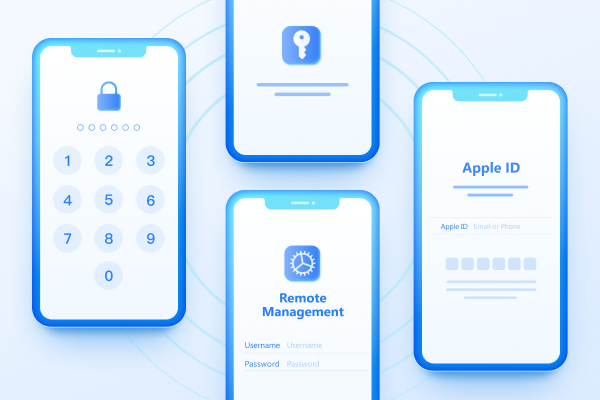
Easily Unlock iPhone passcode/Apple ID/iCloud Activation Lock/MDM
100% successful unlockShare this post


4uKey - One-Click Easy iPhone/iPad Unlocker
Unlock Screen Lock/Apple ID/MDM/Screen Time Passcode Instantly
Easy iPhone/iPad Unlocker
Unlock iPhone Passcode Instantly
By Jenefey Aaron
2026-09-28 / Unlock iPhone