

 iOS Tips & Latest Updates
 Bug Fixes, Unlock Guides
 Giveaways & Freebies


4uKey - One-Click Easy iPhone/iPad Unlocker
Unlock Screen Lock/Apple ID/MDM/Screen Time Passcode Instantly
Easy iPhone/iPad Unlocker
Unlock iPhone Passcode Instantly
Mobile Device Management (MDM) is a technology that organizations use to remotely control and monitor devices. Schools lock down student iPads. Companies restrict employee phones. IT departments push configurations, block apps, and enforce policies, all without touching the device physically.
That level of control makes sense in a managed environment. But what happens when you buy a used iPhone still tied to a company's system? Or leave a job, and your personal device still has corporate restrictions on it? Here are the 7 top MDM removal tools for iPhone and Android.

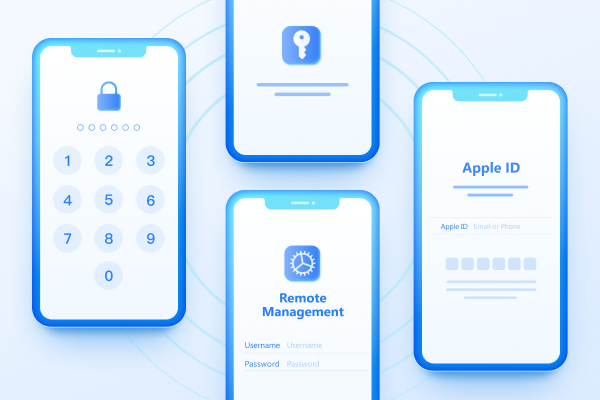
When MDM is active on a device, it can restrict app installations, enforce passcode requirements, block websites, monitor location, remotely wipe data, and prevent users from changing system settings. On iPhones and iPads, this often shows up as a "Remote Management" screen during setup that you can't skip without credentials.
The problem is that many users end up with MDM-locked devices they have every right to use freely. But they just don't have the admin password to remove it themselves.
Most common reasons why people need to use MDM tools:
If you don't remove MDM, these issues can arise:
 Please swipe to view
Tenorshare 4uKey is consistently the most recommended MDM bypass tool for iPhone and iPad users. It's designed for people with no technical background --- the interface guides you through each step without requiring any expert knowledge. You don't need the admin password, the MDM login credentials, or any information about who managed the device. Just connect your device and follow the prompts.
Key Features




Supported Devices: Work on iPhone, iPad, and iPod Touch. Supports iOS 10.3 and later, including current iOS versions and the latest iPhone models.
Pricing: $35.95 for one month, $59.95 for one year, or $75.95 for a lifetime license. A trial version is available but limited in functionality.
Pros
Cons
Users who want a reliable, easy-to-use tool and are willing to pay for a smooth experience. Ideal for first-time users or anyone dealing with MDM as a one-time problem.
3uTools is a free, all-in-one iOS utility that includes a feature for skipping the Remote Management screen during device activation. It's the only genuinely free tool in this category, which makes it appealing on the surface. But its limitations are significant enough that it's only worth trying in very specific circumstances.

Key Features:
Supported Devices: Compatible with older iPhone and iPad models running iOS 13 and below. It does not reliably support iOS 14 or any version released after that, which significantly limits its usefulness in 2026.
Pricing: Completely free with no paid tiers or in-app purchases.
Pros
Cons
Best For
Users with older devices running iOS 13 or below who want a free option and understand they're getting a temporary workaround rather than a full removal. You can also use it as Samsung MDM rmeoval tool.
TunesKit iPhone Unlocker strikes a solid balance between affordability and performance. It's priced slightly lower than several competitors while offering a reported 99% success rate for removing both MDM profiles and Remote Management screens. It also supports the latest iOS versions, which many cheaper or older tools fail to do.

Key Features:
Supported Devices: Supports iPhone, iPad, and iPod Touch running iOS 12 through iOS 18. Fully compatible with iPhone 15 and iPhone 16 series.
Pricing: Free trial available, but it doesn't enable the MDM bypass feature. Paid licenses start at $34.95 per month, $49.95 per year, or $59.95 for lifetime access.
Pros
Cons
Best For
Users who want reliable performance at a slightly lower price point than premium tools. Good choice for anyone with a recent iPhone or iOS 18 device.
iActivate takes a focused approach that the other tools on this list don't --- it does one thing only, which is removing MDM from Apple devices. There are no bundled extras, no data recovery features, and no passcode tools. If you need MDM removed and nothing else, that focus can be an advantage. But it comes with a critical limitation worth understanding before you buy.

Key Features
Supported Devices: Supports all iPhone and iPad models. Compatible with both Windows and Mac platforms.
Pricing: Flat one-time fee of $45. No subscription required.
Pros
Cons
Best For
Users who need a one-time MDM fix on a device they don't plan to reset, and who prefer a flat fee over a subscription.
Dr.Fone by Wondershare is one of the most recognized names in iOS recovery and unlocking software. The Screen Unlock module specifically handles MDM bypass alongside a range of other lock removal features. It has a strong track record and a high success rate, and it's available on both major desktop platforms. The main trade-off is cost. It's one of the pricier options here, especially on a monthly plan.

Key Features:
Supported Devices: Compatible with iPhone, iPad, and iPod Touch across most iOS versions. Supports both Windows and Mac.
Pricing: $39.95 per month, $66.95 per year, or $79.95 for lifetime access. One of the more expensive tools in this category.
Pros
Cons
Best For
Users who need MDM removal as part of a broader set of iOS troubleshooting needs, or who already use Dr.Fone for other purposes and want to keep everything in one place.
AnyUnlock is a clean, well-organized iOS unlock tool that covers MDM removal among several other lock types. Its interface is notably polished compared to some older tools in this category, and it handles the removal process without asking for any login credentials. Your data stays intact throughout. It's a solid option, though it has a specific requirement that limits who can use it effectively.

Key Features:
Supported Devices: Supports iPhone, iPad, and iPod Touch on both Windows and Mac platforms.
Pricing $35.99 per month, $39.99 per year, or $59.99 for lifetime access.
Pros
Cons
Best For
Users whose device is stuck on the Remote Management screen and who want a clean, guided experience without a steep learning curve.
UnlockGo by iToolab is built for users who need to deal with more than one type of device lock at once. Rather than focusing purely on MDM, it addresses a wide range of scenarios --- activation lock, forgotten passcodes, Screen Time restrictions, Apple ID removal, and MDM bypass --- all within a single polished interface. It's a well-rounded tool, though the price is higher than the midrange options.

Key Features:
Supported Devices: Compatible with iPhone, iPad, and iPod Touch. Supports both Windows and Mac operating systems.
Pricing: Paid tool. Exact pricing tiers vary --- check the official site for current rates.
Pros and Cons
Pros
Cons
Best For
Users who need to resolve multiple lock types on the same device and want a single tool that handles everything cleanly.
You can remove MDM from your iPhone/iPad using 4uKey in just a few minutes by following a simple process on your computer.
Download and install 4uKey on your computer, then open it and select "Bypass MDM" from the main screen.

Use a USB cable to connect your iPhone/iPad/iPod Touch and tap Trust This Computer if prompted.

Click Start after the device is detected. Make sure Find My iPhone is turned off and keep the device connected.

The tool will remove the MDM lock in a few seconds. Your device will restart, and no data will be lost.

Yes, you can remove an MDM profile with a password if the organization allows local removal.
Official Methods:


That depends on how the device was enrolled in the first place. If MDM was manually installed as a configuration profile, removing it through a third-party tool or through Settings is permanent. The profile is gone and won't return. This is why you should try the best MDM removal tool.
If the device was enrolled through Apple Business Manager or Apple School Manager, the enrollment record lives on Apple's servers --- not on the device itself. In that case, a bypass tool removes the visible restrictions, but a factory reset will trigger automatic re-enrollment during device setup. For genuinely permanent removal in this scenario, the device needs to be released from the organization's MDM platform by someone with admin access.
On a device you personally own, removing MDM is generally your right. If you installed the profile yourself, bought the device outright, or received it without any contractual restrictions, you're within your rights to remove management software from it.
The situation changes with company-owned or institutionally managed devices. Removing MDM from an employer's device without authorization could violate your employment contract, acceptable use policies, or, in some jurisdictions, computer access laws. If there's any doubt about device ownership, clarify with the issuing organization before proceeding.
Yes. All the tools reviewed here work without jailbreaking the device. Modern MDM bypass methods operate at the profile level and don't require any system-level access.
Not if the device was enrolled through Apple Business Manager or Android zero-touch enrollment. The device re-enrolls automatically on first setup after a reset. A reset only helps if MDM was installed manually as a local profile.
Yes. MDM servers monitor device check-ins, and a device that stops reporting will be flagged as non-compliant. System updates can also reactivate MDM enforcement if the bypass relied on patched system behavior.
Generally not for current devices. Free tools like 3uTools are outdated, don't support iOS 14 or later, and typically bypass rather than fully remove the profile. For modern iPhones, a paid tool is a much safer bet.
Tenorshare 4uKey reports success rates above 99% on supported devices. The results vary depending on iOS version, device model, and whether the MDM enrollment is server-side or profile-based.
Looking for a reliable MDM removal tool? Overall, Tenorshare 4uKey offers the best overall combination of reliability, ease of use, and reasonable pricing. Whichever tool you choose, always verify device ownership before proceeding, and go through official channels first if admin credentials are accessible.


Tenorshare 4uKey - Best iPhone Unlocker






then write your review
Leave a Comment
Create your review for Tenorshare articles
Easily Unlock iPhone passcode/Apple ID/iCloud Activation Lock/MDM
100% successful unlockShare this post


4uKey - One-Click Easy iPhone/iPad Unlocker
Unlock Screen Lock/Apple ID/MDM/Screen Time Passcode Instantly
Easy iPhone/iPad Unlocker
Unlock iPhone Passcode Instantly
By Jenefey Aaron
2026-09-28 / Unlock iPhone