

 iOS Tips & Latest Updates
 Bug Fixes, Unlock Guides
 Giveaways & Freebies


4uKey - One-Click Easy iPhone/iPad Unlocker
Unlock Screen Lock/Apple ID/MDM/Screen Time Passcode Instantly
Easy iPhone/iPad Unlocker
Unlock iPhone Passcode Instantly
Baseball Bros is a browser-based baseball game that lets you jump into fast-paced matches without downloading a desktop game. However, schools may block gaming websites through network filters, managed browser settings, or device restrictions to minimize distractions during class. If you're searching for Baseball Bros unblocked at school, the right solution depends on what's preventing access. For iPhone and iPad users, Tenorshare 4uKey offers Screen Time Passcode Removal and MDM-related features for supported device-level scenarios. These features cannot bypass school Wi-Fi filters, so identifying the source of the restriction is the first step toward finding the right solution.

 Please swipe to view
Before trying different ways to access Baseball Bros, determine whether the problem comes from the school network, your browser, or your device settings. These restrictions work differently, so a solution that addresses one problem may not help with another.
If Baseball Bros won't open on a school computer or Chromebook, the school's network filter may be blocking the website. Schools often restrict gaming sites to reduce distractions and keep students focused on coursework.
Start by checking whether other websites load normally. If your internet connection works but Baseball Bros remains inaccessible, the game may be restricted by the network or unavailable temporarily.
You can also check the game's official website to make sure you're using the correct address.
If the school network intentionally blocks the game, refreshing the page or changing browser settings won't necessarily help. Follow your school's internet usage policy or ask the administrator whether access is permitted.
If you're trying to open Baseball Bros on your personal iPhone or iPad, Screen Time settings may restrict access to certain websites or web content.
To review the settings:
If you've forgotten your Screen Time passcode and cannot change your own settings, Tenorshare 4uKey includes a Remove Screen Time Passcode feature for supported devices. If the restrictions were set by a parent or another administrator, ask them to review the settings before attempting to change them.


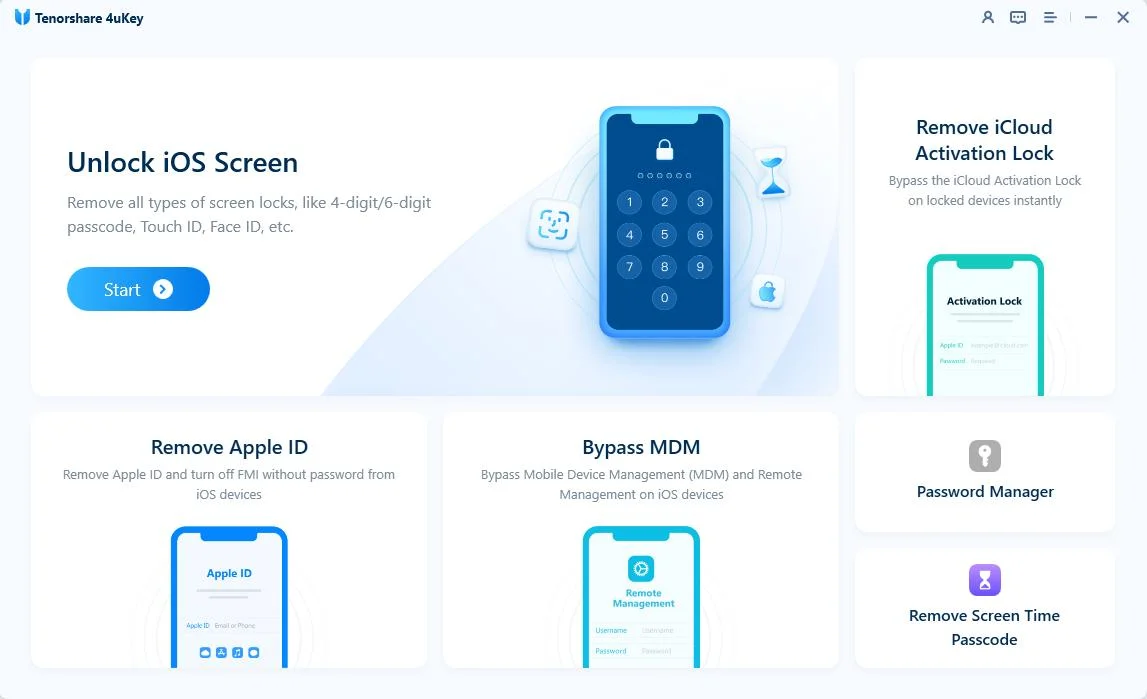


Removing a Screen Time passcode does not remove a website block imposed by your school's Wi-Fi network.
Mobile Device Management (MDM) allows schools and organizations to configure and manage devices remotely. Depending on the policy, a managed iPhone or iPad may have restrictions that affect websites, apps, or device settings.
If you suspect that MDM is preventing access to Baseball Bros, contact the device administrator to confirm which restrictions are in place.
Tenorshare 4uKey also offers a Bypass MDM feature for supported scenarios. If you're troubleshooting an MDM lock on a personally owned device that you're authorized to manage, see the 4uKey bypass MDM guide for details.

If your iPhone or iPad belongs to your school or is managed by its IT department, consult the administrator before attempting to remove management restrictions.
MDM management and school network filtering are different. 4uKey's MDM feature does not unblock Baseball Bros when the website itself is blocked by a school firewall.
Not every loading problem is caused by school restrictions. A browser issue, unstable connection, or interfering extension can also prevent a browser game from starting.
Try these basic checks:
-Check for temporary issues: If the website itself is unavailable, you may need to try again later.
If the page remains blocked by your school's network or device policy, ordinary browser troubleshooting may not resolve the restriction.
Once you have access to the game website, you can start playing directly in your browser. You don't generally need to install a separate desktop game.
Open your browser and visit the official Baseball Bros website. If you're searching for the game through Google, check the destination URL before opening a result. Third-party websites may use similar names or advertise unblocked versions, but that doesn't mean they're the official game site.

After opening the official website:
If the page opens but the game doesn't start, return to the troubleshooting steps above.
Baseball Bros uses simple keyboard controls. According to the official website, you can use either the arrow keys or WASD to control your player.
Please swipe to view
The Spacebar performs different actions depending on what's happening in the game, so pay attention to the on-screen instructions and the current play.
Getting familiar with these controls before starting a match can help you react more quickly during gameplay.
If you're using a Chromebook, open Chrome and visit the official Baseball Bros website. Since the game runs in a browser, a separate desktop installation is generally unnecessary.
If the game doesn't start, try the following:
Baseball Bros recommends Chrome, but browser compatibility doesn't guarantee access on a school-managed Chromebook. School administrators may restrict gaming websites regardless of whether the browser can technically run the game.
If the website is intentionally blocked, follow your school's rules or ask the administrator about permitted access.
Schools may block Baseball Bros because gaming websites can distract students from lessons. They may use network filters, managed browser policies, or device restrictions to limit access. The exact reason depends on the school's policies and how its devices and network are configured.
Baseball Bros can be played through a compatible web browser, and the official website recommends Chrome. However, a school Chromebook may have administrative restrictions that prevent access to gaming websites.
No separate desktop game download is generally required. You can visit the official website and play through your browser, provided the site is accessible and your browser supports the game.
No. Tenorshare 4uKey cannot remove website blocks imposed by school Wi-Fi or network firewalls. Its Screen Time Passcode Removal and Bypass MDM features address specific device-level scenarios on supported iPhones and iPads, not general school internet restrictions.
Use the official game website rather than downloading files from unfamiliar third-party sites. Avoid installing unverified extensions or software advertised as a way to unlock games, and follow your school's device and internet policies.
If you're looking for Baseball Bros unblocked at school, start with the official game website and determine why access is restricted. Browser and connection problems may be straightforward to troubleshoot, while school network filters and device management policies require a different approach.
For personal iPhone and iPad users dealing with supported Screen Time or MDM-related restrictions, Tenorshare 4uKey may be relevant to those specific device issues. However, it cannot bypass school Wi-Fi filters or guarantee access to a blocked gaming website.


4uKey iTunes Backup - Best iPhone Backup Unlocker



then write your review
Leave a Comment
Create your review for Tenorshare articles
Easily Unlock iPhone passcode/Apple ID/iCloud Activation Lock/MDM
100% successful unlockShare this post


4uKey - One-Click Easy iPhone/iPad Unlocker
Unlock Screen Lock/Apple ID/MDM/Screen Time Passcode Instantly
Easy iPhone/iPad Unlocker
Unlock iPhone Passcode Instantly
By Jenefey Aaron
2026-11-03 / Unlock iPhone