
 iOS Tips & Latest Updates
 Bug Fixes, Unlock Guides
 Giveaways & Freebies
then write your review


4uKey - One-Click Easy iPhone/iPad Unlocker
Unlock Screen Lock/Apple ID/MDM/Screen Time Passcode Instantly
Easy iPhone/iPad Unlocker
Unlock iPhone Passcode Instantly
Getting locked out of your iOS device feels like hitting a brick wall. Maybe you forgot your passcode, you're stuck with an iCloud lock, or something's up with MDM or Screen Time restrictions. Sure, a lot of people turn to a popular tool like Tenorshare 4uKey to fix these issues. But you might look for a 4uKey alternative for personal preferences or other reasons.
Here, we've rounded up 7 of the best alternatives to 4uKey, both free and paid, for unlocking iOS devices. We'll share what each one does well, where they fall short, and what makes them prominent. That way, you can pick the tool you prefer!

Tenorshare 4uKey is a one-click tool to unlock iOS devices in case you've forgotten the passcode or bought a used device. It offers a 99% success rate in removing numerous types of screen locks and passcodes. Here's a glance at its features:




Here's an example of using Tenorshare 4uKey to remove the screen lock from your iPhone:
Download and install 4uKey on your PC or Mac. Then, execute the tool. Click "Start" beneath "Unlock iOS Screen."

Connect your iPhone to the computer with a USB cable. The software will detect your device automatically. If not detected, put the iPhone into Recovery Mode or DFU Mode by following the on-screen instructions.


Download the firmware package. Choose where to save it. Click "Download."

The tool will start removing the screen passcode automatically.

Once the passcode is removed, set up your iPhone as new (passcode, Touch ID, Face ID). Restore data from iTunes or iCloud backup if available.

While Tenorshare 4uKey is a powerful tool, many users want to look for alternatives for certain reasons. So, for them, we've shared 7 of the best options in 2026. For our evaluation purposes, we browsed through Reddit and other forums to look for tools that are popular among users. Then, we picked each tool based on certain criteria:
Here are the top 7 Tenorshare 4uKey alternative tools for iOS users in 2026, with their core features and pros and cons listed in detail:
Checkra1n is an open-source 4uKey alternative for free, with many bypass methods relying on public scripts found online. It uses a permanent hardware flaw in older iPhones (up to iPhone X), which allows a very deep jailbreak. The process is mostly done through command-line tools using Terminal and SSH, rather than a simple app.

Pros
Cons
BuhoUnlocker is a paid 4uKey alternative tool designed to help you unlock iOS devices you own when you're locked out. It can remove a forgotten screen passcode, sign out of an Apple ID without the password, and bypass MDM profiles from schools or workplaces. The tool can also reset a forgotten Screen Time passcode, while keeping your data intact.

Pros
Cons
Checkm8.info 4uKey alternative delivers several paid tools to bypass different Apple locks, including iCloud Activation Lock, MDM restrictions, and various Mac locks like firmware or system passwords. It also offers a free iCloud bypass. The tools provide wide device and computer support, include step-by-step guides, and come with customer support and guarantees.

Pros
Cons
TunesKit iPhone Unlocker is a single tool that helps fix frequent iPhone lock problems. It can unlock disabled devices, remove screen passcodes and MDM profiles, and reset a forgotten Screen Time passcode.

Pros
Cons
Aiseesoft iPhone Unlocker is a 4uKey free alternative popular on Reddit for Windows and Mac users. It can remove screen and Screen Time passcodes, bypass MDM restrictions, unlock encrypted iTunes backups, and remove SIM carrier locks that block network use.

Pros
Cons
iMyFone LockWiper is an easy-to-use unlocking tool for the iOS device you own. It can remove passcodes, biometric locks, and MDM profiles. However, it does not support removing iCloud Activation Lock on iPhones.

Pros
Cons
The AT&T Unlock Portal is an online platform that allows you to submit an unlock request, and track its status. To use it, your iPhone must have been bought from AT&T over 60 days ago, be fully paid off, not be linked to another account, and not be reported lost or stolen. Prepaid devices must have at least six months of paid service. Eligible requests are often processed automatically through the portal.

Pros
Cons
While there are several Tenorshare 4uKey alternative tools available, some free, some technical, and some limited, most come with restrictions, lower success rates, or higher risks. Compared to these options, 4uKey offers the best balance of ease of use, safety, device compatibility, and features. For most users who want a fast, beginner-friendly, and trusted unlocking tool, 4uKey is the recommended choice.


then write your review
Leave a Comment
Create your review for Tenorshare articles
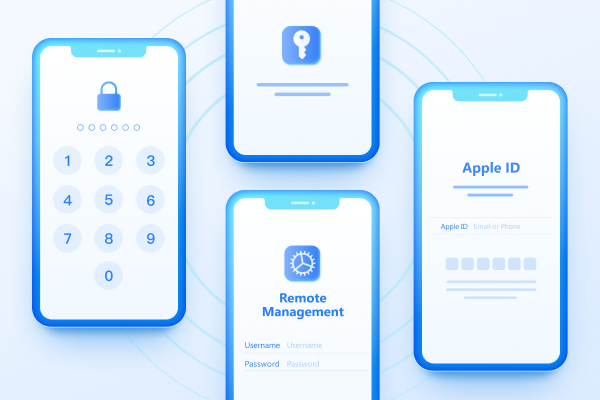
Easily Unlock iPhone passcode/Apple ID/iCloud Activation Lock/MDM
100% successful unlockShare this post


4uKey - One-Click Easy iPhone/iPad Unlocker
Unlock Screen Lock/Apple ID/MDM/Screen Time Passcode Instantly
Easy iPhone/iPad Unlocker
Unlock iPhone Passcode Instantly
By Jenefey Aaron
2026-10-26 / Unlock iPhone