After a factory reset, some REVVL 7 users may see a Google account
verification screen asking for the account previously synced on the device.
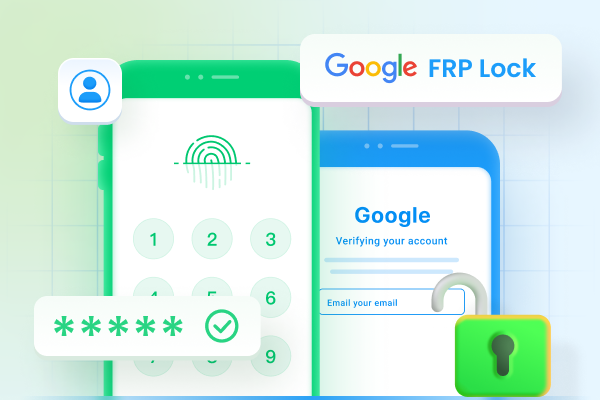
This means Factory Reset Protection (FRP) is active. FRP is designed to
protect Android phones from unauthorized access, but it can also lock out the
real owner who forgets their Google account details.
This revvl 7 frp bypass
guide explains why this happens and shows safe ways to remove the Google
verification screen. You will learn the official methods first, followed by
other available options when those methods do not work. We also explain what
to do when common bypass methods fail and how a dedicated revvl 7 frp bypass
unlock tool can help.
Part 1. Why Your REVVL 7 Is Asking for Google Verification
Factory Reset Protection is a security feature included in Android phones.
Google added it to stop other people from using a phone after it has been
reset without permission. When you sign in with a Google account on your
REVVL 7, the phone links that account to the device. If someone performs a
factory reset without removing the account first, the phone asks for the
same Google account during setup.
You may see this screen for several reasons.
You forgot your Google account password.
You purchased a used phone that still has the previous owner's account.
You reset your phone from Recovery Mode.
You changed your Google password recently.
The phone runs revvl 7 frp bypass android 14 security, which has stronger
FRP protection than older Android versions.
Many users search for t mobile revvl 7 frp bypass without pc free because
they hope to remove the Google lock without using a computer. While some
methods may work on certain software versions, many older tricks no longer
work after recent Android security updates. For this reason, it is always
best to try Google's official recovery options before using other methods.
Part 2. Official Ways to Unlock REVVL 7 FRP First
Before trying any bypass method, use Google's official recovery options.
These methods are safe, legal, and do not require extra software. If you
still have access to your Google account, you can usually complete the setup
without using a revvl 7 frp bypass unlock tool.
1. Use the Previously Synced Google Account
The easiest solution is to sign in with the Google account that was
connected to the phone before the factory reset. After connecting the phone
to Wi-Fi, enter the same Gmail address and password. If the information is
correct, Google verifies your identity and lets you continue with the setup.
This is the safest way to complete the revvl 7 frp bypass process because it
keeps your device secure and follows Google's security rules.
2. Recover Your Google Account on Another Device
If you cannot remember your password, recover your account before setting up
the phone. Use another phone, tablet, or computer to visit Google's Account
Recovery page. Verify your identity using your recovery email, phone number,
or other available options. Once Google confirms your account, create a new
password. For better results, wait about 24 hours after changing your
password before signing in on your REVVL 7. Google may temporarily delay
access after a password reset for security reasons.
3. Ask the Previous Owner to Remove the Account
If you bought a second-hand REVVL 7, contact the previous owner if possible.
Ask them to remove the device from their Google account. They can sign in to
their Google account from another device and remove the phone from their
connected devices list. After they do this, restart the phone and complete
the setup again. This method is much safer than downloading an unknown revvl
7 frp bypass apk from the internet.
4. Contact T-Mobile or Metro Support with Proof of Purchase
If you are the original owner but cannot recover your Google account,
contact your mobile carrier.
Provide proof that you own the phone, such as:
Purchase receipt
Device IMEI number
Account information
Photo identification if requested
Support teams may guide you through the next steps or recommend authorized
service options. This is also helpful if you are looking for a safe
alternative to t mobile revvl 7 frp bypass without pc free methods.
5. Why Factory Reset Alone Is Not Enough
Many users believe another factory reset will remove Google verification.
Unfortunately, that is not how FRP works. Factory Reset Protection stores
account information separately from your personal files. Resetting the
device again only erases user data. The Google verification remains active
until the correct account is entered or the FRP lock is removed through an
approved method. If none of these official methods work because you no
longer have access to the original account, you may need a reliable revvl 7
frp bypass unlock tool that supports modern Android devices, including revvl
7 frp bypass android 14 models.
Part 3. Best REVVL 7 FRP Bypass Method When No-PC Tricks Fail
When official methods fail and older tricks are blocked by new Android
security updates, a dedicated FRP removal tool can save time. This is
especially useful for users looking for revvl 7 frp bypass android 14, where
many older bypass methods no longer work. One popular option is
Tenorshare 4uKey for Android.
It helps users remove screen locks and bypass FRP on many Android brands
through a simple guided process. For anyone who needs a reliable revvl 7 frp
bypass unlock tool, this software is worth considering.
Why Choose Tenorshare 4uKey for Android?
Tenorshare 4uKey for Android supports many Android phones and regularly adds
support for newer Android versions. Its main features include:
Android Lock Screen Removal
The software can remove different screen locks, including passwords, PINs,
patterns, fingerprints, and Face ID on supported Android devices. This is
useful if you cannot access your phone because you forgot the screen lock.
The software can quickly bypass Samsung FRP without requiring the previous
Google account on supported Samsung devices, including newer Galaxy models
such as the S25 and S26 series.
Instant FRP Bypass
Besides Samsung, the software also supports FRP removal on several Android
brands, including Xiaomi, Redmi, Vivo,
OPPO, Realme, OnePlus, Huawei, and
Motorola. It works through guided steps, making the process easier for many users.
Data-Safe Unlocking
For some older Samsung models, the tool can remove the screen lock without
deleting user data. Available features depend on the phone model and Android
version.
How to Use Tenorshare 4uKey for Android
Follow these simple steps.
Install the Software
Download and install Tenorshare 4uKey for Android on your Windows computer
from the official website.
Connect Your REVVL 7
Open the software and connect your REVVL 7 using a USB cable. Wait until
the phone is detected.
Choose the FRP Removal Option
From the main screen, select the option for removing Google FRP. The
software will display instructions based on your device.
Follow the On-Screen Instructions
Complete each step shown by the software. The instructions may vary
depending on your Android version. Users with revvl 7 frp bypass android
14 should carefully follow the prompts because Android 14 includes
stronger security checks.
Complete the Setup
After the process finishes, restart the phone and complete the Android
setup. You should now be able to sign in with your own Google account.
If you need additional help with Google account removal, Tenorshare also
provides a detailed guide for removing Google accounts and handling
FRP-related issues on supported devices. Using trusted software is
generally much safer than downloading random revvl 7 frp bypass apk files
from unknown websites, which may contain outdated files, unwanted apps, or
security risks.
Part 4. Other REVVL 7 FRP Bypass Methods
Many users search for different ways to complete a revvl 7 frp bypass
without using paid software. While some methods have worked in the past,
Google regularly releases security updates that block many of these tricks.
If your REVVL 7 is running a newer Android version, your results may vary.
1. REVVL 7 FRP Bypass Without PC
Many users look for a mobile revvl 7 frp bypass without a pc free solution
because they only have access to the phone itself. Some methods use the
phone's settings or accessibility features to reach parts of the system
before Google verification. If your device has the latest security updates,
these methods may no longer work. Even when they do, the steps often change
after every Android update. This option is worth trying first, but do not
expect it to work on every REVVL 7.
2. REVVL 7 FRP Bypass APK
Another common option is using a revvl 7 frp bypass apk. These APK files are
designed to open device settings or help remove the Google account
verification screen. However, many APK files available online are outdated
because Google patches these methods through security updates.
Before installing any APK, keep these points in mind:
Download only from trusted sources.
Check whether the APK supports your Android version.
Avoid websites that ask you to install several unknown apps.
Be careful with files that request unnecessary permissions.
If the APK fails to open or install, your phone may have newer security
protection that blocks the method.
3. TalkBack Method
The TalkBack method uses Android's accessibility feature to reach hidden
menus during device setup. On some older Android versions, users could open
settings through TalkBack gestures and complete parts of the setup process.
Unfortunately, Google has fixed many of these shortcuts in recent Android
updates. If your REVVL 7 uses revvl 7 frp bypass android 14, there is a good
chance this method will not work.
4. SIM Card Trick
Some users also try the SIM card method. This trick usually involves
inserting a SIM card during setup and using notifications, contacts, or
messaging features to reach device settings. Like other older methods, its
success depends on the Android version and security patch installed on the
phone. Most newer REVVL 7 devices block this method after receiving security
updates.
5. ADB or Diagnostic Mode Methods
Advanced users sometimes use ADB commands or diagnostic mode tools to remove
FRP.
These methods usually require:
A Windows computer
USB debugging access
Correct ADB drivers
Technical knowledge
Since USB debugging is normally disabled on a locked phone, many users
cannot use this method successfully. A mistake during the process may also
create additional problems. For most users, a trusted revvl 7 frp bypass
unlock tool offers a much easier and safer option than trying advanced
command-line methods.
Part 5. REVVL 7 FRP Bypass Not Working? Check These Fixes
Sometimes even the correct method does not work on the first try. New
Android security updates, network problems, or device settings can stop the
bypass process. If your revvl 7 frp bypass attempt fails, try the following
fixes before starting again.
1. The Phone Still Asks for the Old Google Account
If the setup screen continues to request the previous Google account, the
FRP lock is still active. Make sure you are entering the correct Google
account that was linked to the phone before the factory reset. If you
recently changed your password, wait at least 24 hours before signing in
again. If you purchased the phone from someone else, ask the previous owner
to remove the device from their Google account.
2. Wi-Fi Is Connected but Verification Fails
A stable internet connection is required for Google verification.
If verification keeps failing:
Restart your Wi-Fi router.
Connect to another Wi-Fi network.
Try using a mobile hotspot.
Restart the phone and try again.
Network problems can interrupt Google's verification process and make it
appear that the bypass method is not working.
3. The APK Method Is Blocked
Many users find that a revvl 7 frp bypass apk no longer opens or installs.
This usually happens because newer Android security patches block older APK
files. Instead of downloading random files from different websites, use an
updated method that supports your phone's Android version. If your device
runs revvl 7 frp bypass android 14, older APK files are much less likely to
work.
4. The PC Tool Cannot Detect REVVL 7
If your computer does not recognize the phone, check these simple things:
Use the original USB cable if possible.
Try another USB port.
Install the correct Android USB drivers.
Restart both the phone and the computer.
Update the FRP software to the latest version.
Most connection problems are caused by USB drivers or damaged charging
cables.
5. The Phone Is Second-Hand
If you bought a used REVVL 7, the previous owner's Google account may still
be linked to the device. The best solution is to contact the seller and ask
them to remove the phone from their Google account. If that is not possible,
you may need a trusted revvl 7 frp bypass unlock tool that supports your
device and Android version.
FAQs About REVVL 7 FRP Bypass
1. Can I do REVVL 7 FRP bypass without a PC?
Yes, some users try t mobile revvl 7 frp bypass without pc free methods
using accessibility features or APK files. However, these methods do not
work on every software version, especially after recent Android security
updates.
2. Is REVVL 7 FRP bypass legal?
Yes, removing FRP is generally legal if you own the phone or have permission
from the owner. It should never be used to access someone else's device
without authorization.
3. Why does my REVVL 7 still ask for the previous Google account?
This happens because Factory Reset Protection is still active. The phone
requires the Google account that was linked before the factory reset unless
the account is properly removed or the FRP lock is cleared using a supported
method.
4. Will REVVL 7 FRP bypass erase my data?
A factory reset usually removes your personal files before FRP appears. Some
FRP removal tools may erase additional data during the process, while
certain supported Samsung models can keep existing data. Always read the
software instructions before starting.
Conclusion
Getting stuck on the Google verification screen can be frustrating, and this
revvl 7 frp bypass guide gives you several safe ways to regain access to your
phone. Always begin with Google's official recovery options because they are
the safest solution. When those methods do not work, you can try other
available options based on your device and Android version.
Users looking for
t mobile revvl 7 frp bypass without pc free methods or a revvl 7 frp bypass
apk should remember that many older tricks no longer work on revvl 7 frp
bypass android 14 due to newer security updates. For a simpler and more
reliable solution,
Tenorshare 4uKey for Android
is a recommended revvl 7 frp bypass unlock tool that supports many Android
devices and provides clear step-by-step guidance to help remove FRP safely.










 iOS Tips & Latest Updates
 Bug Fixes, Unlock Guides
 Giveaways & Freebies





By Jenefey Aaron
2026-10-14 / Unlock Android