

 iOS Tips & Latest Updates
 Bug Fixes, Unlock Guides
 Giveaways & Freebies


4uKey - One-Click Easy iPhone/iPad Unlocker
Unlock Screen Lock/Apple ID/MDM/Screen Time Passcode Instantly
Easy iPhone/iPad Unlocker
Unlock iPhone Passcode Instantly
A locked iPhone can feel like a nightmare, especially after an iOS 27 update changes everything. Forgotten passcodes can block access instantly. Activation screens may get stuck without warning. Unexpected security locks can also shut you out of your own device.
The right iOS 27 bypass method can bring your iPhone back in minutes. This guide covers the simplest and fastest ways to unlock your device. No tech skills are required. There are no confusing steps to follow. Just clear, practical solutions that actually work.

Not every iPhone lock is the same and using the wrong fix wastes your time. Before jumping into any iOS 27 bypass method, take 30 seconds to identify exactly what kind of lock you're dealing with. Here are the most common types:
1.Passcode Lock
You forgot your 4-digit or 6-digit PIN. Your iPhone shows "iPhone is Disabled" or gives you a countdown timer before the next attempt.
2.Activation Lock (iCloud Lock)
Your iPhone is asking for an Apple ID and password on the setup screen. This usually happens after a factory reset or buying a second-hand device.
3.Apple ID Lock
You're signed out of your Apple ID or can't remember the password linked to your device.
4.MDM Profile Lock
Your iPhone was managed by a school, company, or organization and still has restrictions active.
5.Screen Time Passcode Lock
A Screen Time passcode is blocking access to settings, apps, or features --- and you can't remember it.
6.Find My iPhone Enabled
You or a previous owner has Find My iPhone turned on, which is blocking a reset or unlock.
Tenorshare 4uKey is a powerful all-in-one iOS unlock tool designed to help users regain access to locked iPhones and iPads in simple steps. It supports iOS/iPadOS 27 and offers a wide range of unlocking solutions for different lock scenarios.
Whether you are stuck on a passcode screen, Activation Lock, Apple ID issue, or MDM restriction, 4uKey provides a fast and reliable fix. It works without requiring advanced technical skills, making it simple for anyone to use. . Its one-click process makes it one of the most user-friendly unlocking tools available for iOS devices.
Key Features of 4uKey iPhone Unlocker:




Step-by-Step Guide to bypass iOS 27 lock:
Install Tenorshare 4uKey on your Windows or Mac computer and launch the program. Click "Start" to begin the unlocking process.

Use a USB cable to connect your iPhone or iPad to the computer. The software will detect your device automatically. If not, use Recovery Mode or DFU Mode.

Select a location and download the required firmware package. Ensure your computer has enough storage space before starting.

Once the firmware is ready, click "Start Unlock." The tool will begin removing the screen lock automatically.

After successful unlocking, your device will restart. You can now set it up as new or restore from a backup.

An iOS 27 bypass free method is possible in some cases without using a computer. However, it has clear limitations. It only works when your device shows built-in reset options on the lock screen. It also requires an active internet connection and enabled "Find My iPhone." If these conditions are not met, the method will not appear.
Method: Lock Screen "Erase iPhone" Option
Erase iphone is the most direct way for ios 26 unlock and newer devices when locked out.
Steps:


Apple also provides official methods for iOS 27 bypass situations. These methods are safe but depend on your Apple ID access. The main limitation is that you must know your Apple ID password. Without it, activation lock cannot be removed.
Method: iCloud Find My Erase Option
This is the official Apple way for ios 26 unlock and device recovery.
Steps to bypass ios 26 activation lock:

5.A device control panel will open, showing available actions such as Play Sound, Lost Mode, and Erase iPhone.


Not every iOS 27 bypass method you find online is safe. Many are outdated, fake, or risky. Some can even damage your device or steal your data. Here are the main ones you should avoid.
Yes, but only in some situations. If your iPhone shows options like "Erase iPhone" or "Forgot Passcode?", you can reset it directly from the lock screen. You can also use iCloud Find My from any browser. Still, both methods need an active internet connection and your Apple ID.
No, in most cases. A full iOS 27 bypass requires resetting the iPhone, which deletes all data. Apple does this for security reasons. You can only do without losing data with tenorshare 4ukey tool.
This is a difficult situation. First, try Apple's recovery page at Apple Account Recovery to reset your Apple ID. If you cannot recover it, the iPhone will stay locked due to Activation Lock, and Apple Support will be needed.
An iOS 27 bypass is not always simple, especially when your iPhone is locked by passcode, Apple ID, or Activation Lock. Apple's official methods can help, but they often depend on credentials and may erase your data. That's why many users look for easier solutions. Tenorshare 4uKey offers a straightforward way to handle different iOS lock issues in a few steps.


Tenorshare 4uKey - Best iPhone Unlocker






then write your review
Leave a Comment
Create your review for Tenorshare articles
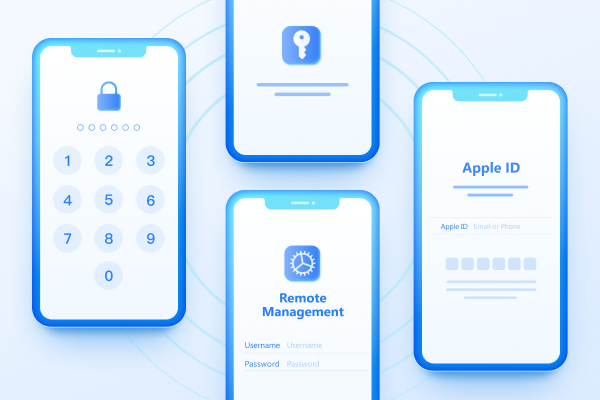
Easily Unlock iPhone passcode/Apple ID/iCloud Activation Lock/MDM
100% successful unlockShare this post


4uKey - One-Click Easy iPhone/iPad Unlocker
Unlock Screen Lock/Apple ID/MDM/Screen Time Passcode Instantly
Easy iPhone/iPad Unlocker
Unlock iPhone Passcode Instantly
By Jenefey Aaron
2026-09-28 / Unlock iPhone