Apple hasn't shipped an iPhone 18 yet. The iPhone 18 Pro and Pro Max are
expected on September 9, 2026, with the
standard iPhone 18 following in spring 2027. So there's no official "iPhone 18 wallpaper" pack yet. Apple only releases
new stock wallpapers when devices ship.
Every new iPhone ships with a fresh batch of dynamic and static wallpapers
baked into iOS, not downloaded separately. Since the iPhone 18 Pro and 18
Pro Max will launch with
iOS 27, the iPhone 18 wallpaper options that matter most are those already on the
device. Alongside them, there's a healthy ecosystem of official wallpapers
from past iPhones and fan-made 4K reproductions worth knowing about:
iOS 27's built-in wallpaper gallery includes Apple's current iPhone 18
wallpapers in HD and 4K, including Astronomy, Weather, Color, and layered
depth effects. These are the same files that will populate a fresh iPhone 18
on day one, since Apple doesn't tie its wallpaper library to a specific
chassis. Other than that, here are some iPhone 18 wallpaper 4K samples you
can download:
Historically, Apple ships Pro models with at least one exclusive dynamic
wallpaper matched to the year's finishes. Credible leaks point to
"deep cherry," light blue, dark gray, and silver
for the iPhone 18 Pro, likely bringing color-matched wallpaper variants.
Until then, the closest legitimate iPhone 18 Pro wallpaper option is the
iPhone 17 Pro's official set. It uses the same design language and should
look native on the new hardware.
There are also many popular sites, like
Pinterest,
Wallpapers Central,
iClarified,
AppleWalls, and
iDownloadBlog. They offer free, high-resolution iPhone 18 Pro and iPhone 18 Pro Max
wallpaper options. Here are some wallpapers you can download:
If you want an iPhone 18 Pro Max wallpaper 4K set in bulk, sites like
Wallpapers Central offer themed collections. For instance, you can download
Christmas-, Easter-, etc., themed options or official iOS stock wallpapers
for iOS 27 and older iPhones.
But avoid "complete collection.zip" downloads that require surveys, browser
extensions, or app installs. They're common SEO-bait traps around iPhone
launches. Here are some wallpapers from themed collections:
Once you've got the iPhone 18 wallpapers you want, actually setting them up
takes under a minute either on-device or from a computer. Here's how to do
that:
This is the fastest route if the image is already saved to your Photos app
or downloaded through Safari:
Save your chosen wallpaper to the "Photos" app (tap and hold the image in
Safari or "Messages," then "Add to Photos").
Open "Settings." Choose "Wallpaper." Tap "Add New Wallpaper." Select
"Photos," then choose your saved image.
Pinch to zoom or drag to reposition the image inside the frame. Click
"Add," then choose whether it applies to your Lock Screen, Home Screen, or
both.
Download the Wallpaper on a Computer
You might want to curate a batch of wallpapers on a laptop before moving
them to your phone. This is common if you're pulling from a collection. So,
do this first:
Download the wallpaper images to a dedicated folder on your PC or Mac.
Check the resolution matches your model: 2622 x 1206 px for iPhone 18/18
Pro, and 2868 x 1320 px for iPhone 18 Pro Max, based on current display
specifications.
Rename files if you're batching multiple wallpapers, so they're easy to
locate once transferred.
Connect your iPhone via cable or use "AirDrop/iCloud Photos" to move the files across.
Once the images land in your iPhone's "Photos" app, follow the on-device
steps above to apply your desired wallpaper.
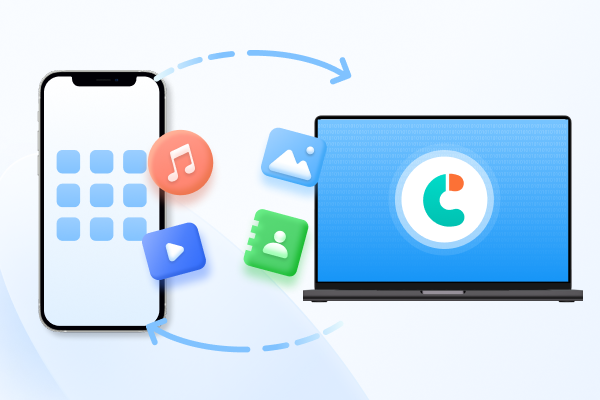
Part 3: Create and Transfer Wallpapers with iCareFone without iTunes
When you want to skip iCloud syncing or avoid cluttering the Camera Roll on
your iPhone 18,
Tenorshare iCareFone
lets you transfer wallpapers to your computer without using iTunes. It's
faster than iTunes, doesn't require a WiFi connection, and is useful for
batch-transferring curated 4K wallpaper to a computer for editing or
safekeeping. Here's what more iCareFone offers:
Transfer Data:
1-click transfer of photos
(including wallpapers you've saved) from iPhone to PC or Mac, without
going through iCloud.
Manage Data: Transfer and manage contacts, music, videos,
and messages between iPhone/iPad and PC/Mac from one interface.
Download App: Download apps that aren't available in your
region's App Store, such as BGMI or TikTok.
HEIC Converter: Batch-convert HEIC images to JPG in one
click, useful if a wallpaper source only provides HEIC files that aren't
compatible with the tool you're using to edit them.
Free Features: iPhone backup, developer mode access,
iPhone testing tools, and an
AI wallpaper generator
(Mac only).
Here's a step-by-step transfer process of using iCareFone to move wallpapers
from your iPhone to your computer:
Download and install iCareFone on your PC or Mac. Then, connect your
iPhone 18.
If prompted to "Trust This Computer," unlock your device and enter the
passcode. Once detected, select "Export Photos" from the main interface.
Select the photos you want and use one-click transfer to export them. Open
the exported photos folder to access your transferred images.
FAQ About iPhone 18 Wallpapers
Where can I download the official iPhone 18 wallpaper?
There isn't one yet. Apple releases new stock wallpapers with the hardware.
The iPhone 18 Pro/Pro Max are expected in September 2026, with the standard
iPhone 18 following in spring 2027. Once released, the wallpapers will
appear in iOS 27 and on Apple's official site.
What is the official iPhone 18 wallpaper resolution?
Based on current display specs, expect about 2622 x 1206 px for the iPhone
18/18 Pro and 2868 x 1320 px for the 18 Pro Max, matching the iPhone 17
generation.
Are there different wallpapers for iPhone 18 and iPhone 18 Pro?
Almost certainly, at launch. Apple typically gives Pro models exclusive
dynamic wallpapers matched to their finishes. The rumored deep cherry, light
blue, dark gray, and silver iPhone 18 Pro colors suggest color-matched
variants are likely.
Can I use an iPhone 18 wallpaper on an older iPhone?
Yes, if the older device runs iOS 16 or later. Static wallpapers work
universally, while dynamic or Perspective Zoom wallpapers may lose motion
effects on unsupported models but still display as still images.
How can I download an iPhone 18 wallpaper without losing quality?
Save directly from the source instead of taking a screenshot, which
compresses the image. Use "Save Image" from Apple's product pages or a
verified third-party source, and check the resolution before applying it to
avoid a soft, upscaled result.
Conclusion
The iPhone 18 Pro/Pro Max hasn't launched, so there's no official iPhone 18
wallpaper pack yet. But between iOS 27's built-in gallery, legitimately
sourced Apple wallpapers, and credible 4K renders based on confirmed leaks,
you have plenty of options. When you're ready to build a wallpaper library,
Tenorshare iCareFone
offers a cleaner way to transfer bulk images without iTunes or full-library
syncing.










 iOS Tips & Latest Updates
 Bug Fixes, Unlock Guides
 Giveaways & Freebies





By Jenefey Aaron
2026-10-26 / iPhone 18