

 iOS Tips & Latest Updates
 Bug Fixes, Unlock Guides
 Giveaways & Freebies


UltData - Best iPhone Data Recovery Tool
Recover Deleted & Lost Data from iOS Devices Easily, No Backup Needed!
UltData: Best iPhone Recovery Tool
Recover Lost iPhone Data without Backup
Accidentally deleting photos, messages, contacts, or other important files on your iPhone Duo can be frustrating. Whether you removed something by mistake or lost data after transferring files, updating iOS, or cleaning up storage, there are several ways to get your data back.
If you want to recover deleted data from iPhone Duo , start by checking Apple's built-in recovery options, including Recently Deleted folders and iCloud backups. If these methods don't work, a dedicated iPhone data recovery tool like Tenorshare UltData may help you find and recover supported data.
In this guide, we'll explain how to recover deleted data from iPhone Duo step by step.

Before trying more advanced recovery methods, check whether your deleted files are still available in their respective Recently Deleted folders. Many Apple apps temporarily keep deleted content before permanently removing it.
If you accidentally deleted pictures or videos, follow these steps:
Deleted photos and videos are generally kept in Recently Deleted for up to 30 days. If the files are no longer there, or you permanently deleted them, move on to the next method.
For deleted messages, open the Messages app and look for the Recently Deleted option, if available. Select the conversations you want to restore and follow the on-screen instructions.
For files stored in the Files app, open Browse, navigate to Recently Deleted, select the items, and tap Recover.
Keep in mind that not every type of data has a Recently Deleted folder. If your deleted information is unavailable, check whether you have an existing backup.
If you previously enabled iCloud synchronization or created an iCloud backup, you may be able to recover your missing data without third-party software.
Some types of data, such as photos, contacts, and notes, may sync with iCloud automatically when the relevant settings are enabled.
If your photos or contacts were synced with iCloud, also check the corresponding data on the iCloud website. However, deleting synchronized content on one device may also delete it from iCloud and other connected devices.

If the missing data was included in an iCloud backup created before deletion, restoring that backup may bring it back.
Before proceeding, check the date of your available backup under Settings > Apple Account > iCloud > iCloud Backup. Make sure the backup predates the data loss.
Apple's standard iCloud backup restoration process generally requires erasing the iPhone before selecting a backup during setup. This can replace current device data with the backed-up state, so back up any newer information first.
If you don't want to erase your iPhone Duo or replace its current contents, consider a more selective recovery option.

When deleted files are missing from Recently Deleted and you cannot find a suitable backup, Tenorshare UltData for iPhone is another option worth considering for iPhone data recovery .
This iPhone data recovery software is designed to help users recover supported iPhone data, including photos, messages, contacts, notes, and other file types. Depending on the data type and recovery scenario, it may also help retrieve supported app data.




Unlike a full-device backup restoration, UltData offers recovery workflows that let you preview available data and select specific items. This can be useful if you only need to recover a few deleted files rather than restore your entire iPhone Duo.
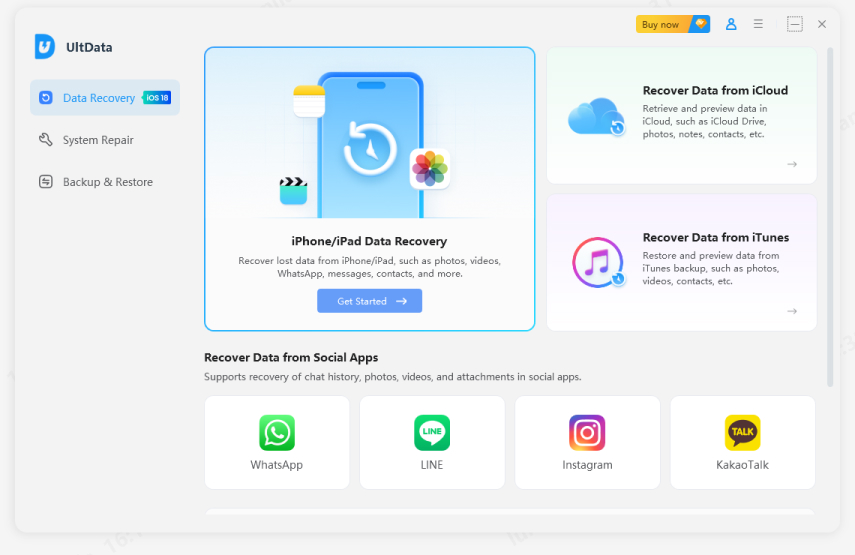
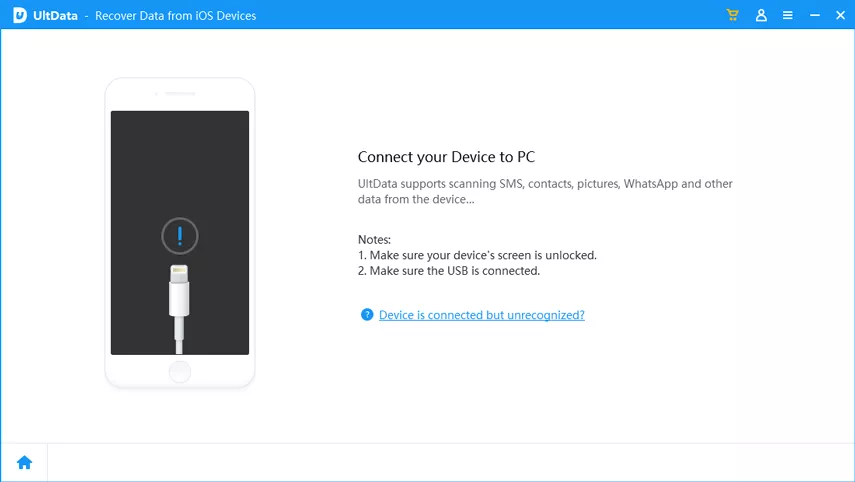
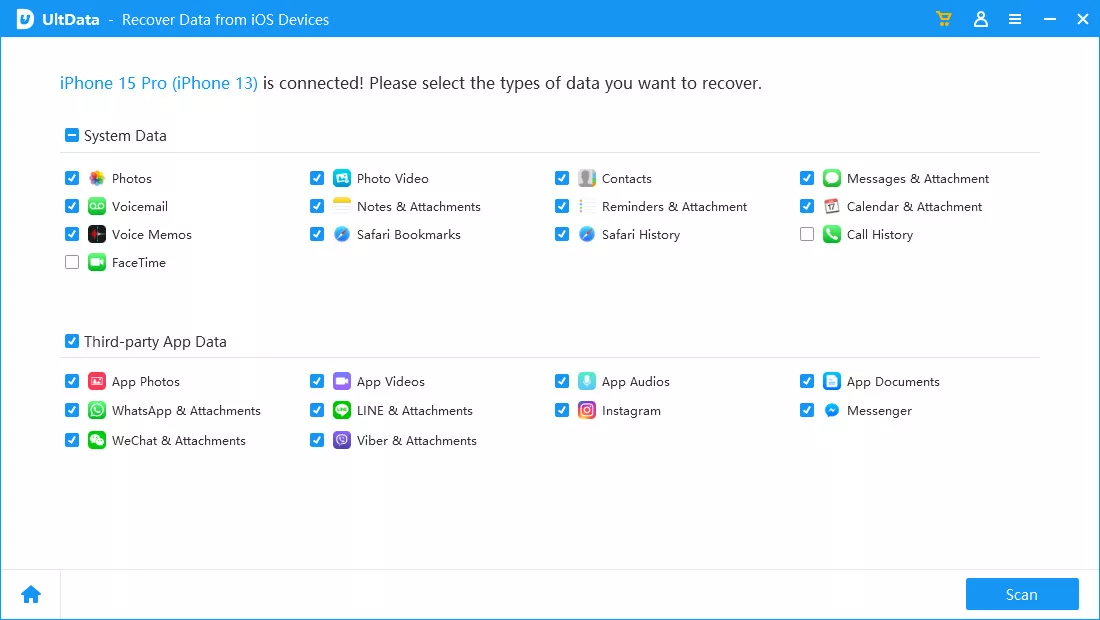
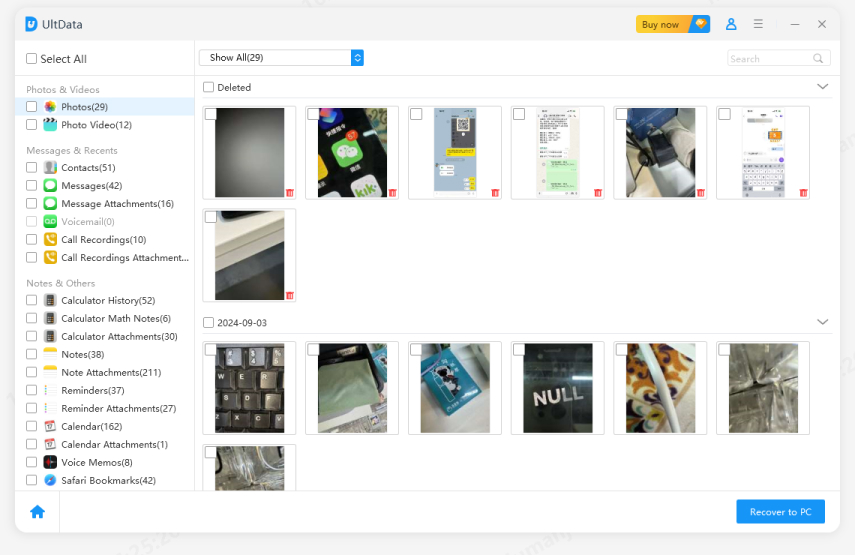
The availability of recoverable data depends on factors such as the data type, iOS version, backup status, and whether the deleted information has been overwritten or remains accessible. No recovery tool can guarantee that every permanently deleted file will be recovered.
Why Choose UltData?
If you are searching for an iPhone Duo Data Recovery solution, UltData provides an alternative to restoring an entire iCloud backup. You can check supported data types, preview available results, and focus on the files you actually need.
Download Tenorshare UltData from the official website to check whether it supports your recovery scenario.
If you still cannot find your missing files, take these precautions before trying additional recovery methods:
If the files are important, check available recovery options before resetting the device or restoring a backup.
There are several ways to recover deleted data from iPhone Duo , depending on what you deleted and whether a backup is available. Start with Recently Deleted folders, then check iCloud synchronization and backups. These built-in options are usually the safest places to begin.
If Apple's methods cannot find your missing files, Tenorshare UltData offers another way to scan supported data sources, preview recoverable items, and select specific files. Although recovery is not guaranteed, checking the available results may help you determine whether your deleted data can still be retrieved.
Act promptly, avoid unnecessary changes to your device, and choose the recovery method that best fits your situation.


UltData - Best iPhone Data Recovery Software






then write your review
Leave a Comment
Create your review for Tenorshare articles

Share this post


UltData - Best iPhone Data Recovery Tool
Recover Deleted & Lost Data from iOS Devices Easily, No Backup Needed!
UltData: Best iPhone Recovery Tool
Recover Lost iPhone Data without Backup
By Jenefey Aaron
2026-10-26 / iOS Data Recovery