

 iOS Tips & Latest Updates
 Bug Fixes, Unlock Guides
 Giveaways & Freebies
then write your review

ReiBoot for Android-Best Android System Repair Tool
Fix 50+ Android issues & Free Enter/Exit Recovery Mode
Best Android Repair Tool
Fix 50+ Android issues, No Data Loss
Apple's iOS 27 isn't out yet, but its Liquid Glass look is already everywhere on Android due to a wave of launcher apps promising to turn your phone into an "iPhone." The problem is that most search results for this end up pointing to third-party APK sites and MediaFire mirrors, with almost no vetting.
So, we've curated this guide just for you. Here we'll share where to get iOS 27 for Android APK without wrecking your phone, and how to install and reverse it. You'll also learn some tips regarding what to do if a bad sideload leaves your device stuck.

Before downloading iOS 27 for Android APK, it helps to know what you're actually getting, because it isn't Apple's operating system:
No. The real iOS 27 is Apple's upcoming major iOS release, announced at WWDC 2026 in June and set to launch in late 2026. It operates only on Apple's hardware and boot chain, and there's no Android version. An "iOS 27 APK" is an Android app, usually a custom launcher, that copies iOS 27's visual style. It changes your phone's appearance, not its underlying OS.
iOS 27 APK launchers replace your icon grid, dock, and app drawer with an iOS-style layout. They can also add fake Dynamic Island/notch bars, Control Center, Liquid Glass wallpapers, and matching icon packs. But they can't change Android's core UI or notifications, since it's cosmetic.
There are three ways to get an iOS 27 APK download, with some carrying less risk than others:
This is the safest lane. Search for "iOS 27 Launcher" or "iOSify 27 Launcher" on Google Play to find active listings, some of which are updated recently and vetted by Google Play Protect. Check permissions, read recent reviews for ad or forced-accessibility complaints, and favor launchers with a real update history over new listings with no reviews.

Sites like APKPure and APKCombo mirror Play Store launchers as raw APKs, useful when Play Store access is restricted or for older builds. But sideloading skips Play Protect's install-time scan. APKPure says it internally checks listings and supports VirusTotal verification. Though verify the file yourself rather than trusting a site's badge.

This is the riskiest option. "iOS 27 Android MediaFire" links are often unofficial launcher APK re-uploads. MediaFire is legitimate, but it doesn't scan uploads for viruses, and free pages may use fake "Download" buttons. If you use one, download only the direct file, scan it with VirusTotal first, and never grant Accessibility access based on a stranger's upload.
Once you've picked a safer iOS 27 APK source, installation itself is quick. Here's the step-by-step process.


Next, set the APK as the default launcher. Here's how:

Then, enable iOS 27-style features in the APK launcher. Here's how:


If the iOS 27 APK doesn't function on your Android device, it could be due to corrupted files, temporary glitches, or an accumulated cache. So, here's how you can fix it:
Hold the "Power" button, choose restart, and let the phone fully reboot. This resolves most one-off launcher glitches, such as a frozen dock or missing icons.

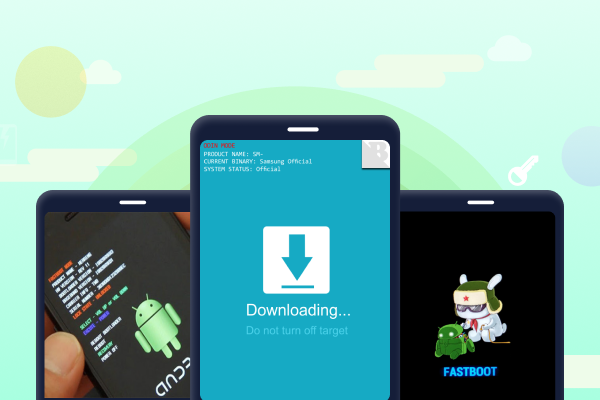
Occasionally, a launcher with extensive accessibility permissions leaves a phone frozen, bootlooping, or stuck past the point where a simple uninstall can fix it. That's why an OS repair tool like Tenorshare ReiBoot for Android is worth keeping on hand. It's best used when your phone won't respond to button combos, and you need to force it in or out of a stuck mode without risking your data. Here are ReiBoot for Android's core features:


Here's how to fix the Android issues caused by the iOS 27 APK with ReiBoot for Android:


No. Apple doesn't distribute iOS for Android devices. Every "iOS 27 APK" in circulation is a third-party launcher copying the look, not Apple's actual operating system.
Yes, since these are standard launcher apps compatible with most Android skins. Visual effects like blur and glass panels may render slightly differently on heavily customized skins like One UI or HyperOS.
Yes, anytime. Switch your default home app back to your phone's stock launcher first, then uninstall the iOS-style launcher like any other app.
An "iOS 27 for Android APK" isn't Apple software but a launcher that mimics iOS 27. To download it, Google Play is safest, APK mirrors need a VirusTotal check, and MediaFire requires the most caution. If sideloading via the iOS 27 APK launcher fails, Tenorshare ReiBoot for Android offers a one-click recovery option without data loss.


then write your review
Leave a Comment
Create your review for Tenorshare articles
Share this post


ReiBoot for Android-Best Android System Repair Tool
Fix 50+ Android issues & Free Enter/Exit Recovery Mode
Best Android Repair Tool
Fix 50+ Android issues, No Data Loss
By Jenefey Aaron
2026-10-20 / iOS 27