

 iOS Tips & Latest Updates
 Bug Fixes, Unlock Guides
 Giveaways & Freebies
then write your review


4uKey - One-Click Easy iPhone/iPad Unlocker
Unlock Screen Lock/Apple ID/MDM/Screen Time Passcode Instantly
Easy iPhone/iPad Unlocker
Unlock iPhone Passcode Instantly
When MDM takes control of an iPhone, even basic tasks can become a hassle. Setup may get stuck, settings can be restricted, and some features may be unavailable. Without the MDM password or access to the original administrator, getting past the restrictions becomes much harder.
Before trying random fixes, it helps to understand where the restriction comes from. This guide covers 4 ways to bypass MDM iOS 27 without a password, with clear steps to help you handle the issue safely.

Mobile Device Management (MDM) is an Apple feature that allows companies and schools to manage iPhones remotely. It can be used to set up devices, apply security settings, restrict certain features, and manage multiple devices at once. MDM is a built-in iOS feature, not malware or a third-party hack.
Once enrolled, MDM can:
Yes. iOS 27 brings major changes to how Apple manages devices, with more MDM functions moving to Declarative Device Management (DDM). It also adds improved enrollment tracking and stronger security for managed devices.
Because of these changes, older MDM bypass methods may not work reliably on iOS 27.
The rodbautis mdm bypass method uses MDMPatcher Universal, a Mac-based tool created for removing MDM restrictions on supported iOS devices. The tool has been used with older iOS versions, but there is no confirmed support for iOS 27. So, the rodbautis mdm method may not work on an iPhone running the latest iOS version.
Steps to try the rodbautis mdm method:


The mdm patcher ios 27 method is not officially confirmed for iOS 27. The current MDMPatcher Enhanced documentation lists support for iOS 15 through 18.5+ and iPhone 5s through iPhone 16. Therefore, the process below applies to supported iOS versions and devices rather than confirming an mdm bypass ios 27.
Steps to use MDMPatcher Universal for mdm bypass ios 27:


You can remove MDM iPhone free without a computer when the installed profile allows the user to remove it. Apple provides a built-in option for checking and removing certain configuration profiles directly from the iPhone.
Steps to remove MDM iPhone free without a computer:


An MDM lock can limit access to iPhone settings, especially when you don't have the MDM password. In this situation, Tenorshare 4uKey provides a guided way to handle the Remote Management screen. Its interface keeps the process simple and easy to follow.
It also supports screen passcode removal, Apple ID removal, and Screen Time passcode removal. 4uKey is compatible with iOS 27 and supports a range of iPhone and iPad models.
Key features include:




How to Bypass MDM with 4uKey


 Please swipe to view
Some tools claim to bypass MDM without a password, but iOS 27 compatibility varies by device and tool.
Yes, the Rodbautis/MDMPatcher Universal method is available as a free tool, but it requires a compatible Mac and device.
Its iOS 27 compatibility is not officially confirmed, so results may vary by device.
It can. If the iPhone is still registered with an organization, MDM may be applied again after a factory reset.
MDM restrictions can be frustrating, especially when you do not have the management password. Free options such as Rodbautis and MDM Patcher may also have limited support for newer iOS versions. For those looking for a simpler bypass MDM iOS 27 option, Tenorshare 4uKey is worth considering. It supports iOS 27 and also includes tools for screen passcodes, Apple ID, and Screen Time locks.


then write your review
Leave a Comment
Create your review for Tenorshare articles
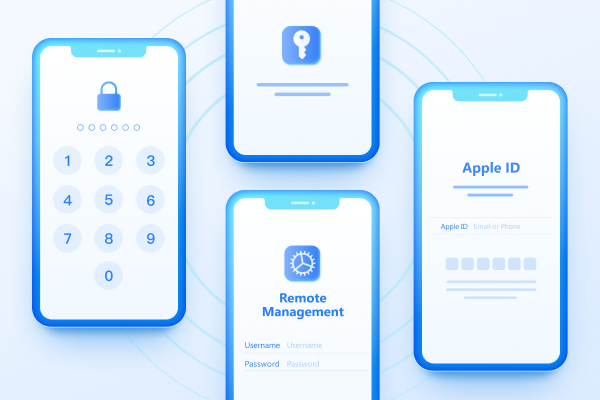
Easily Unlock iPhone passcode/Apple ID/iCloud Activation Lock/MDM
100% successful unlockShare this post


4uKey - One-Click Easy iPhone/iPad Unlocker
Unlock Screen Lock/Apple ID/MDM/Screen Time Passcode Instantly
Easy iPhone/iPad Unlocker
Unlock iPhone Passcode Instantly
By Jenefey Aaron
2026-10-14 / iOS 27