
 iOS Tips & Latest Updates
 Bug Fixes, Unlock Guides
 Giveaways & Freebies


UltData - No.1 Android Data Recovery Tool
Recover Lost Data Without Root or Backup for Any Android Devices!
UltData: No.1 Android Recovery Tool
Restore Lost Android Data Without Root
Have you ever accidentally deleted your browsing history or lost important web activity on your Android device? Whether it's crucial research, a forgotten bookmarked link, or a login page you can't access, losing your browsing history can be frustrating. But don't worry—recovering deleted browser history is possible, and the right tools make it much easier.
Instead of wondering "Can I still recover my deleted browsing history?", you have several options to restore it. In this guide, we'll walk you through proven methods to recover deleted browser history on your Android device. We'll cover everything from checking built‑in tools and Google Account sync to using dedicated recovery solutions like UltData for Android.
UltData stands out as a powerful, user-friendly tool to recover lost browsing history, even when there's no backup available. Ready to get back your lost browsing data? Let's dive into the best methods to recover deleted history from your Android device!
Understanding why your Android browser history gets deleted is essential before you start looking for ways to recover it. There are several common reasons why browsing history disappears from your device, often leaving users confused and frustrated.
One of the most common reasons for losing browsing history is accidental deletion. Sometimes, users may clear their browsing history unintentionally, especially when using browser settings or privacy features designed to protect personal information. Additionally, you might manually delete history for privacy or security purposes, not realizing that important data may be lost in the process.
Many third-party cleaning apps or Android's built-in storage management features automatically delete browsing history to free up space on your device. These apps work by clearing caches, browsing data, and temporary files, but in doing so, they can remove crucial browsing history without you realizing it.
Another cause of deleted browsing history is browser updates or system crashes. When browsers like Chrome update, or if your Android OS experiences a system crash, data—including browsing history—can sometimes be lost. This is especially common if the browser crashes while syncing or saving your history.
There are several ways to restore deleted browser history on Android without relying on third-party tools. Let's explore some of these methods, starting with the easiest ones.
If you use Google Chrome and are signed into your Google account, Chrome syncs your browsing history across devices. This means that even if you've accidentally deleted your history on one device, it may still be available in your Google account. To check, go to Google Account > My Activity. Here, you can view all of your browsing activity, even if it's no longer on your Android device.

For Android users who back up their phone data to Google Drive, it's possible to restore your browsing history from an earlier backup. However, keep in mind that restoring a backup will overwrite newer data on your device, so this method is most effective if you regularly back up your phone and don't mind losing recent changes.

While free methods like syncing with Google or restoring from a backup are effective, they may not always provide the full recovery you need. That's where browser history recovery software comes in. These tools can help scan your device for deleted browsing history and recover it even when other methods fail.
Several third-party tools are available to help recover deleted browser history on Android. Some of the most popular recovery software include UltData for Android, EaseUS Data Recovery, and Stellar Data Recovery. These tools work by scanning your Android device and retrieving lost data, including browsing history, even if no backup exists. UltData for Android is particularly useful because it offers a simple and safe way to recover your browsing data without the risk of overwriting your current data.

If you're looking for a reliable and easy-to-use solution for recovering deleted browser history on your Android device, UltData for Android is your best bet. This software can recover deleted browsing history without needing a backup. Here's how to use it:




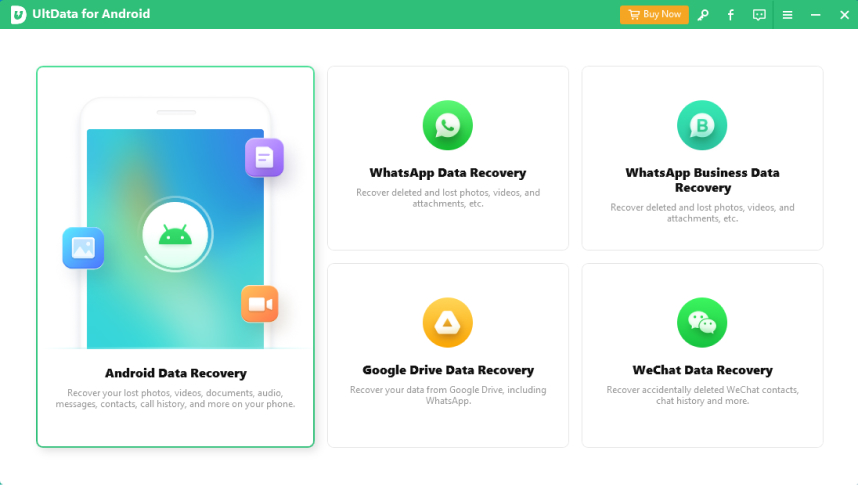
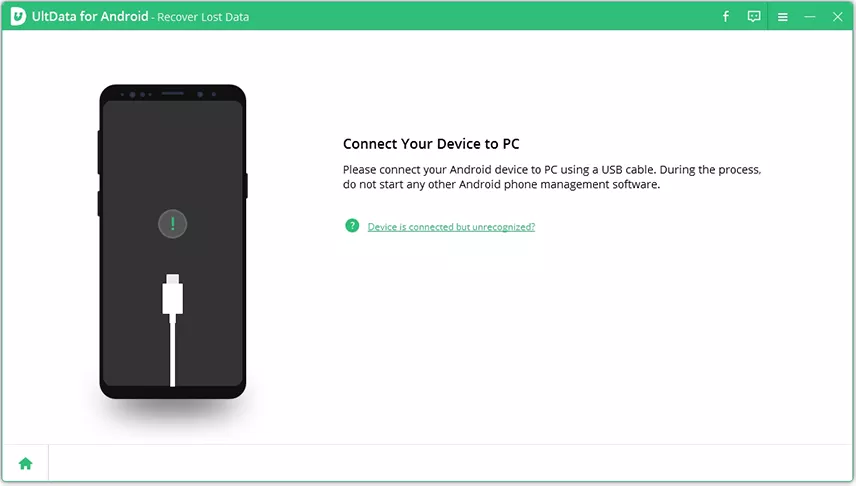
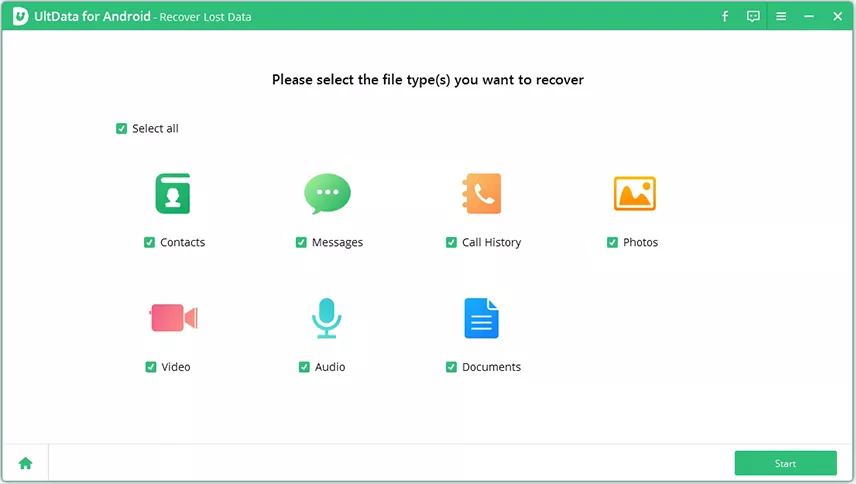


For optimal recovery results, it's highly recommended that you connect the Android device to the computer using the original USB cable and ensure USB Debugging is properly enabled.
Recovering deleted browser history on Android doesn't have to be complicated. Whether you choose to restore from Google Drive, check Google Account sync, or use UltData for Android, you have several options available. UltData stands out as the best browser history recovery software for Android because it offers a safe, easy-to-use solution without needing a backup.
If you're dealing with deleted browsing history on your Android device, don't panic—simply follow the steps outlined in this guide and choose the best method for your situation. For a seamless recovery experience, UltData is your go-to tool for restoring lost browsing data.
When you're signed into your Google account with Chrome sync enabled, your browsing history is stored indefinitely in your Google Account's "My Activity" section. You can access this history at any time by visiting myactivity.google.com, even if you've deleted it from your Android device. However, you can manually delete items from My Activity if desired.
No, reputable browser history recovery software like UltData for Android is designed to safely scan and recover data without damaging your device. These tools use read-only scanning methods that don't modify your existing data. However, always download recovery software from official sources and avoid suspicious third-party tools that might contain malware.
Recovering browser history after a factory reset is extremely difficult, as factory reset erases most data from your device. However, if you had Google Chrome sync enabled before the reset, you can still access your browsing history through your Google Account's "My Activity." Otherwise, recovery software won't be able to retrieve the data after a complete factory reset.


then write your review
Leave a Comment
Create your review for Tenorshare articles
Best Android Data Recovery Software
Highest Data Recovery RateShare this post


UltData - No.1 Android Data Recovery Tool
Recover Lost Data Without Root or Backup for Any Android Devices!
UltData: No.1 Android Recovery Tool
Restore Lost Android Data Without Root
By Anna Sherry
2026-09-24 / Android Recovery