If you're searching for a PassFab Android Unlocker review, you probably want
to know whether this software can remove an Android screen lock or Google FRP
lock on your device. PassFab Android Unlock offers both functions, along with
a special no-data-loss option for selected older Samsung phones. However, its
compatibility varies by unlocking method, and most screen lock removal
processes may erase your data. In this review, we'll examine its features,
supported devices, pricing, advantages, limitations, and an alternative worth
considering.
Quick Verdict: Is PassFab Android Unlock Worth It?
PassFab Android Unlock can be a practical option if your device is supported
and you're comfortable with the possibility of data loss. It combines screen
lock removal and FRP removal in one desktop application, with additional
methods for selected Samsung devices.
Before purchasing, pay attention to three things:
Device compatibility: Screen lock removal and FRP removal
have different support requirements.
Data loss: Many screen lock removal methods may require a
factory reset.
FRP limitations: PassFab's product page, FAQ, and
technical specifications do not describe FRP compatibility consistently.
Please swipe to view
Category
Overview
Main functions
Android screen lock and FRP removal
Screen lock types
PIN, pattern, password, fingerprint
Operating systems
Windows and macOS
No-data-loss option
Selected older Samsung devices on Windows
Free version
Available for download; a paid license is required for full unlocking
Best for
Users whose devices match its supported methods
Review scope: This article examines PassFab's official
product information, technical specifications, pricing, and publicly
available third-party reviews. It does not claim independent hands-on
testing of every supported device.
PART 1. PassFab Android Unlocker Review: Features, Compatibility, and
Pricing
What Is PassFab Android Unlock?
PassFab Android Unlock is a desktop utility designed to help users regain
access to Android devices when they forget their screen passwords or
encounter Google Factory Reset Protection (FRP).
Its main functions include removing supported screen locks and bypassing
Google account verification on compatible devices. It may be useful if
you've forgotten your phone password, purchased a second-hand device that
remains locked, or cannot get past Google verification after a factory
reset.
What Features Does PassFab Android Unlock Offer?
PassFab combines several Android unlocking methods in one application.
Here's what each feature does and where its limitations matter.
1.Android Screen Lock Removal
PassFab supports several common screen lock types:
PIN and Pattern: Remove supported numeric PINs and pattern locks.
Its technical specifications list screen lock removal for Android 4--16.
However, the actual procedure depends on the device model and available
method. Many procedures require a factory reset, which can erase existing
data.
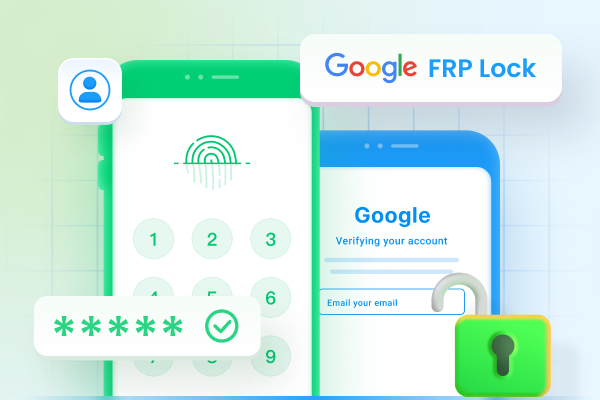
2.Google FRP Removal
Factory Reset Protection (FRP) is an Android security feature that requires
the previously synced Google account after certain factory resets. PassFab
offers an FRP removal function, but its official pages do not describe the
supported brands consistently.
The technical specifications page lists brand and Android version
combinations for Samsung, Motorola, Vivo, Huawei, Xiaomi/Redmi, and OnePlus.
However, the product FAQ specifically describes FRP removal for Samsung
devices, while the product page uses broader multi-brand language.
What does this mean for users? Don't assume that every
phone from a listed brand is supported. Check the exact model, Android
version, and available method with PassFab before purchasing.
3.No-data-loss Unlock for Selected Samsung Devices
PassFab offers a special screen lock removal method for selected older
Samsung models, including certain Galaxy Note 3, Note 4, and Galaxy S5
devices.
This option has two important restrictions:
It only applies to selected compatible Samsung models.
The no-data-loss method is available on Windows, not macOS.
It is not a general guarantee that PassFab can unlock Android phones without
erasing data.
4.EDL Cable Method for Selected Samsung Models
PassFab also advertises an EDL cable method for certain Samsung devices. EDL
(Emergency Download Mode) is a low-level device mode used in some servicing
and recovery procedures.
Before choosing this method, confirm that your exact model is supported and
whether a compatible engineering cable is required. The availability of an
EDL method does not mean every Samsung phone can use it.
PassFab Android Unlock Compatibility: What Should You Check?
Compatibility is one of the most important factors when choosing Android
unlocking software. PassFab's screen lock and FRP functions have different
requirements, so check them separately.
Screen Lock Removal
According to PassFab's technical specifications, screen lock removal
supports Android 4--16 and a range of manufacturers.
Please swipe to view
Supported brands listed by PassFab
Samsung, Google, HTC, Sony, LG, Motorola
Huawei, Xiaomi, OPPO, Vivo, Lenovo
OnePlus, ZTE, TCL, Nokia, Tecno, Infinix
Meizu, Nubia, Gionee, and others
This is a general brand list, not a guarantee that every model from these
manufacturers can be unlocked.
FRP Removal
PassFab's technical specifications provide the following brand and Android
version details:
Please swipe to view
Brand
Android version listed
Samsung
Android 6–16
Motorola
Android 11–12
Vivo
Android 10–12
Huawei
Android 10
Xiaomi / Redmi
Android 6–13, MIUI 10–14
OnePlus
Android 6–16
There is an important qualification: the technical specifications list is
broader than the Samsung-specific description in PassFab's FAQ. OPPO and
Realme also appear in some broader FRP marketing descriptions, but the
technical specifications do not provide the same detailed version ranges for
them.
If you own a device from a brand other than Samsung, confirm FRP support
directly with PassFab before paying for a license.
Does PassFab Support Android 17?
PassFab's product page displays newer Android version references, but its
technical specifications list screen lock removal up to Android 16. These
statements do not establish universal Android 17 support across all
functions.
For the most accurate answer, check the current compatibility information
for your exact device and unlocking method rather than relying on a general
Android version claim.
How to Use PassFab Android Unlock
PassFab provides guided steps for screen lock and FRP removal. The exact
procedure can differ depending on your device brand, Android version, and
selected method.
Method 1. Remove an Android Screen Lock
Install PassFab Android Unlock. Download the installer from the official
PassFab website and launch the program.
Connect your phone. Use a USB data cable to connect your Android device to
the computer.
Select Remove Screen Lock. Choose the screen lock removal function.
Choose your device and method. Follow the instructions displayed for your
phone.
Review the data warning. If the selected method requires a factory reset,
understand that existing data may be erased.
Complete the process. Follow the software and device prompts until the
unlocking process finishes.
For selected older Samsung models, check whether the Keep Device Data option
is available. Do not assume this option will appear on other devices.
Method 2. Remove Google FRP Lock
Connect your supported Android device to the computer.
Open PassFab Android Unlock and select Remove Google Lock (FRP).
Choose the Android version or removal method that matches your device.
Follow the on-screen instructions. Some methods may require additional
drivers, device modes, or accessories.
Keep the phone connected until the software completes the process.
The available methods vary by device. Do not use instructions intended for a
different model or Android version.
PassFab Android Unlock Price: Is It Worth Buying?
PassFab offers several license options. The following prices are displayed
on its official purchase page at the time of review.
Please swipe to view
License
Displayed price
License type
1-Month License
$24.95
Monthly subscription
1-Year License
$39.95
Yearly subscription
Lifetime License
$49.95
One-time purchase
These are promotional prices displayed on the official purchase page. Tax,
regional pricing, and future promotions may affect the final amount.
The listed Standard plans include:
Use on up to 5 mobile devices with 1 PC.
Lifetime free upgrades.
A 30-day money-back guarantee, subject to the applicable policy.
Is the free version enough?
PassFab offers a free download, but downloading and installing the software
does not mean you can complete an unlocking process for free. Treat the free
version as a way to explore the software and check whether your device is
detected. A paid license is required for full unlocking functions.
Before purchasing, check the current refund policy, subscription renewal
terms, and whether your exact device is supported.
PassFab Android Unlock Pros and Cons
After reviewing its features, compatibility information, and pricing, here's
a balanced summary.
Pros
Combines screen lock and FRP removal
Supports common screen lock types
Offers a no-data-loss option for selected older Samsung models
Provides guided unlocking instructions
Offers Windows and macOS versions
Has monthly, yearly, and lifetime license options
Cons
Compatibility varies by device and method
Many screen lock methods may erase data
No-data-loss mode is limited to selected Samsung devices on Windows
Official pages describe FRP support inconsistently
Some methods may require additional equipment, such as an EDL cable
Full unlocking requires a paid license
Who should consider PassFab Android Unlock?
PassFab may be worth considering if your device appears in its compatibility
information, you need screen lock or FRP removal, and you're comfortable
with the data-loss risks of the selected method.
It may not be the right choice if you expect every Android model to be
supported or need a guaranteed way to preserve your data.
PART 2. Best PassFab Android Unlocker Alternative: Tenorshare 4uKey for
Android
If PassFab doesn't support your device or you want to compare another
Android unlocking tool,
Tenorshare 4uKey for Android
is another option.
4uKey for Android focuses on two main tasks: Android screen lock removal and
Google FRP removal. Like PassFab, its compatibility depends on the device,
Android version, and unlocking method.
What Can 4uKey for Android Do
Please swipe to view
Feature
What it offers
Screen Lock Removal
Removes supported PIN, pattern, password, and other screen locks
Google FRP Removal
Supports selected brands and Android versions
Samsung Support
Provides different unlocking methods for supported Samsung devices
Guided Workflow
Offers on-screen instructions during the process
Device Compatibility
Varies by brand, model, and Android version
4uKey's technical specifications list screen lock removal for Android 4--16.
Its FRP compatibility information includes Samsung, Xiaomi, Redmi, OPPO,
Realme, OnePlus, Huawei, Vivo, and Motorola, with specific Android version
restrictions for individual brands.
As with PassFab, check the official compatibility list before proceeding.
How to Use Tenorshare 4uKey for Android
Method 1. Remove an Android Screen Lock
Download and install Tenorshare Android Unlocker on your computer, Launch
the program and select the "Remove Screen Lock" feature.
Then select the respective brand to initiate the unlocking process.
Start removing screen lock without data loss.
Select device Information. Please confirm the device information you
select is correct.
Then it will automatically download the data package.
PassFab Android Unlock vs. Tenorshare 4uKey for Android
Both tools provide Android screen lock and FRP removal functions. The best
choice depends on your device and the specific unlocking method you need.
Please swipe to view
Comparison
PassFab Android Unlock
Tenorshare 4uKey for Android
Main purpose
Android screen lock and FRP removal
Android screen lock and FRP removal
Screen lock types
PIN, pattern, password, fingerprint
Supported Android screen locks
FRP removal
Brand and version restrictions apply
Brand and version restrictions apply
No-data-loss option
Selected older Samsung models on Windows
Available for selected supported Samsung models
Screen lock Android versions
Android 4–16
Android 4–16
Operating systems
Windows and macOS
Windows and macOS
Best for
Users whose devices match PassFab's supported methods
Users who want to compare another supported unlocking solution
Which one should you choose?
Choose PassFab if its compatibility information matches your device and its
available method meets your needs. Consider 4uKey for Android if PassFab
doesn't offer a suitable method or you want to compare another unlocking
workflow.
Before paying for either tool, verify the exact model and Android version,
and understand whether the process will erase your data.
PART 3. FAQs About PassFab Android Unlock
Q1. Does PassFab Android Unlock require root access?
PassFab presents its unlocking process as a guided desktop workflow and does
not list rooting as a general prerequisite. However, requirements can differ
by device and method. Follow the instructions for your exact model.
Q2. Can PassFab unlock a phone with a broken screen?
PassFab lists a broken or dead screen as one of its use cases. However, the
device must still be compatible with the selected method, and some
procedures require interaction with the phone.
Q3. Does PassFab Android Unlock work on tablets?
PassFab states that its screen lock removal feature supports Android phones
and tablets. Actual compatibility depends on the tablet model and Android
version.
Q4. Can I use PassFab Android Unlock on more than one phone?
The official purchase page lists support for up to five mobile devices with
one PC for its Standard license plans. Check the current license terms
before purchasing.
Q5. Is an EDL cable included with PassFab Android Unlock?
The official product information describes an EDL cable method but does not
establish that a compatible engineering cable is included with every
purchase. Confirm the accessory requirements before choosing this method.
Q6. What should I do if PassFab cannot detect my Android phone?
Try a different USB data cable and USB port, check whether the required
device drivers are installed, and follow the connection instructions for
your model. If the phone is still not detected, contact PassFab support
before purchasing another license.
Final Verdict
PassFab Android Unlock combines Android screen lock removal and FRP removal
in one desktop tool. Its guided workflow, support for multiple device
brands, and special no-data-loss option for selected older Samsung models
make it worth considering.
However, compatibility is not universal. The difference between screen lock
support and FRP support matters, and PassFab's official pages do not
describe FRP compatibility consistently. Many screen lock removal methods
may also erase existing data.
Before buying, check your exact device model, Android version, unlocking
method, and data-loss risk. If PassFab doesn't offer a suitable option,
compare it with alternatives such as Tenorshare 4uKey for Android and choose
the one that clearly supports your device.



 iOS Tips & Latest Updates
 Bug Fixes, Unlock Guides
 Giveaways & Freebies





By Jenefey Aaron
2026-11-27 / Unlock Android