

 iOS Tips & Latest Updates
 Bug Fixes, Unlock Guides
 Giveaways & Freebies


iCareFone Transfer - No.1 Solution for WhatsApp Transfer
Transfer, Backup & Restore WhatsApp without Reset in Clicks
Transfe WhatsApp without Reset
Easily Transfer WhatsApp without Reset
Transferring WhatsApp data between devices can feel risky, especially when personal chats and files are involved. That’s why many users ask: is iCareFone Transfer safe? In 2026, Tenorshare iCareFone Transfer is widely used for moving data between Android and iPhone without hassle.
It claims to offer secure transfer, strong data protection, and easy steps for beginners. In this guide, we will explore its safety, real user reviews, and how it keeps your data protected, helping you make a clear and confident decision.
When it comes to moving your WhatsApp data between devices, security is a top concern. Many users worry about data loss, unauthorized access, or corrupted files during transfer.
Fortunately, iCareFone Transfer is safe for WhatsApp transfer, providing a reliable and secure solution for both iOS and Android devices. With advanced encryption protocols and a straightforward interface, it ensures that all messages, photos, videos, and attachments are moved without risk. Users can confidently transfer their data, knowing privacy and integrity are fully protected.




Positive Reviews (From Official & Tech Reviews)
iCareFone Transfer is praised for its easy and reliable way to move WhatsApp chats, photos, and files between devices. Users like its fast speed and simple steps. It works well even when official methods fail, which makes Tenorshare iCareFone Transfer a trusted choice for easy and smooth data transfer.

Real Reddit Feedback
“It worked as it did before. No noticeable issues.”--- Reddit


By following these steps, you can confidently answer the question: is iCareFone Transfer safe for iPhone/Android? Many users have successfully migrated their data without any loss or risk, making it a reliable tool for device upgrades or platform switches.
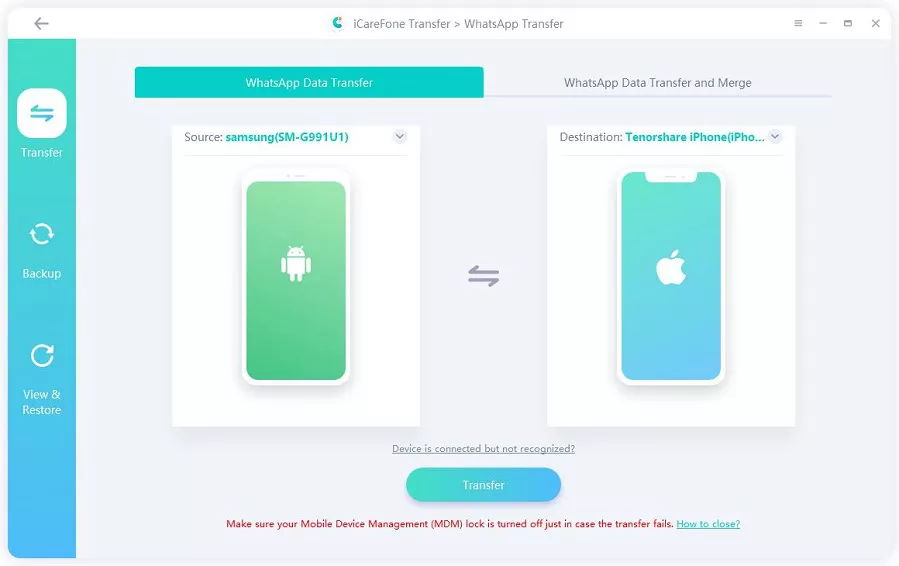
Free download and install iCareFone WhatsApp Transfer on your computer. Connect both your Android and iPhone using data cables.
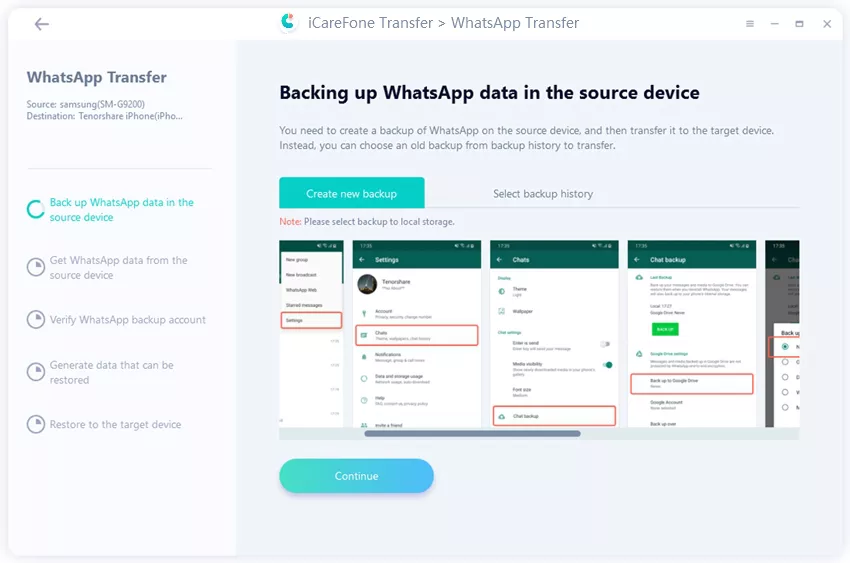
Create a backup of the source device (Android) within the program to ensure all data is securely backed up.
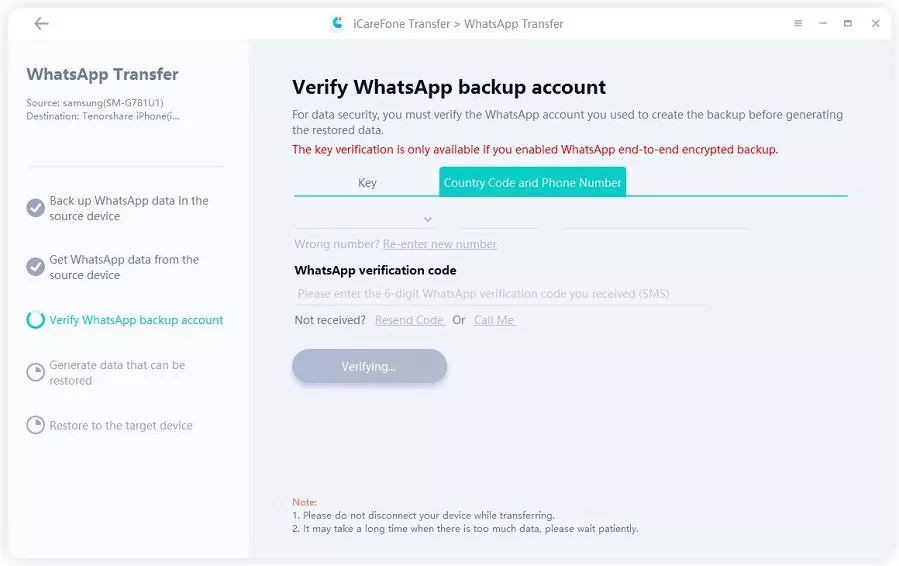
After the backup is completed, verify your WhatsApp account using the 64-Digit Encryption Key (recommended) or SMS Verification.
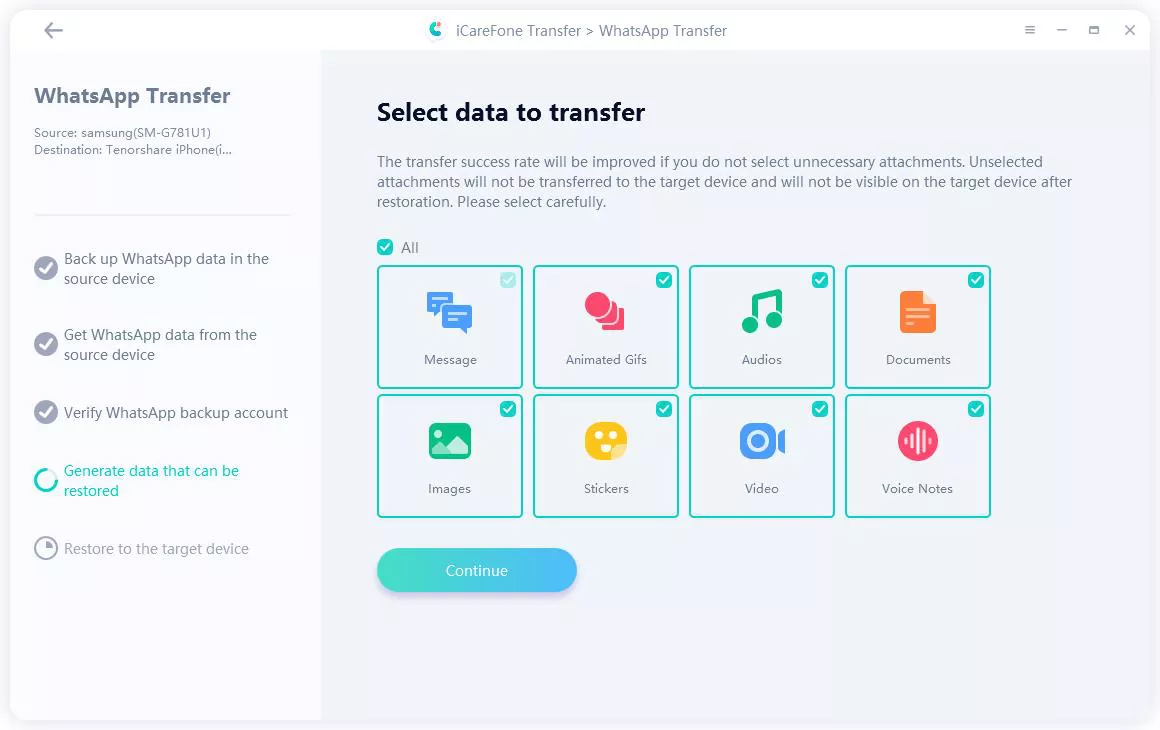
Once verified, you can select the specific WhatsApp data (chats, media, etc.) that you want to transfer.
Ensure you are logged into WhatsApp on the target iPhone to prevent data loss during the transfer.
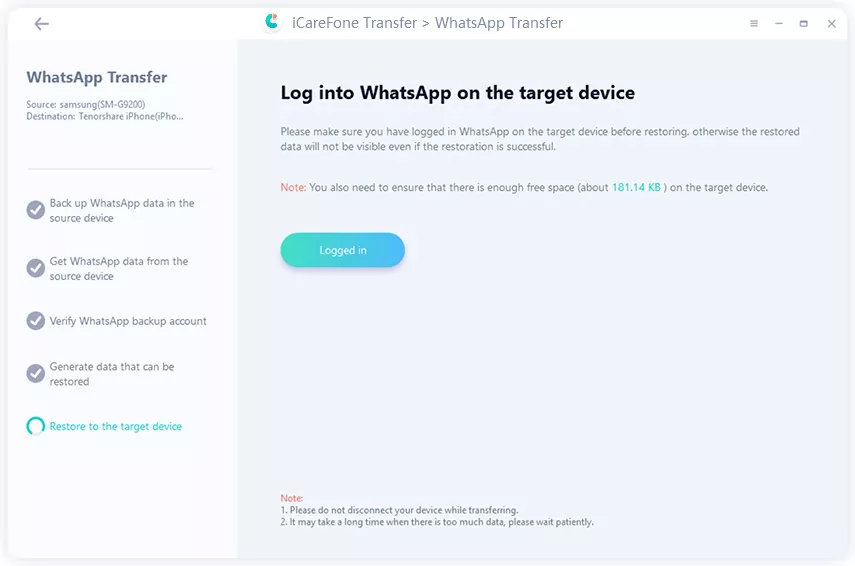
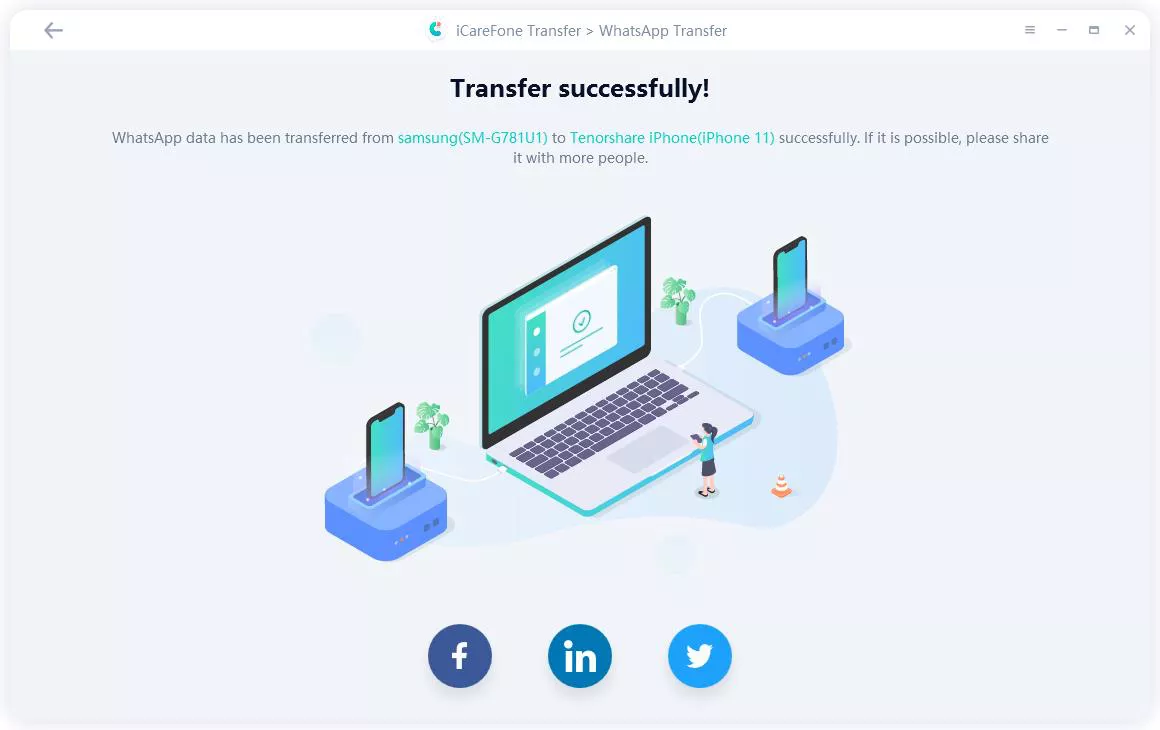
Turn off Find My iPhone on your device to ensure smooth data transfer. Once completed, your WhatsApp data will be successfully transferred to the new iPhone.
Right now, Tenorshare iCareFone Transfer is offering a strong discount on its monthly plan:
This is one of the best current deals for new users.
Working Coupon Codes (March 2026)
Based on recent deals and user feedback from platforms like Reddit:
In many cases, the official website already applies discounts automatically, so you may not need to enter a code.
iCareFone Transfer is a trusted tool for moving and managing WhatsApp data across devices. According to Tenorshare, iCareFone Transfer is safe for WhatsApp transfer and offers a range of useful features:
When comparing tools, many users ask: is iCareFone Transfer safe for iPhone/Android and how does it perform against others? Here is a simple comparison:
 Please swipe to view
Why Choose iCareFone Transfer
With the help of these features, iCareFone Transfer is safe for WhatsApp chats and ensures your data remains secure during migration.
In conclusion, Tenorshare stands out as a trusted provider of data transfer solutions, and iCareFone Transfer is one of its most reliable tools. Designed for secure migration of WhatsApp chats, media, and other important files. With Tenorshare’s strong reputation, excellent support, and proven track record, users can confidently rely on its tools. For anyone asking, is iCareFone Transfer safe? Tenorshare delivers a resounding yes, making it the go-to choice for secure and efficient WhatsApp management.


iCareFone Transfer - WhatsApp Transfer, Backup & Restore






then write your review
Leave a Comment
Create your review for Tenorshare articles
No.1 Solution for WhatsApp Transfer, Backup & Restore
Fast & Secure TransferShare this post


iCareFone Transfer - No.1 Solution for WhatsApp Transfer
Transfer, Backup & Restore WhatsApp without Reset in Clicks
Transfe WhatsApp without Reset
Easily Transfer WhatsApp without Reset
By Jenefey Aaron
2026-09-28 / Transfer