
 iOS Tips & Latest Updates
 Bug Fixes, Unlock Guides
 Giveaways & Freebies

iCareFone Transfer - No.1 Solution for WhatsApp Transfer
Transfer, Backup & Restore WhatsApp without Reset in Clicks
Transfe WhatsApp without Reset
Easily Transfer WhatsApp without Reset
Switching your WhatsApp data to a new phone can feel stressful, and tools like Tenorshare iCareFone promise to make it easy. But the big question many users have is, is iCareFone Transfer free, or will you need to pay to actually use it?
In 2026, there are plenty of transfer tools out there, so it’s important to know what you’re getting before you start. In this guide, we’ll walk you through its features, pricing, and limits in a simple way so you can decide if it’s right for you.
Yes, iCareFone Transfer is free to download for Windows and macOS. You can install it at no cost and use basic features like backing up your device, managing photos, contacts, and files, and previewing backup contents.
However, the free version is limited. To actually transfer WhatsApp between Android and iPhone, restore backups, merge chats, or move full data, you’ll need the paid version. The paid plan unlocks all key features, including cross-platform transfer, Google Drive restore, and full WhatsApp data management.




iCareFone Transfer does include a free version, but it mainly focuses on basic backup and viewing features rather than full WhatsApp transfer.
Free Features You Can Use
With the free version, you can perform several important tasks:
Limitations of the Free Version
While the free trial is useful for exploring the app and performing basic backups, it does not include full transfer capabilities.
What’s Not Included in Free Version
For basic WhatsApp backup, the free version works perfectly. But when it comes to actual WhatsApp transfer, the paid version is where iCareFone Transfer really shows its value.
Why the Paid Version Is Valuable
After exploring iCareFone Transfer and its features, the best part is that you don’t have to pay the full iCarefone transfer pricing. Right now, Tenorshare is offering a massive discount, making it a great time to buy.
Top Working Coupon Codes
Tips for Using Coupon Codes
Using these coupons can reduce the cost of iCareFone Transfer, giving you full access to features like unlimited backups, WhatsApp transfer, and complete data management at a lower price.
Now that you know is iCareFone Transfer free to download and how it works, it is important to consider real user experiences. Feedback from Reddit and online forums highlights both positive results and challenges, providing a realistic view of the software’s performance.
Positive User Experiences
Some users turn to iCareFone Transfer when official WhatsApp transfer methods do not work smoothly. Many Reddit users ask whether iCareFone Transfer can help transfer WhatsApp chats between Android and iPhone, showing a demand for alternative solutions. Users report that tools like iCareFone Transfer can successfully move messages and media where official apps fail.


After understanding is iCareFone Transfer free to download and reviewing user experiences, it is important to know what the software can actually do. Whether you are switching phones, restoring old backups, or merging chat histories, iCareFone Transfer ensures your data moves safely, quickly, and without loss.
1. Seamless WhatsApp Transfer Without Reset
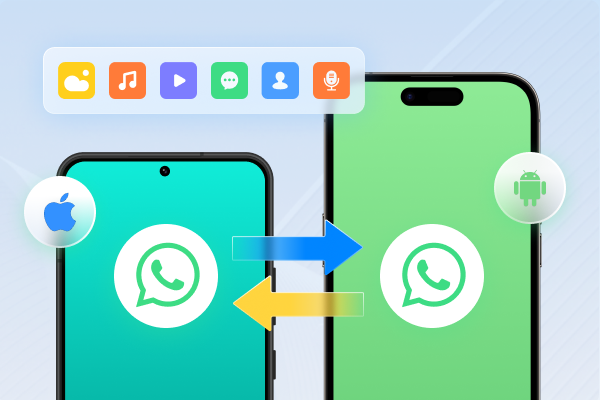
You can transfer WhatsApp or WhatsApp Business messages between Android and iPhone without resetting your devices. This means you can move your chats even after setting up your new phone, preserving all existing data. No factory reset is required, making the process fast and hassle-free.

2. Quick Restore from Cloud Backups
Restore WhatsApp backups from Google Drive to iPhone or iCloud to Android easily. iCareFone Transfer lets you preview your cloud backups, choose specific chats or media, and restore them to your device without restrictions. It’s a perfect solution for users who want to move cloud-stored WhatsApp data to a different platform.

3. 1-Click Merge of Old and New Chats
Keep your conversation history complete when switching phones. iCareFone Transfer can merge old and new messages from multiple devices into one account, ensuring continuity and preventing chat fragmentation. This is particularly useful when upgrading phones or using multiple devices.

4. Free Backup to Computer
Backup WhatsApp, WhatsApp Business, GBWhatsApp, Kik, and Viber data directly to your computer. iOS users enjoy free backups without any storage limit, bypassing the restrictions of Google Drive or iCloud. Backups can be restored at any time, giving you full control over your data.

5. GBWhatsApp Data Migration
Even if your GBWhatsApp account is banned or you are switching to WhatsApp, iCareFone Transfer allows smooth migration of GBWhatsApp data. You can transfer GBWhatsApp chats to WhatsApp or another GBWhatsApp account, ensuring all your messages, photos, and media remain intact.

6. Cross-Platform Compatibility
iCareFone Transfer supports transfers across all major platforms:
It is compatible with Android 2–16 on all Android brands and all iOS versions, providing maximum flexibility for all devices.
7. Preview and Export Backup Data
View all WhatsApp chats, media, documents, and attachments before restoring or exporting. You can export chat history as HTML files, making it easy to store or archive your data offline. This feature is particularly useful for business or personal record-keeping.

8. Kik and Viber Backup Support
Securely backup Kik and Viber chats on your iPhone. iCareFone Transfer allows you to view, export, and restore these messages at any time, all for free, giving you full control over your messaging data.

9. Import Local WhatsApp Backups
Have a WhatsApp backup file saved on your computer? iCareFone Transfer can import local backups, giving you more flexibility and options for restoring or transferring your WhatsApp data across devices.

In this guide, we answer, is iCareFone Transfer free? The answer is simple: it offers a free version with limited features, but the full power comes with the paid plan. If you need smooth WhatsApp transfer, full backups, and easy data management, the premium version is worth it. With current discounts of up to 70% OFF, it becomes even more affordable. For a reliable and beginner-friendly solution, iCareFone Transfer is highly recommended.


iCareFone Transfer - WhatsApp Transfer, Backup & Restore






then write your review
Leave a Comment
Create your review for Tenorshare articles
No.1 Solution for WhatsApp Transfer, Backup & Restore
Fast & Secure TransferShare this post


iCareFone Transfer - No.1 Solution for WhatsApp Transfer
Transfer, Backup & Restore WhatsApp without Reset in Clicks
Transfe WhatsApp without Reset
Easily Transfer WhatsApp without Reset
By Jenefey Aaron
2026-09-28 / Transfer