

 iOS Tips & Latest Updates
 Bug Fixes, Unlock Guides
 Giveaways & Freebies
then write your review


ReiBoot - No.1 Free iOS System Repair Software
Fix 150+ iOS Issues without Data Loss & Safely iOS 27 Upgrade/Downgrade
ReiBoot: No.1 iOS Repair Tool
Fix 150+ iOS Issues, No Data Loss
The iPhone Duo and Samsung Galaxy Z Fold8 bring two different approaches to foldable phones. Both feature a 7.6-inch inner display, but they differ in weight, screen design, cameras, software, and everyday usability. Here's how they compare and which one may be a better fit for your needs.

Before looking at their individual features, here's a quick overview of how the two foldables compare. We'll look at their design, displays, cameras, battery life, and performance to highlight the differences that matter most in everyday use.
 Please swipe to view
Specifications may vary by region. Battery capacity for the iPhone Duo is not officially published; the figures above are manufacturer specifications rather than independent test results.
Weight and portability: The Galaxy Z Fold8 weighs 201g, making it 53g lighter than the 254g iPhone Duo. It is also thinner when folded, measuring 9.7mm compared with 11.3mm. If you frequently carry your phone in one hand, Samsung has a clear advantage.
Please swipe to view
Protection: The iPhone Duo has an IP68 rating, while the Galaxy Z Fold8 is rated IP48. Both offer water resistance, but their dust protection differs. IP68 provides a higher level of dust protection, whereas IP48 protects against larger solid particles rather than dust ingress.
Which design is better? Choose the Fold8 if you value a lighter, thinner device. The iPhone Duo may appeal more if you prefer its titanium design and higher dust-resistance rating.
Both phones offer a 7.6-inch foldable inner display with a refresh rate of up to 120Hz. The main difference is their screen finish.
Please swipe to view
iPhone Duo: Matte viewing experience. Apple's nano-texture finish reduces reflections and helps make the screen crease less noticeable. It is particularly useful when reading or working under bright lighting. However, a matte surface can produce a different visual impression from a glossy display, especially when viewing dark content.
Galaxy Z Fold8: More conventional display appearance. Samsung uses a low-reflection finish while retaining the familiar look of an AMOLED screen. Its display is also designed for immersive viewing, with a 4:3 inner-screen ratio that works well for reading, video, and games.
Neither screen is automatically better for everyone. The iPhone Duo prioritizes reduced glare, while the Fold8 offers a more conventional display experience.
The cover screen determines how comfortable each phone feels when folded.
Please swipe to view
The iPhone Duo uses a similar aspect ratio on both displays, so content can move between the cover and inner screens with less change in layout. The Fold8 has a taller cover screen, which feels closer to a traditional smartphone for messaging and quick tasks.
Both phones use dual rear-camera systems, but their front-facing camera designs differ.
Please swipe to view
Rear photography: Both devices offer high-resolution main and ultra-wide cameras. Megapixel counts alone do not determine image quality, so real-world performance will depend on factors such as image processing, low-light performance, stabilization, and color reproduction.
Front-camera experience: The iPhone Duo hides its inner camera beneath the display, giving the main screen a cleaner appearance. The Fold8 uses a visible punch-hole camera, which may deliver more consistent selfie and video-call quality. If you frequently make video calls or take selfies with the inner screen, this difference is worth considering.
The Galaxy Z Fold8 has a 4,800mAh battery and supports up to 45W wired charging. Apple does not disclose the iPhone Duo's battery capacity, but it rates the device for up to 31 hours of video playback using the inner display and up to 44 hours using the outer display.
Please swipe to view
These figures come from different manufacturer testing methods, so they should not be treated as a direct battery-life comparison. Actual endurance depends on screen usage, network conditions, and app activity.
The iPhone Duo is powered by Apple's A20 Pro chip, while the Galaxy Z Fold8 uses Qualcomm's Snapdragon 8 Elite Gen 5 for Galaxy. Both are flagship processors designed to handle demanding apps, gaming, and everyday multitasking.
Multitasking: Both phones make use of their large inner displays to support multiple apps at once. The iPhone Duo offers Split View, allowing users to run two apps side by side and work with multiple app windows. The Galaxy Z Fold8 provides more flexible window management, including two-way and three-way split-screen layouts, floating windows, and a customizable Taskbar.
Which offers more flexibility? Both are capable of handling everyday multitasking, but the Fold8 has an advantage for users who frequently work across several apps. The iPhone Duo is still a capable multitasking device, particularly for users who prefer Apple's interface and ecosystem.
Beyond hardware, the software experience plays a major role in how useful a foldable phone feels. App optimization, device integration, and multitasking features can make a noticeable difference in everyday use.
Both phones run large-screen versions of their respective mobile platforms, but app behavior can vary.
iPhone Duo: iOS 27 provides a familiar iPhone interface adapted for the foldable display. Apps that support the larger screen can take advantage of the additional space, while other apps may offer a more conventional layout.
Galaxy Z Fold8: One UI 9 is designed around Samsung's foldable form factor. Users can open multiple apps, adjust window sizes, and move content between supported apps. However, not every Android app is equally optimized for the larger screen.
The better experience depends on the apps you use most. Check whether your essential apps support the features and screen layouts you need before choosing either phone.
Your existing devices can make a significant difference in daily use.
Please swipe to view
The iPhone Duo is a natural choice for users who already rely on Apple services and devices. The Galaxy Z Fold8 is better suited to users who prefer Android flexibility or use Samsung and Google services.
Both manufacturers provide ongoing software and security updates, but their update policies and supported periods should be checked for the specific model and region.
Beyond update length, consider how long you plan to keep the device. Foldable phones have more complex hardware than traditional smartphones, so hinge condition, screen care, repair availability, and warranty coverage are also important parts of long-term ownership.
Foldable phones combine advanced software with moving hardware. Some problems can be caused by system errors, while others may involve physical components. Identifying the cause is important before choosing a repair method. If you're experiencing display glitches, connection errors, or unexpected iOS behavior, see our guide to common iPhone Duo problems and how to fix them.
If your iPhone Duo gets stuck on the Apple logo, enters a boot loop, freezes during an update, or cannot exit Recovery Mode, the issue may be related to iOS rather than the foldable hardware.
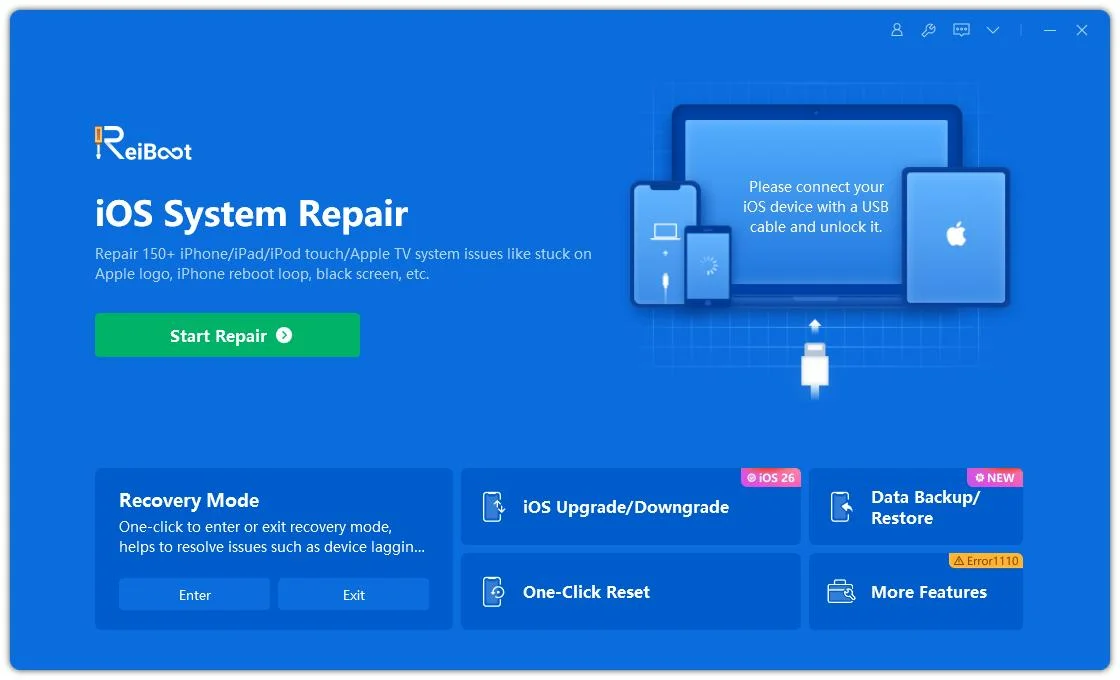
Use ReiBoot for iOS for software-related problems.
Tenorshare ReiBoot for iOS is designed to address common iOS system issues, including:
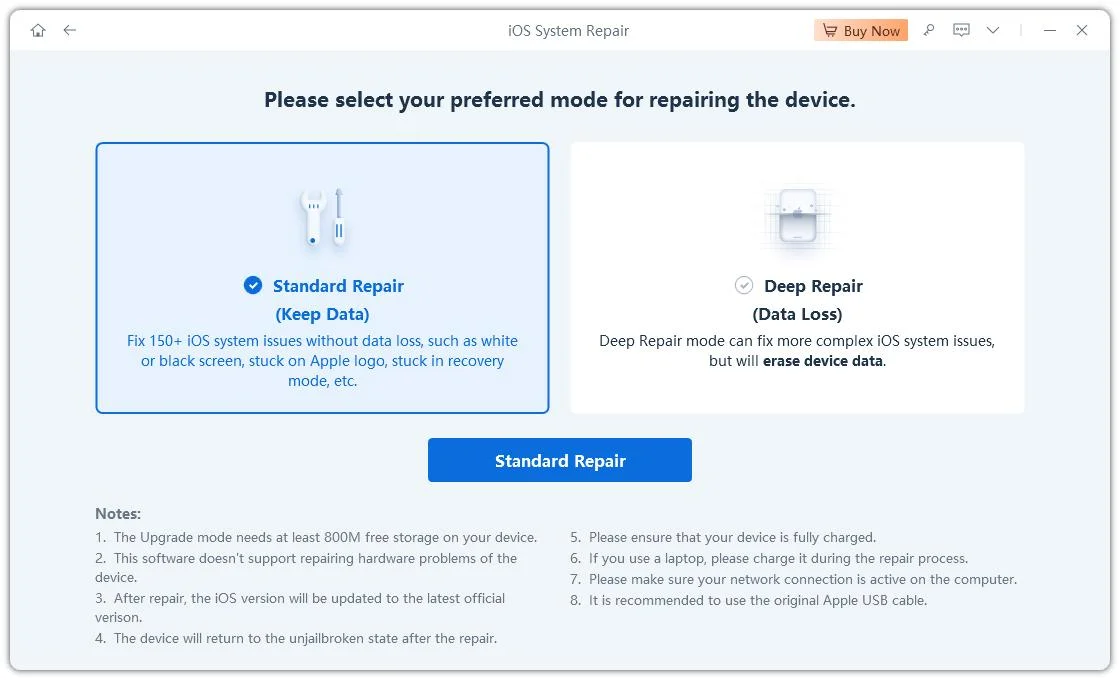
Its Standard Repair mode is designed to repair supported iOS problems without erasing user data. If Standard Repair does not work, Deep Repair is another option, but it erases device data.
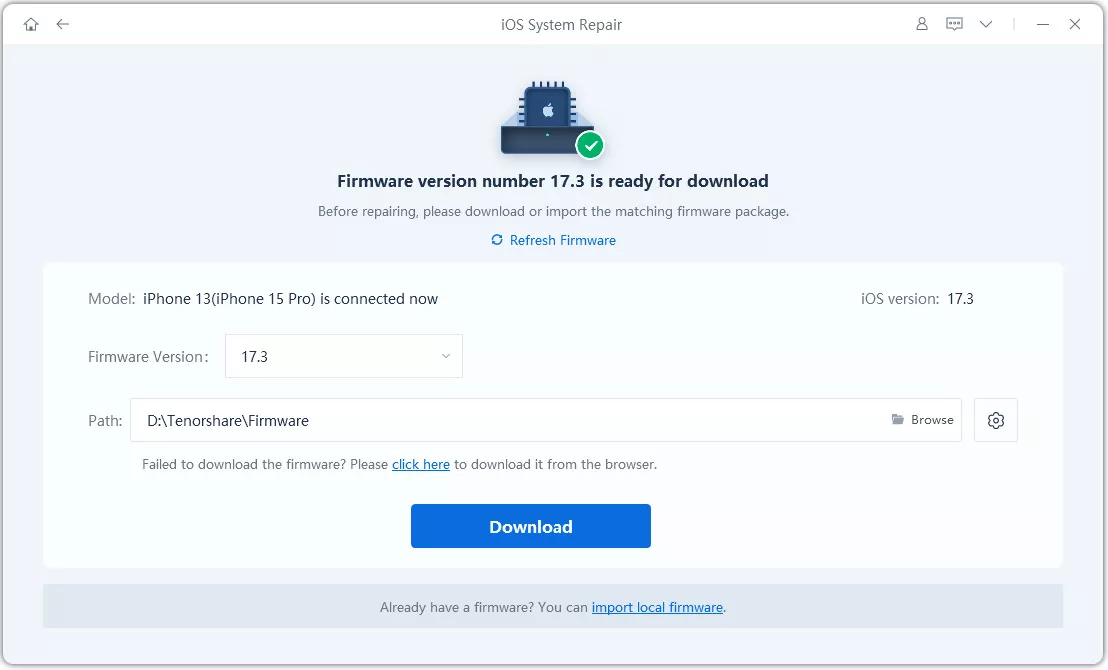
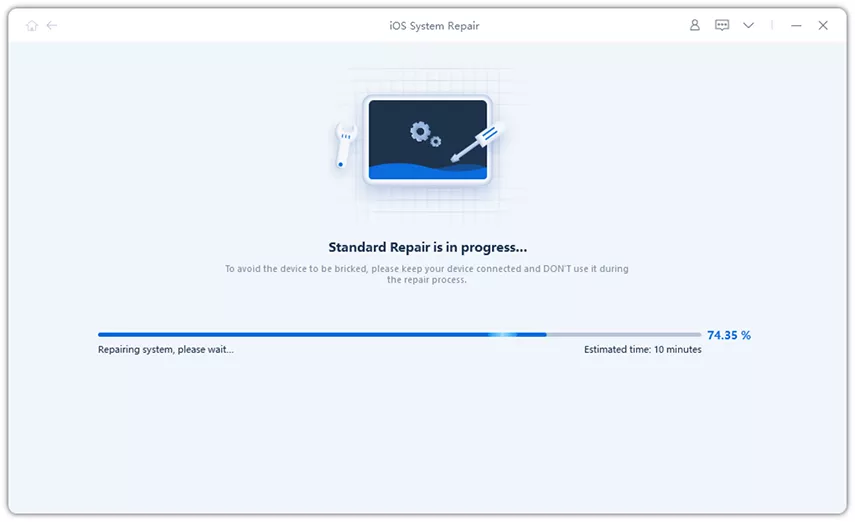
How to use ReiBoot:
Back up and restore your iPhone data: In addition to system repair, ReiBoot also provides a Data Backup/Restore feature. You can back up your iPhone data to a computer before troubleshooting and restore it from a backup when needed, without relying on iTunes or iCloud. For detailed instructions, see the ReiBoot iOS System Backup and Restore Guide.
If you forget your screen password or encounter Google's Factory Reset Protection (FRP) after resetting your Galaxy Z Fold8, you may need an Android unlocking solution. Tenorshare 4uKey for Android provides screen-lock removal and FRP removal functions for supported Android devices.


Depending on the device and software version, it can help with:
Check compatibility before using it. 4uKey's supported models and Android versions vary by unlocking function. Samsung devices are listed among its supported brands, but this does not guarantee compatibility with every Galaxy Z Fold8 model or firmware version. Confirm the exact model and Android version with Tenorshare before proceeding.
Also, some unlocking processes erase device data. Make sure you understand the requirements and potential data loss before starting.
Both phones offer a large foldable display, flagship-level performance, and premium designs. The right choice depends more on your daily habits and preferred ecosystem than on a single specification.
Please swipe to view
Final Verdict: The iPhone Duo is a strong choice for users who prefer Apple's ecosystem, a matte display, and higher dust protection. The Galaxy Z Fold8 is more appealing if you prioritize portability, Android flexibility, and multitasking. Neither is the universal winner; choose the one that fits the way you use your phone.
No. The iPhone Duo is eSIM-only and does not have a physical SIM card slot. Your mobile carrier must support eSIM activation for you to use cellular service.
Yes. The iPhone Duo supports Apple Pencil (USB-C). However, some Apple Pencil features, such as hover, are not supported.
No. The Galaxy Z Fold8 does not support the Samsung S Pen. If stylus input is important to your workflow, check the specifications of other Galaxy devices before purchasing.
No. Both ratings include water-resistance testing, but the first digit measures protection against solid particles and the second measures protection against water. IP68 offers a higher level of dust protection than IP48. Neither rating means a device is completely waterproof, and water resistance may decrease with wear.
Both phones can handle reading, browsing, video streaming, and some productivity tasks on their 7.6-inch inner displays. However, neither fully replaces a tablet or laptop for every workflow. Consider the apps you use, multitasking requirements, keyboard support, and file-management needs before relying on either device as your primary work screen.

then write your review
Leave a Comment
Create your review for Tenorshare articles
Share this post


ReiBoot - No.1 Free iOS System Repair Software
Fix 150+ iOS Issues without Data Loss & Safely iOS 27 Upgrade/Downgrade
ReiBoot: No.1 iOS Repair Tool
Fix 150+ iOS Issues, No Data Loss
By Jenefey Aaron
2026-11-23 / iPhone 18