

 iOS Tips & Latest Updates
 Bug Fixes, Unlock Guides
 Giveaways & Freebies
then write your review


ReiBoot - No.1 Free iOS System Repair Software
Fix 150+ iOS Issues without Data Loss & Safely iOS 27 Upgrade/Downgrade
ReiBoot: No.1 iOS Repair Tool
Fix 150+ iOS Issues, No Data Loss

If you're facing iOS 27 unable to download new apps, you're not alone. Many users report unable to download apps ios 27, with downloads freezing or failing. If you're wondering why can't I download apps on ios 27, common causes include weak internet, App Store glitches, restrictions, or update-related system errors. These issues can also cause ios 27 apps not downloading on iPhone and iPad. Whether you're unable to download new apps on ios 27, experiencing apps won't download on ios 27, or unable to download apps ipad, several simple fixes can help. Restarting your device, checking your connection, freeing storage, and signing into your Apple Account again can often resolve the problem.
Before jumping into fixes, it helps to understand what's actually going wrong. Users reporting iOS 27 unable to download apps generally fall into a few categories:
Once you know which bucket your issue falls into, the right fix usually takes just a few minutes.
Here are ten solutions, ordered from quick checks to deeper system-level fixes. Try them in sequence; most people resolve the issue within the first five.
It sounds obvious, but a weak or unstable connection is the single most common reason apps won't download on iOS 27. Large app installs are more sensitive to dropped packets than everyday browsing, so a connection that feels "fine" for scrolling social media can still fail a 200MB download.

Like any app, the App Store can get stuck in a bad state especially right after a major OS update rewrites parts of its underlying framework.

If it still won't budge, restart your device before moving on see Solution 5.
Screen Time settings can silently block installs, and it's easy to forget they're turned on, especially on a shared or family device.

An expired or glitched Apple ID session is a frequent, often-overlooked cause of Unable to download apps iOS 27 errors. Refreshing your sign-in forces the App Store to re-authenticate against Apple's servers.

A simple restart clears temporary memory glitches and resets background services that may have gotten stuck during or after the iOS 27 update.

iOS 27 apps not downloading is often a storage issue in disguise the system may fail silently instead of showing a clear "storage full" warning, particularly when there's just barely not enough room.

Apple regularly ships point updates that patch bugs from the initial release, and App Store connectivity issues are a common target for these fixes.

If you suspect the issue is deeper than a simple Wi-Fi hiccup, resetting your network settings clears out saved Wi-Fi passwords, VPN configurations, and cellular settings that may be interfering with App Store traffic.

If none of the above steps work, the problem likely runs deeper --- often a corrupted system file left behind by an interrupted or buggy iOS 27 installation. In these cases, standard troubleshooting can't reach the root cause, and a dedicated system repair tool is the most reliable next step.
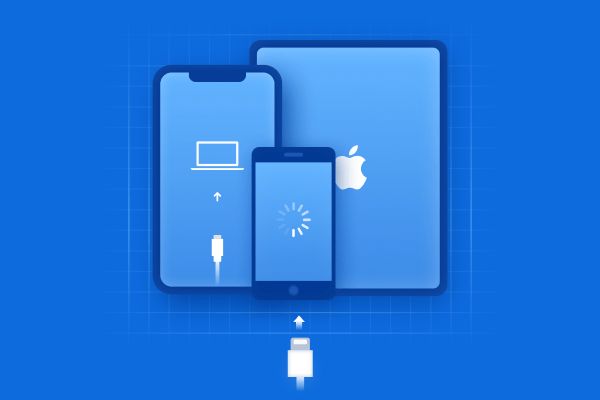
Tenorshare ReiBoot is built for exactly this kind of scenario. It can diagnose and repair iOS system issues without wiping your data, putting your device into or out of recovery mode with a single click, and fixing the underlying software glitches that cause persistent App Store failures. For most iOS 27 cases where you can't download new apps and the issue persists after a restart, storage cleanup, and network reset, a standard repair through a tool like ReiBoot resolves the issue without a full restore.







If every other fix fails, a full restore is the last resort it wipes the device and reinstalls iOS 27 from scratch, eliminating any corrupted files causing the problem.

The most common reasons include a poor internet connection, insufficient storage, App Store glitches, account issues, or restrictions that prevent app installation. Restarting your iPhone, checking storage, and reviewing Screen Time settings can often fix the problem.
Start by checking your Wi-Fi or cellular connection and make sure your iPhone has enough free storage. Then force-close the App Store and restart your device. If the issue continues, check your Apple Account, update iOS 27, or reset your network settings.
Apps can remain stuck on "Waiting" because of an unstable network, limited storage, App Store problems, or a temporary iOS glitch. Pause and restart the download, switch networks, restart your iPhone, and try downloading the app again.
Check your internet connection, available storage, and Screen Time restrictions first. You should also make sure you're signed into the correct Apple Account. If these basic solutions don't work, updating iOS 27 or resetting network settings may resolve the issue.


then write your review
Leave a Comment
Create your review for Tenorshare articles
Share this post


ReiBoot - No.1 Free iOS System Repair Software
Fix 150+ iOS Issues without Data Loss & Safely iOS 27 Upgrade/Downgrade
ReiBoot: No.1 iOS Repair Tool
Fix 150+ iOS Issues, No Data Loss
By Jenefey Aaron
2026-10-20 / iOS 27